Admins can now write custom skills in Organization Settings > Agent0 > Skills, defining a name, usage description, and instructions. Anyone can invoke a skill by typing / in a chat, or let Agent0 choose one automatically when its description matches the request.
Dash0 Changelog
$
npx @buildinternet/releases get dash0-changelogMon
Wed
Fri
SepOctNovDecJanFebMarAprMayJunJulAugSep
LessMore
Releases29Avg9/mo
Dash0 now supports Mattermost as a notification channel, sending failed checks, synthetic check failures, and Agent0 automation notifications via an incoming webhook URL. Labels and annotations appear in a collapsed info panel, and alerts include an "Analyse with Agent0" link that opens the failed check with its time range preset.
Dash0 plugins for Claude Code, Cursor, Codex, and GitHub Copilot CLI now support Windows, with binaries for amd64 and arm64 on all four agents.
Dash0's Google Cloud integration now lets you filter resources to monitor and select individual metrics, limiting collection volume and cost. Coverage expands to Google Kubernetes Engine, Memorystore for Redis, and Compute Engine VMs.
SignalControl, now available in every Dash0 account, filters, samples, and aggregates telemetry as it arrives, before storage, so billing applies only to what you keep. It offers spam filters, distributed tail sampling, RED metrics before sampling, signal-to-metrics conversion, and time series aggregation, run either managed in Dash0's cloud or as a gateway in your own Kubernetes cluster. Rules are managed in the Dash0 UI or as code, applying live without restarts.
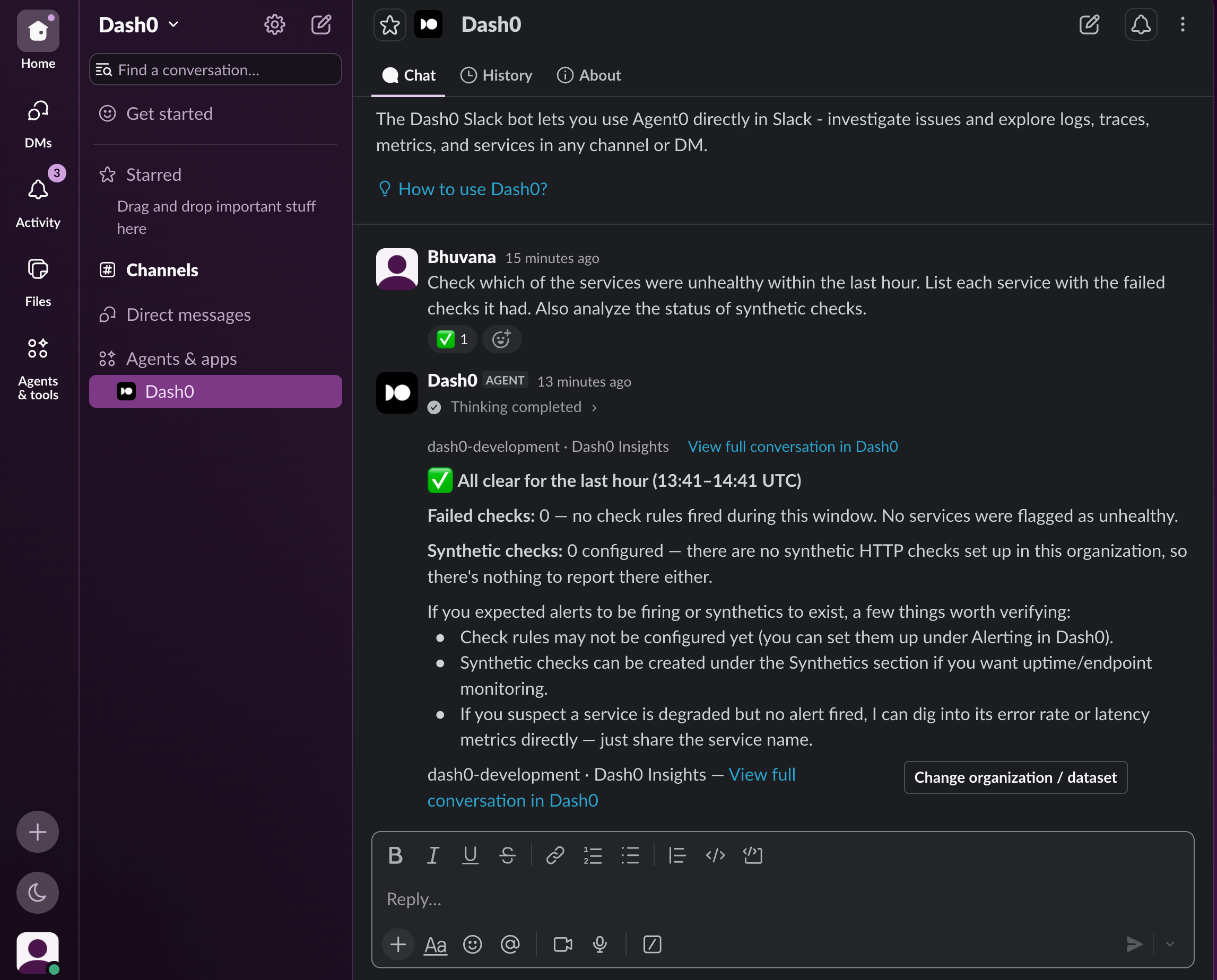
Agent0 now responds to direct messages by messaging @Dash0, holding answers in a private thread. DMs carry their own organization and dataset choice, so users can query data their teammates don't work in without sharing it in a channel.
Cardinality is now available as a metric: dash0.metrics.timeseries reports your distinct series count as a time series, workable in dashboards, PromQL queries, and alert checks. It is synthetic and computed from existing metric data, requiring no setup and incurring no extra charge.
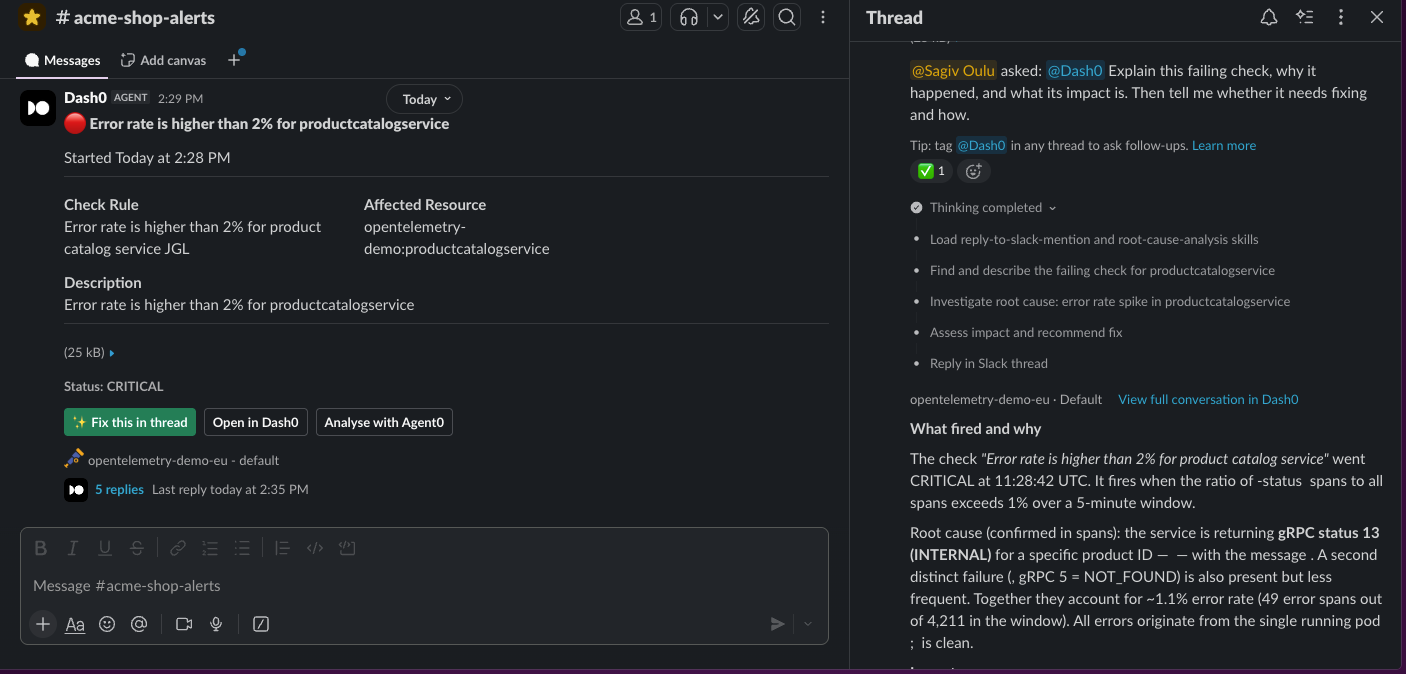
Every Dash0 alert in Slack now has a "Fix this in thread" button that asks Agent0 to explain the failing check, why it happened, and whether it needs fixing, with the answer landing in the alert's thread. Agent0 shows its thinking steps and reads the organization and dataset from the alert itself, so no manual setup is needed; follow-ups work by tagging @Dash0.
The experimental apply --since option now deletes assets based on Git history, comparing a git reference against the current state and removing anything no longer present. It also handles moving assets among files; a full diff command and GitHub Action are upcoming.
Dash0 now connects to GitLab (gitlab.com or self-managed), letting Agent0 read diffs, issues, and pipeline results during investigations and open merge requests with deep links to the telemetry that prompted them. Works through each member's own GitLab account, and Agent0 operates as the person who created the automation without pushing to default branches.
Tag @dash0 in any Slack thread to have Agent0 investigate alerts, find logs, build dashboards and checks, and open a PR with the fix — answering with the tagged user's Dash0 permissions.
The Dash0 Terraform Provider v1.16.0 adds dash0_deployment_event and dash0_log_event actions for creating deployment and log events directly from Terraform, replacing manual setup. Both require Terraform 1.14+ and the provider's new otlp_url attribute.
Time-series panels now support a Deployments annotation type, showing each deployment as a timeline marker colored by success or failure. Emit dash0.deployment log events via the Send Log Event GitHub Action or dash0 logs send from the CLI.
A new organization-wide setting makes Agent0 Chat pause before any write action — posting to Slack, creating automations, or calling write tools on MCP servers — showing the action, its reasoning, and exact arguments for approval. Reads continue during the decision; the setting covers Agent0 Chat and the Agent0 panel, while Slack, Linear, or workflow-triggered runs bypass it and GitHub/git actions follow the connector's own permissions.
The Dash0 Operator for Kubernetes v1.151.0 adds automatic instrumentation for Ruby 3.3+, injecting the Dash0 OpenTelemetry Ruby distribution at container startup. Rails apps, Bundler-managed services, and plain Ruby scripts get distributed tracing, with monitoring opt-in and off by default.
Any query in the Log Explorer, Trace Explorer, or Web Events Explorer can now be exported to CSV, TXT, JSON, or YAML, preserving filter, time range, ordering, and dataset. Supports up to 5,000 records; the Dash0 CLI builds the command for larger exports.
Agent0, Dash0's observability agent, can now be driven from Claude Code, Cursor, or any MCP client via a runTask tool. Instead of one query at a time, you describe a problem in plain language and Agent0 investigates across metrics, logs, traces, and profiles, then reports conclusions. Access is read-only, billed per investigation, and can be disabled by admins under Settings → AI.
The Dash0 MCP server can now delegate work to Agent0, enabling connected assistants to run open-ended investigations against live telemetry, query metrics, logs, traces, services, and dashboards. Agent0 returns results in seconds for short questions and provides background processing links for investigations.
Dash0 teams can now be managed as code using the Dash0 CLI v1.16.0+, Terraform Provider v1.15.0+, and Kubernetes Operator v1.50.0+. Each team is modelled as a CRD, and YAML can be downloaded from the Organization settings.
The new Spans Table widget adds a sortable, self-refreshing table of spans to dashboards and the query builder, with customizable columns, filter scoping, and direct links to the Trace Explorer.
Last Checked
4h ago
Latest
Sep 9, 2026
Source
www.dash0.com/changelog