Related Logs
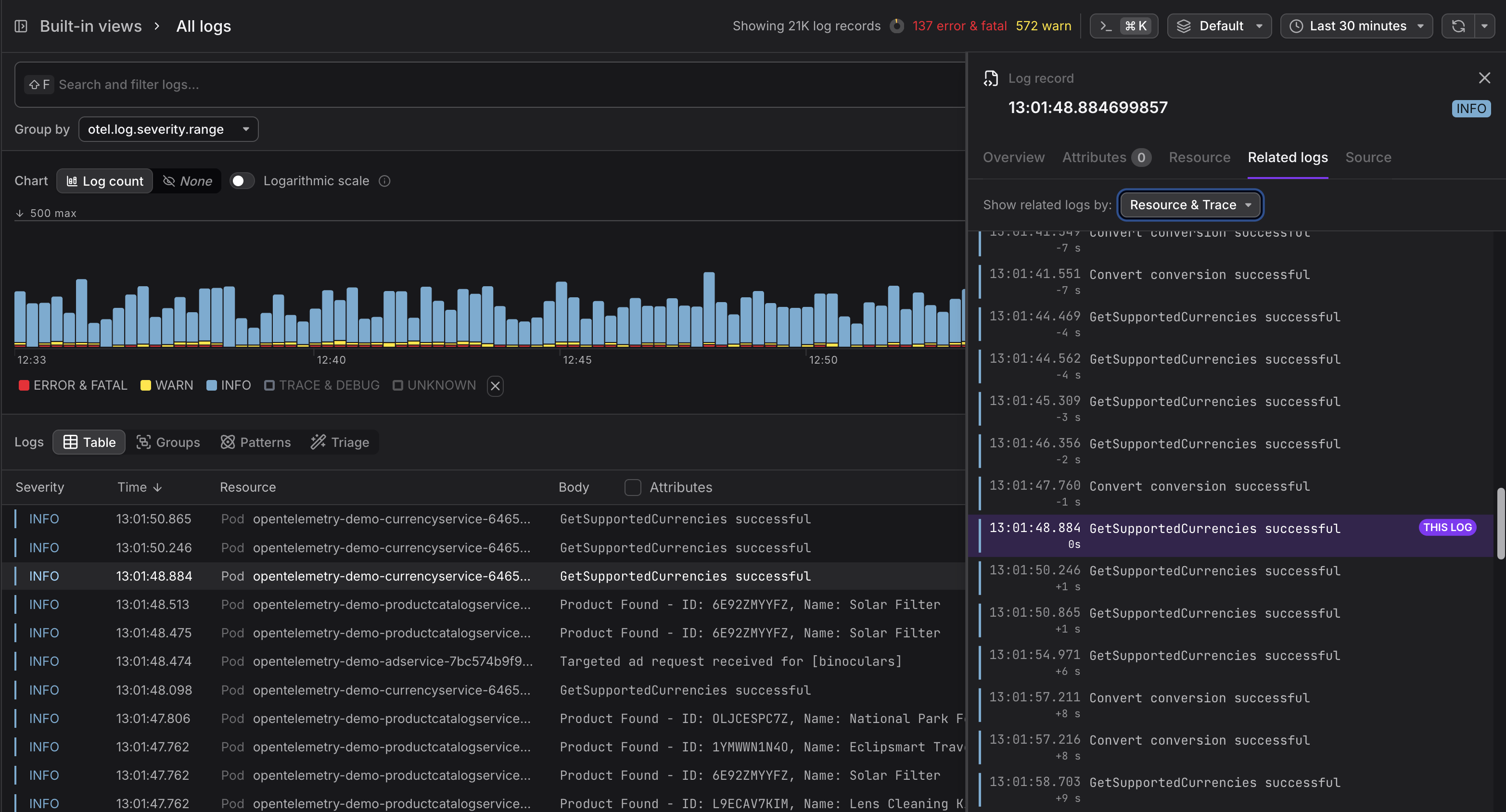
When you open any log record and access the Related Logs tab, the system automatically queries a ±30-minute window centered on the active log and displays the results in a scrollable timeline.
The active log appears pinned in the center with a THIS LOG badge and highlighted background. Surrounding entries show relative time offsets (like -2m 15s or +50s) so you can understand temporal relationships. The interface supports infinite scrolling in both directions without closing the panel.
Correlation Modes
Two independent, combinable correlation approaches let you investigate context from different angles:
- Resource correlation: Identifies all logs from the same service or infrastructure component, creating a local timeline of that resource's activity.
- Trace correlation: Locates logs sharing an identical trace ID, enabling you to follow a single request across service boundaries.
You can toggle each mode independently via checkboxes, and correlation badges on log entries clarify why specific records appear.
Fetched June 3, 2026