Releases Index
Webflow

Webflow

$npx @buildinternet/releases get webflow
Recently Shipped15 releases · updated Oct 27, 2026

Recently launched Webflow Campaigns, a standalone campaign tool for marketers, and expanded Libraries into a Workspace-wide design system.

Campaigns runs independently of the core site. Announced at Webflow Conf and now available for purchase, it builds on-brand landing pages, personalized variations, ad creative, and reporting in one workflow. It extracts the brand into a reusable design system, then builds from a campaign brief.
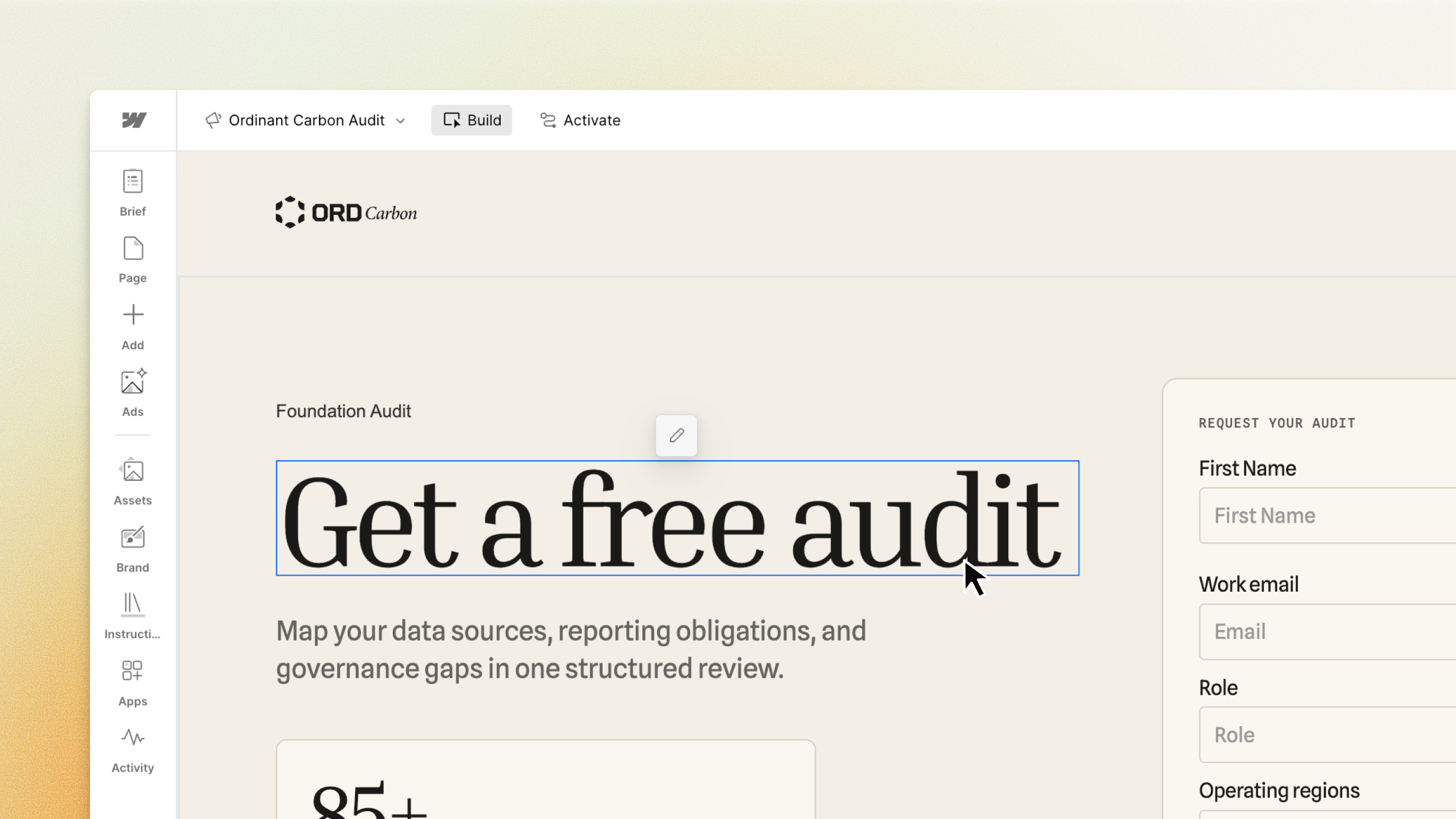
Introducing Webflow Campaigns

Libraries became a full Workspace design system.

  • Assets — images, documents, Lottie and Rive animations — share from one source, with control over when changes go live
  • Variable modes and global tag styles like body and headings now travel with components
  • On every paid plan: Core, Growth, and Freelancer share one library; Agency and Enterprise are unlimited
  • A dashboard view tracks installations and pending updates across all sites
  • Components using Search or Background Video elements now share too

Box replaced seven structural elements. One Box element with the HTML tag as a setting takes the place of Div Block, Section, Container, Columns, Grid, V Flex, and H Flex. 19 new global tag selectors — section, nav, header, footer among them — style that markup in one place.

Component slots can carry defaults. Adding a component to a slot on a main component pre-fills every instance, so a card arrives with its buttons ready to customize.

Agents got a live cursor and more data.

  • Agent presence shows where an agent is working on the canvas, the way a teammate's cursor does
  • MCP agents read page-level traffic and goal data, Optimize experiments, and AEO Analytics
  • Google Gemini connects to the MCP server to build pages, manage CMS content, and check site performance in chat

Localize and search got shorter paths. Agentic translation finds what needs translating when launching a new locale, and the Algolia Search and Sync app connects a site to an Algolia account for hosted search without custom code.

Component slots get default components

This release1 featureNew capabilitiesAI-tallied from the release notes

Designers can add a component to a slot on a main component to make it the slot's default, so every new instance of that component arrives with the slot pre-populated and ready to customize. Updating the default in the main component propagates to instances still using it, while marketers can swap, reset, or clear slot content.

Read more ↗

Agent presence live on canvas

This release1 featureNew capabilitiesAI-tallied from the release notes

Agents connected through Webflow's MCP server now show where they are working live on the canvas, the same way a teammate's presence appears. The feature is rolling out and will be available in all Workspaces by the end of next week at no additional cost.

Read more ↗

Webflow Campaigns is a standalone product for demand gen, growth, and performance marketers that generates on-brand landing pages, personalized page variations with their own URLs, and message-matched ads, with Marketo and HubSpot form connections, a Google Ads Performance Max integration, and HubSpot or Salesforce pipeline reporting. It runs independently of a core website, and pages and ads can be built in a visual canvas or through Webflow's MCP.

Read more ↗

Webflow MCP now connects to Google Gemini

This release1 featureNew capabilitiesAI-tallied from the release notes

Google Gemini now connects to Webflow's MCP server, letting users create pages and components, manage CMS collections and bulk-edit items, add motion and interactivity, and check traffic, SEO/AEO, accessibility, and AI crawler data without leaving Gemini. The connector is free to install, available in English in the United States, and does not consume Webflow AI credits at this time.

Read more ↗

MCP reads Analyze, Optimize, AEO data; Gemini connector lands

This release5 featuresNew capabilitiesAI-tallied from the release notes

Agents using Webflow's MCP server can now read page-level traffic and goal data from Analyze, Optimize experiment results, and AEO Analytics crawler and answer-engine data. Google Gemini joins Claude and ChatGPT as an MCP connector, and Team Administration lets agents invite people, change roles, and remove workspace and site access.

Read more ↗

Shared Libraries now on all paid Workspace plans

This release2 featuresNew capabilitiesAI-tallied from the release notes

Shared Libraries are now available on every paid Workspace plan, with Core, Growth, and Freelancer plans able to share one library and Agency and Enterprise plans unlimited. A new Libraries panel unifies sharing, installs, updates, and Marketplace library management in one place.

Read more ↗

Shared Libraries get central dashboard view

This release2 featuresNew capabilitiesAI-tallied from the release notes

New dashboard-level view shows which Shared Libraries have out-of-date installations and lets users review updates for a specific site with one click. Enterprise Workspace plans can also auto-install a Library on all newly created sites.

Read more ↗

Components and variables shared across sites via Libraries

This release1 featureNew capabilitiesAI-tallied from the release notes

Libraries provide a multi-site design system where components, including props, and variables can be shared and installed across sites in a Workspace, with a Manage libraries modal for sharing and cascading updates that each site accepts individually. Available for Growth, Agency, and Enterprise plans.

Read more ↗

Shared Libraries add assets, variable modes

This release2 featuresNew capabilitiesAI-tallied from the release notes

Shared Libraries now support assets and variable modes, letting teams manage images, documents, Lottie and Rive animations from a single source and apply variable modes and collections across all sites in a Workspace. Shared Libraries are available on Growth, Agency, and Enterprise Workspace plans.

Read more ↗

Box element replaces Div, Section, Container, Grid in Add panel

This release2 featuresNew capabilitiesAI-tallied from the release notes

The new Box element replaces Div Block, Section, Container, Columns, Grid, V Flex, and H Flex in the Add panel, with the HTML tag set as a setting and changeable at any time without swapping elements. Tag selectors expand to 19 more elements including div, section, nav, header, footer, main, article, aside, address, button, input, textarea, and select, and new selectors start empty so existing sites look the same until changed.

Read more ↗

Global tag styles now ship with shared Libraries

This release1 featureNew capabilitiesAI-tallied from the release notes

Libraries now include customized global tag styles for elements like body and headings, alongside components, variables, fonts, and assets, so installed components look the same across sites. Sites can choose which Libraries' tag styles apply and in what order, and uninstalling a Library merges its enabled tag styles into the site's own.

Read more ↗

Bulk seat management; membership APIs for provisioning

This release3 featuresNew capabilitiesAI-tallied from the release notes

Admins can now search and filter members by role, status, or seat type at the Workspace and site level, run bulk actions to remove members or change roles and CMS, Locales, and Pages access, and export member and Site Access lists as CSV. The same capabilities are available programmatically through public membership APIs, and available Full seats can be used for any full or limited role.

Read more ↗

Agentic translation arrives in Webflow Localize

This release4 featuresNew capabilitiesAI-tallied from the release notes

Agentic translation is rolling out in Webflow Localize with two modes: one-time translation for a single reviewable pass, and continuous translation that keeps target locales updated whenever primary content changes. Exclusion rules keep specified pages, components, CMS fields, and props out of translation entirely, and translation memory reuses existing translations when source text, language, and settings are unchanged.

Read more ↗

MCP: interactions and Cloud app deployment; faster CMS queries

This release4 featuresNew capabilitiesAI-tallied from the release notes

Webflow MCP now supports adding interactions (scroll, hover, load, click triggers) to pages using IX3 and GSAP, querying CMS content with sorting and filtering in a single request, and deploying or debugging Webflow Cloud apps. Enterprise plans also gain branch management: pull main, merge back, preview to staging, and check for conflicts.

Read more ↗

AI code components now editable on canvas

This release1 featureNew capabilitiesAI-tallied from the release notes

AI code components now support direct on-canvas visual editing: select and style any element in the Style Panel, add an element as context for scoped AI Assistant changes, and manually edit text without a prompt.

Read more ↗

Breakpoint canvas shows all responsive views side-by-side

This release1 featureNew capabilitiesAI-tallied from the release notes

Breakpoint canvas lets you expand the canvas to see desktop, tablet, mobile, and large breakpoints side-by-side for instant visibility into cascading changes, or focus on a single breakpoint for scroll-based interactions. Rolling out to all users in Design, Build, and Edit modes within the next week; not available in Preview or Comment mode.

Read more ↗

Components now insert directly into CMS rich text

This release1 featureNew capabilitiesAI-tallied from the release notes

Webflow components like CTA buttons, testimonial cards, and pricing tables can now be added directly into rich text fields, both on canvas and in the CMS panel, with per-item property configuration. Components that update once will update every instance across your CMS; components containing Collection Lists can't be placed in rich text, and components within rich text can't be bound to the CMS or have slots exposed.

Read more ↗