AI code components now support direct on-canvas visual editing: select and style any element in the Style Panel, add an element as context for scoped AI Assistant changes, and manually edit text without a prompt.
Webflow Product Updates
$
npx @buildinternet/releases get webflow-product-updatesMon
Wed
Fri
SepOctNovDecJanFebMarAprMayJunJulAugSep
LessMore
Releases47Avg14/moVersionsv2.0
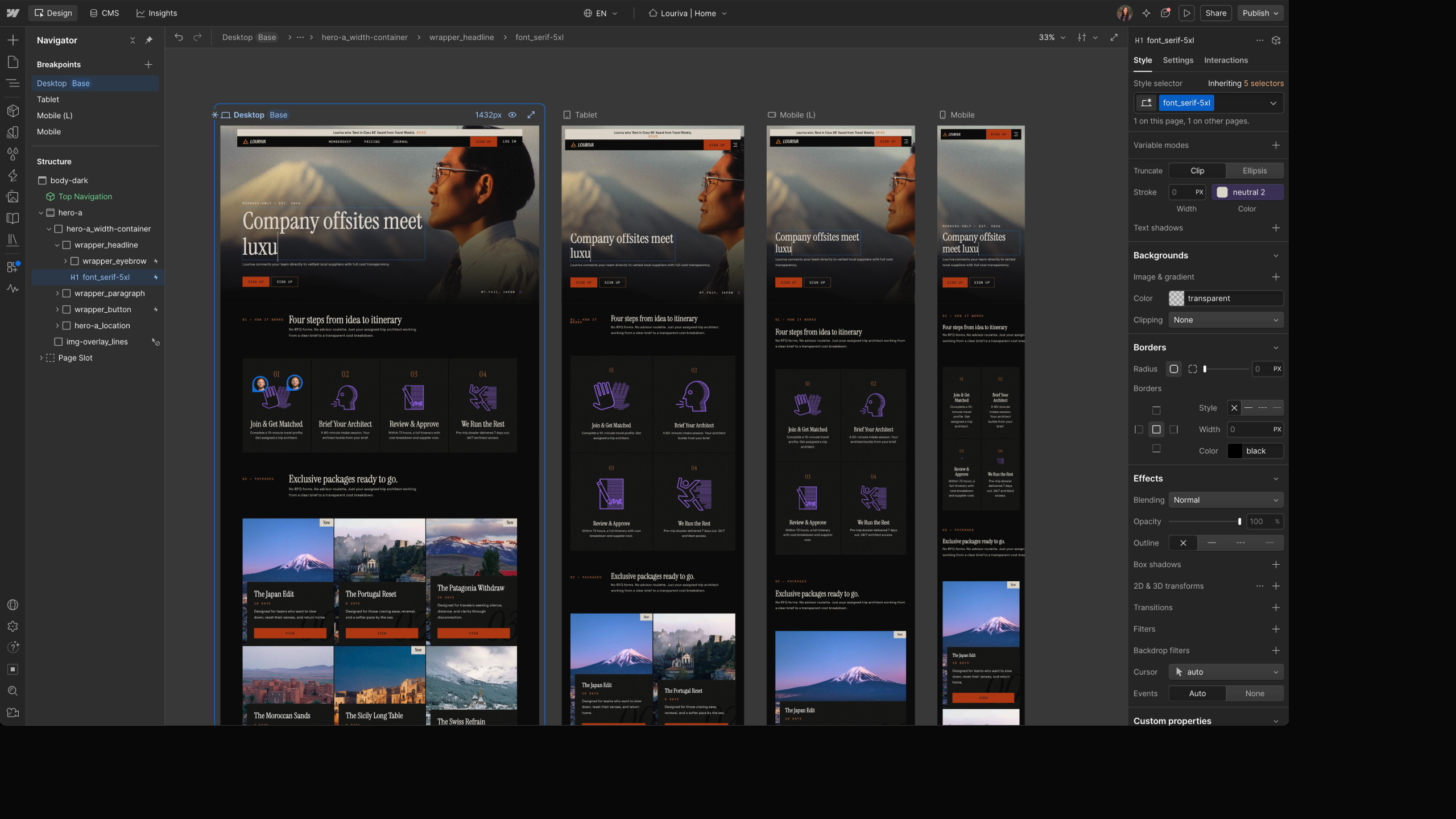
Breakpoint canvas lets you expand the canvas to see desktop, tablet, mobile, and large breakpoints side-by-side for instant visibility into cascading changes, or focus on a single breakpoint for scroll-based interactions. Rolling out to all users in Design, Build, and Edit modes within the next week; not available in Preview or Comment mode.
Webflow components like CTA buttons, testimonial cards, and pricing tables can now be added directly into rich text fields, both on canvas and in the CMS panel, with per-item property configuration. Components that update once will update every instance across your CMS; components containing Collection Lists can't be placed in rich text, and components within rich text can't be bound to the CMS or have slots exposed.
Source brings agentic and visual development into a shared operating environment, with workspaces tailored to marketers, designers, and developers. Available now in a limited research preview.
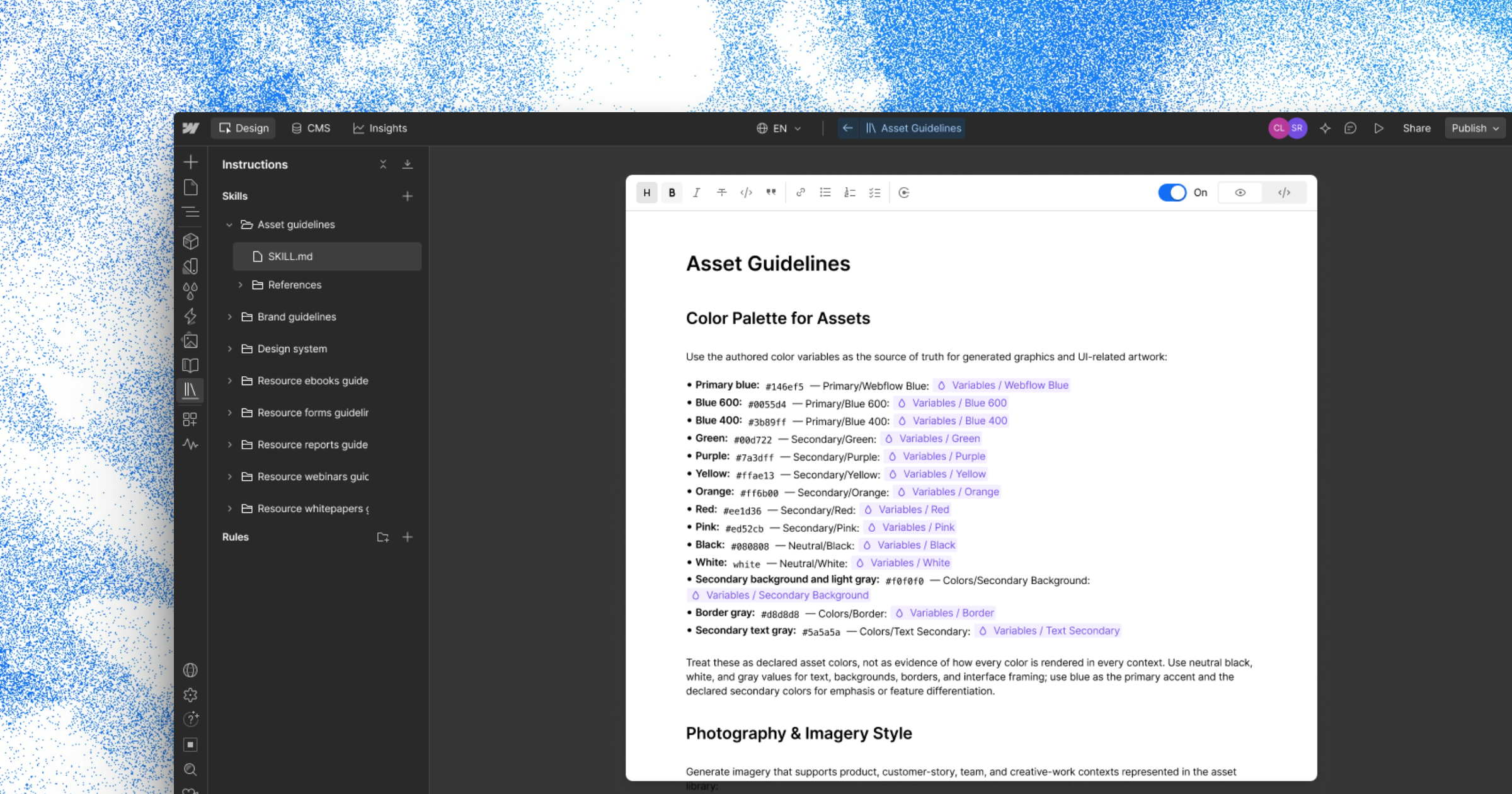
Agent Instructions Generation drafts Brand Guidelines, Design System, Asset Guidelines, and CMS Guidelines from your site, so agents start with real context instead of a blank editor. Drafts are editable and nothing is locked.
Designers and site managers can now define which components are allowed in component slots. Marketers get immediate feedback when placing a disallowed component, and slots continue to allow all components by default.
A single System, Light, or Dark appearance preference now applies consistently across the Webflow Dashboard, Sites, and Optimize surfaces, with Dark offering Darker, Default, or Brighter variants. The theme controls the interface only, not published sites.
Build mode now supports arrow keys to change the selected canvas element, matching Design mode behavior, with Option/Alt + Up/Down stepping through elements one by one.
Webflow MCP 2.0 capabilities are now available in Codex and ChatGPT, with built-in AI skills for site audits, CMS management, safe publishing, and developer workflows. Currently free without consuming AI credits.
Site Goals let you define the "north star" metrics for your website, making them the default lens in Analyze's Site Overview and a reusable target across Optimize reports, including AI-optimized tests. You can promote existing goals, create new ones, set optional business-impact values, or customize terminology; HubSpot and Marketo tracking integrations are available on Enterprise plans.
Webflow's automatic sitemap now includes a <lastmod> timestamp per page, helping search and AI engines prioritize re-crawling recently updated pages. Sitemaps can also use a canonical URL as the domain for reverse proxy setups, and now update on single-page publishes rather than requiring a full-site publish.
Designers can now hide specific components from the Marketer role, keeping component libraries focused. Hidden components won't appear in the Add panel for Marketers in Build mode, and the setting travels with shared libraries so visibility rules apply downstream.
Multi-reference CMS fields now support drag-to-reorder, eliminating the tedious delete-and-re-add workaround for rearranging items like blog post authors. Re-ordering is fully keyboard compatible, and changes save as a draft immediately like any other CMS edit.
You can now paste a list to add options to a form select field at once, instead of typing each item one at a time. Options are separated by line breaks, with commas separating visible text from underlying value, and misformatted lines are flagged. Pasted spreadsheet data works out of the box as tab-separated values.
Webflow Ecommerce's discounts functionality is now out of beta with new capabilities for store owners. Discount codes can now include start and expiration dates, apply to specific products or categories, limit usage per customer or globally, require minimum order values, and provide free shipping. Discounts are now manageable in the Editor with a consolidated list view, bulk editing, and CSV import support.
Webflow Ecommerce has exited beta and is now generally available.
Webflow now supports Rive animation files directly in the designer, allowing you to integrate animations with smaller file sizes and faster load times. You can add Rive files from assets, use self-hosted Rive files, or integrate Rive Runtimes with custom code.
Collection lists can now be filtered by any of multiple criteria using "or" logic, allowing items to display when they match at least one filter instead of requiring all filters to be true. Multi-image fields can now be imported and exported via CSV, and collection and item IDs are now visible in the collection manager for API and no-code integrations.
Webflow now supports uploading Apple well-known files to establish secure connections between domains and apps. Upload an apple-app-site-association.txt file through the assets panel, and Webflow automatically serves it at the /.well-known/ path required by Apple.
You can now specify who receives new order notifications on your Ecommerce site and resend order confirmation emails directly from the order manager. Email designs can also be previewed with your store's actual products.
Last Checked
3h ago
Latest
Sep 2, 2026
Source
webflow.com/updates