Recently shipped swipe-to-reply in Superhuman Mail and a navigation bar that hides as you scroll.
Superhuman Mail swipes reply and forward without opening a message. Version 5.6.0 also:
- Hides the navigation bar as you scroll, leaving more room for your inbox — pair it with Compact Mode for a denser view.
- Opens the full compose window when you tap recipients in Quick Reply.
Inbox density and comment reactions are now settings. Settings → Inbox Density switches between Normal, Condensed, and Minimal views. Team Comments take emoji reactions — long-press a comment for suggested emoji or open the full picker.
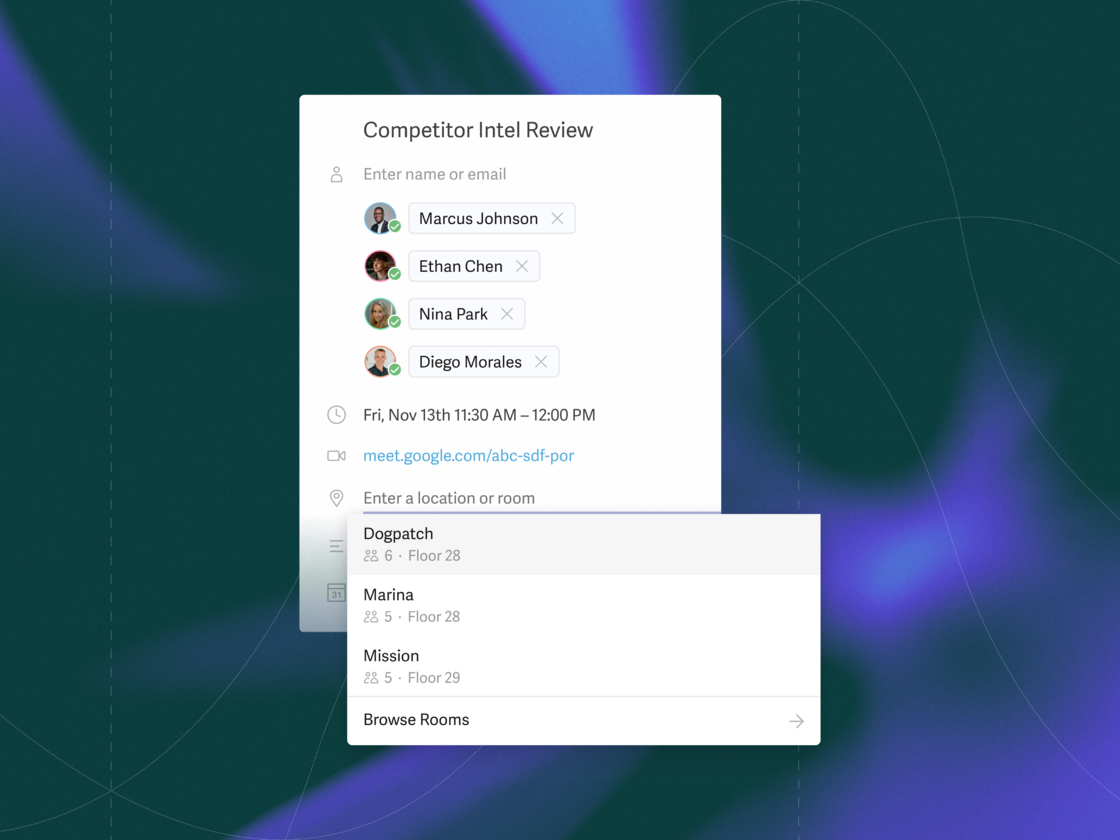
Meeting rooms book straight from the calendar. Open an event on desktop to reserve a room. Recent rooms you have used are suggested first, then the best available by your office's location and availability.
Grammarly Keyboard added one-handed typing in the iOS 27 rebuild. The same release cut accidental speech-to-text activations, fixed iPad key previews, and fixed text corruption when applying suggestions with multiple options. It also supports the new iPhone 18 Pro models.
Labels now cover Outlook categories, appearing automatically on desktop — build a Split Inbox or Auto Label from any category, or search with / then label:[category name]. Split Inboxes sit at the top of the side menu, and Superhuman Mail MCP connects multiple Gmail and Outlook accounts in Claude and ChatGPT over one connection.


