Autofix notifies you when manual steps finish
Seer Autofix will now send you a notification whenever your manually triggered step is complete.
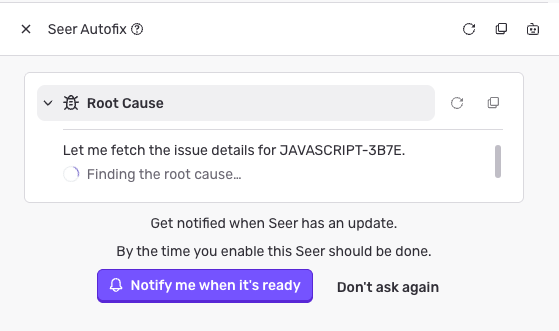
It takes a little bit of time to run an RCA, a Plan, or to generate a Code Fix. With notifications enabled you can safely navigate to other issues, or browse other sites while Seer does its work. When the task is done you can click the notification to be brought back to the Issue Details page to review the results, and trigger the next step.
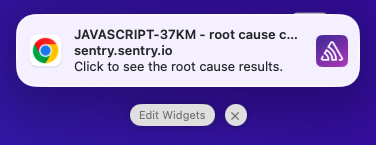
Autofix will ask you to enable browser notifications the next time you trigger a step. Click to allow the browser permission, and then test that notifications will appear.
Editing Settings Manually
-
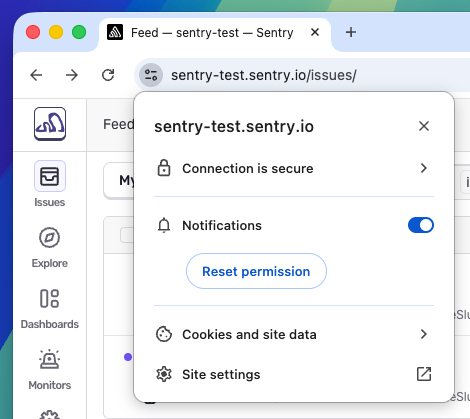
You can toggle notification permissions later by editing Site Settings in your browser, usually by clicking the icon to the left of the url bar:
-
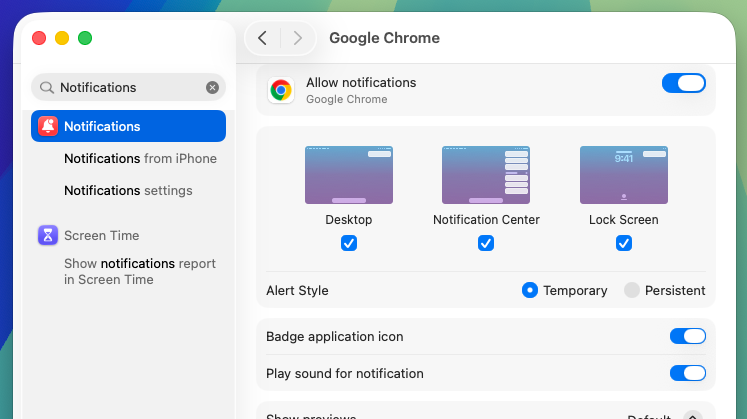
If the test notification is not working check your OS settings and make sure that notifications from your browser are allowed:
Fetched August 3, 2026