Pinned logs stay visible across investigations
1 featureThis release1 featureNew capabilitiesAI-tallied from the release notes
From the original release noteView original ↗
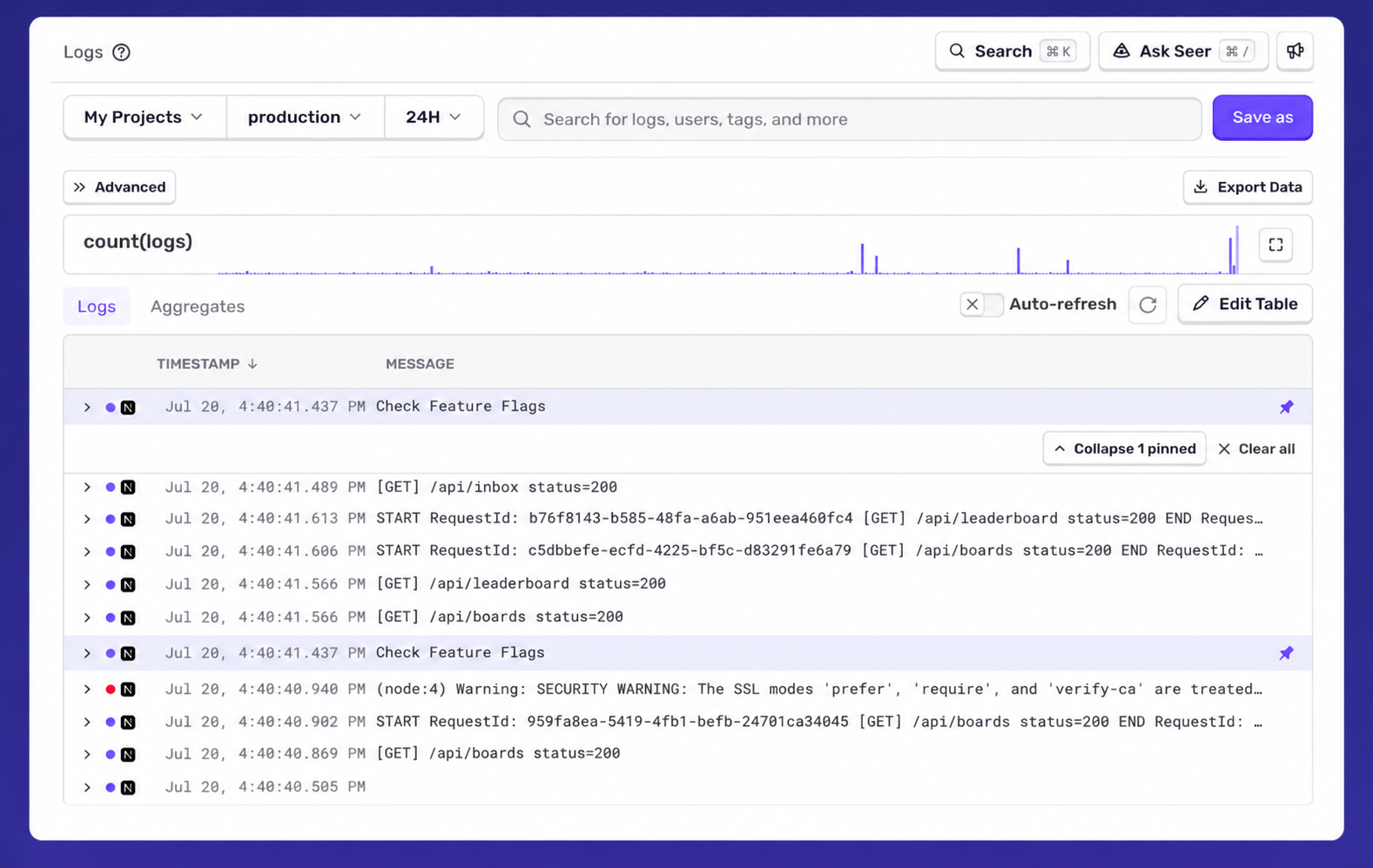
Log Pinning lets you pin important log lines while debugging. Pinned logs remain visible as you investigate, making it easy to compare them with other log lines. They're also included in the URL, so you can easily share your findings with teammates.
To use log pinning:
- Use Explore ❯ Logs and find a log line you want to pin.
- Click the push pin icon next to the log.
Structured logs are available for every Sentry user. Read the setup docs for your language.
Fetched July 21, 2026