Logs exportable as CSV or JSONL
1 featureThis release1 featureNew capabilitiesAI-tallied from the release notes
In Explore → Logs, you can now export up to 10,000 log lines in either CSV or JSON Lines format.
Click Export Data to:
- Choose CSV or JSONL format.
- Select how many log lines to export (up to 10,000).
- Use either format to export the currently displayed columns, or use JSONL to export All Columns.
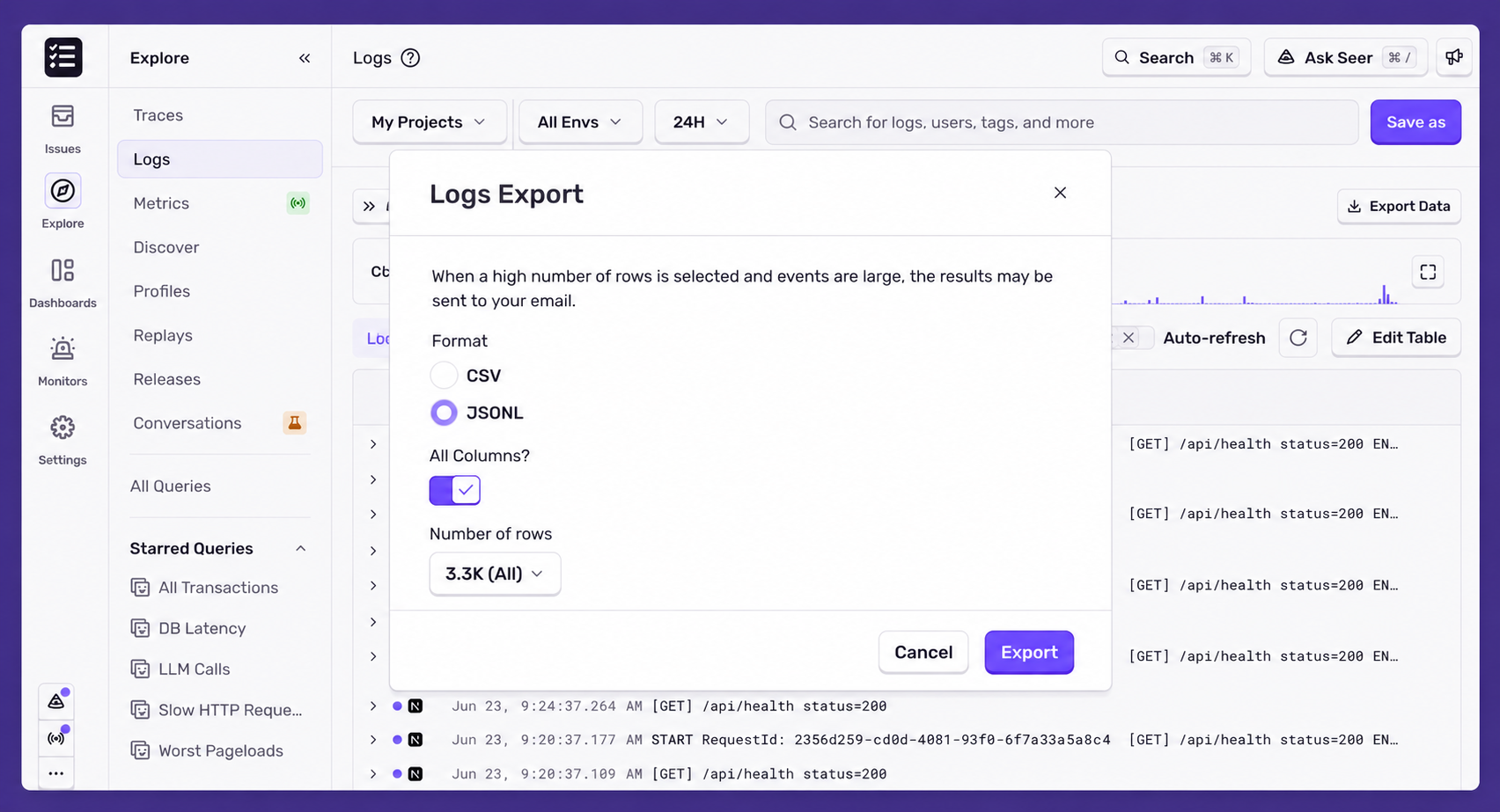
Depending on the size of the export, the file may either download directly in your browser or be generated in the background and delivered via email.
Check out the documentation to learn more about logs.
Fetched June 24, 2026