What's new in Zendesk: June 2026
Rollup
Click Follow in the What's New section to be notified each month when the What's New is published.
Check out what's new in the last month:
- Support
- Accounts and billing
- Admin Center
- AI agents
- Copilot
- Agent Workspace
- Objects and business rules
- People
- Knowledge
- Analytics
- Workforce management
- Quality assurance
- Apps and integrations
Also don't miss:
Support
-
The AI agent tickets feature will be enforced starting May 4, 2026, requiring all bot-handled conversations to create AI agent tickets for better visibility, compliance, and unified insights. Users must audit and update integrations to avoid duplicate tickets. See AI agent tickets.
-
IT asset management (ITAM) is now generally available, providing a unified platform to track, monitor, and manage technology assets within Zendesk Support. It includes device details integration into ticket workflows, with up to 500 asset records included. See Turn on IT asset management.
-
The Suspended tickets view in Support has been updated with an improved user interface and new filtering options, including filters for suspension cause, sender email addresses, and email subjects. These enhancements make it easier for admins and agents to manage suspended tickets. See Viewing, recovering, and deleting suspended tickets.
-
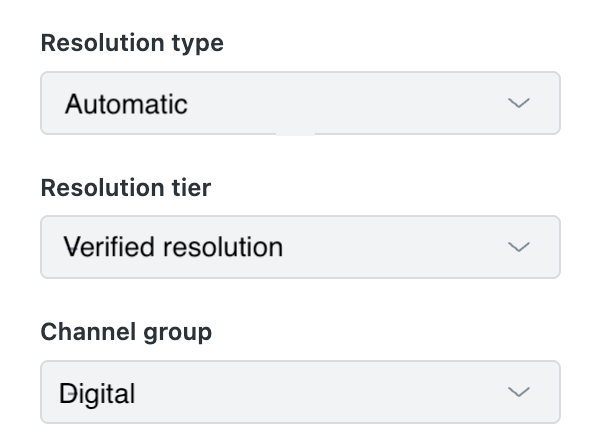
Support tickets include new standard ticket fields for automated ticket resolutions. These fields help you understand how tickets were resolved and enhance reporting for AI agents. Ticket fields for automated resolutions include Resolution type, Resolution tier, and Channel group. See About automated resolution tiers and About ticket fields.
-
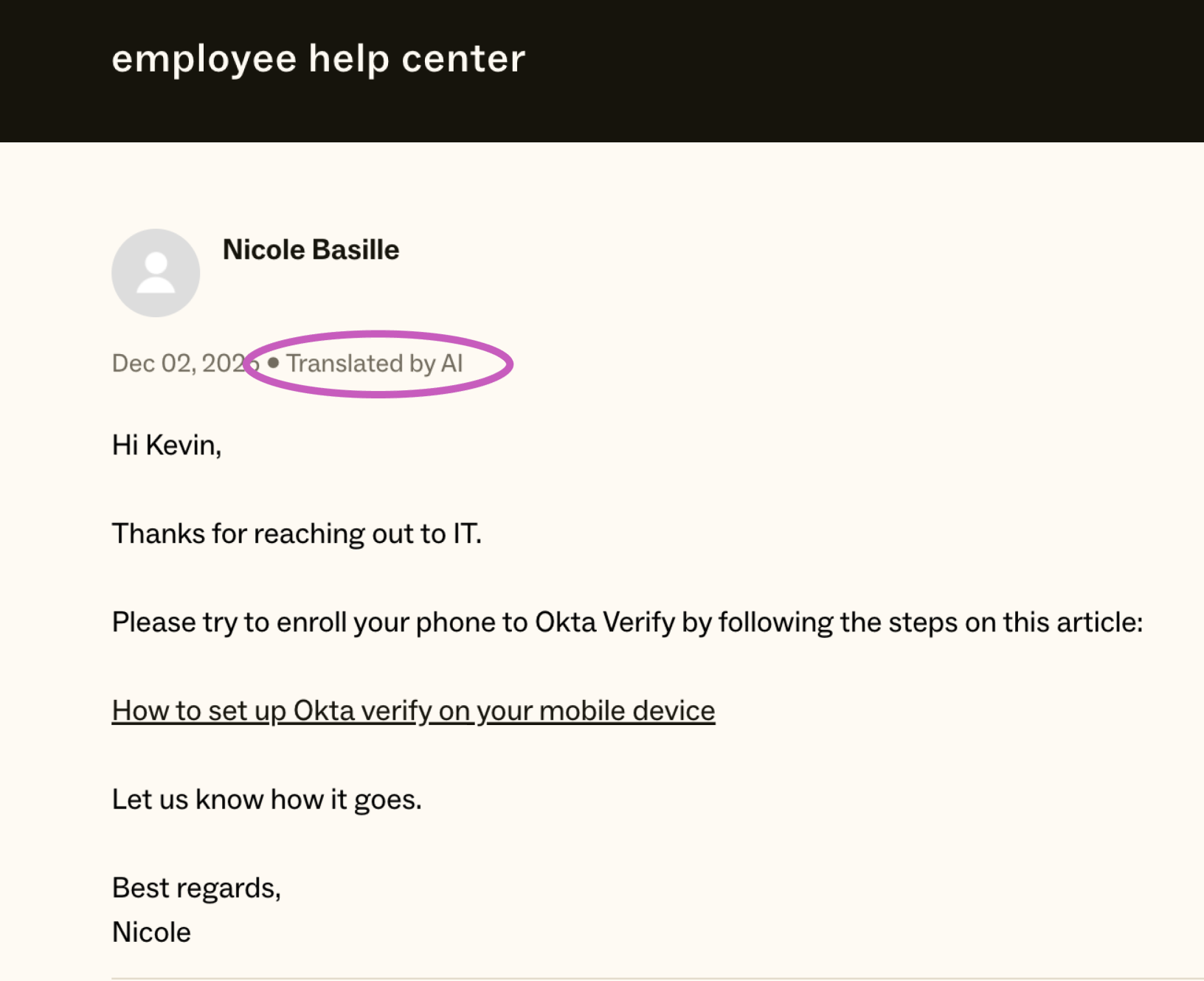
You can hide the translation disclosure message when using AI translations for ticket comments. By default, a "Translated by AI" notification appears when you send AI translated messages. For customer replies on async channels (email, web form, and API), you can use a setting in Admin Center to hide the disclosure. This setting does not apply to translations on live chat and messaging channels. See Turning on conversation translation for agents.
Accounts and billing
-
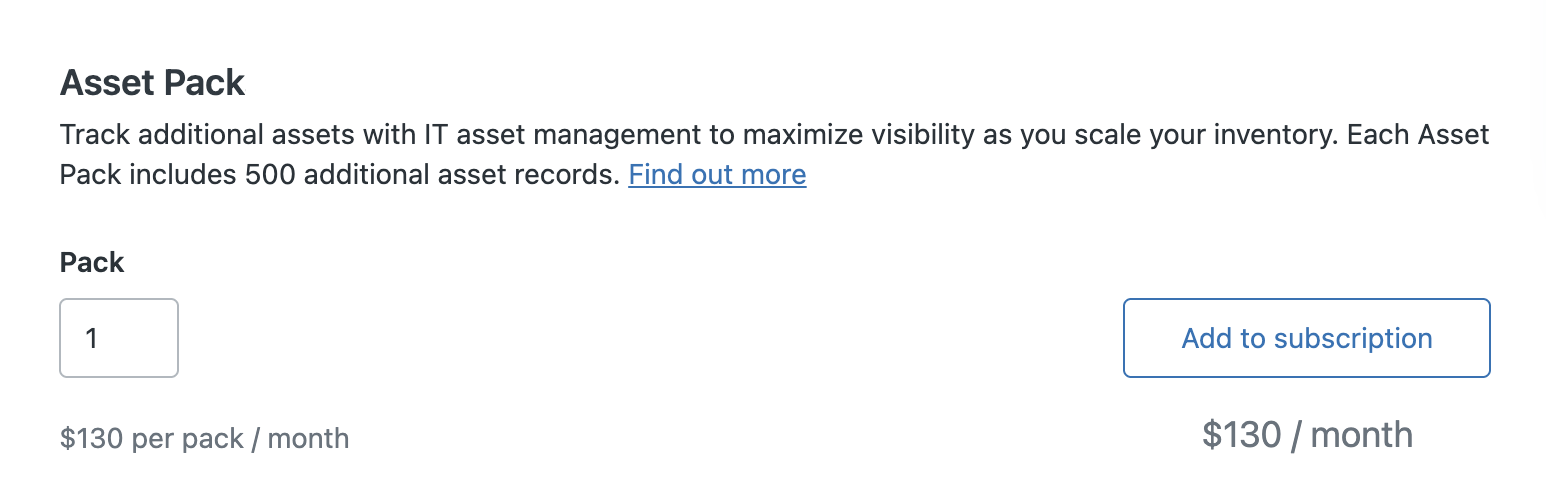
Eligible self-service and sales-assisted customers can buy more IT assets for IT asset management (ITAM) directly from the Subscription page in Admin Center. IT assets are sold in packs. Each asset pack includes 500 additional asset records per month. See Buying more IT assets.
Admin Center
-
Admin copilot is now available at no additional cost for all Zendesk Suite Professional and above accounts. It provides AI-powered insights, recommendations, and conversational assistance to help admins optimize their Zendesk setup. See About admin copilot.
-
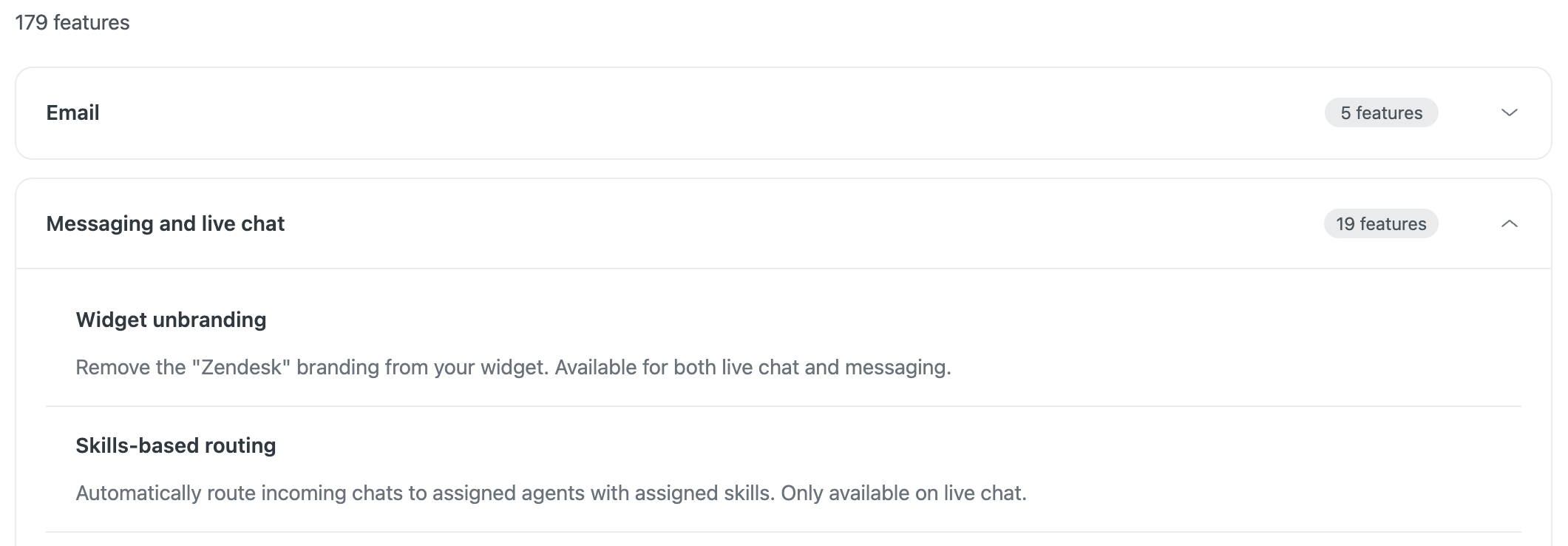
The Features page in Admin Center has moved to a new location in Account > Usage > Features. To make the page easier to use, the page includes expanders to show and hide each product area. See Viewing and managing features.
AI agents
-
AI agent capabilities are being expanded to all Zendesk customers, removing plan distinctions and unlocking advanced features such as agentic reasoning and API integrations. Onboarding is streamlined with guided self-service and unified cross-channel management. See Getting started with AI agents.
-
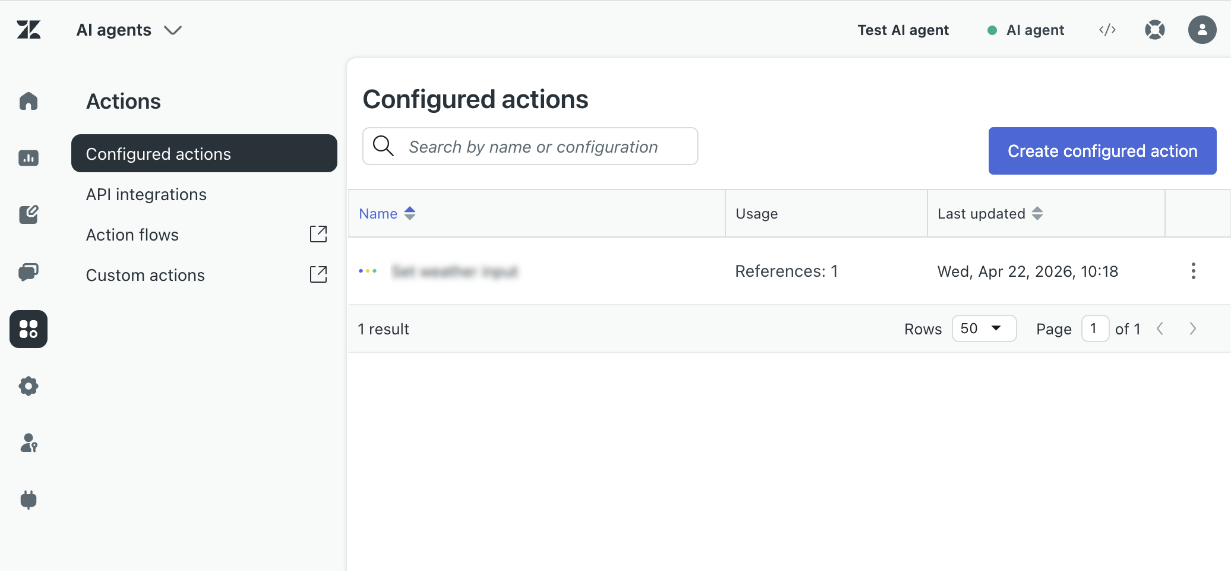
The action builder integration with AI agents enables AI agent builders to invoke custom actions and action flows directly within the AI agents workspace, enhancing workflow flexibility. A new Actions menu organizes configured actions, API integrations, action flows, and custom actions for easier access. See Understanding the action builder and action flows.
-
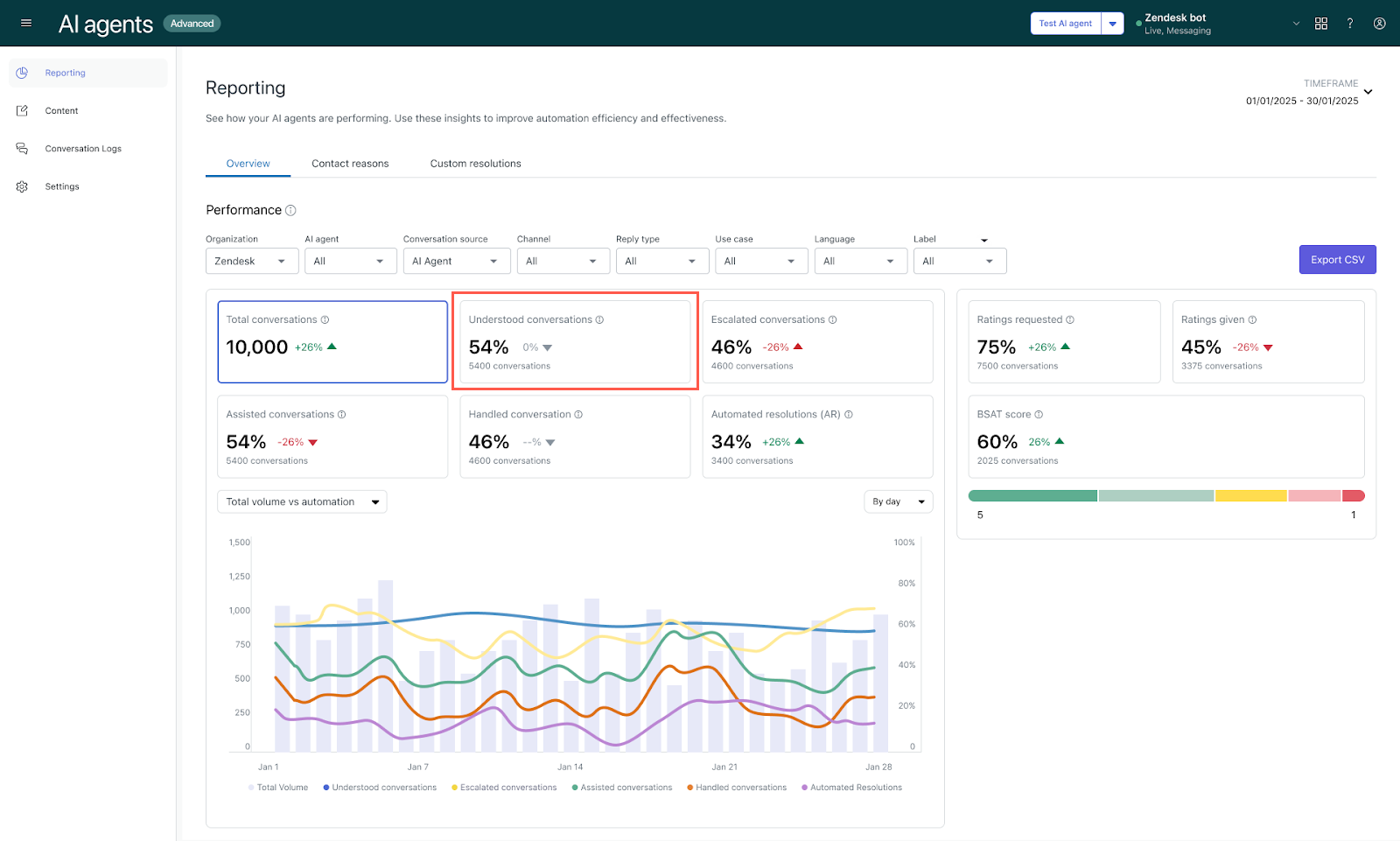
The Understood conversations metric in the AI agents reporting dashboard has been updated to include conversations directly escalated to human agents as understood, reflecting more accurate AI agent performance. See Analyzing advanced AI agent performance with the reporting dashboard.
-
The automatic integration between AI agents and email now automatically connects newly created email AI agents to the email channel for new customers starting May 11, 2026. This includes automatic email integration setup, creation of an email automation trigger, and channel management limited to the selected brand. Existing customers retain manual integration. See email automation trigger.
-
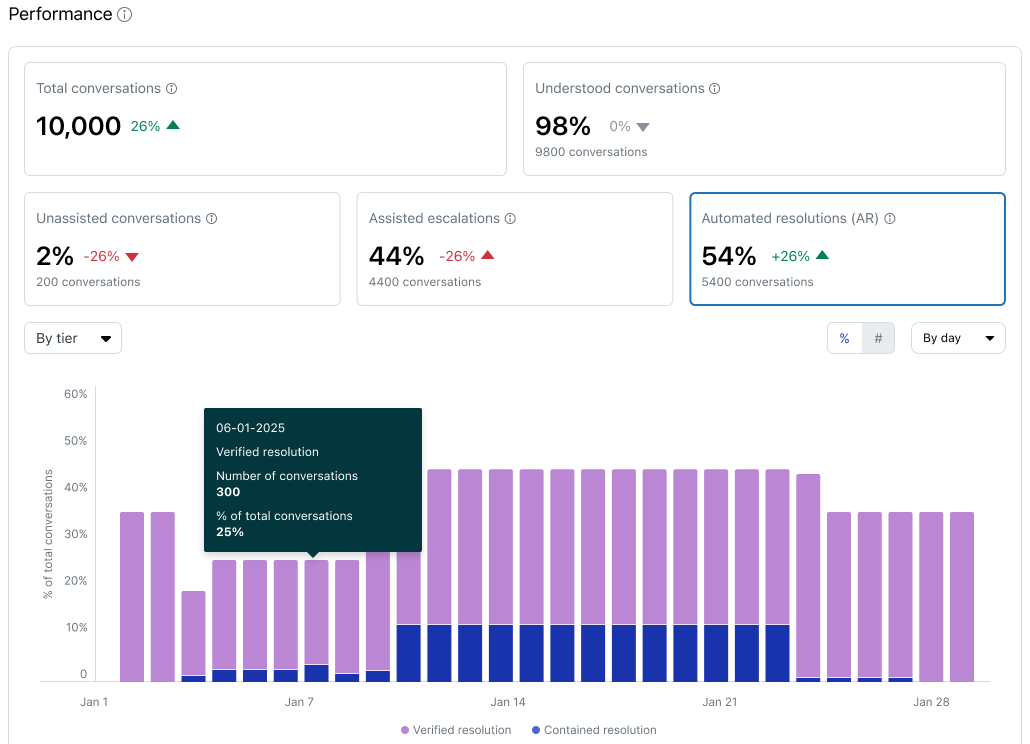
AI agent reporting has been updated to unify conversation statuses across all channels and introduce a distinction between contained and verified resolutions, providing a more accurate view of AI agent performance. Automated resolution rate calculation now includes both contained and verified resolutions. These changes enhance transparency and clarity in AI agent outcomes. See About automated resolution tiers.
Copilot
-
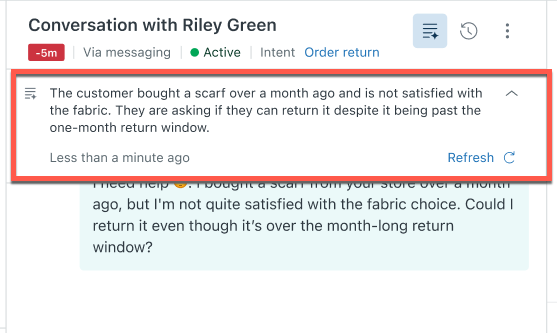
AI ticket summary is now available with capped usage for Suite and Support Professional plans and above at no extra cost. This AI-driven tool creates clear, actionable overviews from complex ticket histories, boosting agent productivity with zero setup required. A monthly allowance of 5 AI tool uses per agent is included, pooled across the team, with a maximum of 500 uses per month. This expands access to Copilot functionality alongside generative AI writing tools introduced earlier. See Turning on and configuring AI-generated ticket summaries.
-
Three AI-generated procedure drafts are now automatically provided for new Copilot add-on customers within 24 hours of purchase, based on common support issues, recent solved tickets, and knowledge base articles. See About AI-generated procedures.
Agent Workspace
- PDF preview in the Agent Workspace allows agents to view PDF attachments directly within the ticket interface without downloading them. This native inline viewer improves security by reducing local file downloads.
Objects and business rules
- Action builder now supports custom objects natively, enabling admins to create sophisticated automated action flows using custom object triggers and actions. Additionally, custom labels can be added to actions for better clarity. See Creating action flows to automate processes across Zendesk and external systems.
- The currency field type for custom objects allows admins to store and manage pricing information within custom objects such as services, orders, and contracts. It supports tracking prices in different currencies and automating updates via triggers. See About custom fields and custom field types and Defining a custom object's schema with custom fields.
- Task lists enhancements introduce the ability to require all tasks in a list to be completed before a ticket can be solved, plus new options to activate/deactivate and clone task lists. These improvements help ensure process adherence and make task list management more flexible and scalable. See Creating task lists to help agents solve tickets and Editing and managing task lists.
- Configuration management now supports omnichannel routing queues, enabling admins to configure, test, compare, and deploy routing queue setups safely across sandbox and production environments. This reduces risks of misrouting and SLA breaches. See Inspecting sandbox and production account configurations and Deploying account configurations from one environment to another.
People
-
Verification status icons in the Customer list have been updated for clearer, more consistent display across the Customer List and User Profile page. Separate icons now indicate unverified users and unverified primary emails, improving clarity and accuracy of verification status.
-
A new custom role permission for managing ticket settings allows agents in custom roles on Enterprise plans and above to access and modify ticket settings in Admin Center, a capability previously limited to admins. See Creating custom roles and assigning agents for details.
-
The 12-hour session duration limit is being enforced for all team members to enhance account security by preventing indefinitely active sessions. This change rolls out in two phases based on current inactivity settings, with forced sign-outs for long-running sessions starting in Phase 2. Admins can review and adjust session expiration settings to comply with the new policy. See Customizing the inactivity session time-out period.
Knowledge
-
Automatic link discovery for the web crawler allows it to automatically discover and index your content by following links throughout your website. This eliminates the need for a sitemap or for manually specifying every page you want to crawl. The crawler now also supports complex sitemap structures, automatically following nested sitemap files to discover all available content without any additional configuration. See Using a Web Crawler to Index External Content.
-
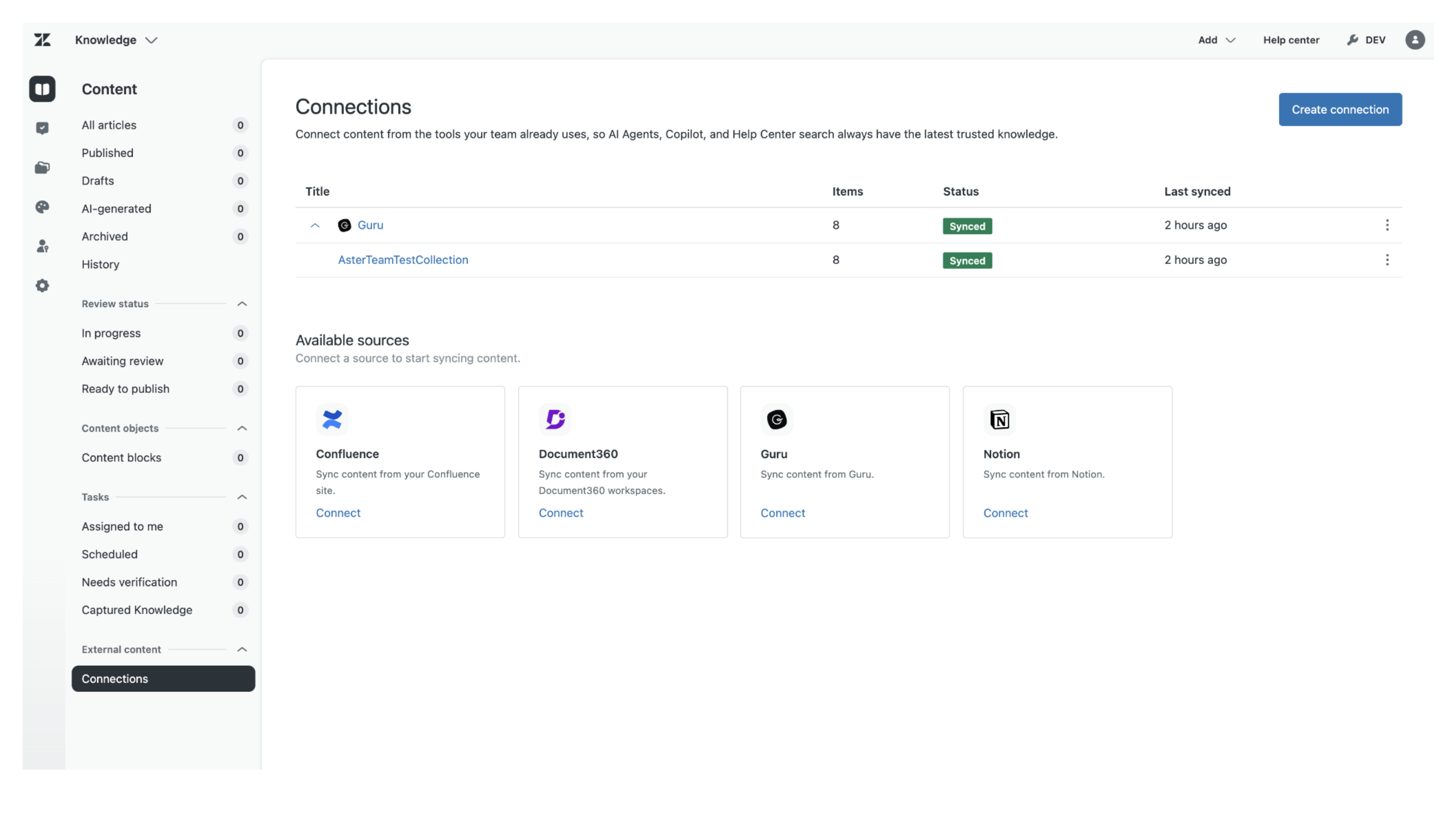
Guru is now available as a knowledge source. You can now connect Guru to your Zendesk account to make the content to be accessible for help center search, generative search, AI agents, and Agent Workspace. See Connecting Guru as an external knowledge source.
Analytics
-
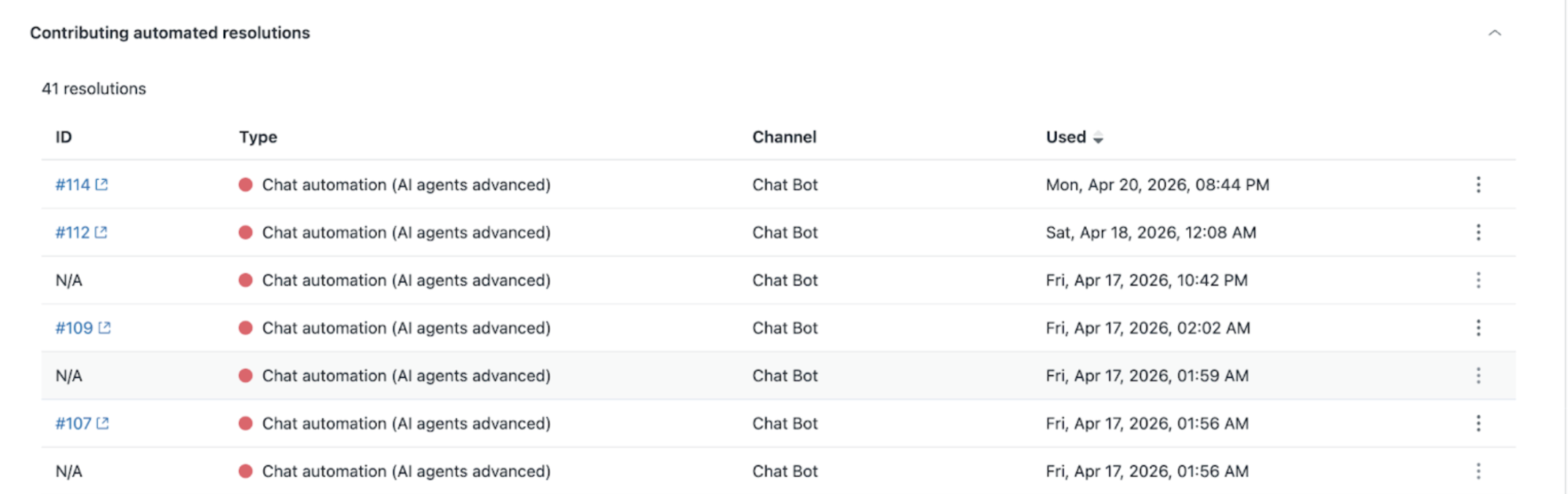
The Automated resolution usage dashboard now includes each action that consumes a resolution. The Contributing resolutions table provides detailed insights into individual automated resolutions, including ticket IDs, automation types, and usage timestamps. This update enhances transparency and helps analyze trends with data available from March 4, 2026. See Monitoring automated resolution usage.
-
Real-time monitoring is now the default live reporting solution for new Zendesk customers, replacing the prebuilt Explore live dashboard, which remains available only to users who accessed it before May 5, 2026. Real-time monitoring offers more powerful insights, consistent data, modern visualizations, and a foundation for future enhancements. See Real-time monitoring.
Workforce management
-
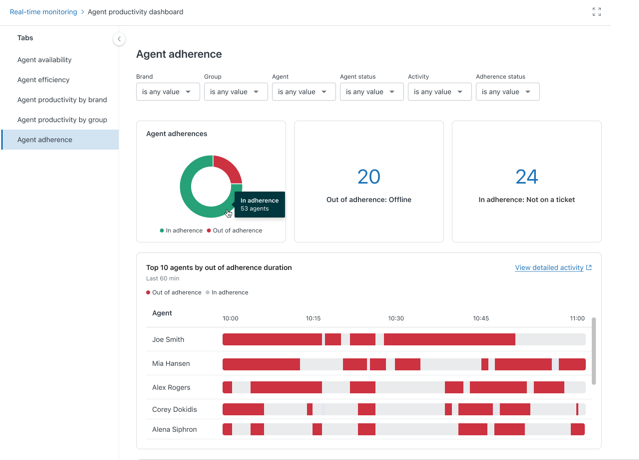
The agent adherence real-time dashboard has been added to the real-time monitoring dashboards, enabling workforce managers and supervisors to track agents' adherence to planned schedules with detailed reports and visualizations. This dashboard is accessible as a tab in the agent productivity real-time monitoring dashboard. See Using the agent productivity real-time dashboard.
Quality assurance
-
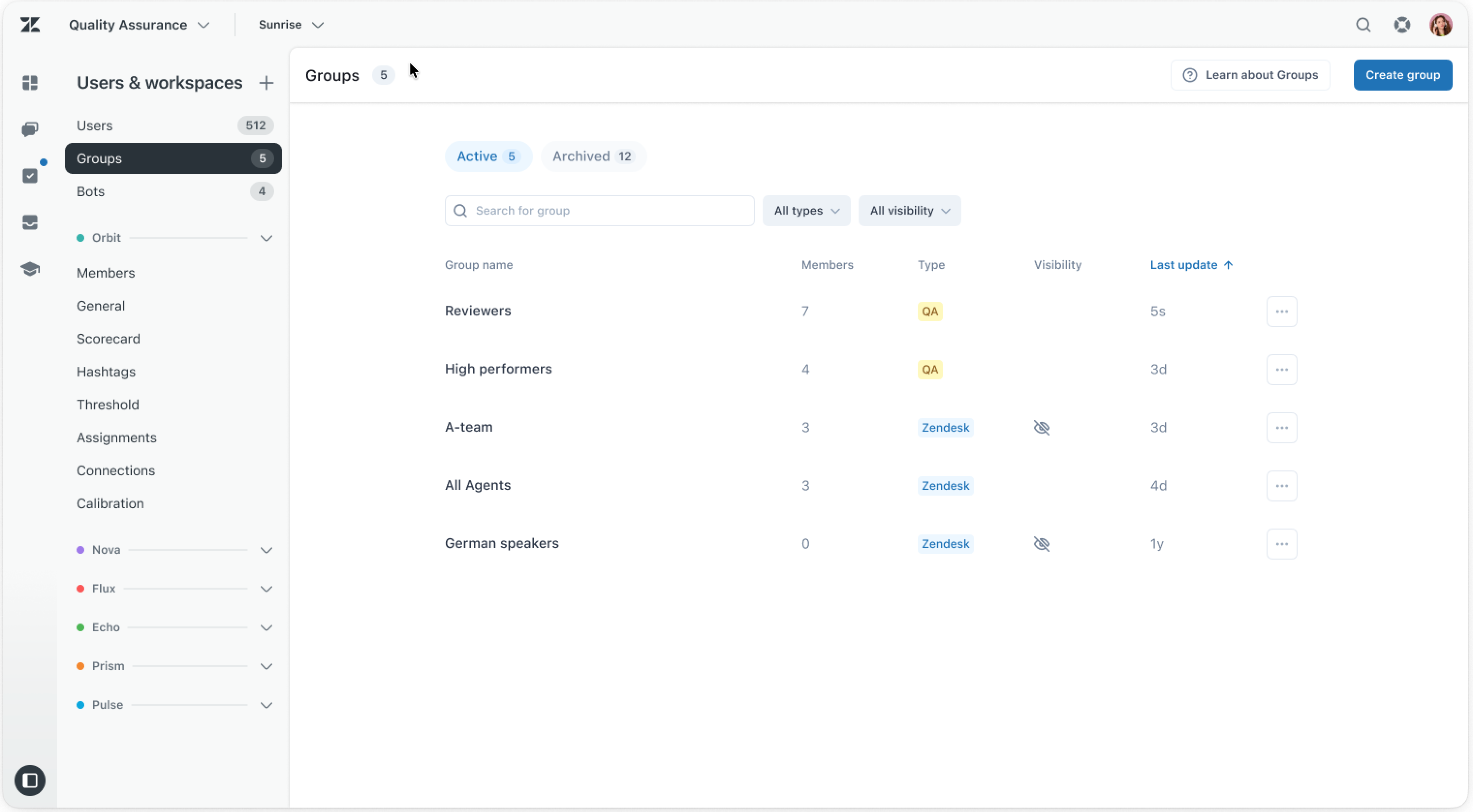
Group sync between Zendesk and Zendesk QA launches automatic synchronization of groups from Zendesk to Zendesk QA, excluding private groups. This eliminates manual updates by syncing groups automatically, with edits managed in Zendesk Admin Center. See Managing groups in Zendesk QA.
Apps and integrations
- Zendesk Support Assistant for Microsoft Agent 365 brings your Zendesk workspace into Microsoft Teams. Manage support tickets, browse help center articles, track IT assets, and more—all without leaving Teams. See Getting Started with the Zendesk Support Assistant for Microsoft Agent 365.
- The Voice of Customer (VOC) Patterns app from Zendesk Labs uses Zendesk AI to identify and explain patterns in your solved and closed support tickets, helping you uncover customer trends, common issues, and improvement opportunities without needing complex analytics or custom reporting. See Installing and using the VOC Patterns app.
- Approval requests in Slack allows admins to send approval request notifications and receive responses directly in Slack, enabling approvers to approve or deny requests without leaving Slack. This integration reflects real-time status updates and reduces delays by moving approvals into a commonly used communication tool. See Understanding approvals and how they work.
- Action flows enhancements introduce a daily schedule trigger, execution counts visibility, dynamic drop-down variables, new user management actions, expanded support for structured data, and increased action flow limits for better automation flexibility and scale. See Understanding the action builder and action flows and Creating action flows to automate processes.
- Improved error and warning handling for configuration management enhances the display of errors and warnings during configuration deployments, making it easier for admins to identify and resolve issues with clearer guidance and a smoother workflow. This update is automatically rolled out to accounts with sandbox environment access.
Fetched June 4, 2026