AI predictive routing; multi-role comparison; accounts can pause
Rollup
Click Follow in the What's New section to be notified each month when the What's New is published.
Check out what's new in the last month:
- Support
- Accounts and billing
- AI agents
- Copilot
- Security
- Knowledge
- Messaging
- Voice
- Contact Center
- Workforce management
- Quality assurance
- Apps and integrations
Also don't miss:
Support
-
You can now select multiple custom roles and view their permissions side-by-side in a comparison matrix, making it easier to review role differences and update role settings without opening each role individually. See Comparing custom roles.
-
You can now filter tickets by the requester's email using "Is" and "Is not" operators, with email format validation to prevent errors. This enhances ticket organization and routing. See Creating views to build customized lists of tickets.
-
AI-based predictive routing in omnichannel routing uses AI to assign messaging tickets to the agents predicted to resolve them fastest, improving resolution times and agent efficiency. To help measure the success of predictive routing, a new metric called Agent Engagement Time tracks agent activity. See Using predictive routing in queues.
-
The new search side panel centralizes search tabs and saved searches from the top toolbar to a left-side panel, unifying the search experience and allowing for future expansion of search capabilities. See Searching Zendesk Support data.
-
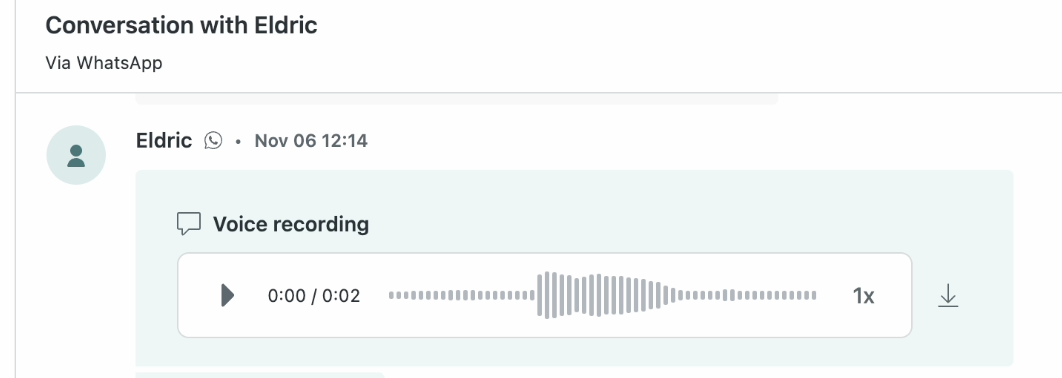
Agents can now listen to audio messages attached to email comments directly within Zendesk without downloading files. This enhances support efficiency and accessibility. See Playing back audio comments in email and messaging tickets.
Accounts and billing
-
Digital customers with limited ARR can temporarily pause their accounts. As an alternative to cancelling your account, Zendesk allows eligible customers to pause their account for up to three months. See Pausing accounts.

AI agents
- Forethought AI agents by Zendesk are now available for purchase as an add-on, offering autonomous customer inquiry resolution, intent identification, task automation, agent assistance, insights, and quality review. See About Forethought AI agents by Zendesk.
- You can now directly edit generative procedure maps. Every time you create or edit a generative procedure, an AI-generated procedure map is produced. If you need to make targeted updates to the procedure map, you can directly edit it instead of relying on the AI generation. See Editing the procedure map.
- Use cases can now be restricted so they're used only inside of dialogues. These use cases are triggered only inside dialogue flows and cannot be triggered during general conversation, such as when an AI agent is providing AI-generated answers. This helps ensure that use cases trigger only when they make sense. See Restricting a use case to be used only inside of a dialogue.
Copilot
- The intelligent triage terminology update renames the "intent" classification to "topic" across the Copilot add-on. This is a naming change only with no impact on workflows or functionality.
- Intelligent triage now includes guided onboarding to help you get started and create workflows based on your top customer trends. See About Intelligent triage.
Security
- You can now use AI-generated, easy-to-understand descriptions for individual access log events, helping less-technical users quickly interpret complex log data and guiding investigations. See Using the access log to monitor agent activity.
Knowledge
- You can now connect Google Drive as an external content source to make the content available for help center search, generative search, AI agents, and Agent Workspace. See Connecting Google Drive as an external knowledge source.
- You can now connect a second Zendesk account to your primary account to access content from multiple Zendesk accounts in one place. This enhances content reuse across advanced AI agents, search, and generative search. See Connecting Zendesk as an external knowledge source.
- You can now connect Amazon S3 as an external content source to make the content available for help center search, generative search, AI agents, and Agent Workspace. See Connecting Amazon S3 as an external knowledge source.
- You can now connect Box as an external content source to make the content available for help center search, generative search, AI agents, and Agent Workspace. See Connecting Box as an external knowledge source.
Messaging
- You can turn on end-user presence detection for messaging to identify if end users are still on your website or app or have abandoned the conversation, improving customer experience and reducing agent handle time. It uses presence signals to mark sessions as inactive when users leave, impacting queue and capacity management, and letting accounts automatically close or follow up on abandoned conversations. See Turning on end-user presence detection for messaging.
- You can now use the behavioral customization APIs for Web Widget to programmatically control conversation flow and message handling in the Messaging Web Widget. This includes creating and fetching conversations, sending messages, navigating conversations, and intercepting messages. See Behavioral customization APIs for more details.
- The Generated by AI disclosure redesign for social and mobile messaging channels integrates the "Generated by AI" label into the bot's display name for a cleaner conversational experience. It also introduces per-channel control via API to disable the AI label if desired. The redesigned label is applied automatically to mobile channels, and social channels need to confirm the update in their settings. To turn off the label per-channel, see the Update Integration API.
Voice
- You can now set the number of times the IVR greeting repeats from one to three before routing to the default option, improving caller routing flexibility. The IVR settings page has also been refreshed with a modern look. See Routing incoming calls with IVR.
- Admins can now restrict outbound calling by agent group in Voice (Talk). This lets you control which agent groups can use specific phone lines for outbound calls, helping reduce misrouted or costly calls. See Managing phone line settings.
Contact Center
- The native Zendesk Contact Center is now generally available, integrated directly into the Zendesk Agent Workspace for a unified experience with single status management, call monitoring, simpler authentication, native settings, and expanded language support. See About Zendesk Contact Center.
Workforce management
-
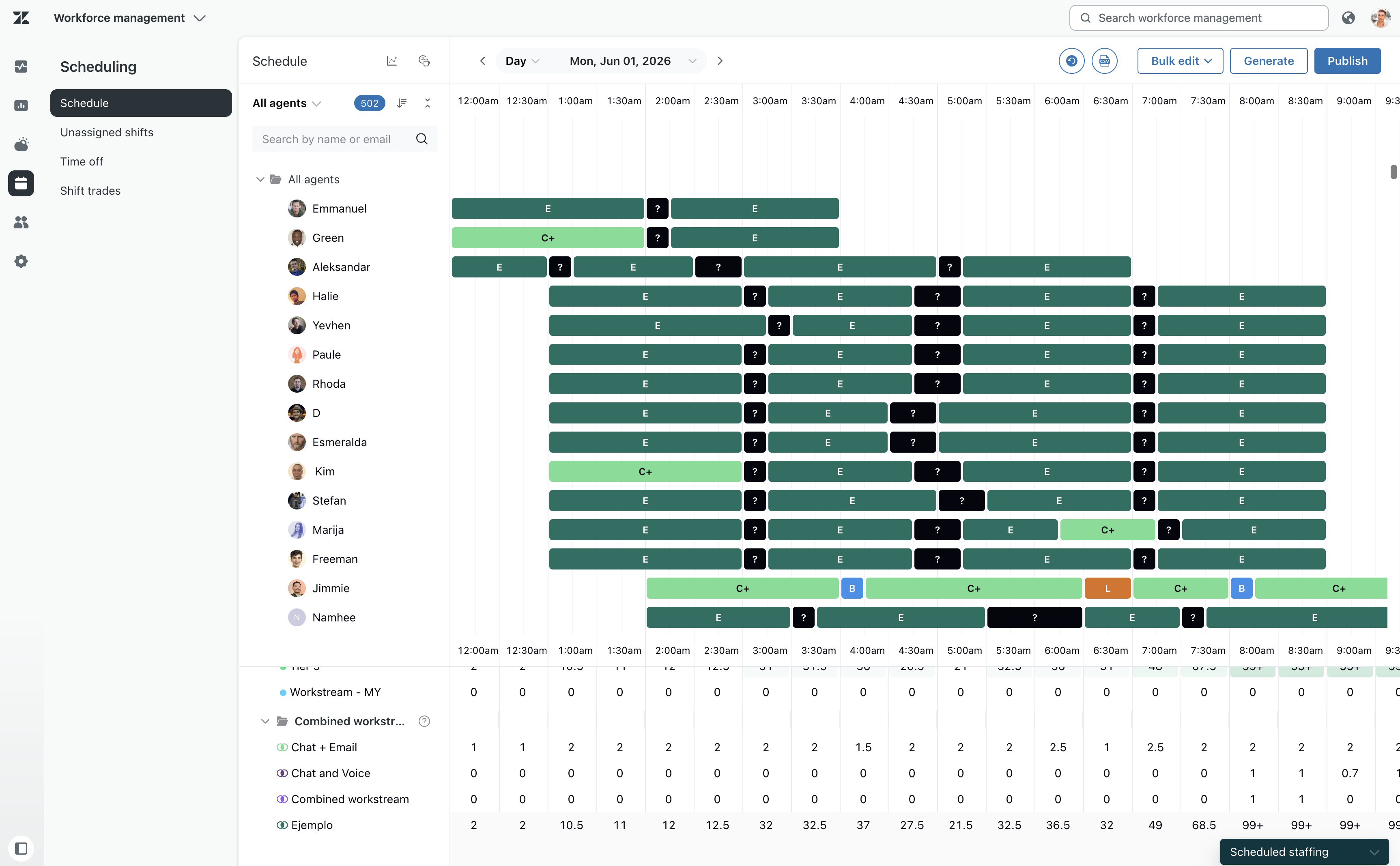
WFM combined workstreams have been added to the Schedule page staffing panels. Combined workstreams now appear in Day view staffing panels, showing scheduled staffing without forecasting. This update helps users efficiently schedule and view staffing for combined workstreams. See Accessing staffing panels, menus, and charts.
-
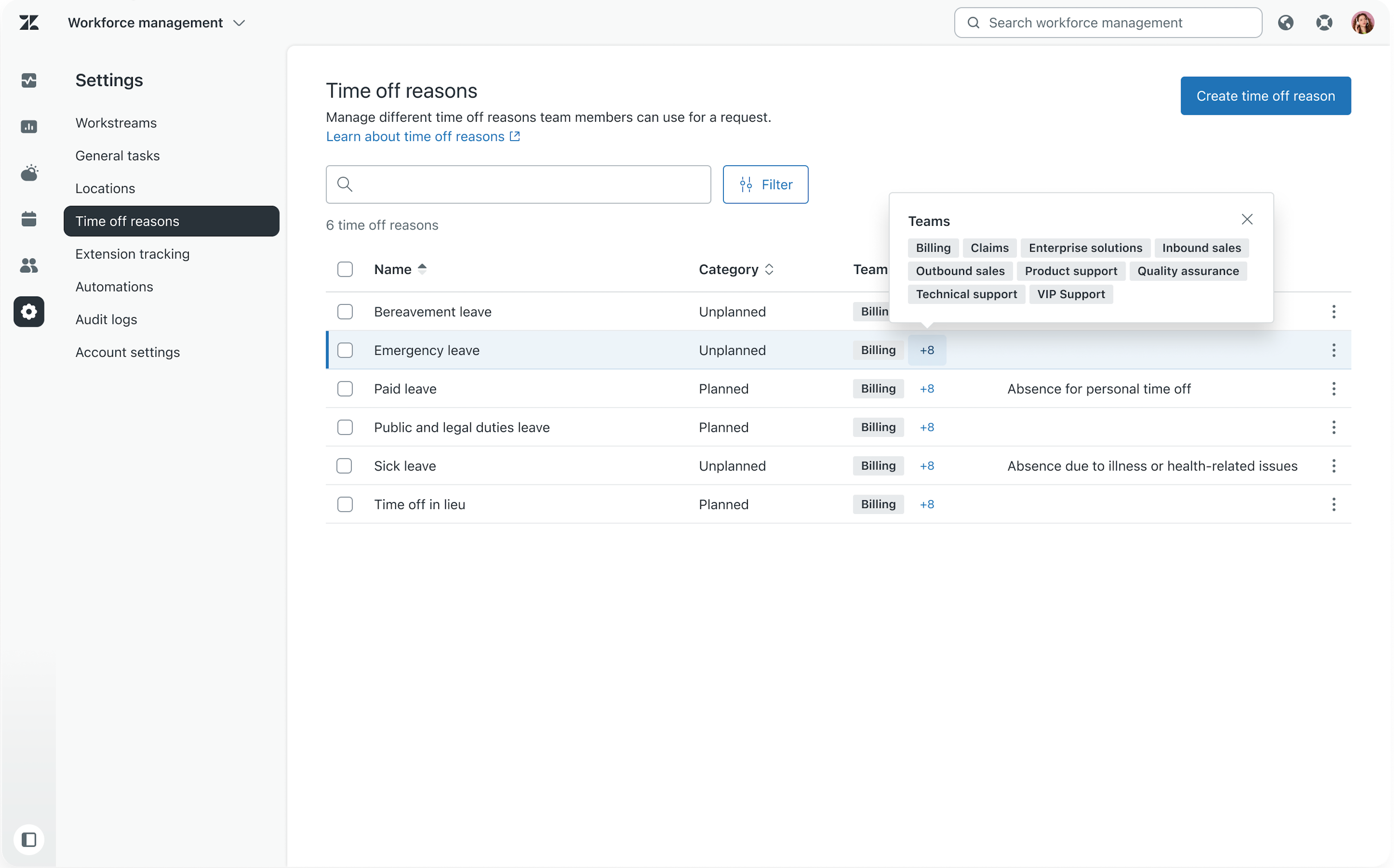
Team visibility settings for time off reasons allow managers and admins to control which teams can see and use specific time off reasons, tailoring leave options to team-specific locations, perks, and policies. This change improves granularity by restricting time off reasons visibility to assigned teams only. See Creating and managing time off reasons for agents.
-
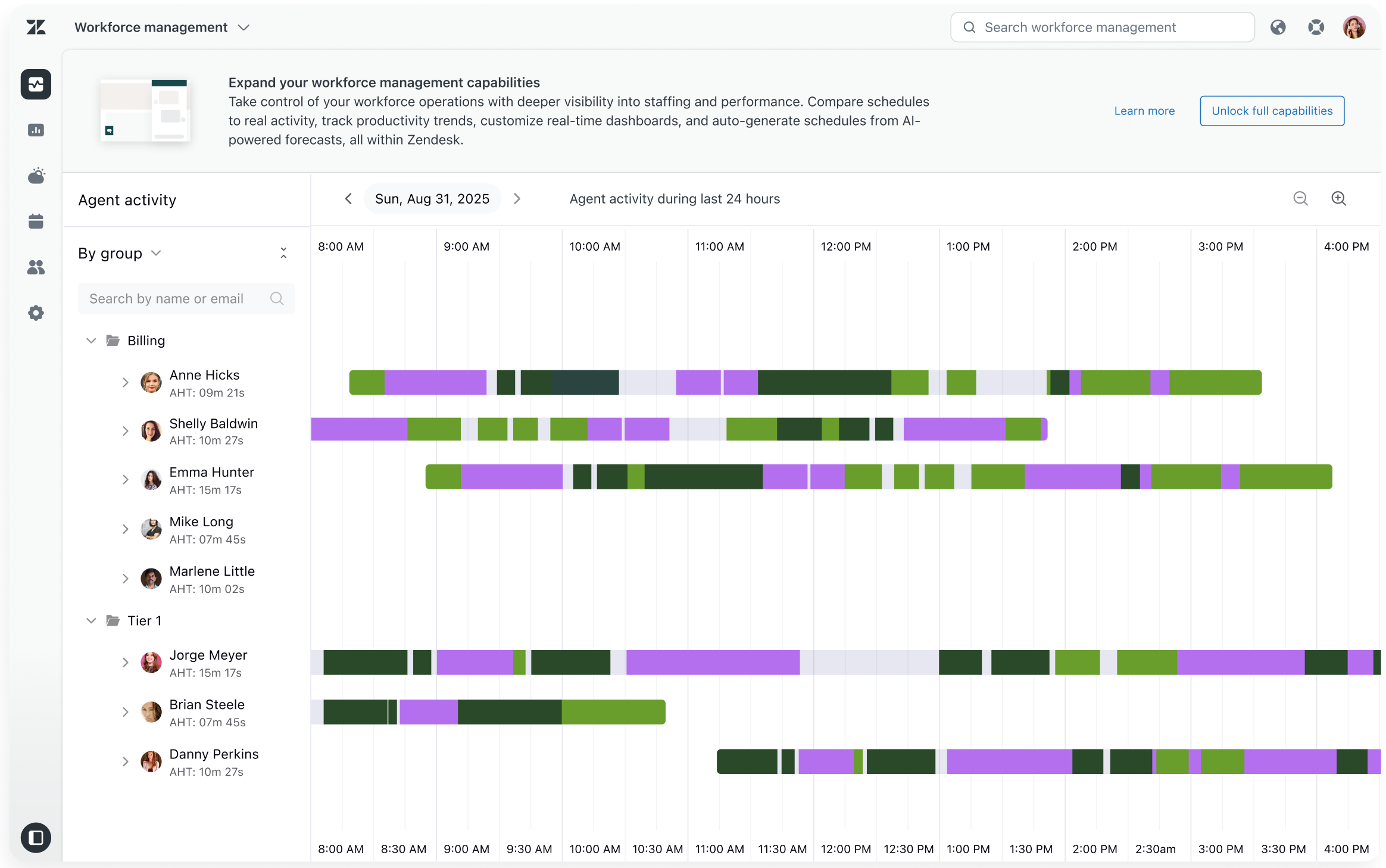
The Zendesk Workforce Management (WFM) experience is now available for Suite Professional plans and above at no extra cost. It provides visibility into agent activity and daily average handle time (AHT) for 24 hours, helping managers understand workload trends and improve planning. Agents can also see how much time they spend handling customer interactions. See Trying WFM for free using workforce activity tracking.
-
The out of adherence automation allows admins to configure automated real-time notifications that alert managers and agents the moment an agent is working on a task that doesn't match their current schedule. This change gives supervisors and managers the visibility they need to surface schedule deviations the moment they happen, enabling immediate course-correction rather than after-the-fact reporting. See About workforce management automations.
Quality assurance
-
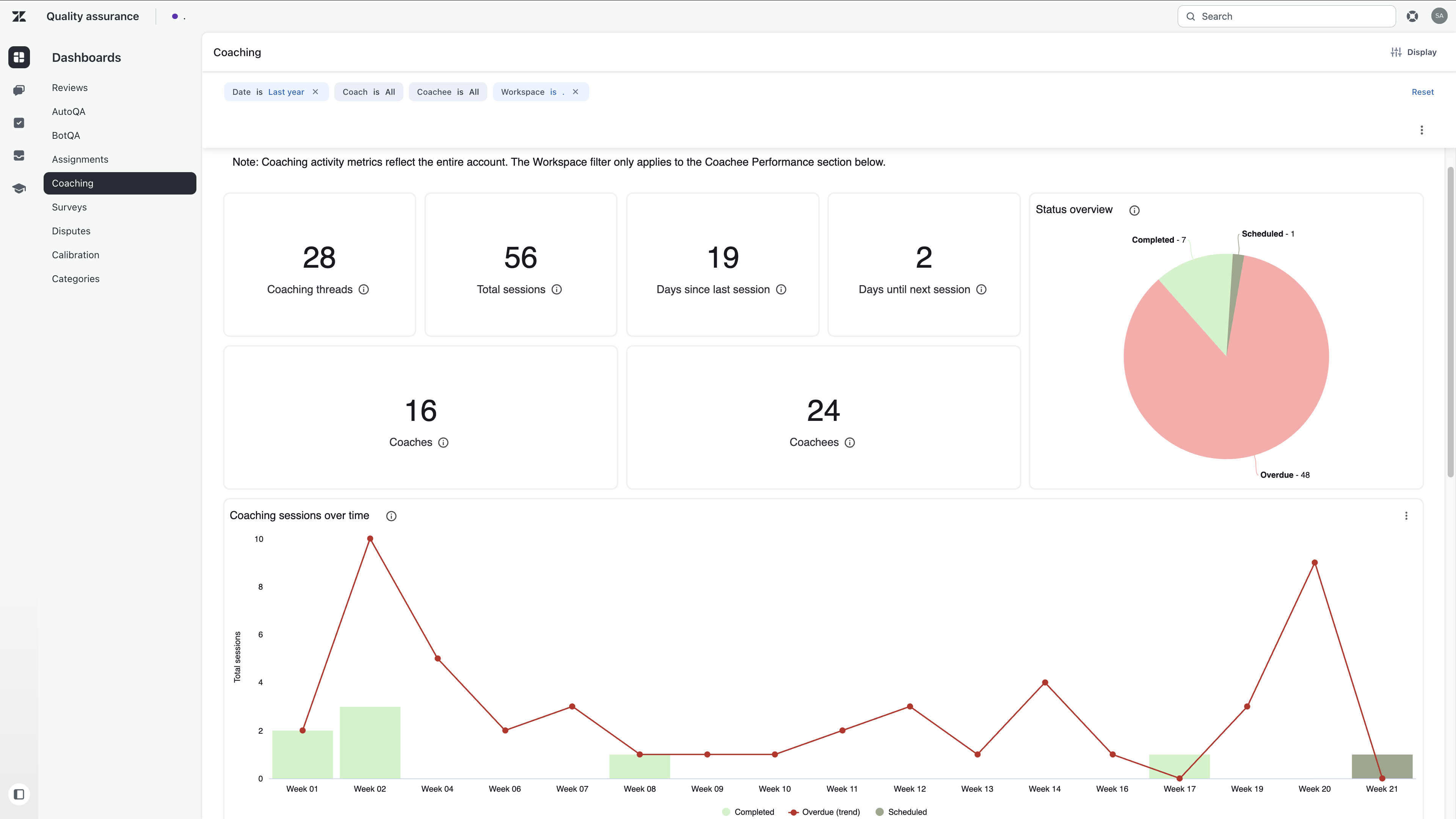
The Coaching dashboard in Zendesk Quality Assurance (QA) provides an overview of coaching sessions, feedback reviews, and coaching impact on Internal Quality Score (IQS). It allows filtering by date, coach, and coachee, tracking session status, and reviewing coaching trends. See Accessing and viewing the Coaching dashboard in Zendesk QA.
Apps and integrations
- The new action builder connectors introduce five new integrations—HubSpot, Chargebee, Stripe, Calendly, and GitHub—into Zendesk action flows, enabling automation of CRM, billing, scheduling, and engineering tasks directly within Zendesk. See Action builder and action flows for a full list of connectors.
Fetched July 1, 2026