What's new in Zendesk: November 2025
Rollup
Click Follow in the What's New section to be notified each month when the What's New is published.
Check out what's new in the last month:
- Support
- Analytics
- Knowledge
- AI agents
- Security
- Integrations
- Zendesk Suite
- Admin Center
- Voice
- Quality assurance
- Workforce management
- New and notable content
Also don't miss:
Support
- Zendesk generates ticket events when ticket CCs are modified during a user merge. This change provides greater visibility into user merge-related activity. See Viewing all events for ticket updates.
- The Advanced Data Privacy and Protection add-on can now detect personally identifiable information (PII) in 20 additional languages. See Zendesk language support by product.
- The ticket summarization feature has been enhanced to have an expanded word limit and capture more context. Additionally, you can now configure this feature to capture a ticket's internal comments. See Turning on AI-generated ticket summaries.
- You can now reuse your existing custom ticket fields with entity detection, a part of intelligent triage. This means that you can capture and extract key details from tickets without creating new fields or rebuilding workflows. See Detecting unique information in tickets with entities.
- The auto assist experience has been improved to help agents manage suggested replies. When an agent is editing an auto assist suggestion and a new suggestion is available, the agent is notified and can review and approve the updated suggestion. See Using auto assist to solve tickets.
- The writing tools menu is available for both shared and personal macros when the enhance writing generative AI feature is turned on. Writing tools leverage generative AI to help you write and edit macros. See Enhancing macro content using generative AI.
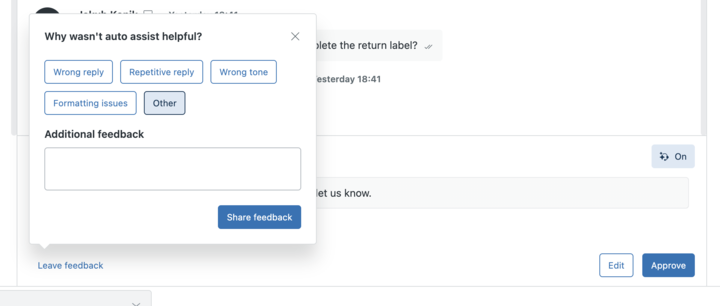
- Agents and admins can now provide direct feedback on each auto assist suggestion by using the “Leave feedback” feature in the auto assist composer. See Using auto assist to solve tickets.
Analytics
-
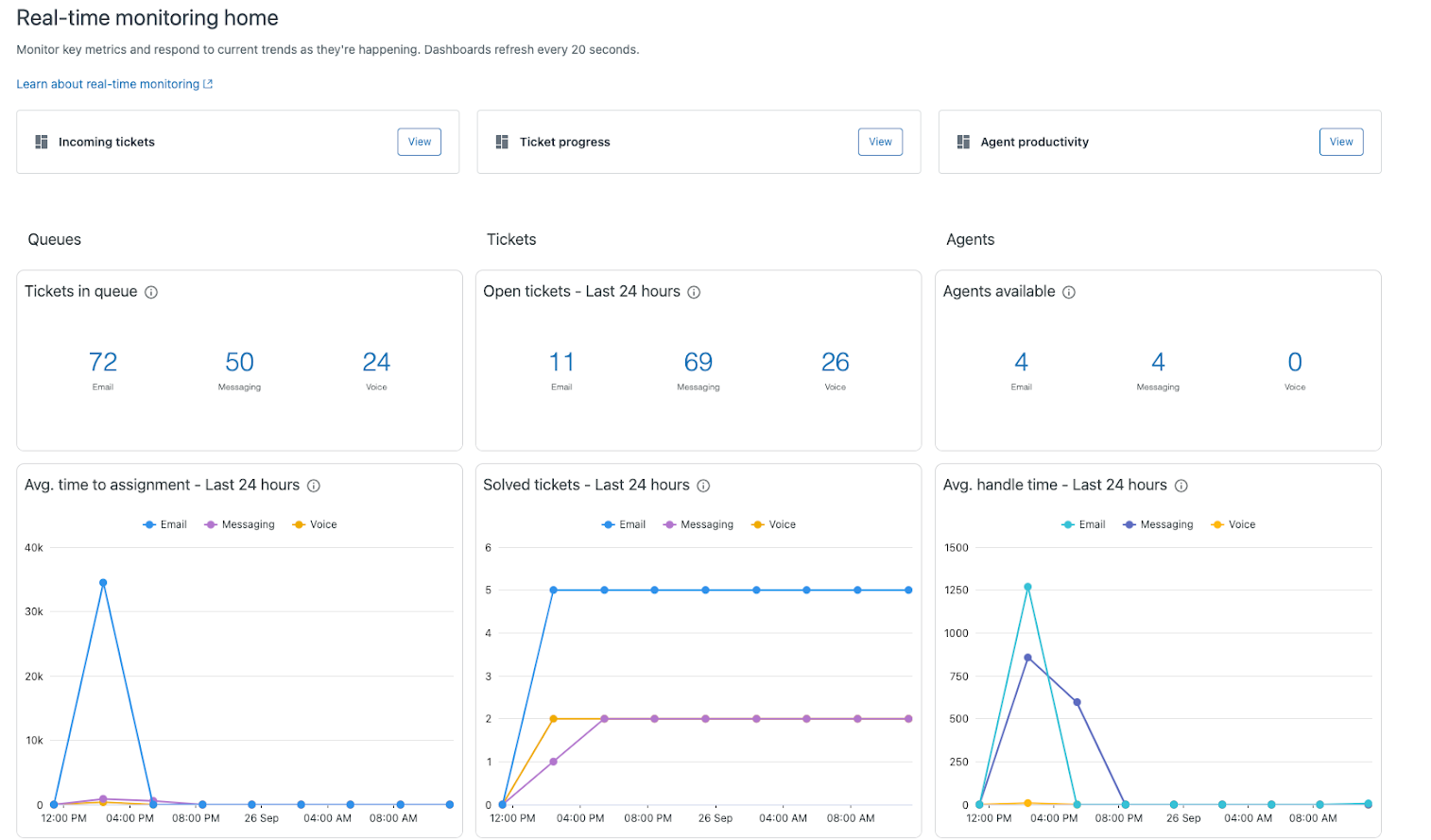
Real-time monitoring is a new space within Zendesk Analytics that combines data across various channels to help customers make faster, smarter decisions. As part of this release, there are three real-time dashboards, built around key use cases, that aim to provide supervisors with more granular visibility over their contact center's performance. See About real-time monitoring dashboards.
-
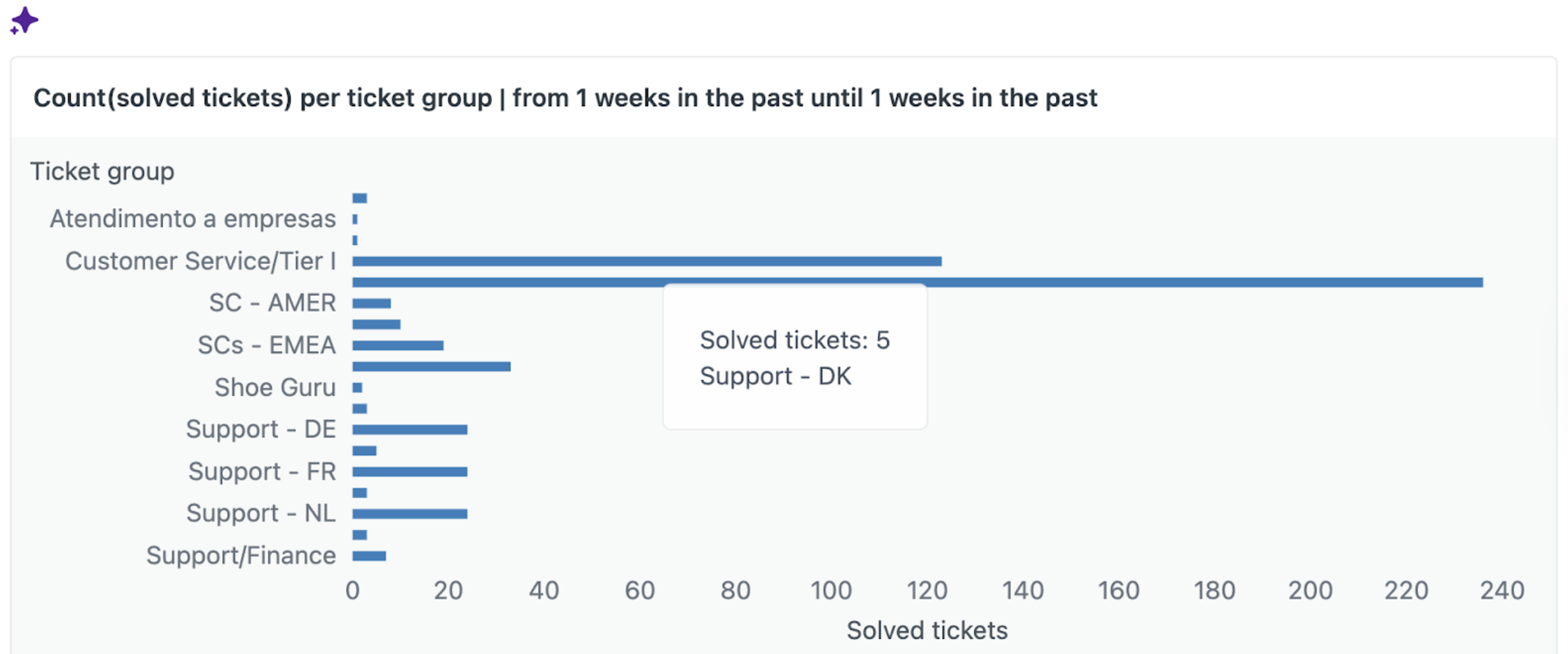
Quick reports harness the power of AI to empower you to write simple prompts that generate the reports you need in seconds. For example, if you want to know which of your agents created the most tickets last week, ask the question, “In the past week, which group solved the most tickets?” Quick reports immediately generates the report for you. See Creating AI-powered quick reports.
-
The Zendesk Messaging prebuilt dashboard has been updated with new metrics and reports to better evaluate how your team is handling messaging tickets. See Analyzing your messaging tickets.

Knowledge
-
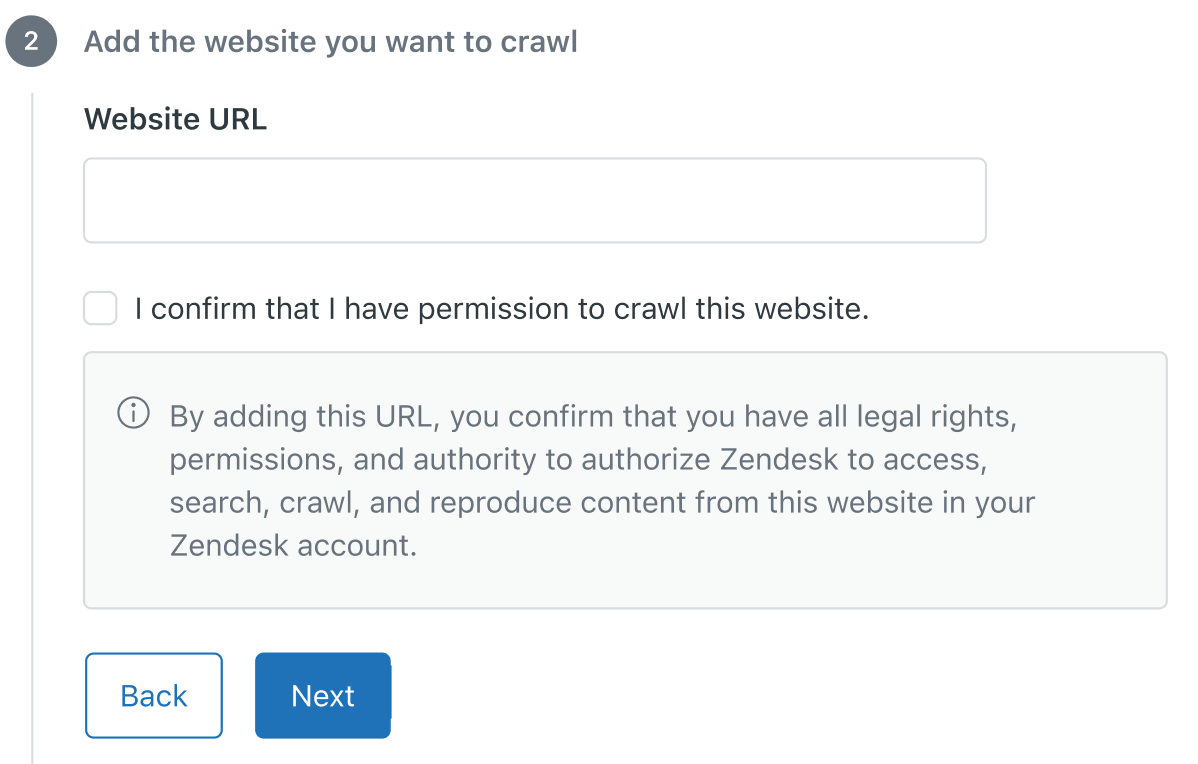
The web crawler setup process has been simplified. You can now configure a web crawler with the Federated Search API without adding a verification tag in the <head> element of your home page. To configure the crawler, enter the URL and accept the disclaimer to confirm your right to access the specified domain. See Setting up federated search in your help center using a search crawler or the API.
-
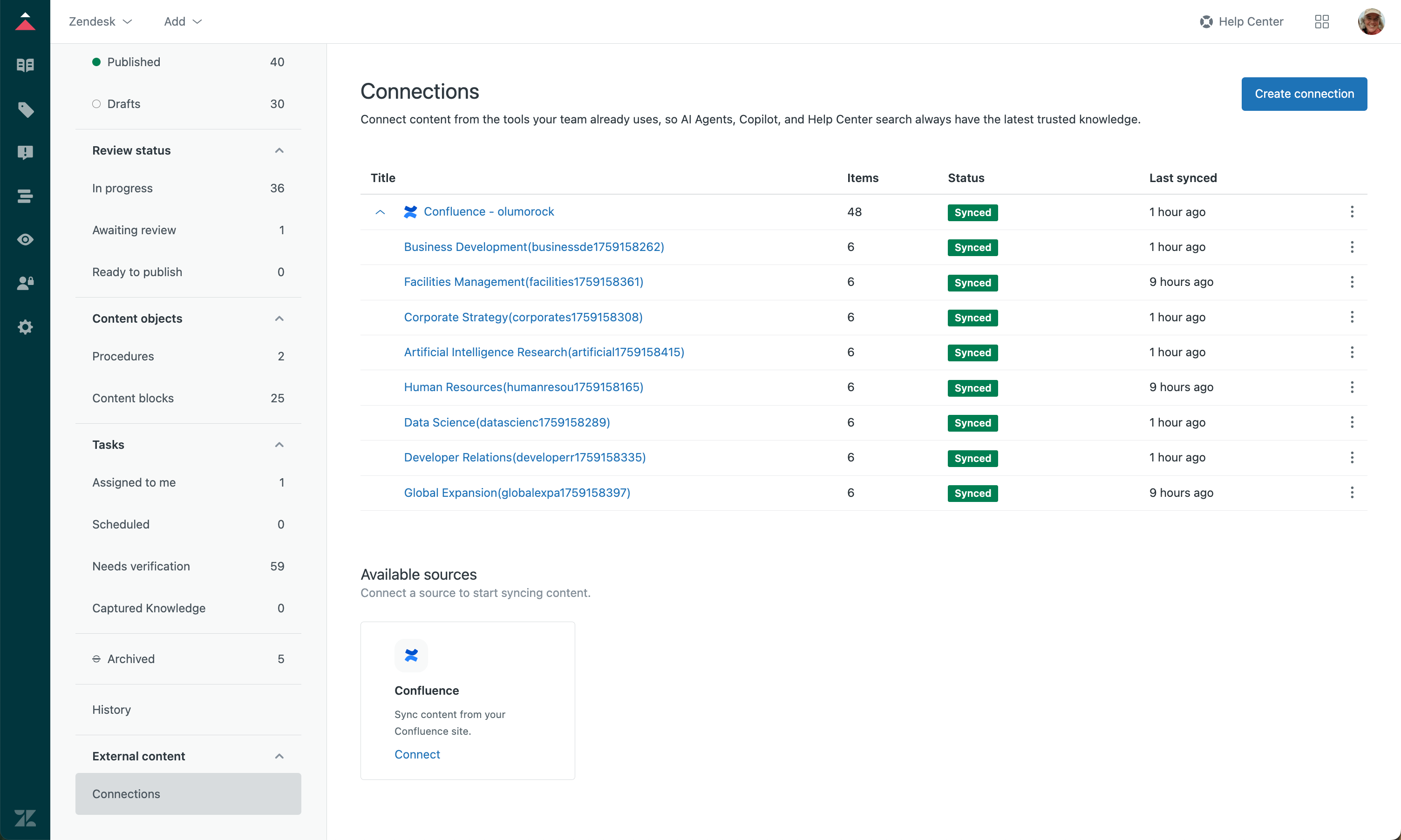
The knowledge connector to Confluence is now available. Connect to Confluence sites and spaces to ingest the external content and make it discoverable in the Agent Workspace search, help center search, and generative search. See Connecting Confluence to your Zendesk account as an external knowledge source.
AI agents
-
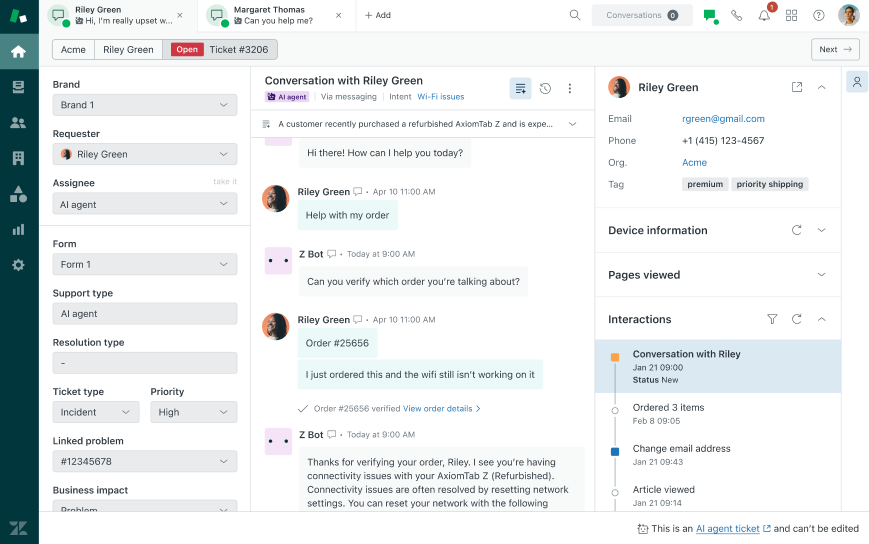
Conversations between your AI agents and end users can be viewed as tickets in Support and Agent Workspace. These AI agent tickets are read-only and don’t execute triggers or other automated workflows, which means there’s no impact to your existing setup. Once these conversations are escalated to a human agent, your existing workflows for handling tickets come into effect as they do today. See Using the dashboard to monitor and manage advanced AI agents.
-
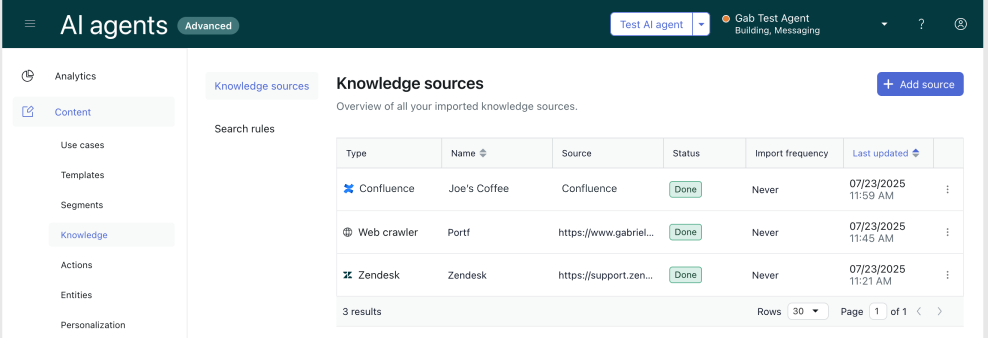
Confluence is available as a knowledge source for advanced AI agents. Admins can use this feature to leverage your existing information in Confluence sites and spaces to power generative answers in advanced AI agents. See Importing a Confluence site or space.
Security
-
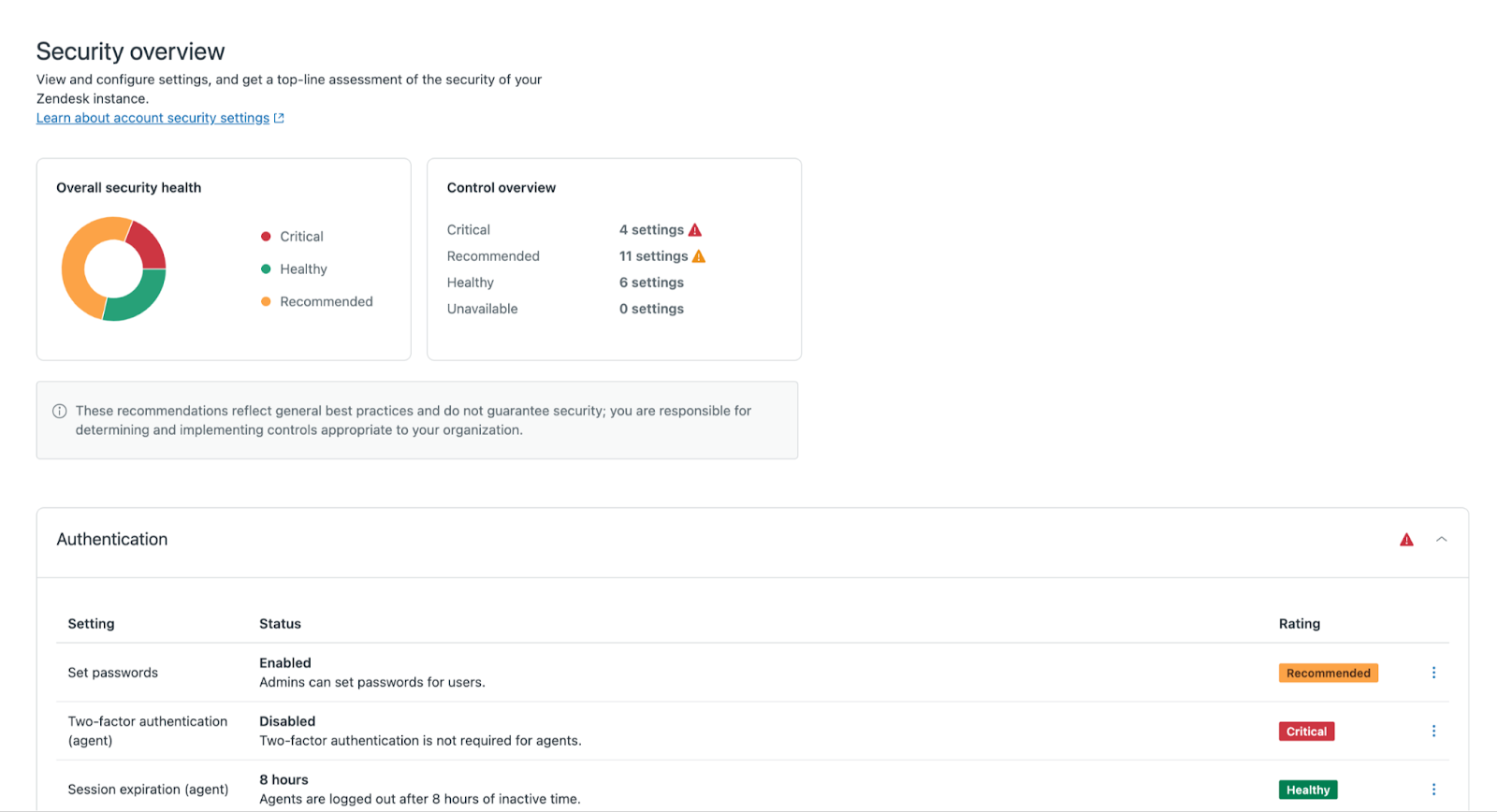
A security dashboard is now available to help you assess and enhance your account's security posture. The dashboard provides context about potential risks and offers clear recommendations for best practices. See Analyzing and improving the security posture of your Zendesk account.
Integrations
-
A new version of the Jira integration for Zendesk Support is available for all Jira Cloud accounts that are not already connected to Zendesk. This integration brings a new level of flexibility, performance, user experience, and collaboration for Zendesk and Jira users. See Connecting your Jira instance to Zendesk.
Information will be available soon for customers who have already installed and configured the legacy integration, including details on migrating to the new integration.
Custom data and logic
-
Attachments are now supported for custom object records. With attachments, you can store more types of custom data, such as receipts or contracts, directly in your custom object record. Keeping the custom data and supporting documentation together streamlines the agent workflows. See Adding custom object records to capture custom data.
-
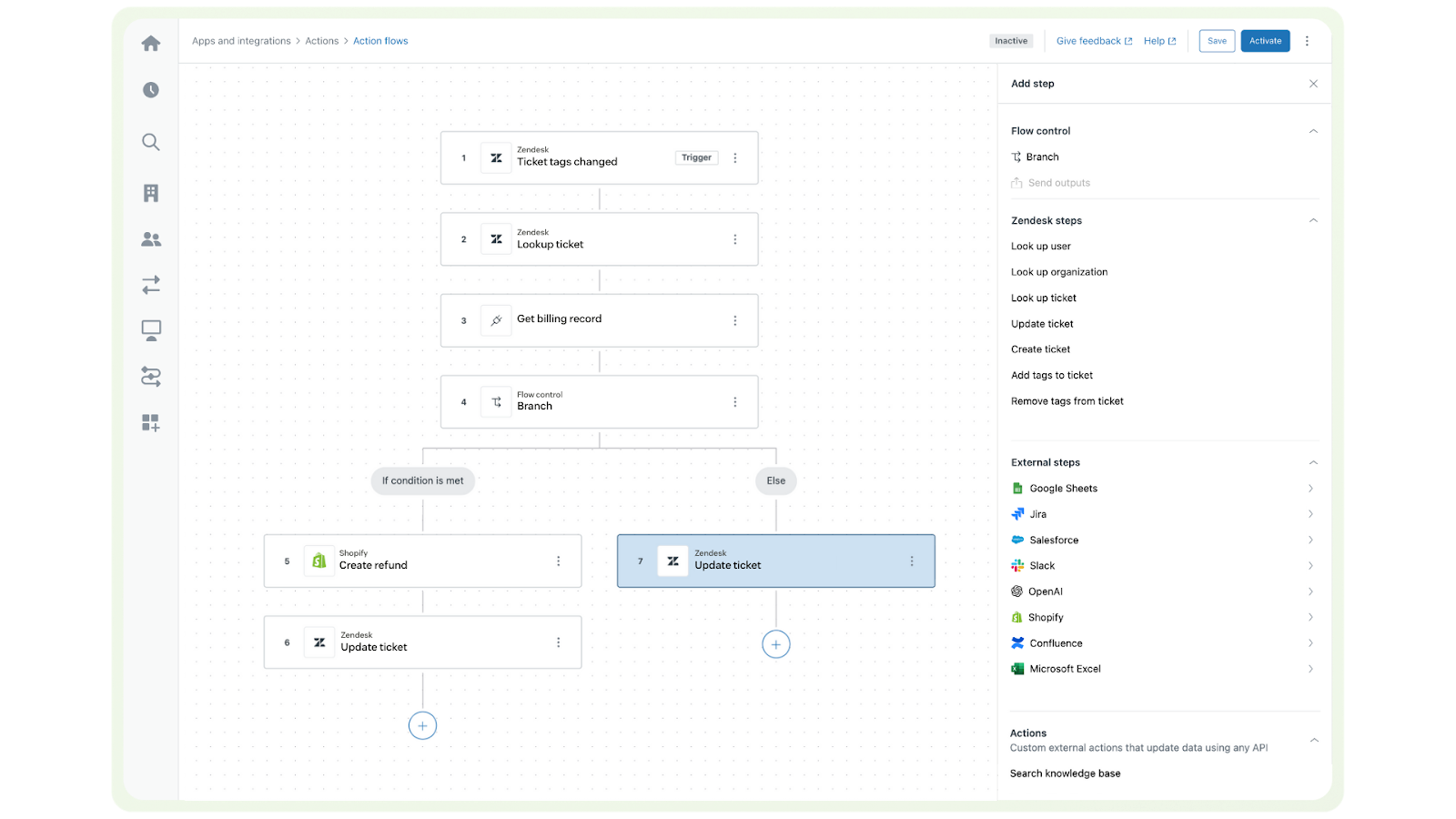
The action builder and action flows are now generally available. The action builder is Zendesk's new, no-code, visual workflow tool that makes it easy to automate processes across multiple systems. Non-technical admins can create custom action flows, integrations, and automations for human and AI agents using the library of prebuilt connectors and actions. See Understanding the action builder and action flows.
-
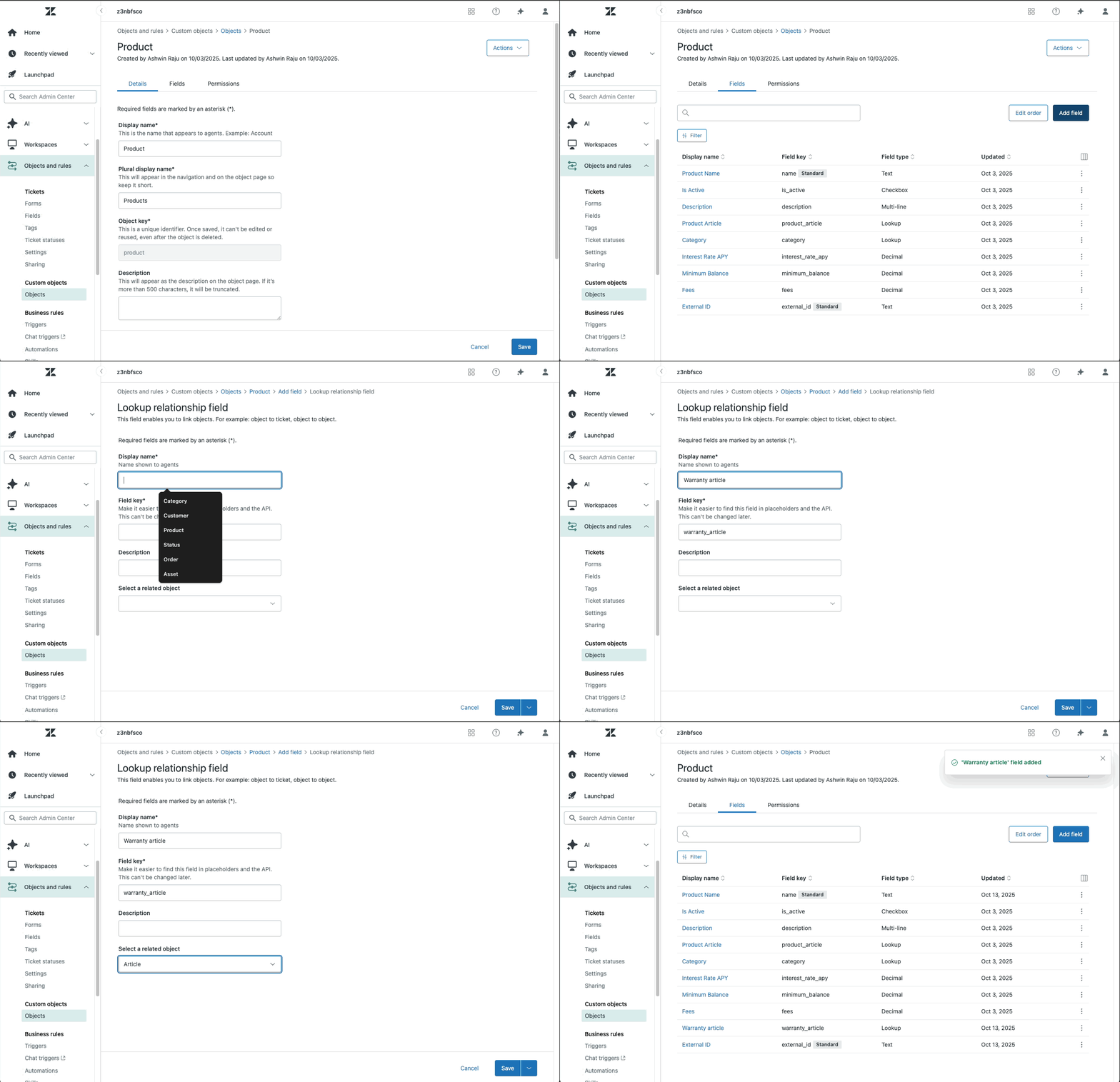
Custom objects now support relationships to help center articles. Admins can now create lookup relationship fields that surface an article related to the custom object record. See Using lookup relationship fields.
Zendesk Suite
-
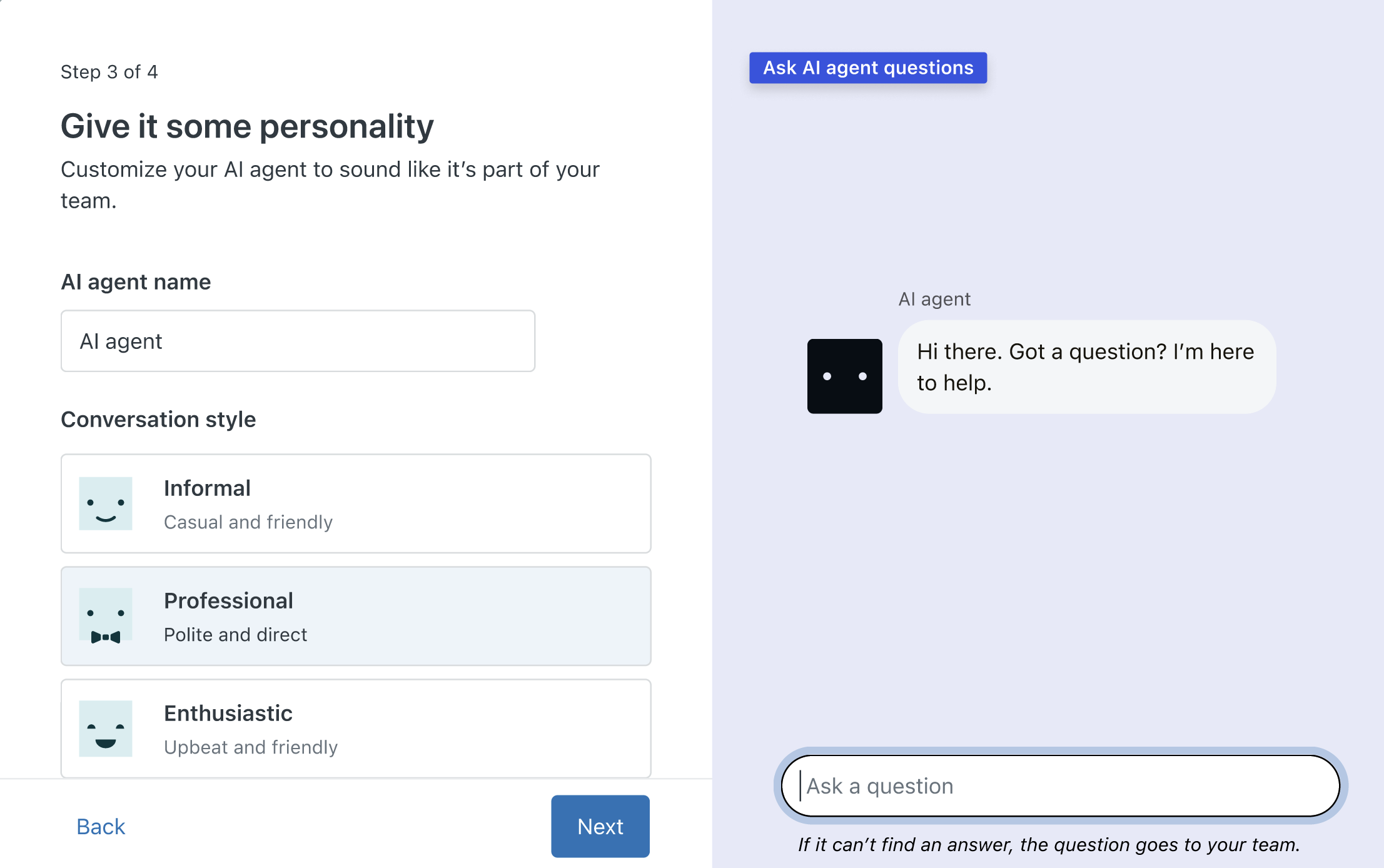
A simple setup wizard for AI agents is available to help Zendesk Suite trial customers learn how AI agents work. The wizard provides admins with the opportunity to create and customize a sample AI agent that can automatically resolve customer questions. See Add AI agents to automatically resolve questions.
Admin Center
- Sandboxes have been simplified and made available to more plans. On Support Enterprise plans, one sandbox is included. On Suite Enterprise plans and above, two sandboxes are included. Additionally, Support Professional plans and above and Suite Growth plans and above can purchase sandboxes as an add-on. See About Zendesk sandbox environments.
Voice
-
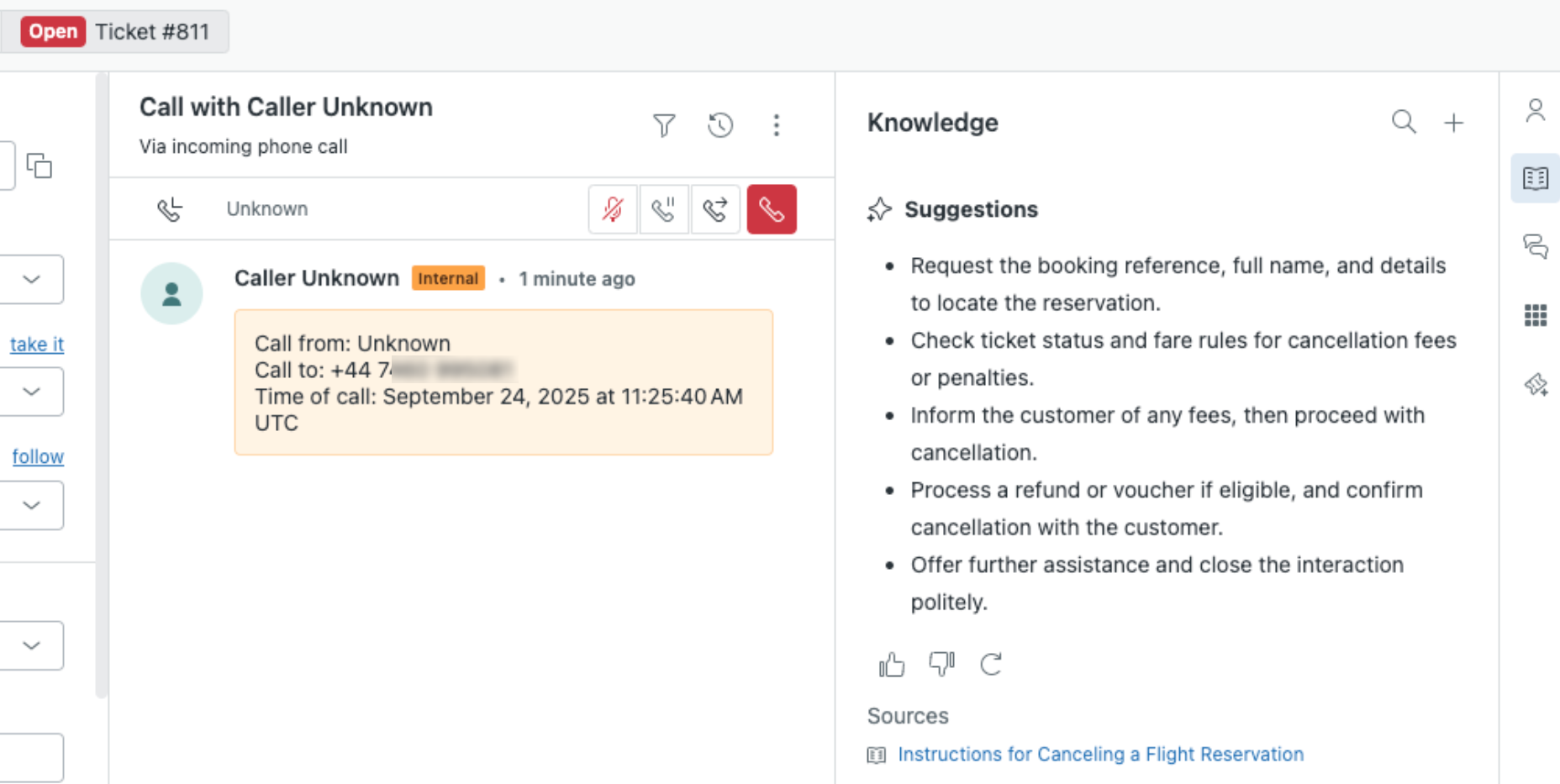
Real-time AI suggestions for voice calls gives your call center agents immediate, context-aware suggestions about how to assist the customer they’re talking to. These suggestions are pulled from your help center, including any support articles, policies, troubleshooting guides, and internal FAQs you might have. See Using real-time AI suggestions for voice calls.
Quality assurance
-
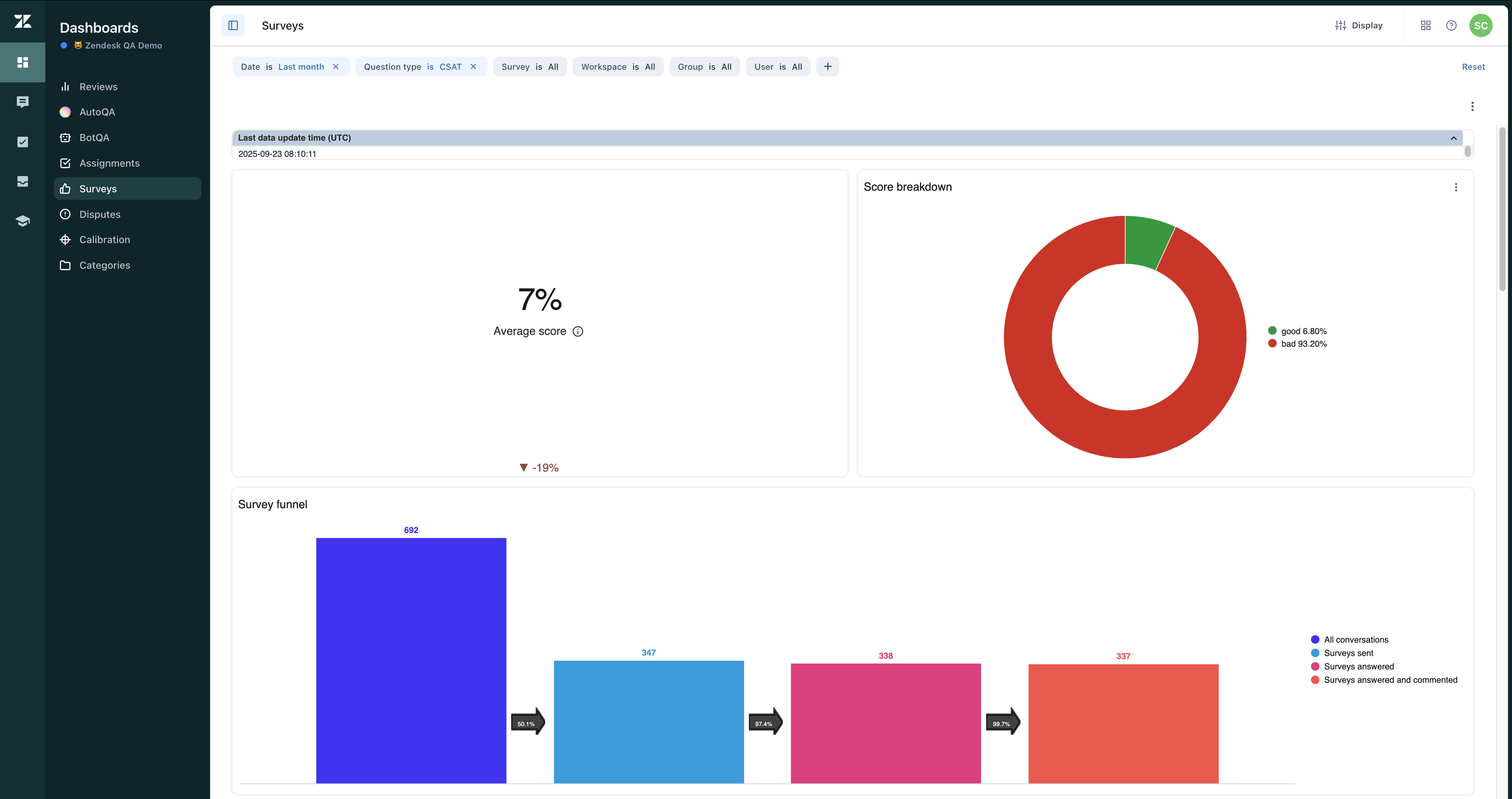
Migration of Zendesk QA Surveys dashboard to a new platform. Zendesk QA Surveys dashboard has been moved to a new platform offering a more modern look and format. See Accessing and viewing the Surveys dashboard.
Workforce management
-
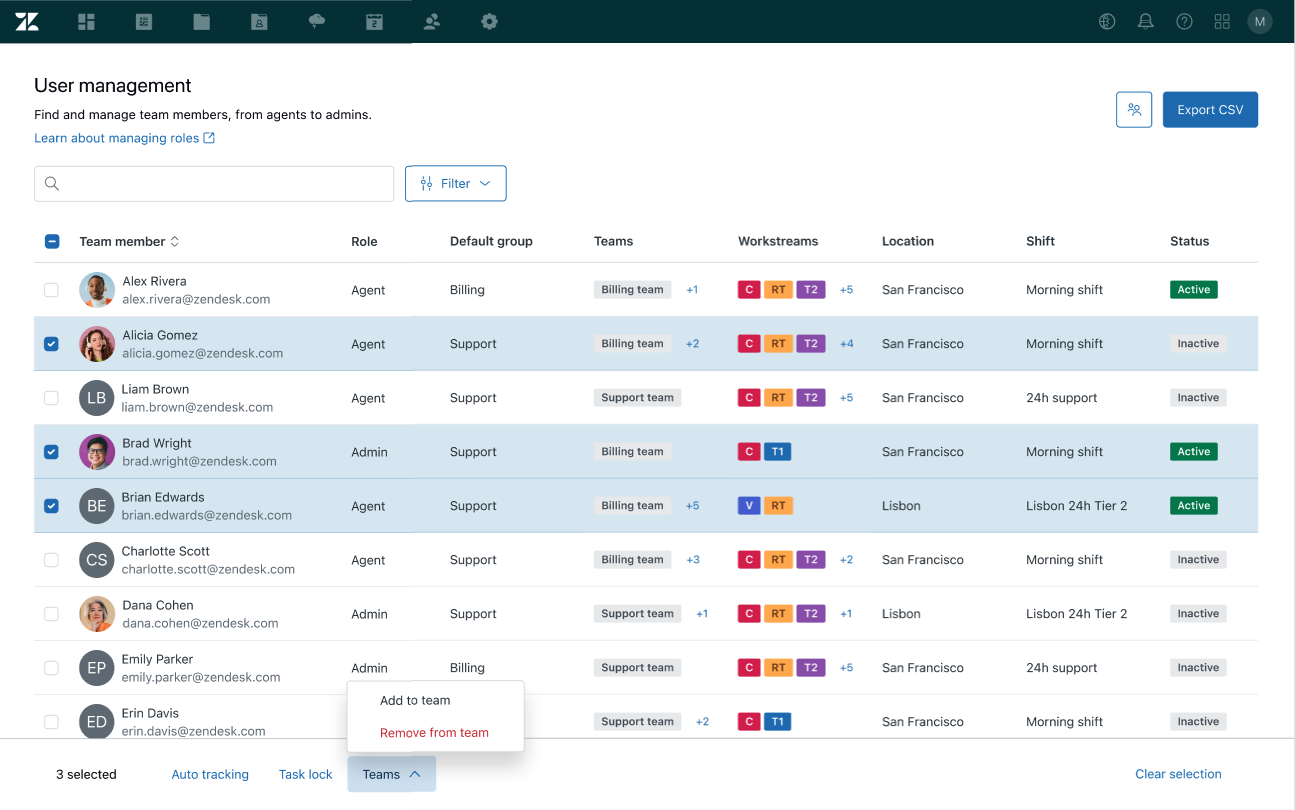
Zendesk Workforce Management (WFM) bulk team management. Admins can now add and remove users from multiple teams at once. See Adding and removing users from multiple teams in bulk in Zendesk WFM.
-
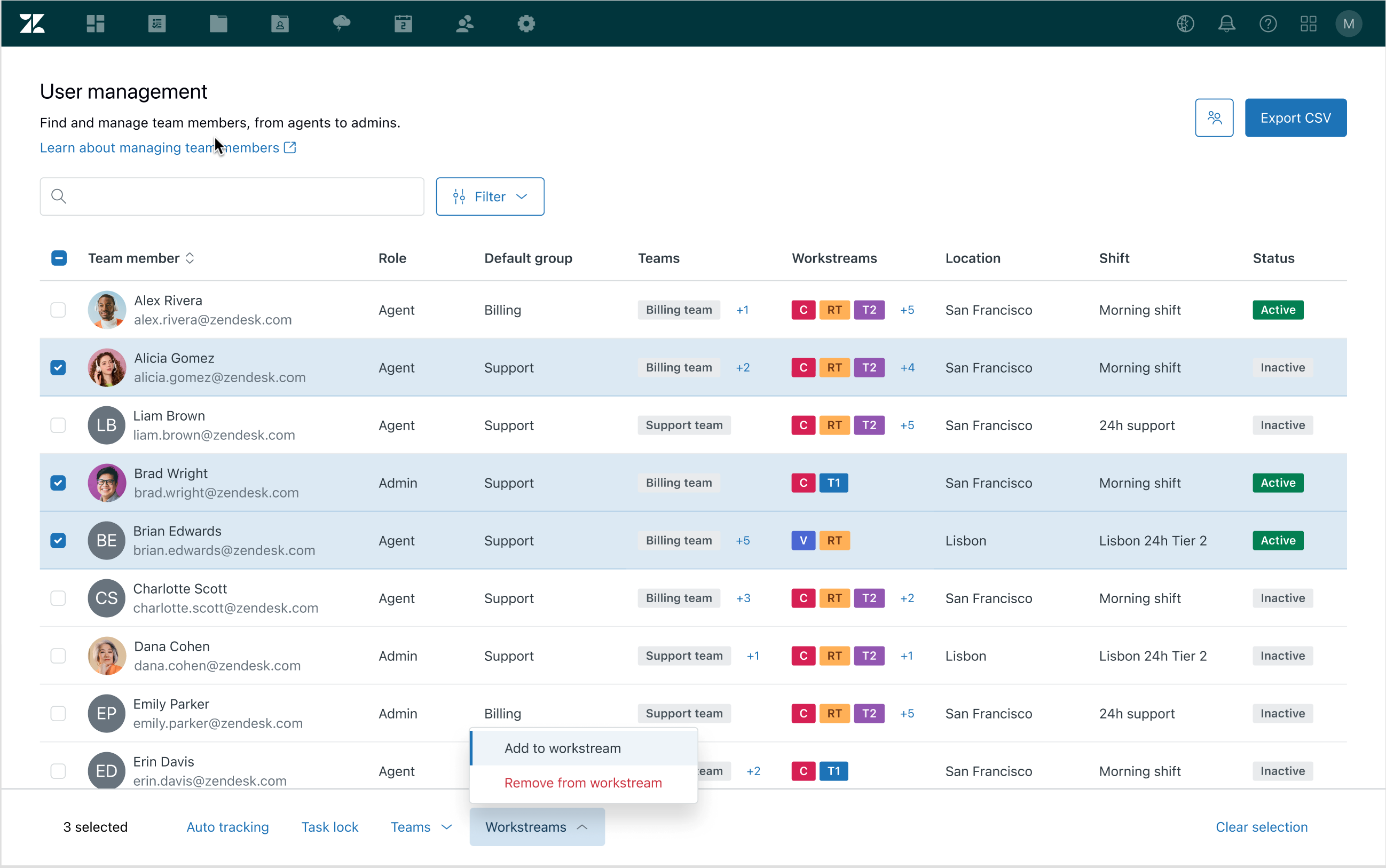
Zendesk WFM bulk user management for workstreams. Admins can now add and remove users from multiple workstreams at once. See Adding and removing users from multiple workstreams in bulk in Zendesk WFM.
-
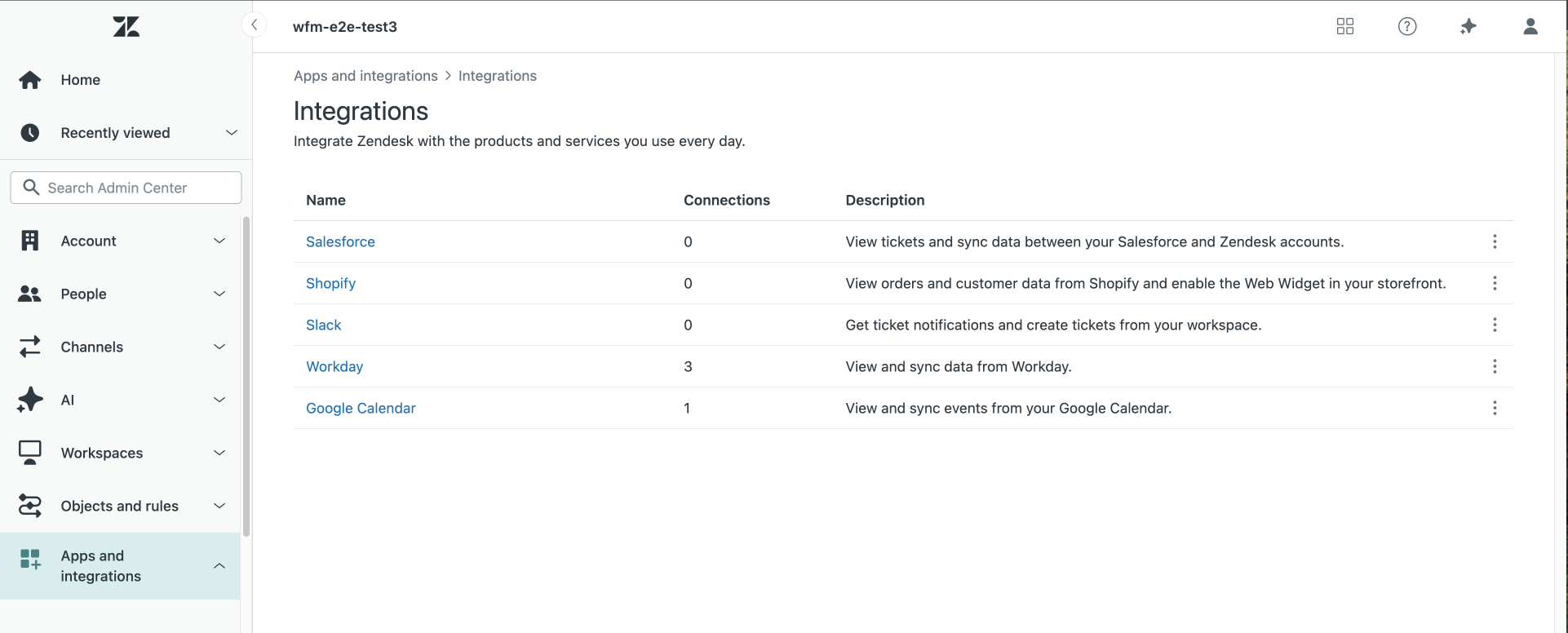
Move of the Google Calendar integration for WFM to Admin Center. Activating and deactivating the Google Calendar for Zendesk WFM integration has moved from the Integrations section of Zendesk WFM into Admin Center. See Activating and deactivating the Google Calendar for Zendesk WFM integration.
-
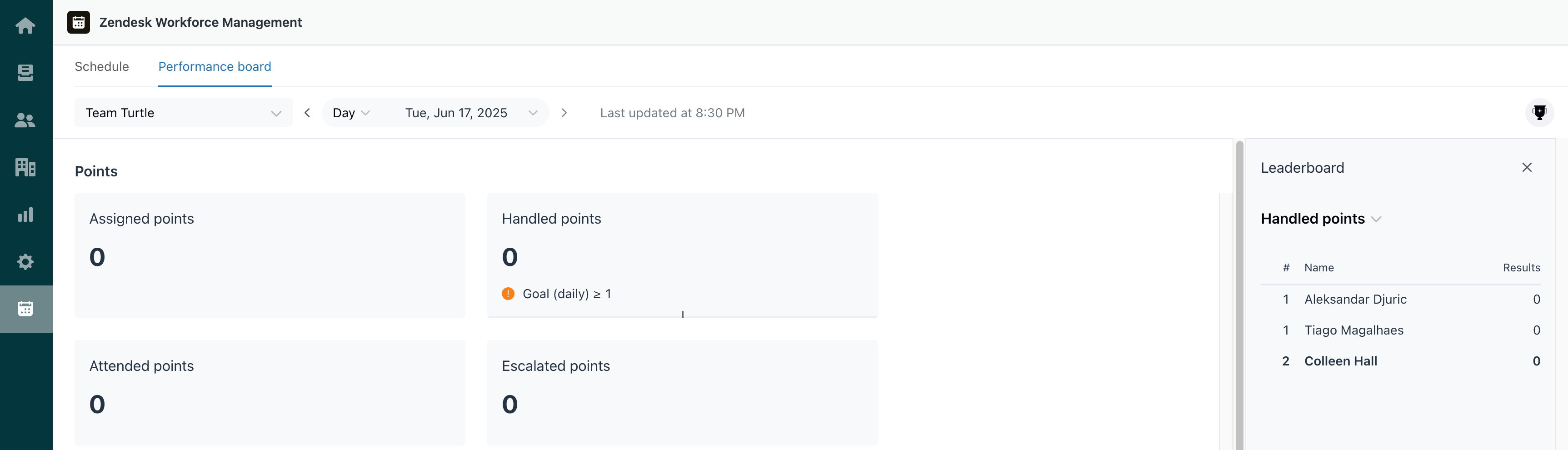
Zendesk WFM performance boards are now available. Performance boards allow you to create sets of reporting metrics, define goals, and share them with your teams. If you'd like to foster some friendly competition, there’s also an option to turn on leaderboards for your performance boards. See Understanding WFM performance and leaderboards.
-
Automatic shifts in WFM now include an option to define a rotation period. Defining a number of days or weeks for a rotation period will make the scheduling algorithm rotate users between different starting times, both flexible and specific. See Rotating automatic shifts.

New and notable content
- App Builder enables admins to create custom support apps without requiring coding skills. Follow the best practices and examples in these articles to define effective prompts for creating apps using App Builder. See Prompting guidelines and examples for App Builder and Using App Builder .
Fetched June 4, 2026