Personalization ✨
new
We designed Superhuman AI to write like you. That's why it adapts to your unique style for each person, using the tone, length, and structure from the emails you've sent before.
But what if you have your own specific rules? Now, you can convey exactly how you write, how you manage your calendar, as well as key facts about yourself.
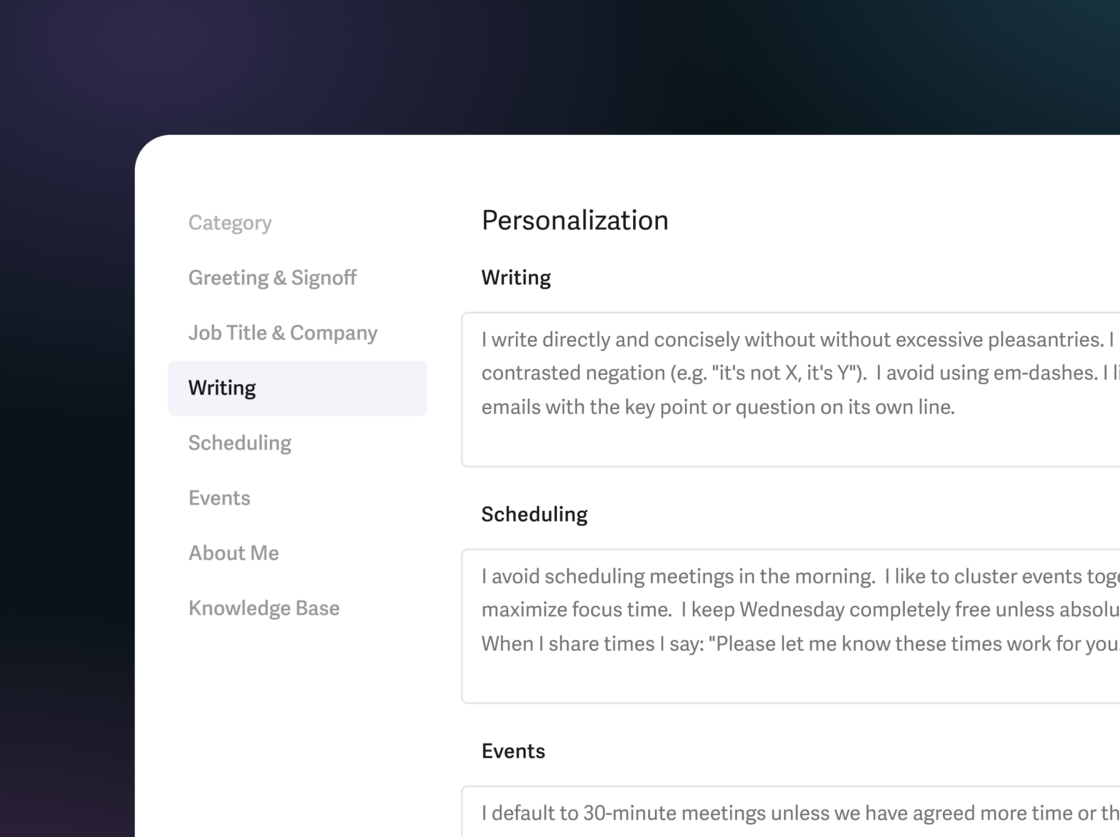
Writing ✍️
Guide Superhuman AI to sound even more like you.
- "write directly and concisely"
- "avoid em-dashes ("—") and use commas or short sentences instead"
- "if the email is longer than two paragraphs, include the key point at the start"
Scheduling 🤝
Customize how Superhuman AI shares availability and manages your calendar.
- "avoid morning meetings and cluster events together"
- "keep Wednesdays free unless necessary"
- "share at most 3 times and use this booking link: …"
Events 📆
Control how Superhuman AI creates and formats events.
- "default to 20 minute meetings"
- "format 1:1s like: Nicole <> {other person’s first name}"
- "if the agenda is clear, include a helpful description"
About you 🧠
Add key facts that Superhuman AI should know.
- "our new office address is this: …"
- "my manager is Jenn, my direct reports are Perry, Wen & Gabriela"
- "my parental leave starts May 4th"
To get started, click Settings ⚙️ → Personalization.
Personalization is currently in Beta and works with Write with AI, Ask AI, and Instant Event. It will soon work with Auto Drafts and Share Availability too!
Full personalization settings are available on our Business & Enterprise plans, along with our most intelligent version of Write with AI, Ask AI, Auto Drafts, Custom Auto Labels, and Superhuman for Sales, which includes Smart Send, Recent Opens, and our CRM integrations. To check and manage your plan, click here.
Fetched June 5, 2026