
Convert containers, typography, inline text via right-click
Enhancement
Designer
Extended element conversions
Quickly convert between various element types, including container elements, typography elements, and inline text elements, while preserving styles and settings
Documentation
→
Share
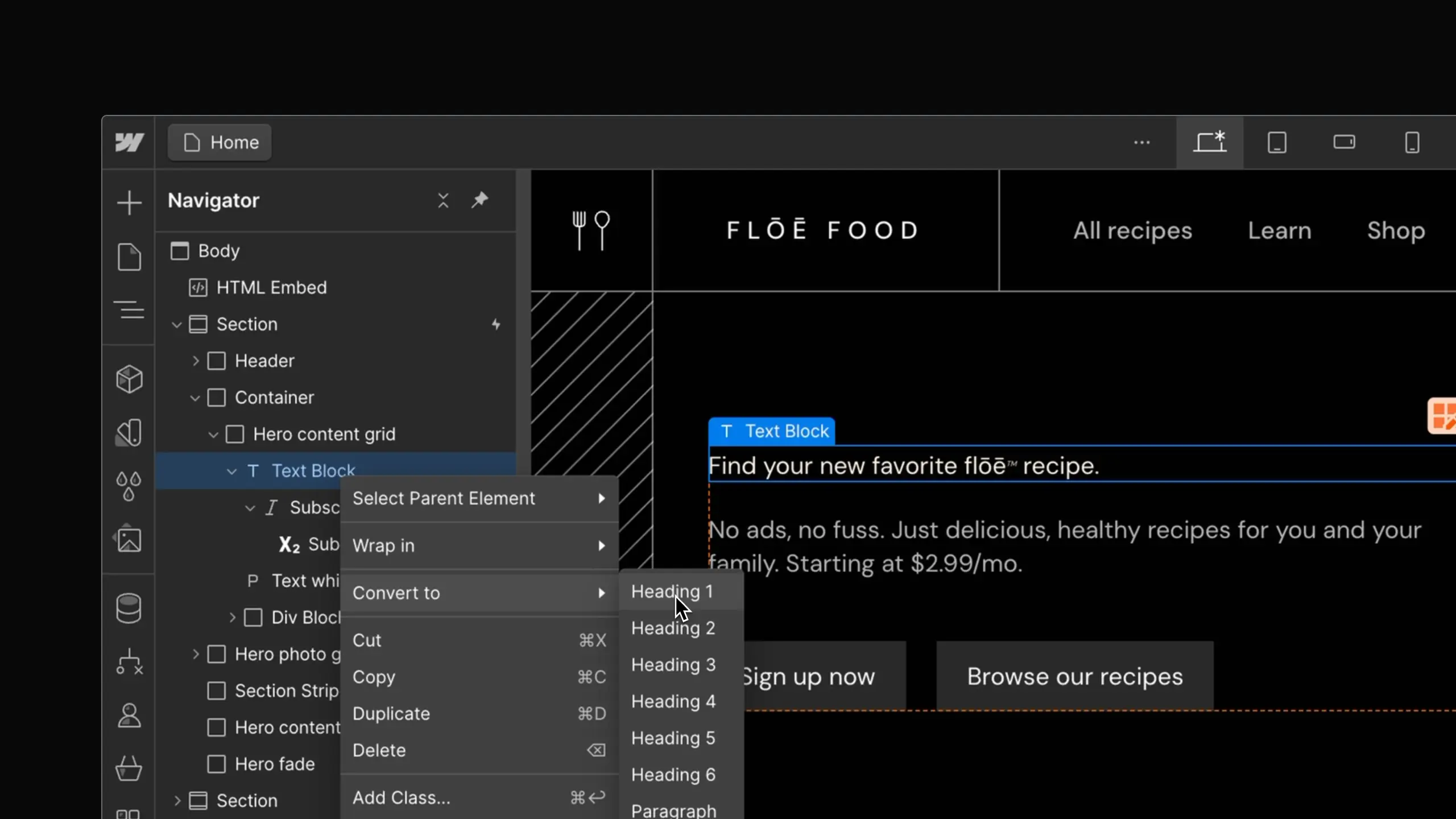
We're excited to introduce an upgrade to our element conversion feature, which now allows you to transform a broader range of elements beyond just div and link blocks. Building on the original functionality, you can now convert containers, typography, and inline text elements with just a right-click, offering expanded flexibility for layout and content adjustments.
Convert a Text Block element to a Heading 1 element.
Increasing the range of elements you can convert allows you to more rapidly modify and adapt layouts to suit your evolving design needs without manual rebuilding. For example, you can easily convert a paragraph to a heading or a container to a grid to refine your layout structure and content hierarchy. This flexibility is particularly useful when you're experimenting with different design options or need to quickly adapt your content to changing requirements. To convert an element, simply right-click an element and select "Convert to" or use quick find.
For more details, visit Webflow University.
Launched on
May 13, 2024
Category
Designer
Fetched August 5, 2026