Command Palette adds bulk issue actions; DSN lookup bidirectional
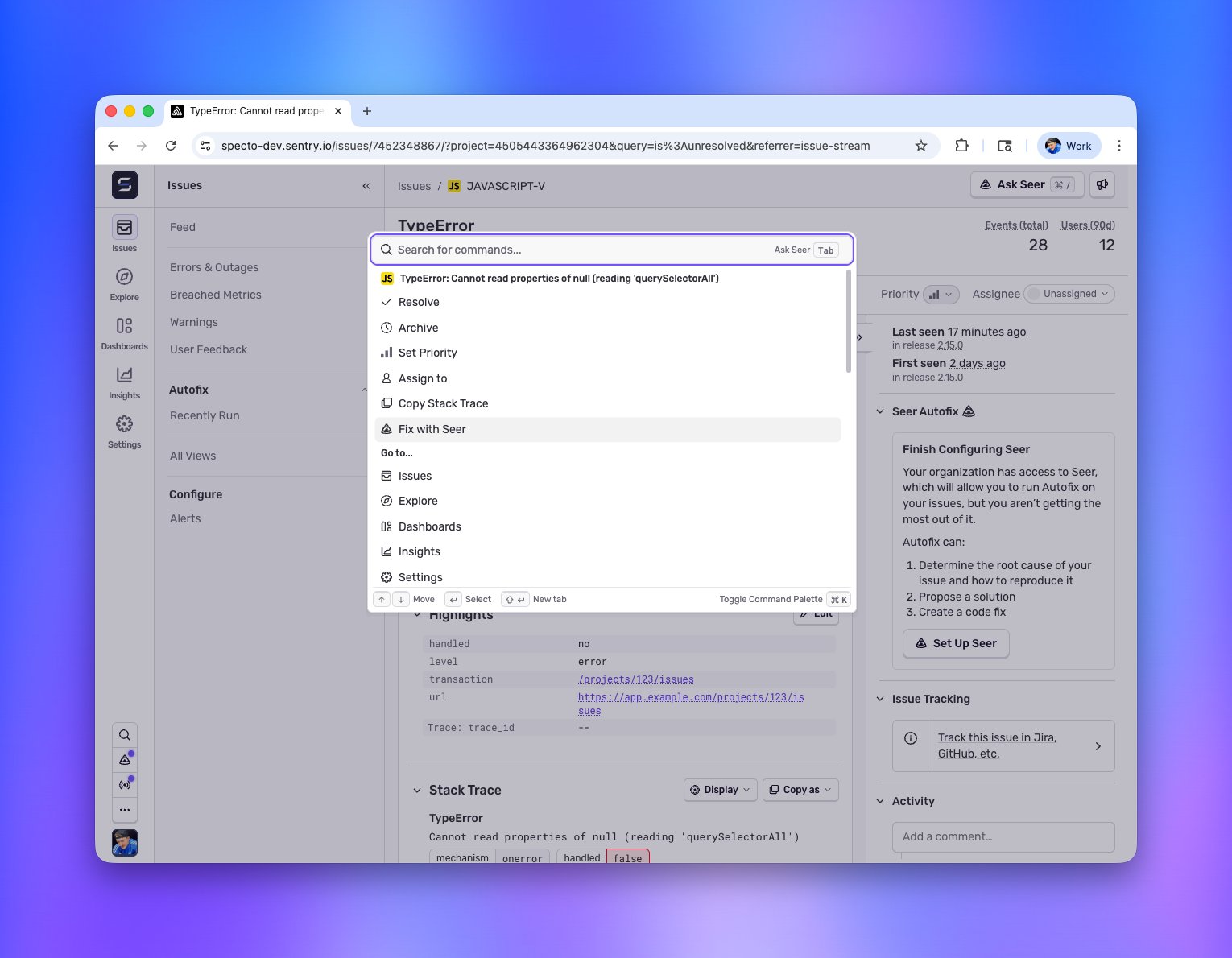
Hit Cmd+K (or Ctrl+K on Windows/Linux) anywhere in Sentry.
Bulk actions on issues
Select a bunch of issues and open the palette. You can archive, resolve, or assign them all to someone without touching the mouse. Useful for the periodic "clear out the noise" session most of us do and pretend we don't.
Full issue actions from the palette
On any issue detail page, the palette gives you the whole action set:
- Assign the issue to someone (or yourself)
- Resolve or archive it
- Change the priority
- Copy the stack trace straight to your clipboard
- Hand it off to Seer
No need to hunt through the toolbar. Open the palette, type what you want to do, done.
DSN lookup, two ways
Find a DSN by project: select the DSN action in the palette and pick your project. Or just start typing the project name and the DSN action will surface in the list.
Find a project by DSN: paste a raw DSN string into the palette and it'll tell you which of your projects it belongs to. Handy when you're staring at a DSN in some config file and have no idea where it came from.
Seer is in the palette too
If you're on an issue and want Seer to take a crack at it, the action is right there in the palette. The palette walks you through the workflow step by step. You only ever see the next valid action, so it never feels like you're guessing what to do.
Fast even with a lot of projects
For organizations running a large number of projects, navigating used to mean a lot of scrolling. Now you search by project name and jump straight there.
Fetched June 4, 2026