Pup CLI gives agents OAuth-scoped Datadog access
AI agents are becoming a standard part of how engineers write, deploy, and troubleshoot software. Getting observability data into those workflows, securely and without manual intervention, remains the harder problem.
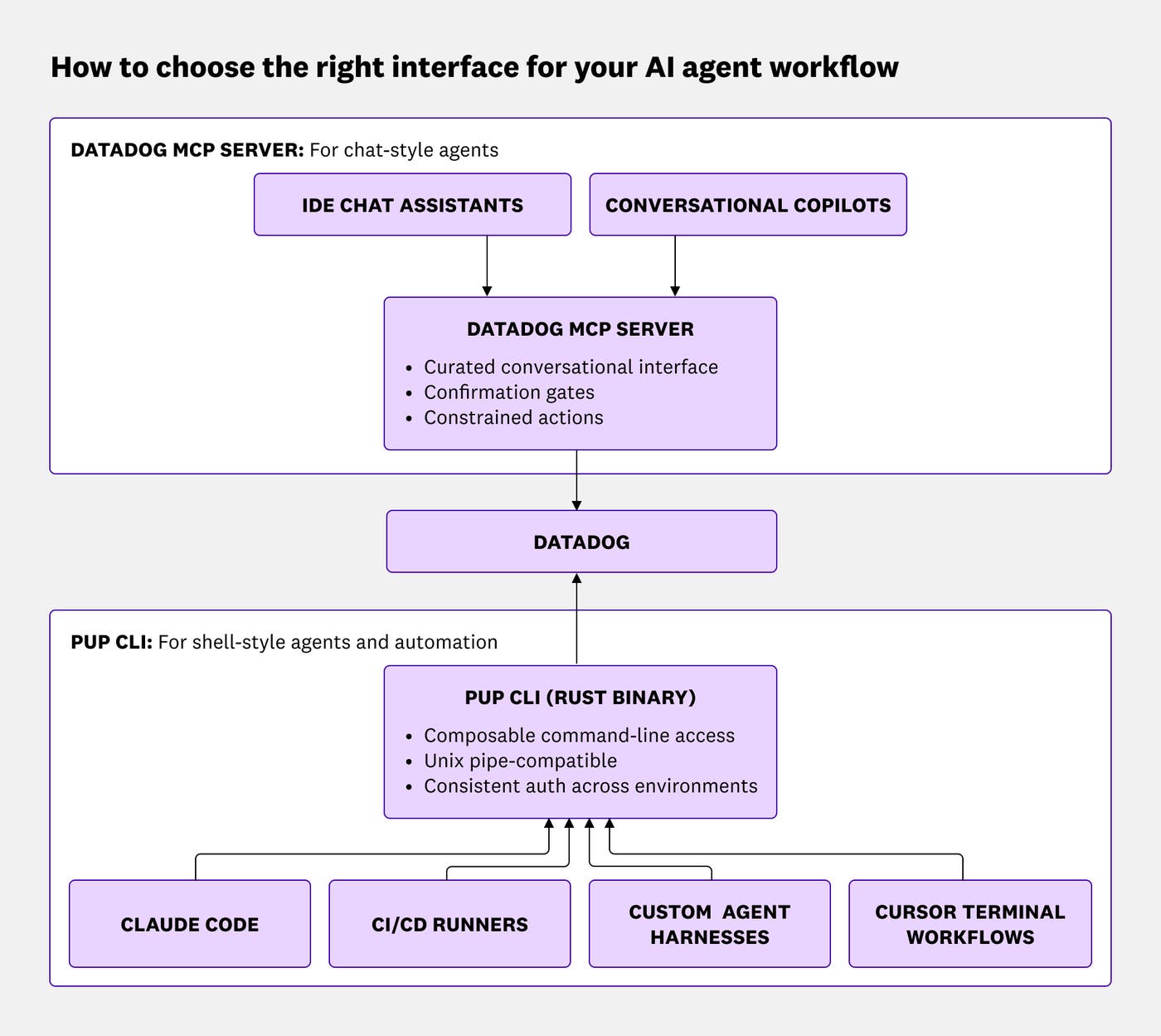
Pup CLI gives shell-style agents, automation pipelines, and scripting workflows secure, OAuth-scoped access to 33+ Datadog product domains through a single binary with 200+ commands. Agents can discover commands dynamically, reason over structured JSON or YAML output, and use built-in skills and runbooks without managing long-lived API keys. Because agents pull only the commands they need via pup agent schema rather than loading a full tool definition library upfront, working context is more token efficient. The CLI pairs with the Datadog MCP Server, which covers conversational, chat-style workflows in IDEs and assistants.
In this post, you'll learn how to:
- Give shell-style agents a CLI built for Datadog
- Access the Datadog platform from one binary
- Authenticate once with OAuth
- Add Datadog skills and runbooks to your agent
- Connect any AI client to Datadog locally
Give shell-style agents a CLI built for Datadog
AI agents interact with systems differently depending on where they run. Chat-style assistants inside IDEs need curated, conversational interfaces with confirmation gates and constrained actions. Terminal-native agents, CI/CD workflows, and automation harnesses need composable command-line access that fits naturally into shell workflows.
Modern coding agents are already fluent in shell environments. Models trained on large volumes of terminal interactions understand workflows built around commands such as git, kubectl, jq, and Unix pipes. A well-designed CLI extends an agent's operational capabilities without additional configuration. Agents can invoke commands, chain outputs, and interpret structured responses using patterns they already know.
Pup CLI builds on that model with a single, consistent Rust binary across Claude Code sessions, Cursor workflows, CI runners, runbooks, and custom agent harnesses. Regardless of where an agent runs, it interacts with the same Datadog backend through the same interface and authentication flow.
Access the Datadog platform from one binary
Pup CLI gives agents a single interface for the Datadog platform, from metrics and logs to Incident Management, Real User Monitoring, Application Performance Monitoring, Cloud SIEM, Cloud Cost Management, and more without switching tools or managing separate integrations.
The CLI is designed to be discoverable for both humans and agents. Engineers can use standard help commands to explore the available functionality, while agents can retrieve the complete command schema dynamically in machine-readable form.
pup --help
pup agent schema
The pup agent schema command returns the complete command tree as structured JSON, allowing agents to inspect available operations only when they need them. Dynamic schema retrieval reduces the amount of tool metadata that needs to remain in an agent's working context, leaving more room for reasoning and planning.
Pup CLI returns structured JSON or YAML output by default, making it easy for agents to parse and chain results into additional workflows. Commands integrate naturally with standard shell tooling such as jq, grep, or custom automation scripts.
For example, an agent investigating a production issue could search logs for recent checkout service failures:
pup logs search --query="status:error service:checkout" --from="1h" \
  | jq '.data[].attributes.message'
An agent could then pivot into monitor investigations:
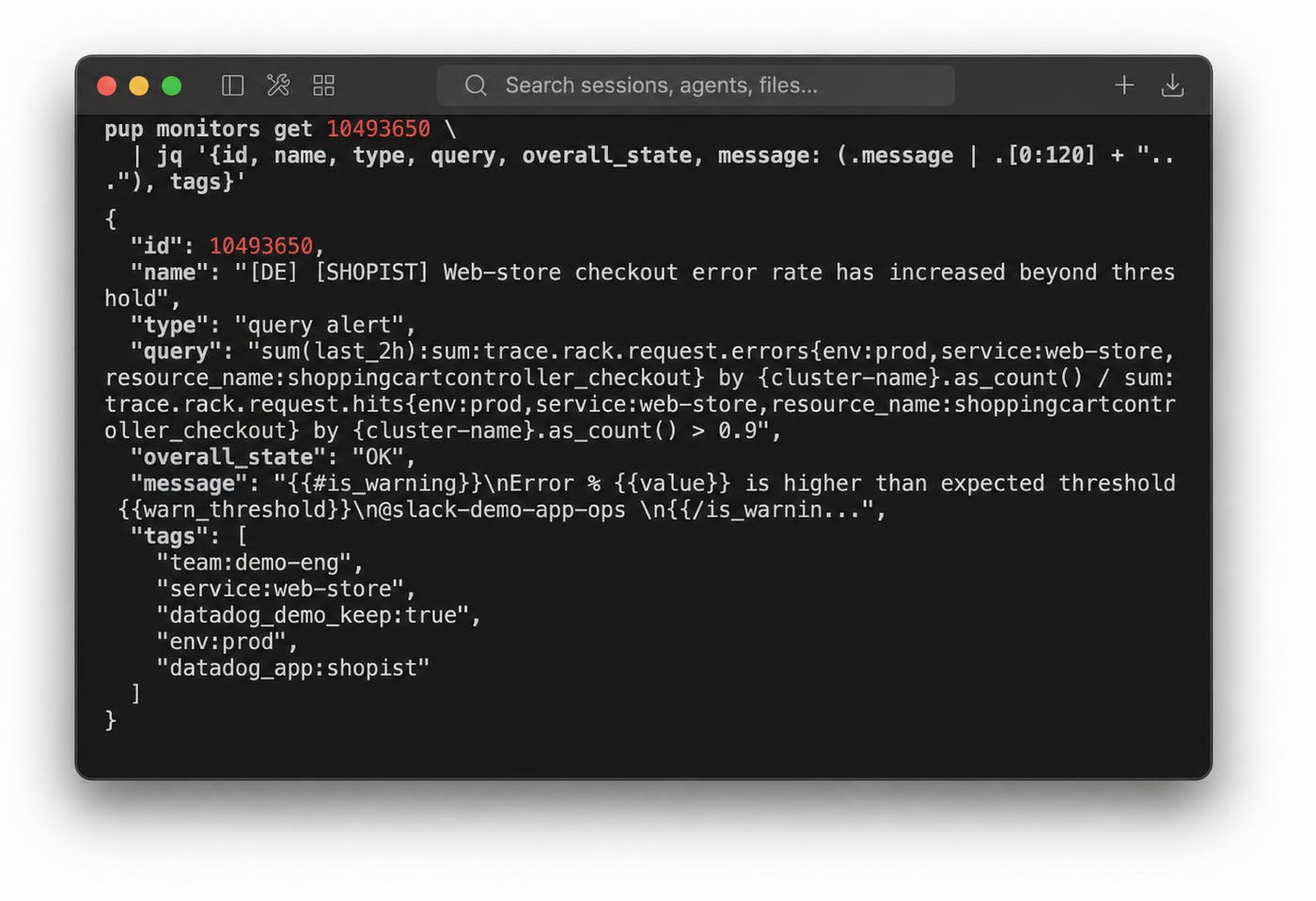
pup monitors search --tags="team:api-platform"
pup monitors get <id>
Or retrieve active incidents directly from Datadog:
pup incidents list --status=active \
  | jq '.data[].attributes.title'
Beyond core observability workflows, Pup CLI also covers a broad set of the Datadog API surface. Niche admin operations, preview surfaces, and CRUD support for platform configuration objects are reachable through the same binary and authentication layer, without additional setup.
Authenticate once with OAuth
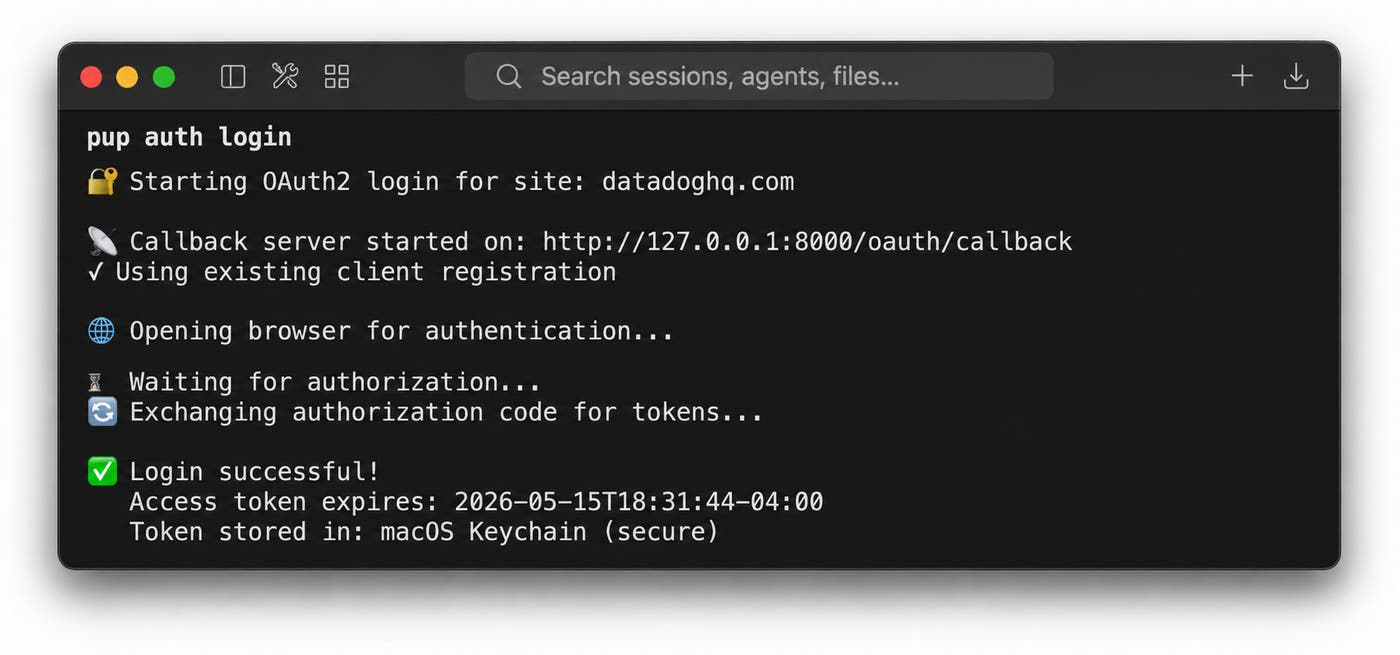
Many teams rely on long-lived API and application keys spread across shell environments, CI pipelines, Terraform configurations, and internal documentation. Pup CLI addresses this with an OAuth 2.0 + PKCE authentication flow.
Instead of distributing static API keys across multiple environments, you authenticate once through:
pup auth loginTokens are scoped, revocable, and aware of multi-organization environments. If a device is lost or access needs to be revoked, you can invalidate the associated credentials without rotating every script or automation workflow tied to a static key.
Pup CLI inherits Datadog role-based access control. Agents can only view or act on the resources their authenticated user is already authorized to access. This helps you preserve existing access boundaries while extending Datadog into AI-assisted workflows, including for teams with HIPAA requirements.
A single authenticated session can support multiple local agent workflows, including Claude Code, Cursor, OpenCode, custom agents, and ad hoc scripts. You no longer need to provision and manage separate API keys for every tool or environment.
Managing API keys across CI pipelines, shell environments, and agent tools adds friction when you adopt AI-assisted operations. Pup CLI helps reduce that friction by consolidating access through a single OAuth-scoped interface, using a centralized audit trail and your existing Datadog permissions.
Add Datadog skills and runbooks to your agent
Pup CLI ships with built-in skills and subagents that give agents reusable operational workflows without manual prompt crafting.
For example, you can install bundled skills into Claude Code:
pup skills install claude-codeThis command installs skills into .claude/skills/ and native subagents into .claude/agents/.
Cursor workflows are similarly supported:
pup skills install cursorYou can also browse and install individual skills:
pup skills list
pup skills install claude --name=dd-monitors
Pup CLI integrates directly with the Claude Code plugin marketplace as well:
/plugin marketplace add datadog/pupThe bundled skills support operational workflows such as incident triage, log, metric, and trace correlation, change tracking, and Database Monitoring analysis. If you're using Claude Code, you can invoke a workflow such as /sre-investigate and receive a guided investigation that moves through logs, traces, deployments, and database telemetry while the agent calls Pup CLI commands behind the scenes. You can use runbook outputs directly in incident reviews and postmortems.
Pup CLI also supports CI/CD automation scenarios such as deploy event creation, source map uploads, DORA metrics collection, and SLO validation. Each of these workflows uses the same OAuth-scoped authentication as local sessions, so no additional secrets management is needed.
Connect any AI client to Datadog locally
Pup CLI also doubles as an MCP server, letting you connect any MCP-compatible AI client to Datadog without additional authentication or setup steps beyond pup auth login.
The same OAuth session supports Claude Desktop, third-party MCP clients, and custom integrations:
pup mcp serveThis gives you a way to connect Datadog to emerging AI clients as they adopt the Model Context Protocol standard, without waiting for native integrations or managing separate credentials.
Getting started
Pup CLI is available on GitHub. Installation follows the standard Rust toolchain pattern:
cargo install --git https://github.com/DataDog/pup.git
pup auth login
pup --help
For Claude Code users, you can install Datadog skills immediately:
pup skills install claude-codeOr install the plugin from the Claude Code marketplace:
/plugin marketplace add datadog/pupFull documentation is available on the Datadog docs site.
Learn more at DASH
We're showcasing Pup CLI, the Datadog MCP Server, Bits AI, and the future of agentic observability at DASH NYC on June 9-10. Come see live demos, chat with our engineers, and explore how to give your AI agents first-class access to the Datadog platform.
Fetched June 6, 2026