UI refresh
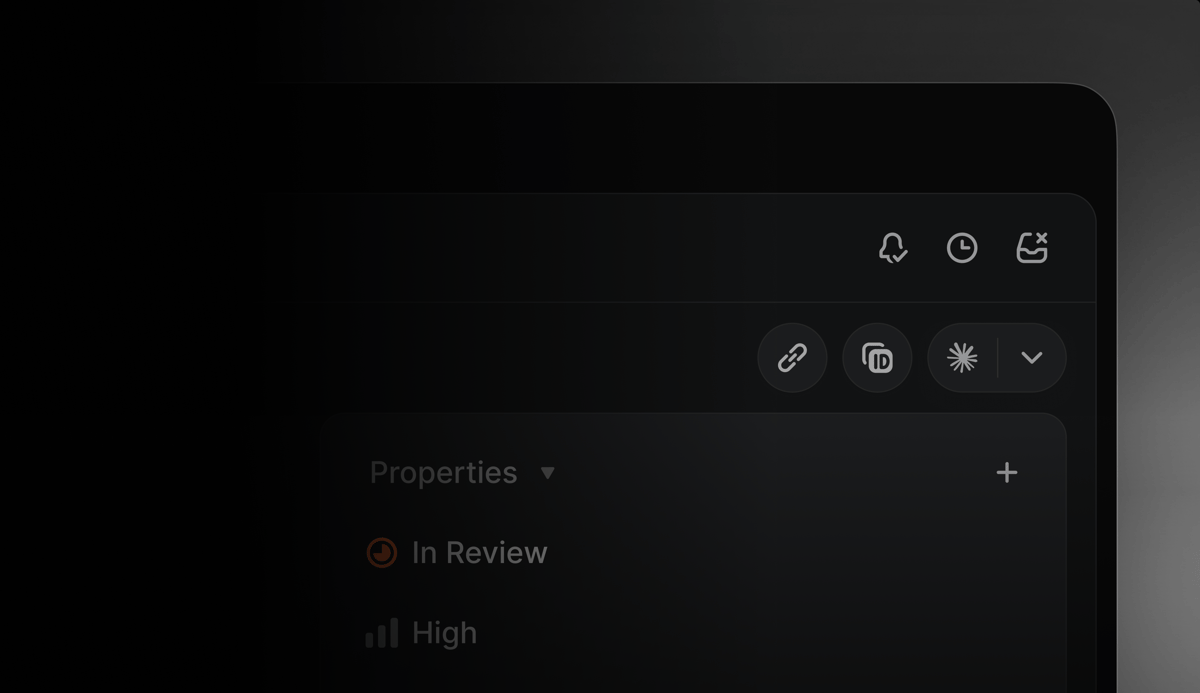 Introducing a calmer, more consistent interface.
We've visually refreshed Linear's interface design to make it easier to scan information, navigate between workflows, and stay focused.
A few highlights:
Headers, navigation, and view controls are now consistent across projects, issues, reviews, and documents, making it simpler to orient yourself and move between workflows
- Icons across the app have been redrawn and resized
- Navigation sidebars are slightly dimmer, allowing the main content area to stand out
Learn more about our design process on our blog.
Additional launchers for AI coding tools
We recently gave you the ability to open issues directly in your AI coding tools with all of the context they need to take a first pass.
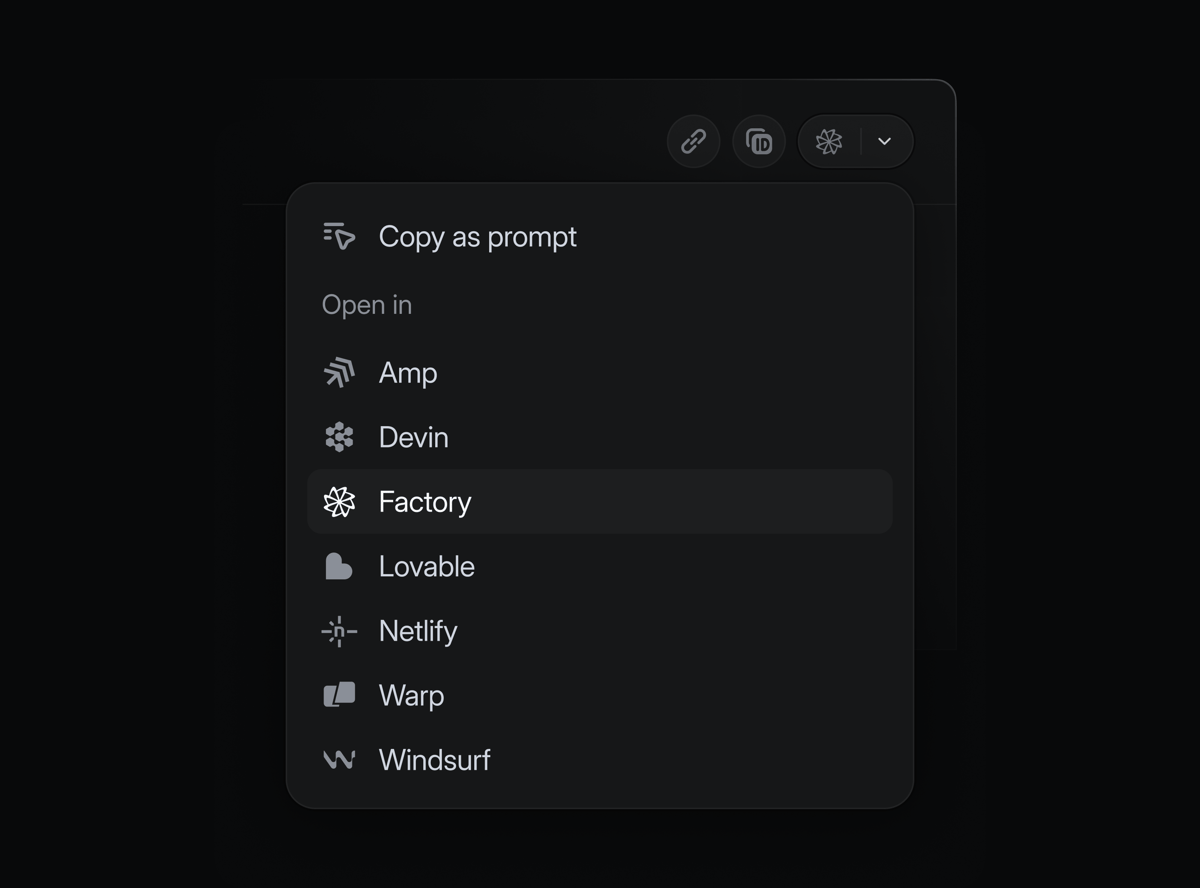
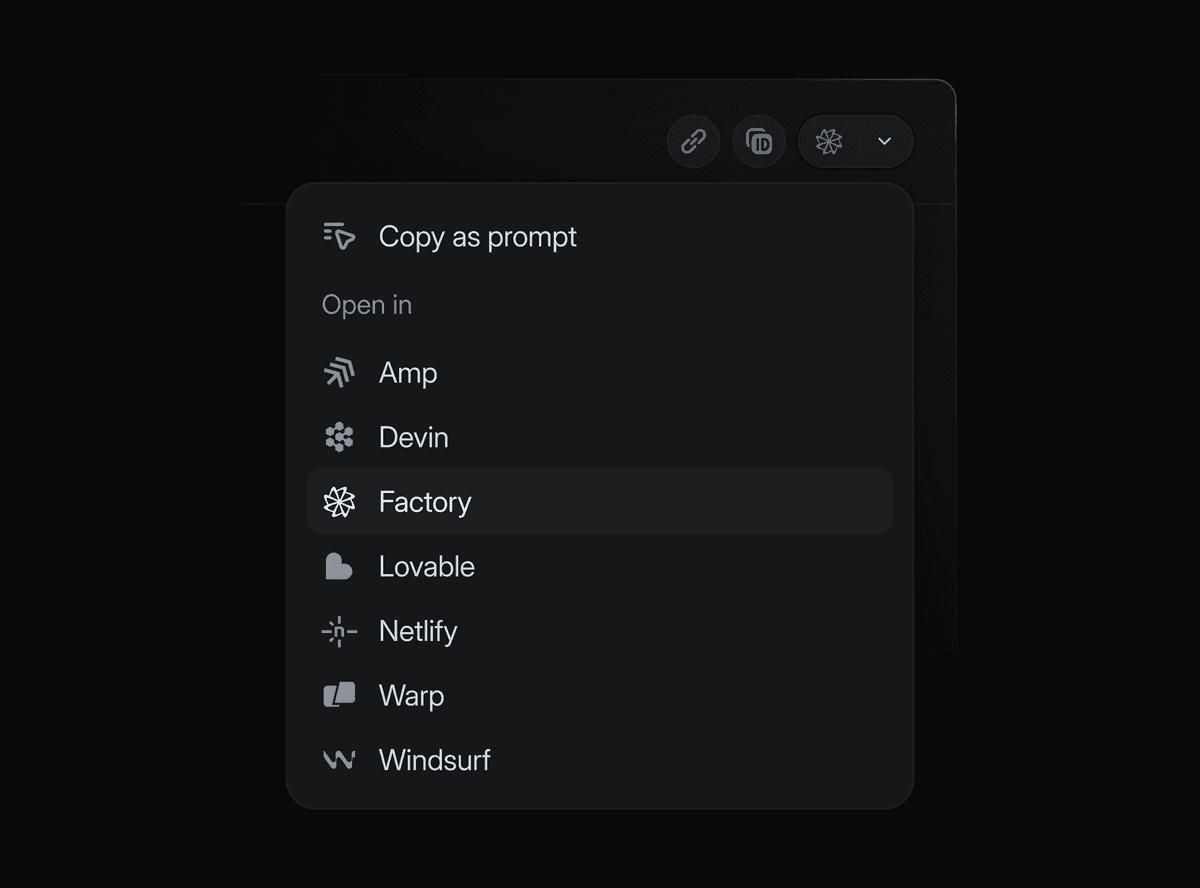
We've now expanded the list of supported tools. In addition to popular options like Claude Code, Cursor, and Codex desktop, you can also now open issues in:
- Amp
- Codex CLI
- Devin
- Factory
- Lovable
- Netlify Agent Runners
- Warp
- Windsurf
Enable your tools in preferences, and launch them from any issue using the dedicated shortcut or with ⌘ Opt . (Mac) or Ctrl Alt . (Windows/Linux).
Mobile agent sessions
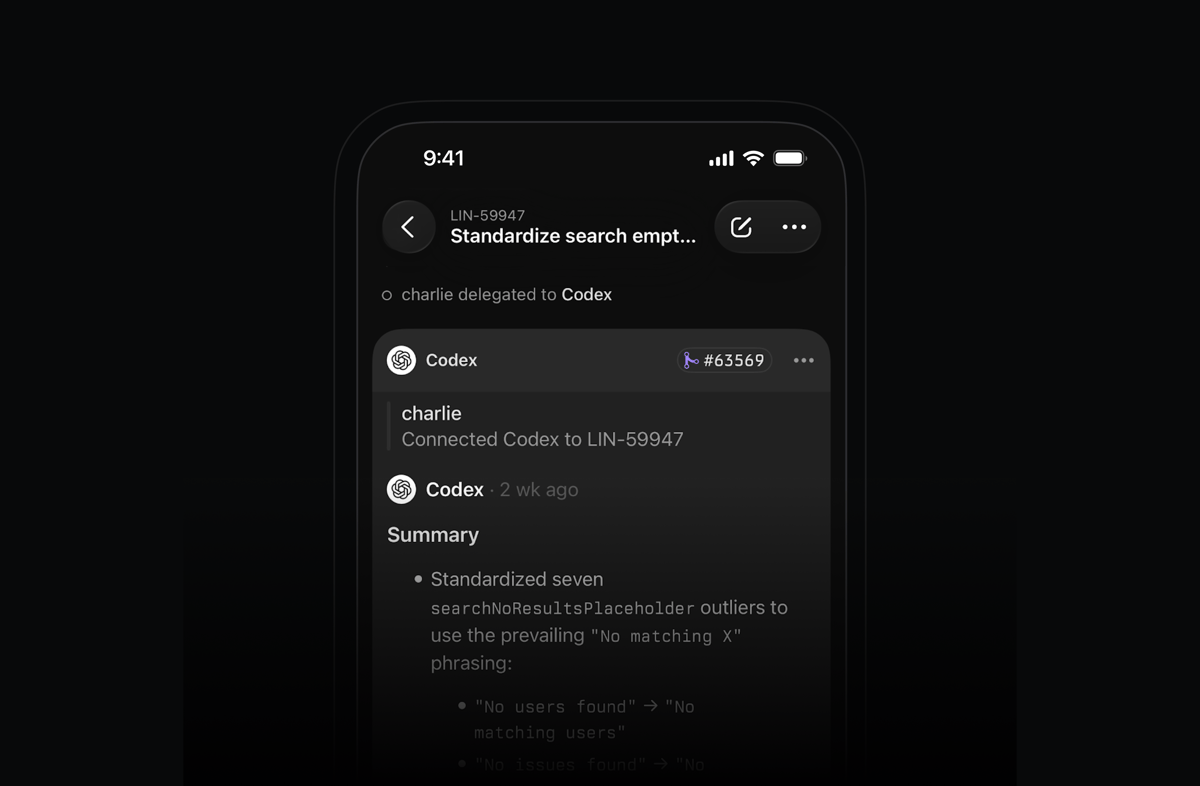
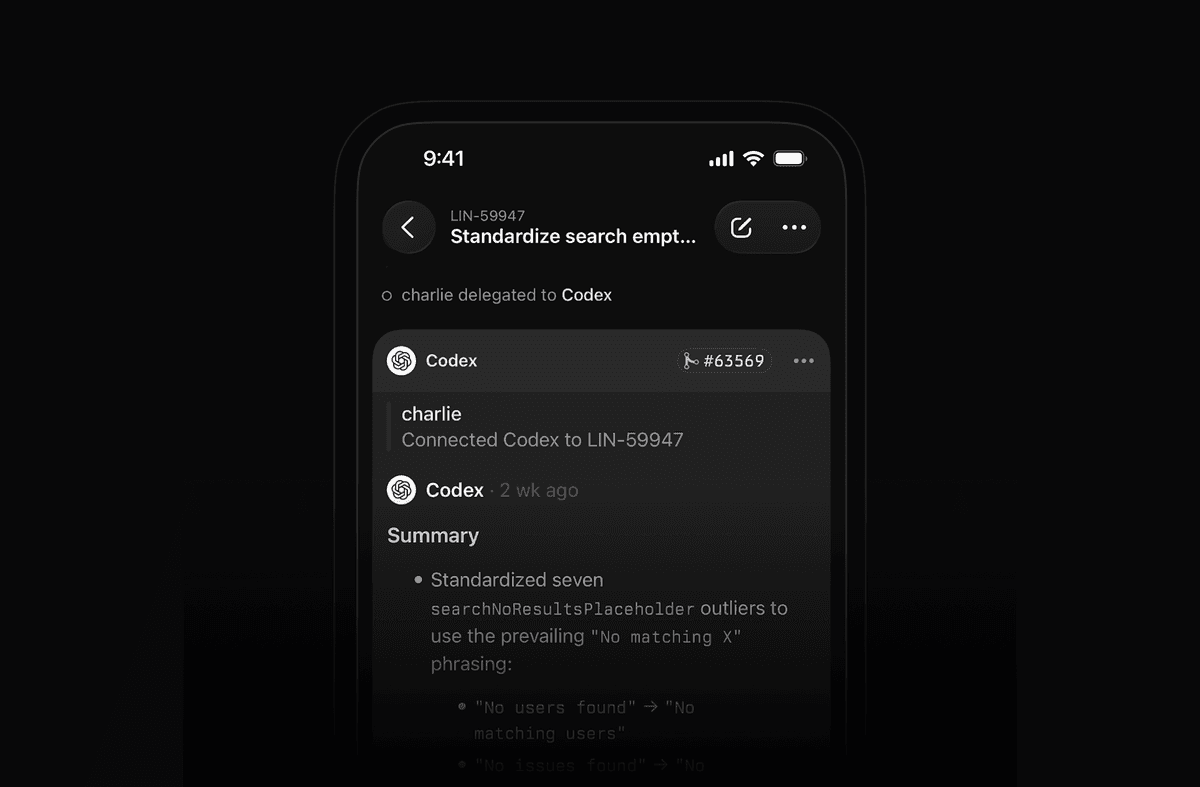
Work with your coding agents on the go. After delegating an issue to an agent, open its session in the Linear mobile app to see realtime reasoning or review past sessions. For agents that support it, you can also send additional messages in the session to help steer the work.
Multiple parents for sub-initiatives
Sometimes a sub-initiative contributes to multiple high-level goals. This is common in goal setting frameworks like OKRs.
Sub-initiatives can now belong to multiple parent initiatives in Linear, allowing you to express how work rolls up in different ways across your org.
Available on Enterprise plans.
Send comment on Enter preference
As part of our design refresh, we've made commenting across Linear more lightweight. You can now select between sending comments with just the Enter key or with ⌘/Ctrl Enter in preferences.
Improvements
- Agent: Linear Agent now respects the Slack channel’s synced team context when fetching project updates
- Automations: Improved automatic issue self-assignment on move to started state for API-driven changes
- Deeplinks: Added support for
issue.branchNamevariable in custom prompt for coding tools - Editor: Improved performance when editing text inside a collapsible section
- Email Asks: Added a setting to automatically reopen closed issues when new email replies are received
- Email Asks: Added sender name to the reply-to header for Asks emails
- Emoji: Improved emoji search for organizations with a lot of custom emojis
- GitHub Sync: Added alignment (left/right) support for inline images
- GitHub Sync: Added support for inlining images inside headings
- GitHub Sync: Added support for headerless HTML tables in GH sync
- Inbox: Added inbox filtering by notification actor, so you can narrow down or clear notifications from a specific agent or user
- Initiatives: Added support for filtering initiatives by created, updated, completed, start date, and latest update date
- Salesforce: Improved syncing of comments on issues linked to Salesforce Service Cloud cases as internal notes on the case
- Triage: The modal when marking many issues as duplicates is now scrollable
Fixes
- Agents: Fixed editor toolbar appearing below the agent session panel
- Deeplinks: "Work on issue" now uses the default shell where appropriate
- Deeplinks: Fixed a bug where deeplinks with long prompts could fail on Windows
- Documents: Relative date mention labels ("Today", "Yesterday", "Tomorrow") are now appropriately updated when the document is open
- Drafts: Comment drafts are now persisted when leaving inbox view via double-clicking on an inbox item
- Editor: Allowed adding an empty paragraph after a code block in the editor using the mouse
- Filters: Fixed missing icons for grouped filters in the advanced filter menu
- Insights: Fixed an issue where expanding Insights to fullscreen and opening an issue would not re-open Insights in fullscreen when pressing Back
- Issues: Fixed default template state being overridden when creating issues from a cycle view
- Issues: Fixed a bug where Linear could be shown the actor when the change was made by a user
- Lists: Fixed an issue where clicking a parent's checkbox when a child was already selected would not correctly select the parent
- Notifications: Fixed view subscription notifications not triggering for time in current status filters
- Projects: Fixed burnup chart being skewed after moving a project to backlog and back
- Settings: Fixed saving workflow status sometimes getting stuck in pending state
- Settings: Fixed the "Back to app" button in settings navigation not working reliably
- Sidebar: Fixed bug where collapsed sidebar would sometimes not open on hover
- Templates: Fixed the "Create from template" action not listing all templates when used right after opening the app
- Templates: Fixed intermittent issues with saving when editing project templates
- Templates: Configured email addresses for templates are again reliably accessible in template settings
- Tooltips: Fixed a glitch in interactive tooltips which prevented expanding them in some scenarios
- UI: Improved handling of discarding from the
Make a copy as new issuedialog - Updates: Fixed project/initiative update editor remaining open when switching tabs
- Updates: Fixed a bug where project updates could get posted to Slack twice
- Views: Fixed project board view groups expanding unexpectedly when saving display preferences
Keyboard shortcuts
- Fixed numeric shortcuts on non-US keyboard layouts so Cmd/Ctrl+<number> now triggers properly
- Standardized keyboard shortcuts for document headings and body text to match common editor conventions (macOS: Cmd Option 0–4; Windows/Linux: Ctrl Alt 0–4)
- You can now choose whether to send comments on Enter or Cmd/Ctrl Enter in preferences
API
- Issues: Issues created through the API without a stateId now default to the team default state, even when triage is enabled, if the user is a member of the team
- Markdown: Previously uploaded file links used in mutations will now correctly render in the editor instead of as plain links
Fetched April 11, 2026