External Collaboration Management
What's New
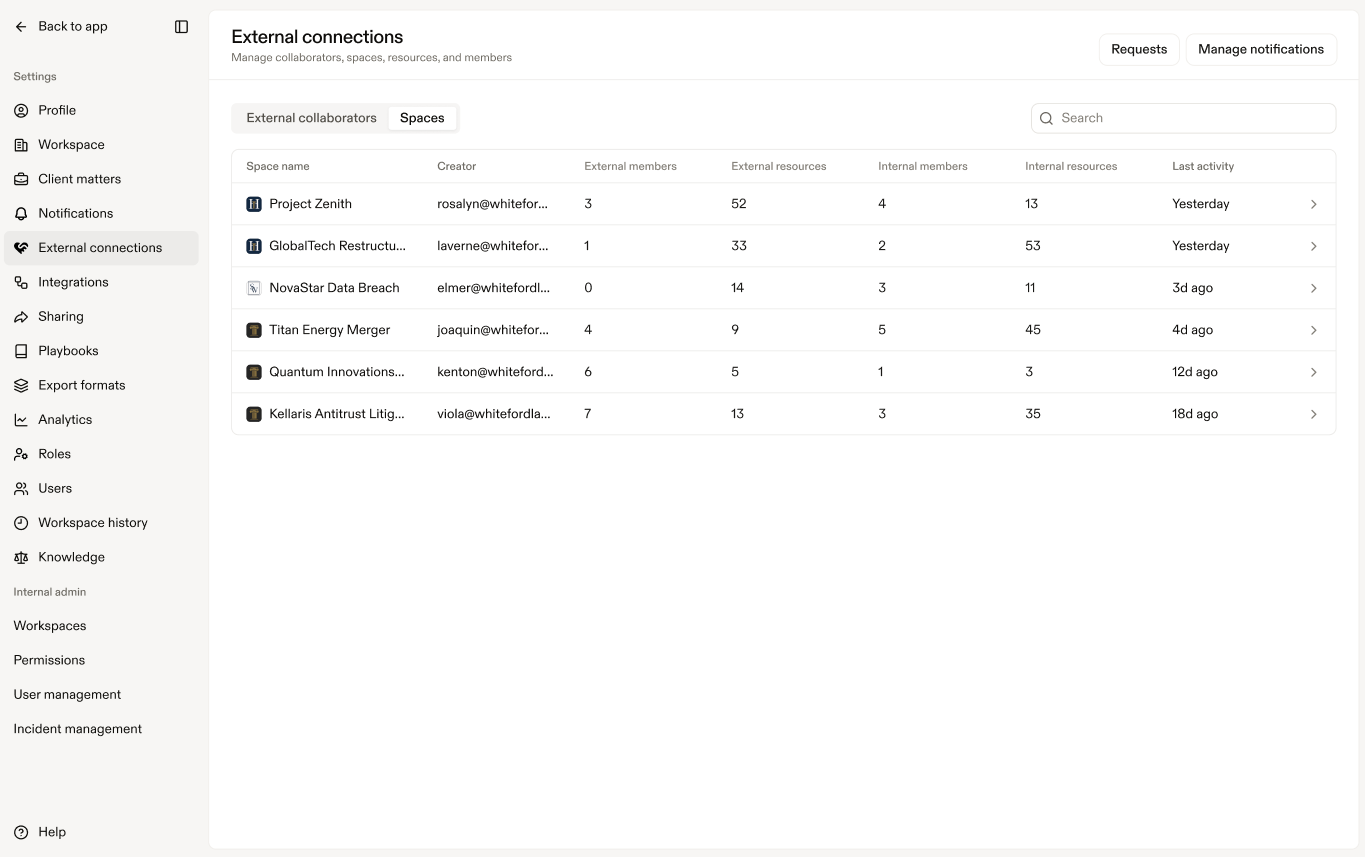
Workspace admins can now track access and activity across externally shared Spaces directly within Harvey. This update includes:
- A centralized view of who has access to Spaces and shared resources, including roles and permissions
- An Activity log with time-stamped records of actions within each Space, such as when a user accesses a resource or when members are added or updated
Why It Matters
Now Admins can quickly answer common audit questions, such as who has access to specific resources and what actions have been taken, without needing to manually compile information from multiple users or systems.
How to Use
Note: Access to this feature requires the Manage external connections permission or Connection Admin status to see your respective Connections.
- In Harvey’s web app, open Settings > External Connections.
- Select either:
- External collaborators to view users, organizations, roles, and access permissions across externally shared Spaces
- Spaces to review externally shared Spaces and associated activity
- Open a Space to view its Activity log.
- Review time-stamped events, including:
- Resource access activity
- Member additions or updates
- Permission changes
- Shared resource activity
Fetched June 8, 2026