Multiple Projects per org; per-environment branding
2 featuresThis release2 featuresNew capabilitiesAI-tallied from the release notes
From the original release noteView original ↗
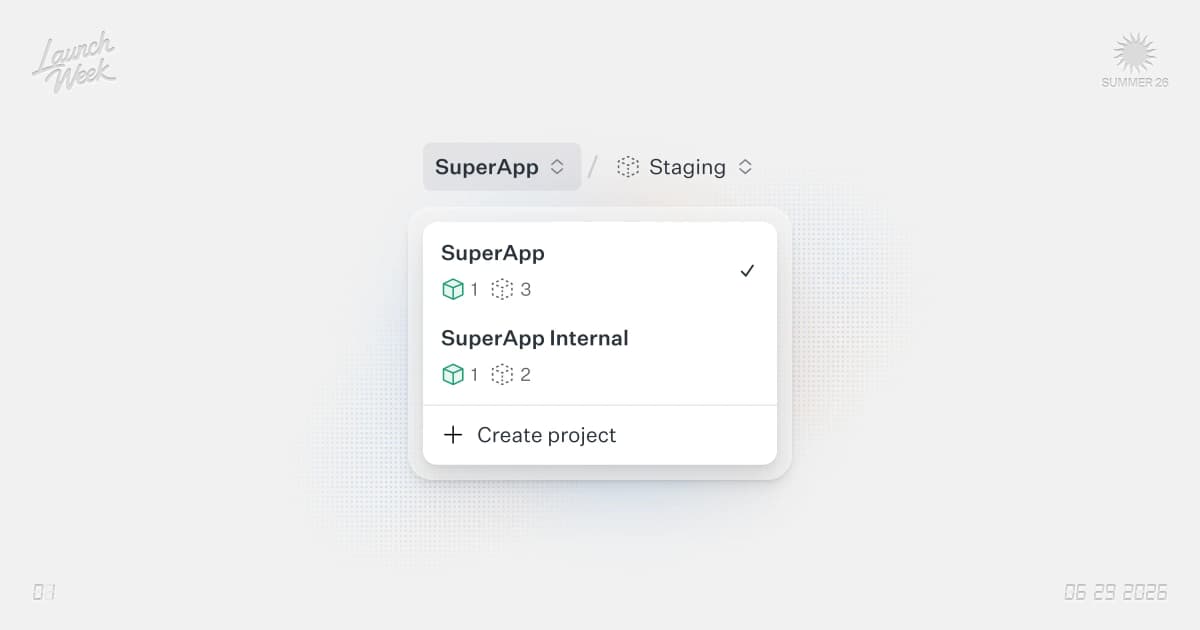
We've added the ability to create multiple Projects within your WorkOS organization, and configure branding (logo, colors, custom domain) per environment.
Multiple Projects
You can now create multiple Projects within a single WorkOS organization. This is useful if you have multiple applications or services that need separate authentication configurations.
Each Project has its own:
- API Keys
- Users and authentication settings
- Directory Sync configurations
- Audit logs
Per-Environment Branding
Within each Project, you can now configure branding settings per environment (Development, Staging, Production). This allows you to:
- Set different logos for each environment
- Configure different color schemes
- Use custom domains per environment
- Maintain separate branding for different deployment stages
This is particularly useful for:
- Testing branding changes in staging before deploying to production
- Using different logos/colors for internal development vs. customer-facing production
- Managing multiple customer-facing applications with distinct branding
How to Get Started
- Navigate to your WorkOS Dashboard
- Click "Create Project" to add a new Project
- Configure your Project settings
- In each Project, go to Settings > Branding
- Select your environment and customize the branding for that environment
Branding changes take effect immediately for new authentication flows.
Fetched July 2, 2026