Copilot intelligent triage included in Suite and Support Professional
Rollup
Click Follow in the What's New section to be notified each month when the What's New is published.
Check out what's new in the last month:
- Support
- AI agents
- Copilot
- Accounts and billing
- Security
- People
- Knowledge
- Contact Center
- Voice
- Workforce management
- Quality assurance
- Apps and integrations
- Developer
Also don't miss:
Support
-
Automatic-refresh for views means your views are updated every minute without manual refresh, keeping sidebar counts and ticket tables current. Auto-refresh pauses during bulk actions to avoid interrupting selections, improving agent efficiency and data accuracy. See Accessing your views of tickets.
-
Service catalog requests on behalf of others allows authorized users to submit service catalog requests for other users, with the selected user becoming the requester, and the submitter added as a CC to track progress. Admins can turn on this feature account-wide and per service, improving accuracy in employee service workflows. See Adding services to your service catalog.
-
Custom field rendering update in the ticket sidebar limits the initial display to 50 custom fields for ticket forms with more than 70 fields, adding a Show more button to reveal the rest. This improves performance and usability without hiding any fields permanently. See Adding custom ticket fields to your tickets and forms.
-
Organization-based asset targeting in the Asset Management side panel allows agents to switch context from the ticket requester to an organization, enabling management of shared and departmental assets directly from ticket workflows. This helps IT agents view, assign, and unassign organization-level assets without leaving the ticket. See Using and managing IT assets in ticket workflows.
-
Agents can use task events to view key task list and task-level actions, including when a task list was added, completed, or reopened, and when individual tasks were marked complete or incomplete. See Viewing task events for a ticket.
-
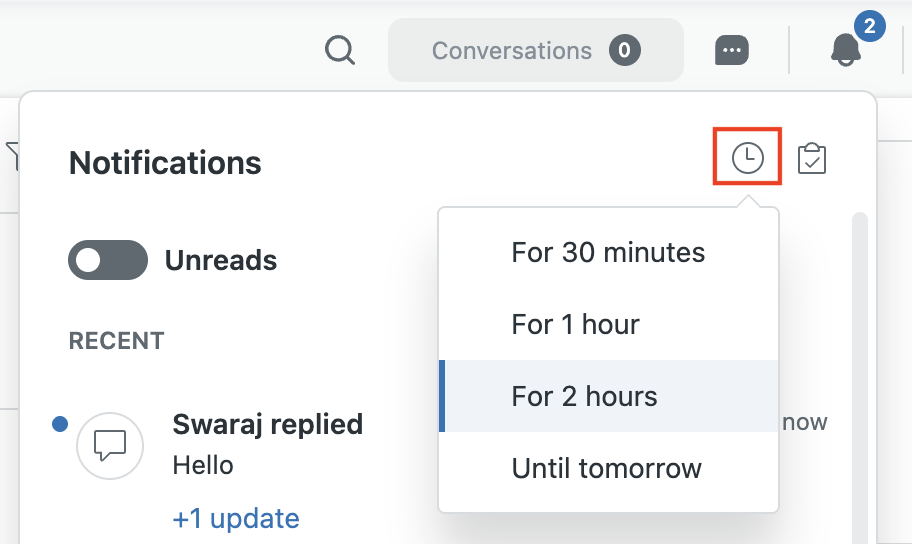
Improved messaging notifications for agents. See Using the notification list to manage conversations.
-
Notification sounds: Agents will receive audio alerts for ticket updates, including updates to tickets that aren’t currently open in their workspace. This helps agents stay aware of new activity without needing to keep every ticket tab open.
-
Dynamic favicons: Agents will see a visual cue in the browser tab and a sound when there are new incoming ticket notifications. This gives agents another way to notice unread updates when they are working in another browser tab or with other applications.
-
Mute notifications: Agents can mute notifications for a set period of time when they need focused, uninterrupted work sessions.
-
Reduced notification list clutter: The notification list will only show updates for unsolved tickets, helping agents focus on active work and reducing the number of updates they need to review.
-
-
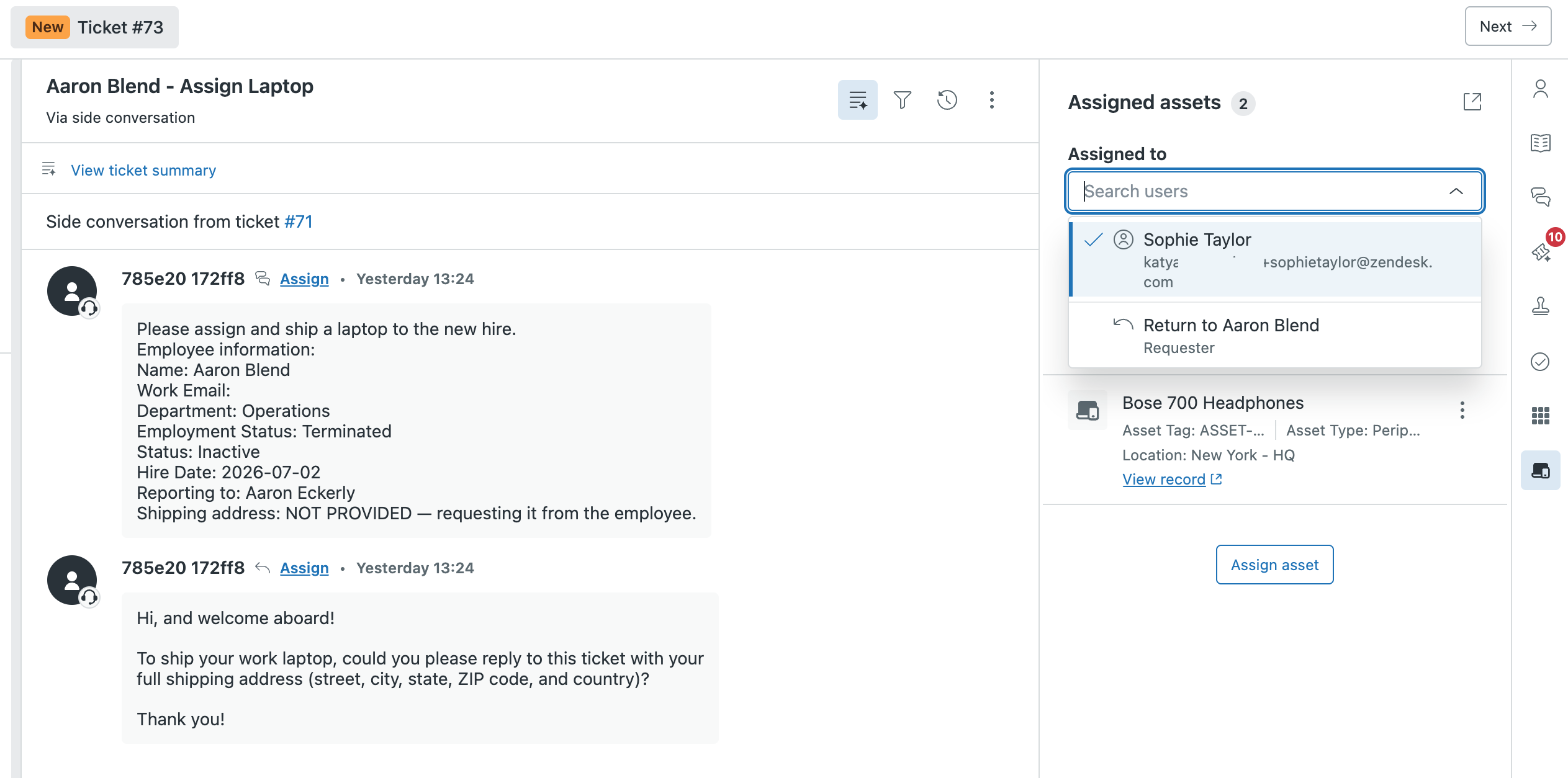
IT asset panel user selection in the Agent Workspace now allows agents to select and manage assets for any user linked to an account without changing the ticket requester. This improves efficiency by reducing steps in multi-user asset scenarios. See Using and managing IT assets in ticket workflows.
AI agents
-
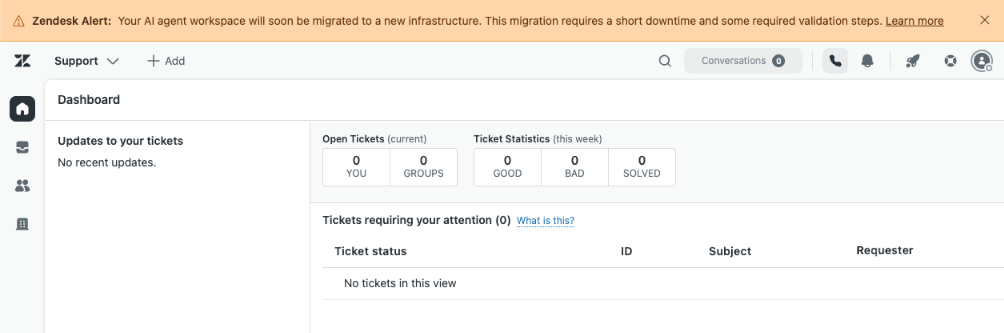
The AI agents migration introduces infrastructure changes for customers who purchased the AI agents - Advanced add-on before March 10, 2026, consolidating Zendesk help center connections, adding locale-scoping to search rules, and respecting article view permissions. Existing CSV imports remain usable, but new imports are temporarily unavailable. The Zendesk web crawler replaces the previous version, and more built-in connectors to external content sources are now available. Migration downtime within the AI agents will be brief, with temporary interruptions to messaging, email, and voice channels. See Announcing AI agents workspace migration and updates to knowledge and search rules.
Copilot
-
Copilot intelligent triage is now included in Suite and Support Professional plans and above, enabling automatic AI classification of incoming tickets by topic, sentiment, language, and entities at no extra cost. This helps identify ticket trends and provides AI-powered workflow recommendations. See Understanding Copilot AI features.
-
Auto assist now generates suggestions using content from external sources, such as Confluence, Notion, and web crawlers, as well as internal knowledge articles. This broadens the content pool for more comprehensive text suggestions. See Understanding auto assist sources for suggestions.
-
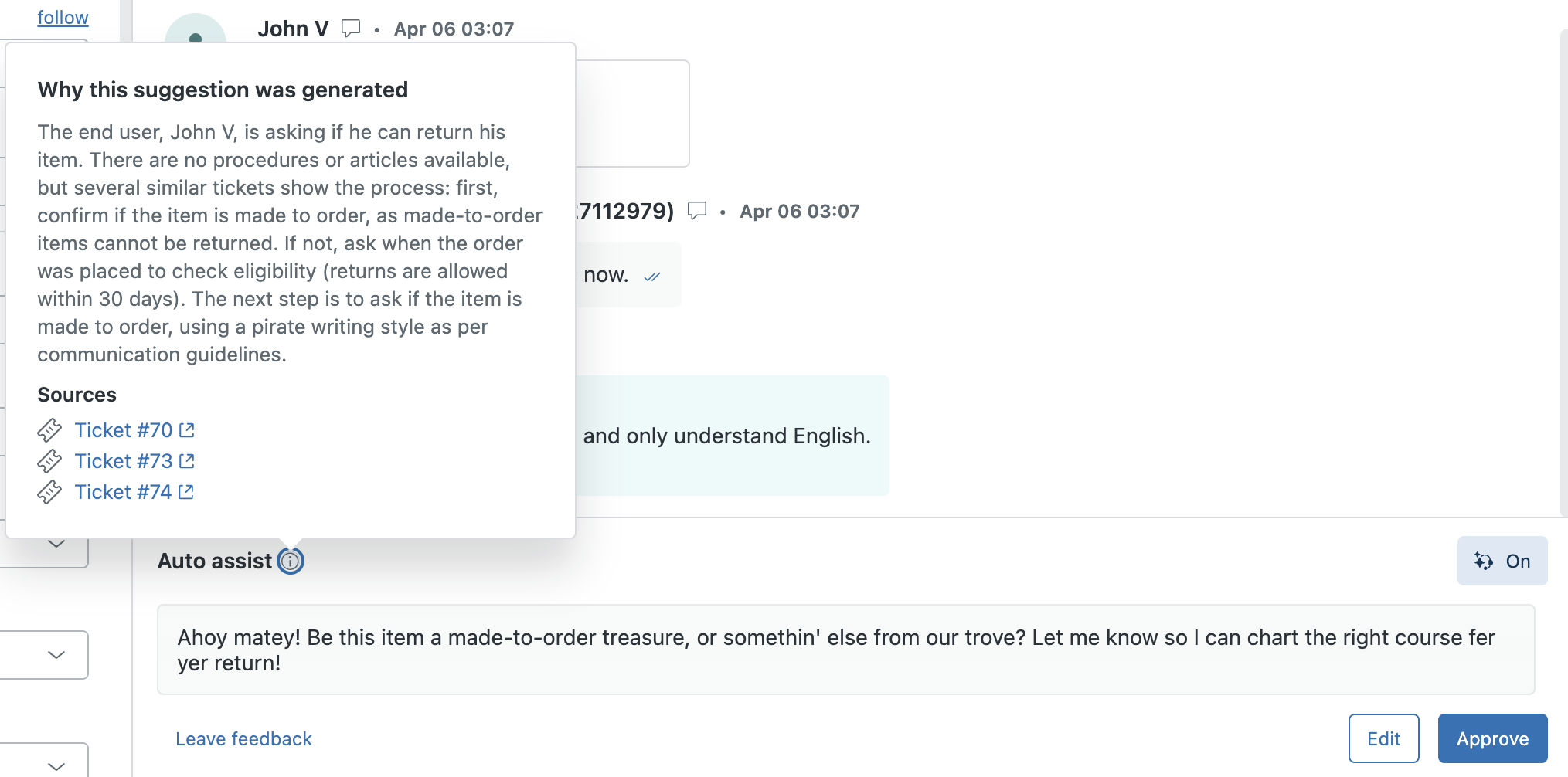
Auto assist now uses similar solved tickets as a knowledge source across all channels and languages when no procedures or articles are available. This enhancement provides agents with more relevant reply suggestions based on real-time resolutions, helping teams respond faster and deliver consistent support. Agents can also view the rationale and relevant tickets used for suggestions. See About auto assist.
-
Admin copilot users can get help directly from Launchpad. Admin copilot reviews your account and makes recommendations to improve your setup. Admin copilot recommendations appear at the top of Launchpad. See Using admin copilot with Launchpad.

Accounts and billing
-
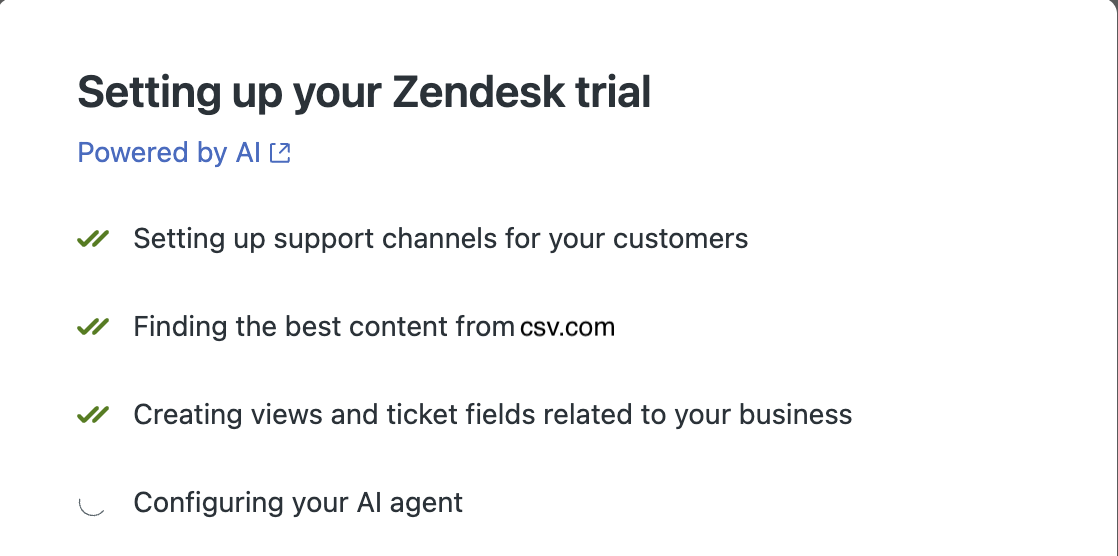
The Zendesk Suite trial provides an AI-driven setup wizard to help you automatically set up your account. The setup wizard leverages information from your corporate website to customize your account, minimizing the time required to get you up and running. See Using AI to automatically set up your Zendesk account.
Security
- If Zendesk detects suspicious activity, users may be signed out and redirected to the sign-in page. After signing in again, they’ll be returned to where they left off. See Understanding Zendesk session time.
People
- Manage Zendesk Support apps is a new custom role permission that allows Enterprise plan admins to delegate app management tasks to specific team members without full admin access. This permission grants access to install, configure, and remove Support apps, enhancing security and operational efficiency. See Creating custom roles and assigning agents.
Knowledge
-
Accordions, callouts, and tabs have been added to the help center article toolbar. You can use these new components to structure and highlight content directly in the article editor without the use of custom code. See Using tabs to group content in the article editor, Using accordions to create expandable and collapsible sections in the article editor, and Using callouts to highlight content in the article editor.
-
The following knowledge connectors are now available to connect as external knowledge sources to your Zendesk account. Content from external knowledge sources is available wherever external content is used.
- Dropbox
- Jira
- Freshdesk
- Contentful
See Connecting external knowledge sources to your Zendesk account.
Contact Center
- Live call transcription allows Contact Center agents to view real-time transcripts during voice calls, improving accuracy, productivity, and accessibility. Available for Zendesk Contact Center with Amazon Contact Lens. See Using live call transcripts.
- The enhanced call transfer experience in the native Zendesk Contact Center now shows agents availability information for other agents and queues before transferring calls. This helps reduce failed transfers and customer wait times. See Transferring calls.
- Auto-accept calls allows calls to be automatically accepted after about 2 seconds, removing the Decline button to prevent missed calls and improve efficiency. Admins can enable this per agent via Amazon Connect. See Configuring auto-accept and Automatically accepting calls.
- Support for Jabra devices allows agents to control calls through the buttons on their Jabra headset making it easier to handle calls. See Setting up Jabra devices.
- Browser notifications natively in Contact Center provide the call number in the notification of incoming calls and allow agents to test notifications through their voice settings. See Setting up browser notifications.
- Agents logs allow your agents and Zendesk to better troubleshoot issues. See how to access logs.
Voice
- Live call transcription allows Voice agents to view real-time transcripts during voice calls, improving accuracy, productivity, and accessibility. It supports speaker labels, searchable text, timestamps, language switching, and UI controls. Available for Zendesk Voice with Copilot add-on. See Using live call transcripts.
- Voice ringtones now allows Voice agents to choose from 20 different ringtones and adjust the ringtone volume in the call console. Agents must be Away or Offline to change these settings. See Changing the ringtone.
- Auto-accept calls now allows calls on phone lines (PSTN) to be automatically connected without ringing for agents to accept or decline. Admins can configure a delay of 0, 5, or 10 seconds before auto-accept to help agents prepare. This change aims to reduce missed calls and improve average speed to answer, enhancing customer satisfaction. See Managing phone line settings.
Workforce management
- New permissions structure and greater granularity for teams in Zendesk Workforce Management (WFM) allow admins to configure permissions at a more granular level and, for the first time, grant read-only access to teams. Permissions are now organized into sections, each with top-level options and the ability to set custom permissions for each feature. See Understanding WFM roles and permissions.
Quality assurance
-
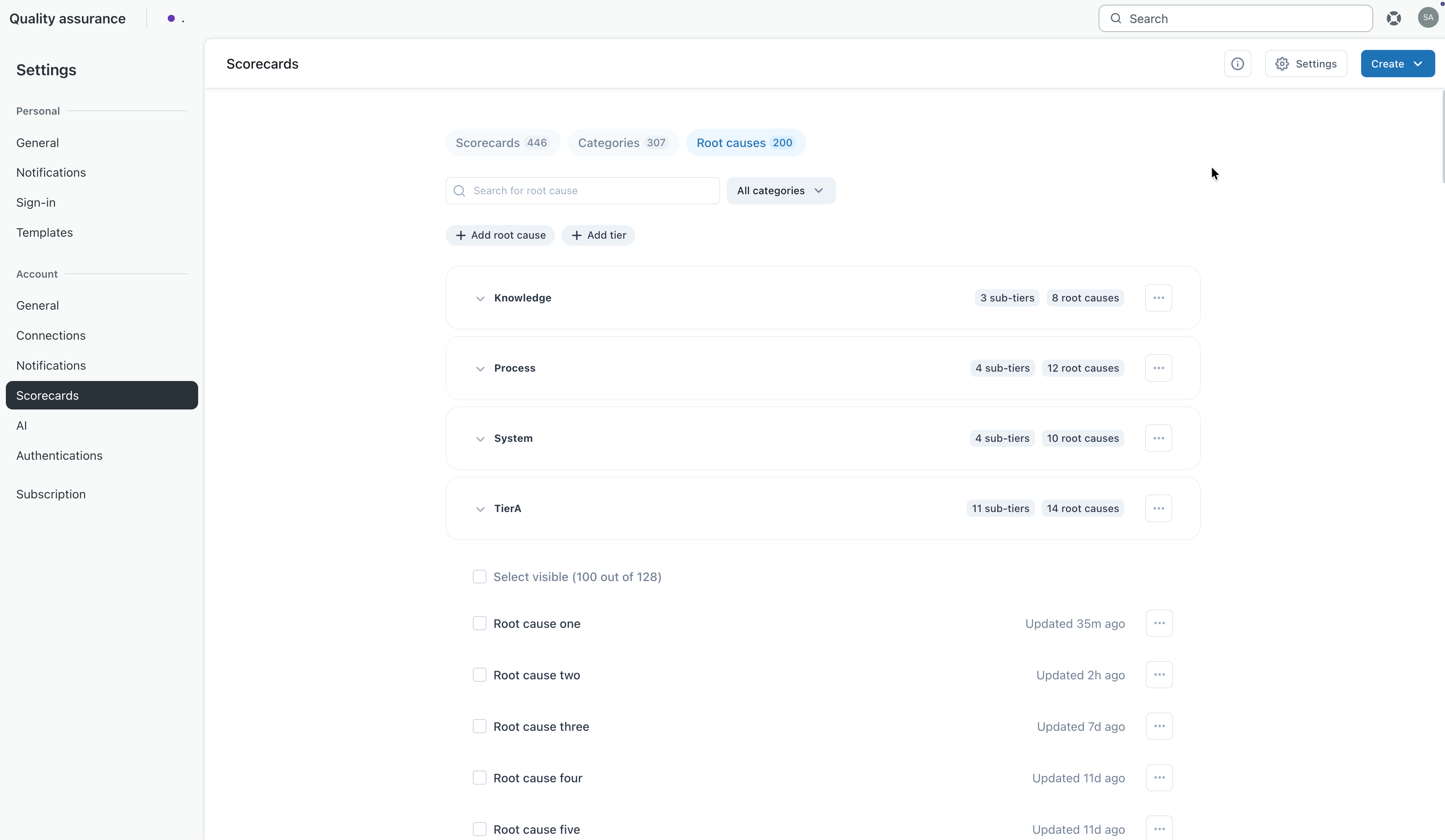
Multi-tiered root causes in Zendesk Quality Assurance (QA) introduces a cascading dropdown system that organizes root causes into up to three tiers. This makes it easier for reviewers to select the right root cause, reduces the time spent searching through extensive lists, and enables more granular and actionable quality insights. See Viewing and managing root causes for review scores.
Apps and integrations
- Custom variables, loop steps, and enhanced retry logic for action flows introduces intuitive ways for admins to create and update variables, add looping steps, and customize retry logic per step, improving action flow complexity and resiliency. See create a new action flow and edit an existing one.
- Additional action builder connectors are available for the following apps: ServiceNow, monday.com, Microsoft Planner, Azure DevOps, Microsoft Dynamics 365 Sales, Dynamics 365 Business Central, HiBob, Iterable, New Relic, and Snowflake. These connectors enable end-to-end automation, reduce manual work, and synchronize data across platforms. See Creating action flows to automate processes across Zendesk and external systems.
- Step-level error handling and search in action builder introduces the ability to configure error handling for each step in action flows, allowing flows to halt or continue on failure with specific success or failure paths. It also adds keyword search for triggers and actions to simplify workflow setup. See Understanding the action builder and action flows and Creating action flows to automate processes.
Developer
- API tokens removal is a phased discontinuation of API tokens as an authentication method for Zendesk Support APIs. Starting July 28, 2026, unused tokens will auto-deactivate, new token creation will be blocked from October 27, 2026, and all tokens will be permanently disabled by April 30, 2027. Customers must migrate integrations to OAuth for improved security. See Migrating from API tokens to OAuth access tokens in the Zendesk developer documentation.
- The messaging Web Widget includes a new minimalistic styling preset and enhanced customization APIs for the conversation list and message log. This update offers a compact, modern chat UI with options to hide avatars, timestamps, previews, and bubble backgrounds. See Set Customization in the Zendesk developer documentation.
Fetched August 4, 2026