Roles can now be assigned to groups
1 featureThis release1 featureNew capabilitiesAI-tallied from the release notes
From the original release noteView original ↗
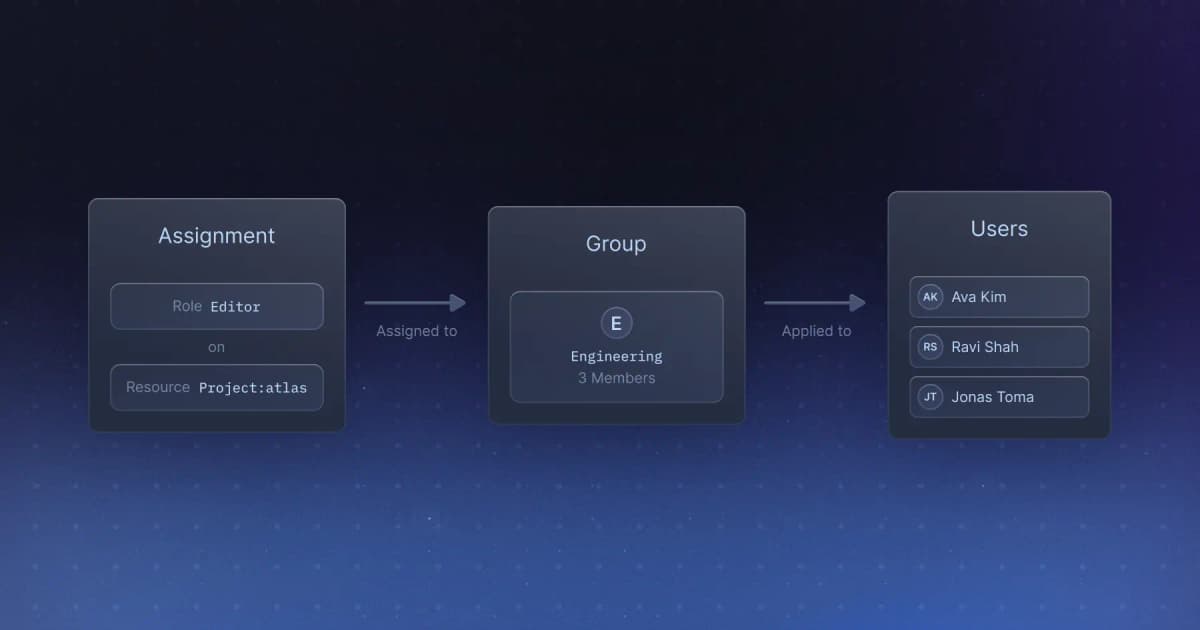
We're excited to announce that you can now assign roles to groups in WorkOS. This is a powerful feature that allows you to manage permissions at scale by assigning roles to entire groups rather than individual users.
What's New
With Roles for Groups, you can:
- Assign roles to groups: Grant permissions to multiple users at once by assigning roles directly to groups
- Simplify permission management: Reduce the overhead of managing individual user permissions by leveraging group-based role assignment
- Improve scalability: As your organization grows, managing permissions through groups becomes increasingly efficient
How It Works
When you assign a role to a group, all members of that group automatically inherit the permissions associated with that role. If a user is a member of multiple groups with different roles, they will have the union of all permissions from those roles.
Getting Started
To assign roles to groups:
- Navigate to your WorkOS dashboard
- Go to the Roles section
- Select a role and assign it to one or more groups
- All members of those groups will immediately have access to the permissions associated with that role
For more information, check out our documentation.
Fetched June 20, 2026