
Companion window floats above other apps; data analysis expandable
7 features5 enhancementsThis release7 featuresNew capabilities5 enhancementsImprovements to existing featuresAI-tallied from the release notes
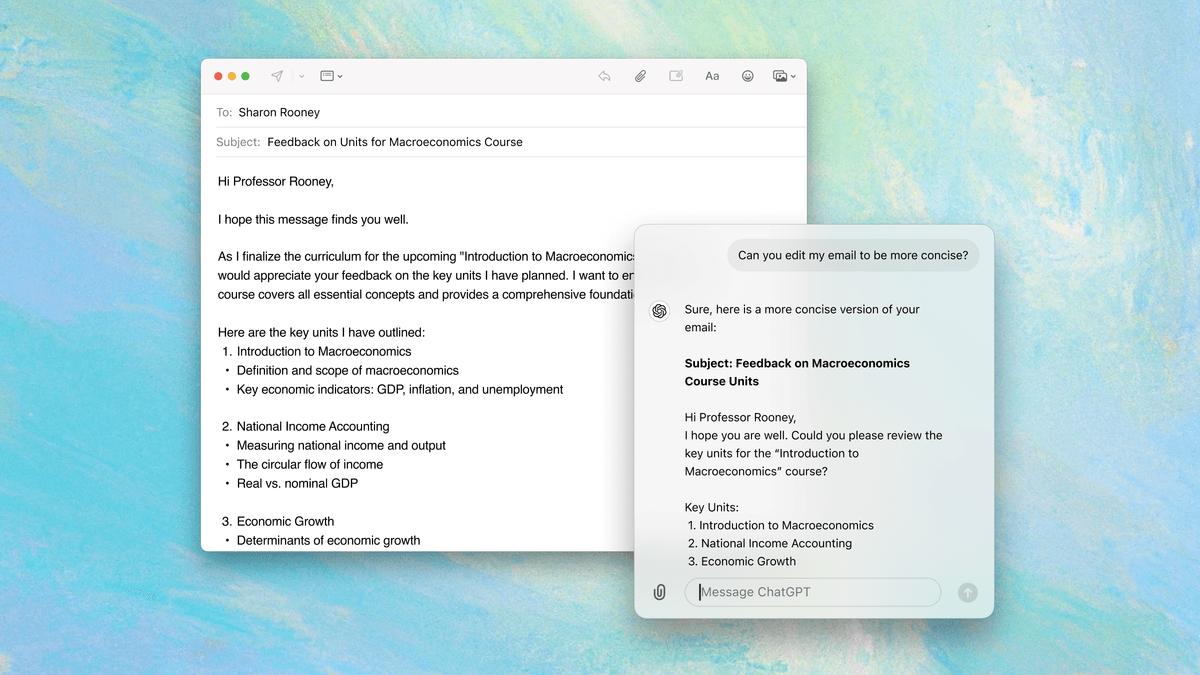
The macOS desktop app now gives you side-by-side access to ChatGPT with the new companion window. It stays in front of all other windows so you can be more productive while working across ChatGPT and other apps.
Use Option + Space shortcut to start a new chat, refocus cursor to open companion window, or reopen the last companion window. Customize position, reset time, and keyboard shortcut in Settings.
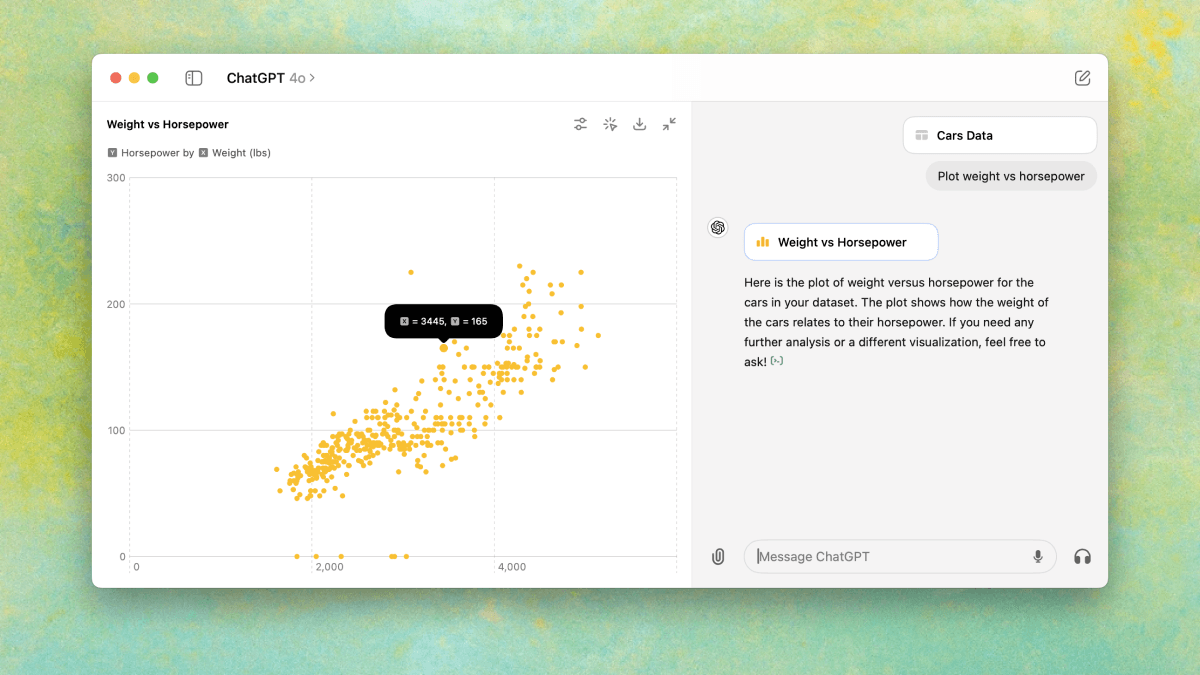
Improvements to data analysis: Interact with tables and charts in expandable view, customize and download charts for presentations and documents, and select specific table cells for precise analysis.
Keyboard shortcuts:
- Command + . to stop streaming responses
- Command + Shift + 1 to quickly share main desktop
- Command + Shift + 2 to quickly share active window
Customization options:
- Option to disable macOS autocorrect
- Setting to show ChatGPT in menu bar, dock, or both
- Launch at Login option (off by default)
Enhanced functionality:
- Horizontal scrolling for tables, code blocks, and mathematical formulas
- Support for @mentioning GPTs
- Ability to choose which display to screenshot
Additional improvements:
- Enhanced security for local data storage
- Improved performance when streaming chat responses
- Polished rendering of text, tables, and mathematical formulas
Fetched May 31, 2026
