AI Search - AI Search now with more granular controls over indexing
Get your content updates into AI Search faster and avoid a full rescan when you do not need it.
Reindex individual files without a full sync
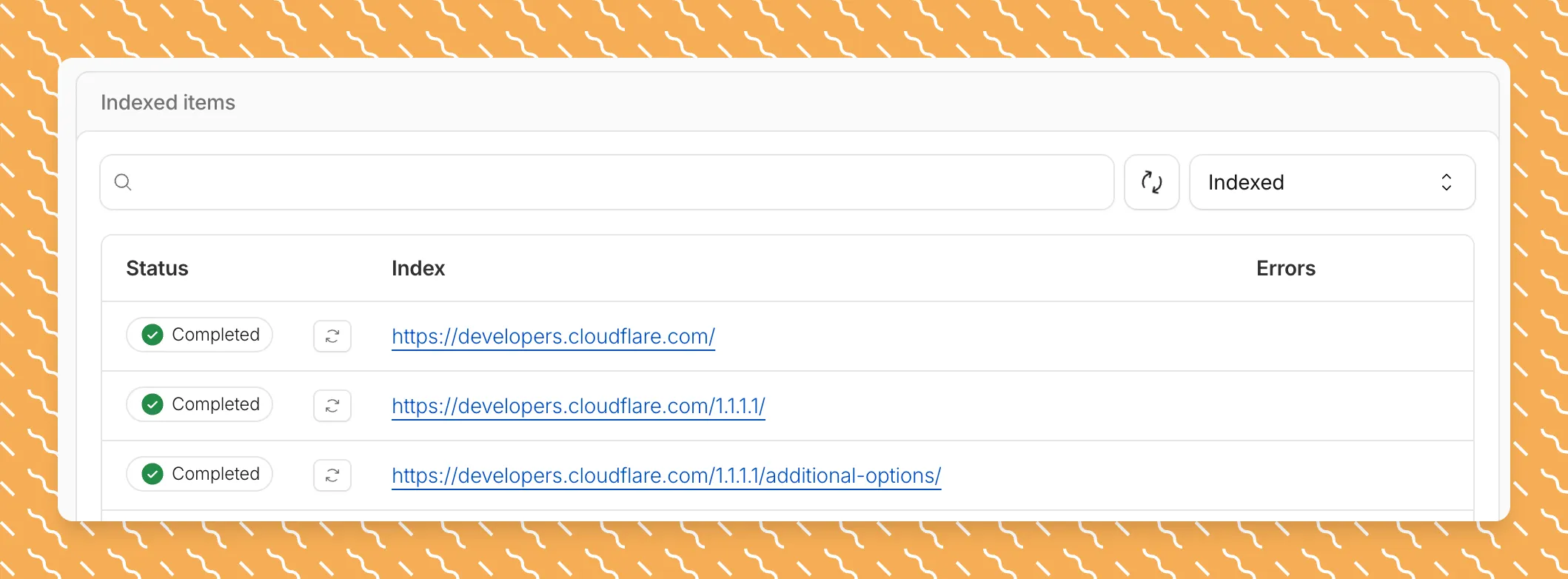
Updated a file or need to retry one that errored? When you know exactly which file changed, you can now reindex it directly instead of rescanning your entire data source.
Go to Overview > Indexed Items and select the sync icon next to any file to reindex it immediately.
 Crawl only the sitemap you need
By default, AI Search crawls all sitemaps listed in your robots.txt, up to the maximum files per index limit. If your site has multiple sitemaps but you only want to index a specific set, you can now specify a single sitemap URL to limit what the crawler visits.
For example, if your robots.txt lists both blog-sitemap.xml and docs-sitemap.xml, you can specify just https://example.com/docs-sitemap.xml to index only your documentation.
Configure your selection anytime in Settings > Parsing options > Specific sitemaps, then trigger a sync to apply the changes.
Crawl only the sitemap you need
By default, AI Search crawls all sitemaps listed in your robots.txt, up to the maximum files per index limit. If your site has multiple sitemaps but you only want to index a specific set, you can now specify a single sitemap URL to limit what the crawler visits.
For example, if your robots.txt lists both blog-sitemap.xml and docs-sitemap.xml, you can specify just https://example.com/docs-sitemap.xml to index only your documentation.
Configure your selection anytime in Settings > Parsing options > Specific sitemaps, then trigger a sync to apply the changes.
 Learn more about indexing controls and website crawling configuration.
Fetched April 4, 2026