Overview analytics can now filter out test users
1 featureThis release1 featureNew capabilitiesAI-tallied from the release notes
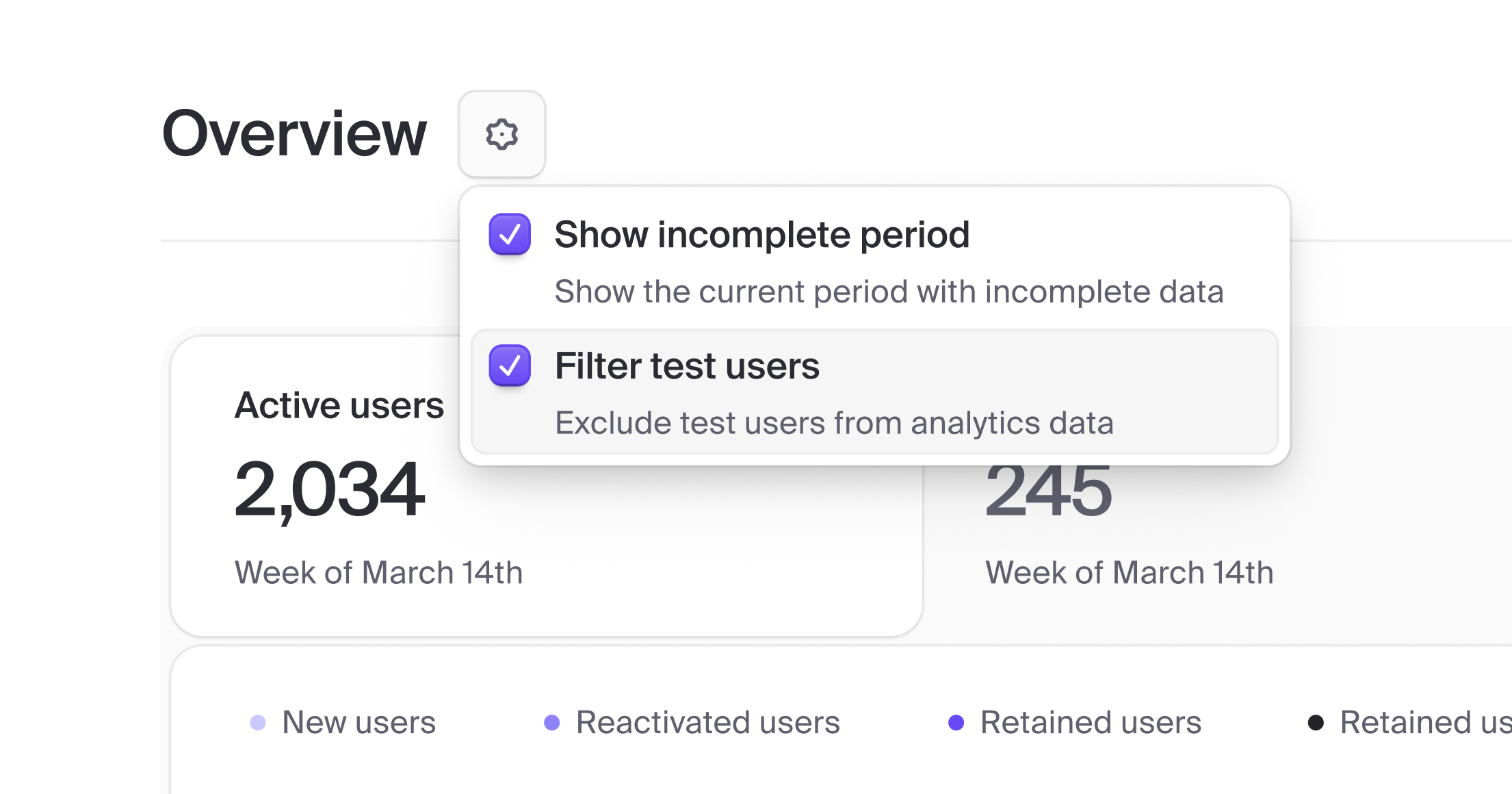
The Overview page now includes a Filter test users setting for the Users view. User analytics previously showed combined regular and test user data. Now, when the toggle is enabled, test users are excluded from all Overview charts and metrics.
Test users are defined as having:
+clerk_testin the email identifier+15555550100as the phone
Open the Clerk Dashboard and use the Overview settings menu in the users view to try it.

Fetched April 14, 2026