AI Crawl Control - New AI Crawl Control Overview tab
The Overview tab is now the default view in AI Crawl Control. The previous default view with controls for individual AI crawlers is available in the Crawlers tab. What's new
Executive summary — Monitor total requests, volume change, most common status code, most popular path, and high-volume activity Operator grouping — Track crawlers by their operating companies (OpenAI, Microsoft, Google, ByteDance, Anthropic, Meta) Customizable filters — Filter your snapshot by date range, crawler, operator, hostname, or path
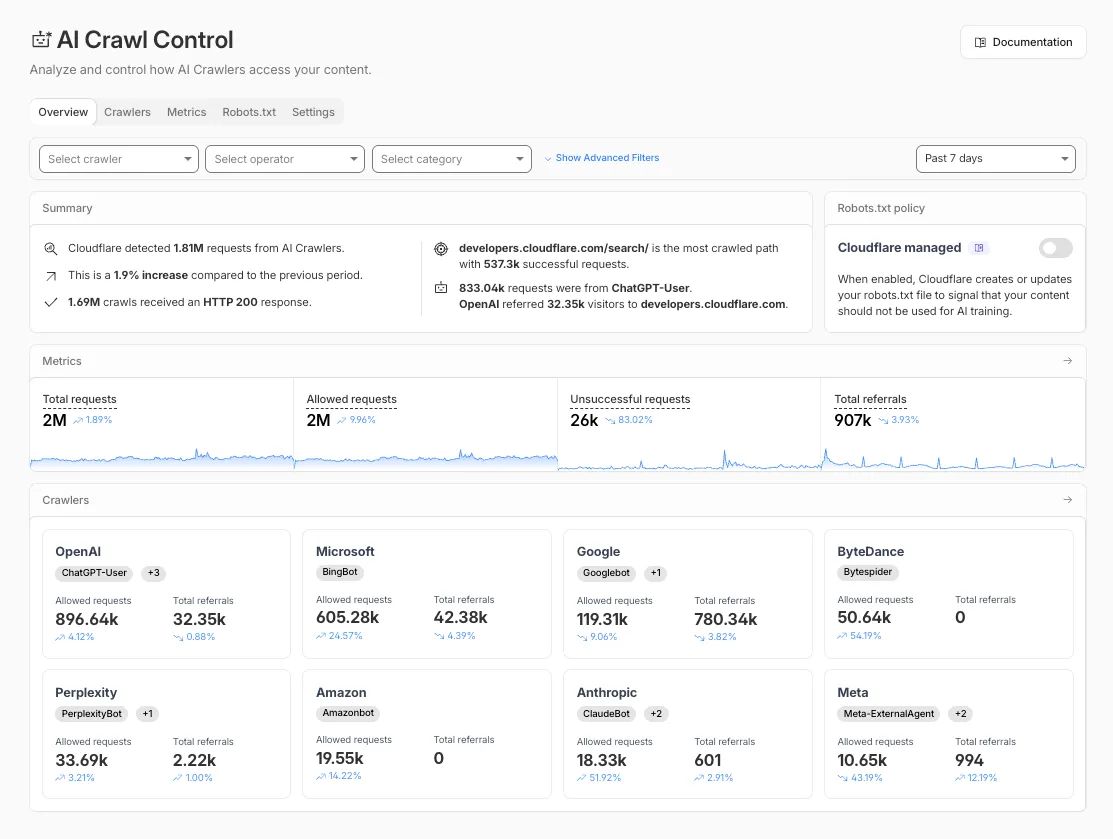 Get started
Log in to the Cloudflare dashboard and select your account and domain. Go to AI Crawl Control, where the Overview tab opens by default with your activity snapshot. Use filters to customize your view by date range, crawler, operator, hostname, or path. Navigate to the Crawlers tab to manage controls for individual crawlers.
Learn more about analyzing AI traffic and managing AI crawlers.
Fetched April 4, 2026