---
name: Updates
slug: updates
type: scrape
source_url: https://docs.replit.com/updates
organization: Replit
organization_slug: replit
total_releases: 103
latest_date: 2026-11-13
last_updated: 2026-11-16
tracking_since: 2024-12-13
canonical: https://releases.sh/replit/updates
organization_url: https://releases.sh/replit
---
## November 13, 2026
## What's new
- Reach customers with Google Ads
- Shop with Agent and Link
- Find performance issues in your app
- Share projects with individual Viewers
- Build richer apps for Microsoft Fabric
## Platform
### Reach customers with Google Ads
Create Google Ads campaigns with Agent, including ad copy, images, and conversion tracking. Connect an existing account with separate billing, or fund a Replit-managed account with Replit credits. Managed accounts require Replit Pro, a personal Workspace, and auto-reload. You review the campaign and approve spending before ads run. See [Agentic Ads](https://docs.replit.com/features/agent/agentic-ads) for setup and spending controls.
### Shop with Agent and Link
Ask Agent to compare products and prepare checkout. When you're ready to buy, connect Link, Stripe's digital wallet, and approve the merchant, total, and any recurring terms. Connecting your wallet alone doesn't authorize spending. See [Agentic commerce](https://docs.replit.com/features/agent/agentic-commerce) for setup and supported purchases.
### Find performance issues in your app
Find potential slowdowns in your code and available logs with Performance Agent. Open **Monitoring** and select **Run scan with Agent**, then review and test fixes before publishing. Scanning requires a paid plan and edit access, but works before publishing. See [Performance Agent](https://docs.replit.com/features/publishing/performance-agent) for details.
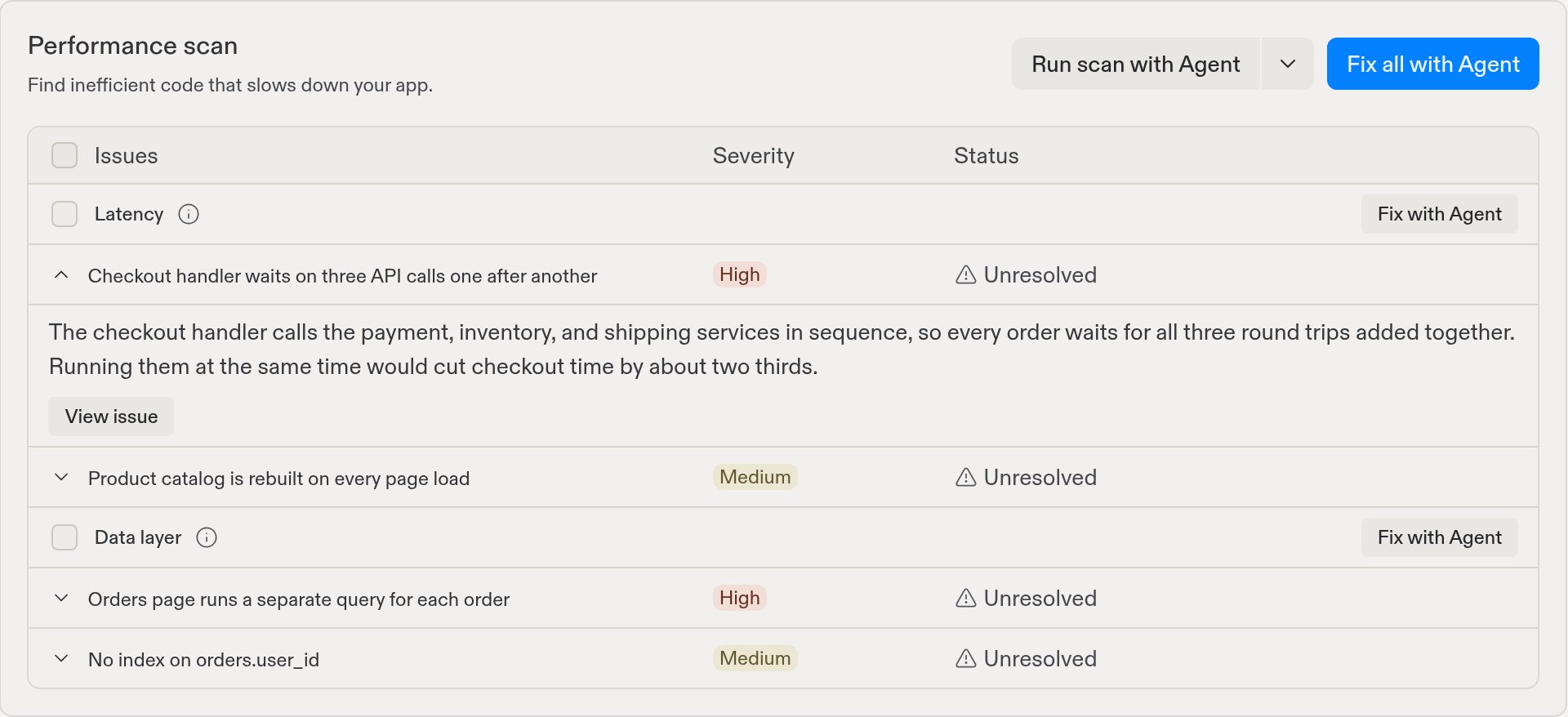
*Expand an issue to read its summary, or select View issue for the full details*
## Enterprise
### Share projects with individual Viewers
Admins and members can now share projects with specific Viewers. Choose who needs access without sharing with the entire Viewer group or creating custom-group workarounds.
### Build richer apps for Microsoft Fabric
The Microsoft Fabric integration now supports database-backed apps that create, read, update, and delete records, alongside server-side functions and analytics. The upgraded template is available to all Fabric-enabled customers, giving you more ways to build and publish internal tools for Fabric. See [Microsoft Fabric](https://docs.replit.com/connectors/warehouses/microsoft-fabric) for setup details.
## November 6, 2026
## What's new
- [Get support directly from Agent](#get-support-directly-from-agent)
## Platform
### Get support directly from Agent
Agent can now help you troubleshoot issues before you submit a support ticket, without leaving your conversation. When you ask Agent about contacting Support, it checks for active incidents and consults documentation. It also investigates known issues or platform limitations to help you find a solution. If you still need help and you're on Pro, Agent can submit a support ticket for you, including debugging details from your environment. You spend less time explaining the problem, and Support has more context to investigate. For support availability and what support covers, see the [support policy](https://docs.replit.com/legal-and-security-info/support-policy).
## October 30, 2026
## What's new
- Contribute to your company codebase with Cloud Agents
- Message and create chats with Agent
- GPT-6.1 Terra in the model selector
## Enterprise
### Contribute to your company codebase with Cloud Agents
Turn an idea into a tested code change, even if you're not an engineer. Describe what should change, and a Replit Cloud Agent finds the relevant code, makes the change, tests it in your running app, and opens a GitHub pull request or GitLab merge request with screenshots and video. Your team sets up a shared development environment once. Changes run in isolated cloud sandboxes and follow your team's contribution guidelines. Engineers review the changes and stay in control of what ships.
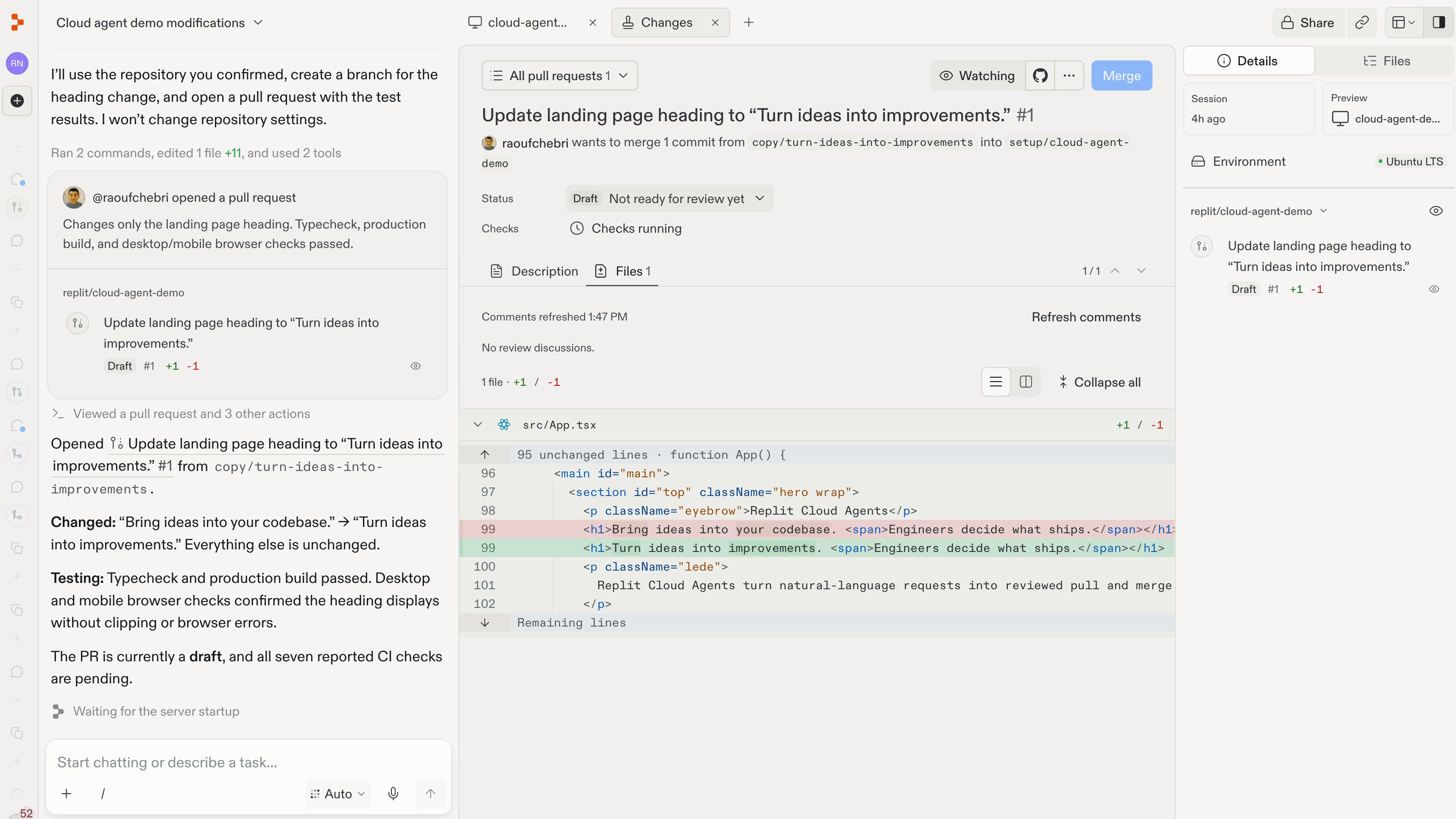
Learn how to [contribute to your company's codebase with Replit](https://docs.replit.com/build/code/code-with-replit).
## Platform
### Message and create chats with Agent
You can now ask Agent to send a message to another chat or create a new chat, without copying and pasting messages or prompts yourself. Available to Pro and Enterprise users.
### GPT-6.1 Terra in the model selector
You can now choose GPT-6.1 Terra from the model selector when building with Agent in Power Mode. Learn more about [choosing a model](https://docs.replit.com/features/agent/model-selector).
## October 23, 2026
## What's new
- [Monitoring Agent](#monitoring-agent)
- [Create and update skills with Agent](#create-and-update-skills-with-agent)
- [Chat and asset sharing](#chat-and-asset-sharing)
- [Stripe Atlas on Replit](#stripe-atlas-on-replit)
- [Keep your apps running when credits run out](#keep-your-apps-running-when-credits-run-out)
## Platform
### Monitoring Agent
Meet your autonomous on-call engineer. Agent can investigate production issues using your app's logs and metrics, then attempt and validate fixes. Turn on **Monitoring alerts** and **Auto-fix** to have Agent triage alerts in the background. To publish validated fixes automatically, also enable the experimental **Auto-republish** setting. Otherwise, review and publish fixes yourself.
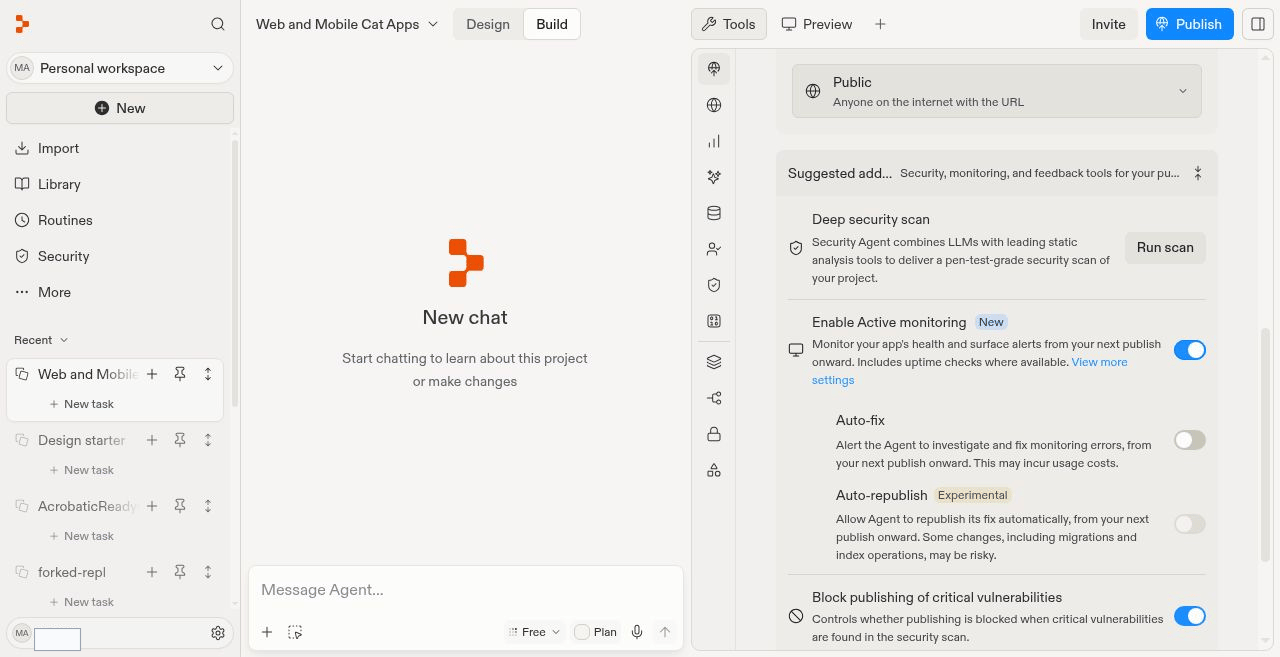
Learn more about [Monitoring Agent](https://docs.replit.com/features/publishing/monitoring-agent).
### Create and update skills with Agent
Turn useful workflows from your conversations and projects into reusable workspace skills. Agent can suggest new skills or improvements to existing ones, which you review and approve before saving to your workspace's skills library.
### Chat and asset sharing
Share a whole chat or a single asset with selected teammates or your whole workspace. Chat access is read-only and includes the chat's assets and development URLs. Development URLs open live servers, not isolated read-only previews. Review what your server exposes before sharing.
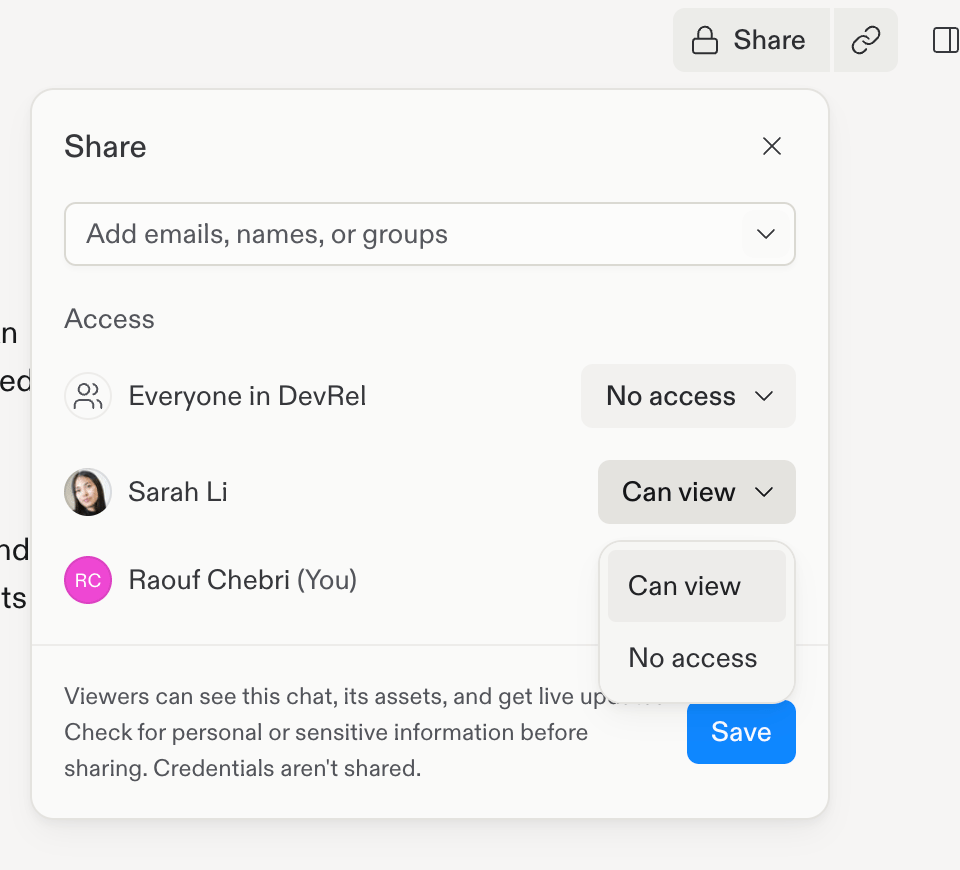
Learn more about [sharing chats and assets](https://docs.replit.com/features/chats-and-routines/sharing).
### Stripe Atlas on Replit
Ask Agent to help incorporate your business through Stripe Atlas, with 20% off when you incorporate through Replit. See the [Stripe Atlas announcement](https://x.com/Replit/status/2112959588387725412).
### Keep your apps running when credits run out
Eligible top-up customers can keep published apps running at zero credits, up to an overage limit. Paid Agent pauses, Free mode stays available, and warning emails arrive before suspension. New credits repay the overage first.
## October 16, 2026
## Platform
### Claude Haiku 5.5 in the model selector
Builders on Core and Pro can now choose Claude Haiku 5.5 from the model selector in Power Mode.
### Find a Replit Solutions Partner
Browse the Replit Solutions Partners directory to find agencies, consultants, and systems integrators that build with Replit. Firms can apply to join the program.
## Enterprise
### Bring Your Own Cloud to Replit
Bring Replit to your enterprise cloud environment:
- **Full BYOC (private preview):** Run the full Replit platform in your cloud tenant.
- **BYOC for Published Apps (early access):** Host published Replit apps in your cloud tenant.
- **Image Exports (early access):** Export and self-host Replit-built apps.
Explore the BYOC documentation or read the announcement on the Replit blog.
## October 9, 2026
## What's new
- Replit Desktop Windows preview with Microsoft and NVIDIA
- Work across projects from a chat
- Create and manage TikTok Ads
## Platform
### Replit Desktop Windows preview with Microsoft and NVIDIA
Replit Desktop can now build and run apps locally on your Windows PC, available in private preview. Agent runs each build in its own isolated sandbox powered by Microsoft Execution Containers (MXC) and NVIDIA OpenShell. [Join the waitlist](https://replit.com/lp/desktop-preview) for early access.
### Work across projects from a chat
You can now ask Replit to find your existing projects, read their files, and send tasks to them, all from a chat. Name a project or describe what it does, then use that context without switching between projects. Changes run as background tasks you can review, and nothing is published automatically. Bring a feature from one project to another, compare how your apps work, or draft documentation across several websites from a single chat.
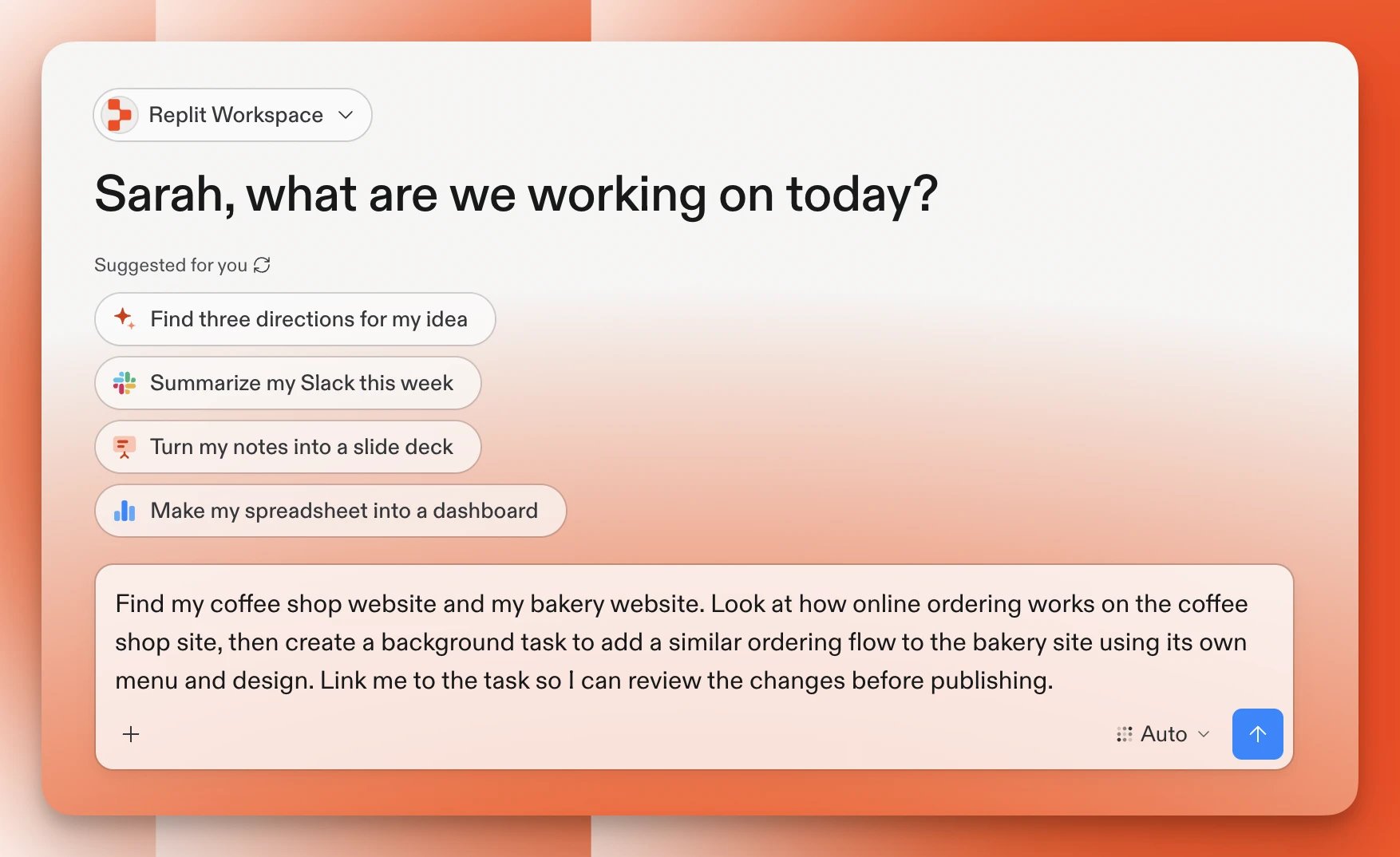
* Ask Replit to use one project's features as a reference for another, all from a chat.*
Learn more about [working with projects from a chat](https://docs.replit.com/chat/continue-or-create-a-project).
### Create and manage TikTok Ads
Create, launch, and track TikTok ads from a chat in Replit. Connect your TikTok Ads account through MCP, then ask Replit to set up a campaign with your budget and schedule and report on its performance. You can also use Replit's asset creation tools to make the content for your ads. Get started with [TikTok Ads in Replit](https://docs.replit.com/use-cases/run-tiktok-ads).
## October 2, 2026
## What's new
- Jev is now available through Replit AI Integrations
- New models from OpenAI and Anthropic
- New Settings page
- Workspace settings
## Platform
### Jev is now available through Replit AI Integrations
Build apps that classify content, route requests, and score leads with fast, structured AI decisions, without managing API keys. To get started, ask Agent to "Use Jev via AI Integrations." Learn more about [Jev in Replit AI Integrations](https://docs.replit.com/features/integrations/replit-ai-integrations#jev).
### New models from OpenAI and Anthropic
You can now choose GPT-6.1 Sol and Claude Sonnet 5.5 when building with Agent. Sonnet 5.5 is available in Power mode, and GPT-6.1 Sol is available in Max mode. To learn more about our approach to models, see our [recent blog post](https://replit.com/blog/free-the-models).
### New Settings page
Settings now opens as its own page instead of a modal. Integrations and Security get their own pages too. Your project or chat stays open underneath, so leaving Settings puts you right back where you were.
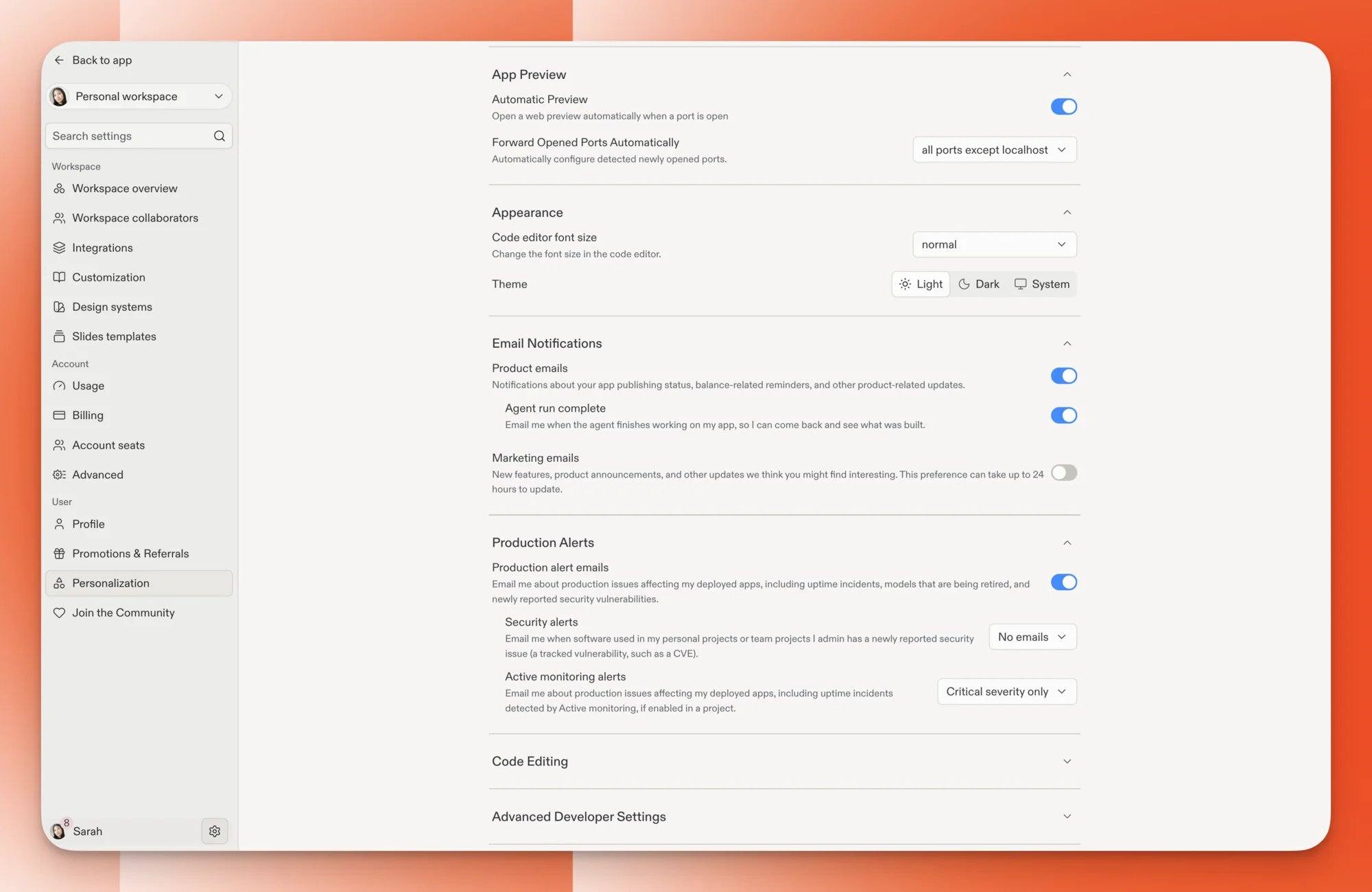
* Settings now opens as a full page, with every section in the sidebar.*
## Enterprise
### Workspace settings
Set rules company-wide, make exceptions for specific teams (Workspaces), and let team admins (Workspace admins) manage certain settings on their own. Learn more about [advanced settings](https://docs.replit.com/teams/advanced-settings).
## September 25, 2026
## What's new
- Build apps for Meta devices
- Create Replit apps through Muse
- Explore data with inline charts
- Build and test Airwallex integrations
- Build with new OpenAI and Anthropic models
- Request access without leaving your workflow
- Control access to design systems and slide templates
## Platform
### Build apps for Meta devices
Describe your idea, and Replit helps you build apps for Meta devices. Announced at Meta Connect, the new experience includes device-specific Agent instructions and QR-code previews to try your app on-device. Get started on the [Replit and Meta partner page](https://replit.com/partners/meta).
### Create Replit apps through Muse
Muse can now create apps in Replit through the Replit integration. Turn your ideas into apps from your conversation with Muse.
### Explore data with inline charts
Visualize your data directly in your Replit conversation with inline charts powered by Atta. Ask Replit to create charts and reports so you can explore your findings without leaving the conversation.
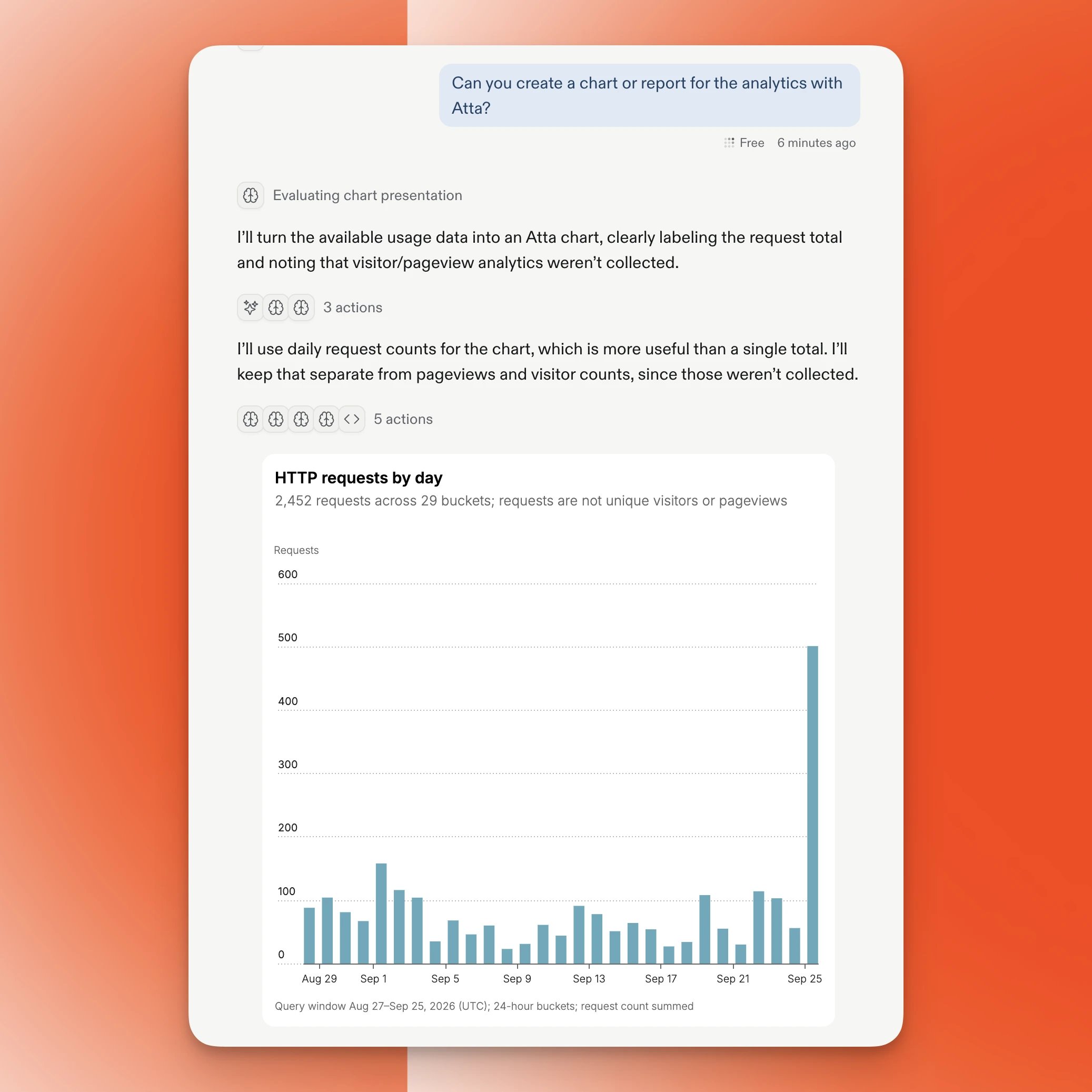
* Explore daily HTTP request counts with an inline chart.*
Learn more about [Replit's acquisition of Atta](https://replit.com/blog/replit-acquires-atta).
### Build and test Airwallex integrations
Connect Agent to Airwallex through MCP to build payment integrations using its documentation and sandbox tools. Test integrations in the Airwallex sandbox without accessing your production account. Find Airwallex Developer in the [MCP directory](https://docs.replit.com/features/mcp/overview). Follow [Connect via MCP](https://docs.replit.com/build/connect-via-mcp) and the [Airwallex setup guide](https://www.airwallex.com/docs/developer-tools/ai/developer-mcp) to get started.
### Build with new OpenAI and Anthropic models
You can now choose GPT-6 Sol, GPT-6 Luna Fast, and Claude Opus 5.5 when building and designing with Agent. Model availability depends on your selected tier and your Workspace's model policies.
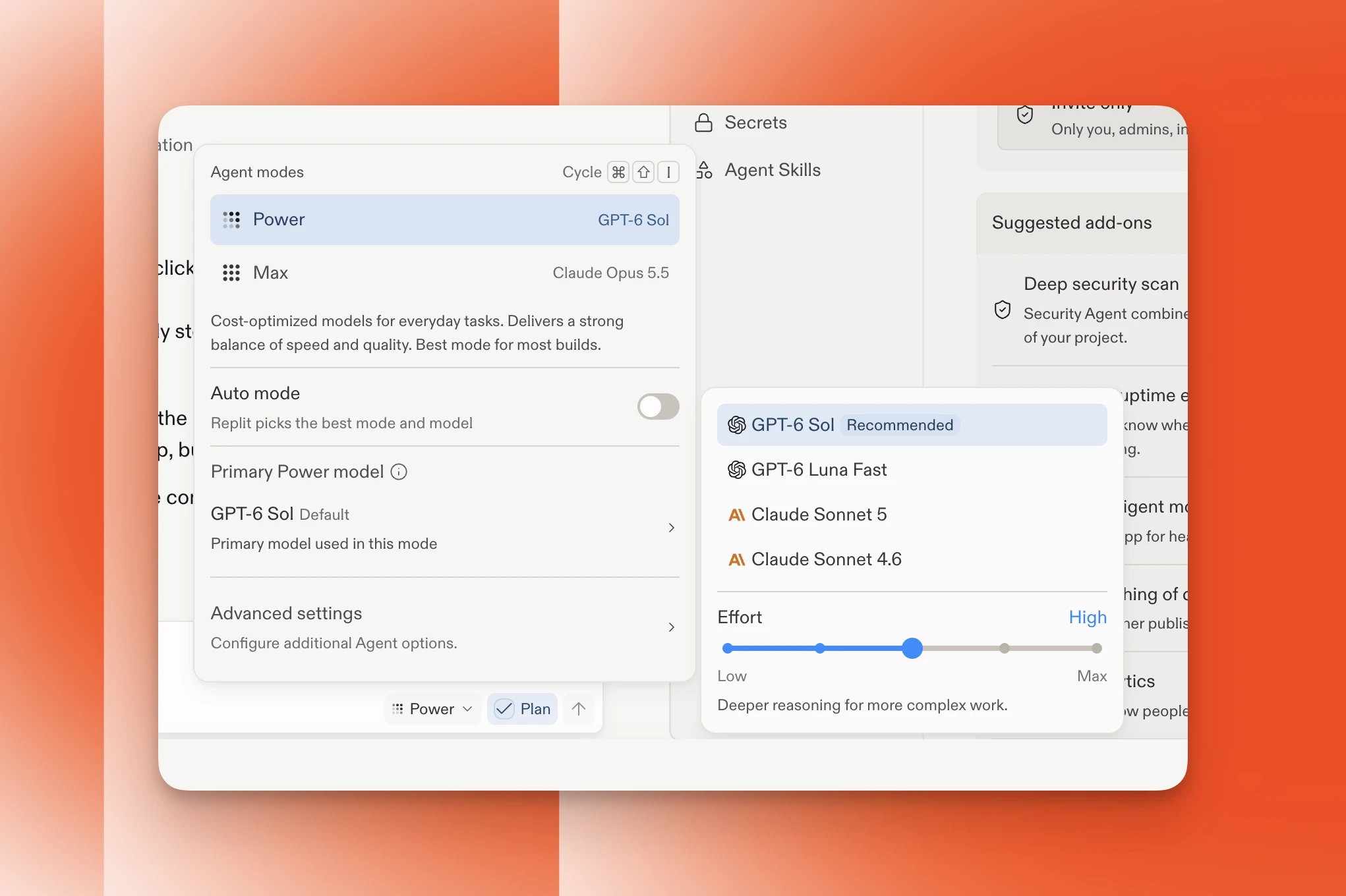
* Choose a model and reasoning effort in Agent settings.*
Learn more about [choosing a model](https://docs.replit.com/features/agent/model-selector).
## Enterprise
### Request access without leaving your workflow
When you reach a usage limit or encounter a Workspace restriction, you can now send an access request instead of coordinating approval separately. Supported requests include usage limit increases, public publishing enablement, and upgrades from viewer to member. Access requests are off by default. Account admins can enable them for each Workspace in **Settings → Advanced → Access requests**. Admins can review, approve, or deny requests through the Admin API using a key with the appropriate permissions. Learn more about [access requests](https://docs.replit.com/teams/advanced-settings#access-requests) and the [Admin API](https://docs.replit.com/teams/admin-api).
### Control access to design systems and slide templates
Design systems and slide templates now follow the same Workspace permission rules as custom skills. New design systems and slide templates are private by default, and Workspace members can use published items.
## September 18, 2026
## Platform
### Connect custom APIs to Agent
Pro and Enterprise teams can now use custom connectors in beta to connect Agent to APIs outside Replit's integration library. Add an API endpoint and authentication, describe how Agent should use it, and start building with the services your team already relies on.
## Enterprise
### Investigate with expanded audit logs
(Full content not provided in excerpt)
## September 11, 2026
## What's new
- Use Replit from desktop MCP clients
- Retrieve prompt text for compliance workflows
- Use managed PostgreSQL in Databricks Apps
## Platform
### Use Replit from desktop MCP clients
You can now use Replit from any compatible desktop MCP client. Connect Replit to create, find, inspect, update, and publish apps without leaving your preferred AI tool.

* Install the Replit plugin from a desktop MCP client.*
Learn more about the [Replit MCP Server](https://docs.replit.com/platforms/mcp-server).
### Use managed PostgreSQL in Databricks Apps
Databricks Apps now include Lakebase as a managed production PostgreSQL database. Build against your development database in Replit, then publish to your Databricks workspace. Replit prepares the Lakebase database and applies your schema changes automatically. Learn more about [building Databricks Apps](https://docs.replit.com/connectors/warehouses/databricks#use-lakebase-for-application-data).
## Enterprise
### Retrieve prompt text for compliance workflows
Enterprise account admins can use the Compliance API to retrieve prompt text for `project.message_sent` audit events. Create an API key with the `compliance:messages:read` scope for security, compliance, data loss prevention (DLP), SIEM, retention, and eDiscovery workflows. Learn more about [retrieving prompt text with the Compliance API](https://docs.replit.com/teams/identity-and-access-management/audit-logs#retrieve-prompt-text-with-the-compliance-api).
## September 4, 2026
## What's new
- [Recover production data with scheduled backups](#recover-production-data-with-scheduled-backups)
- [Understand app usage with Project Analytics](#understand-app-usage-with-project-analytics)
## Platform
### Recover production data with scheduled backups
Scheduled backups create one full restore point each day for your production database. To turn them on, select a retention period under **Keep backups for** in your production database settings. Retention limits depend on your plan.
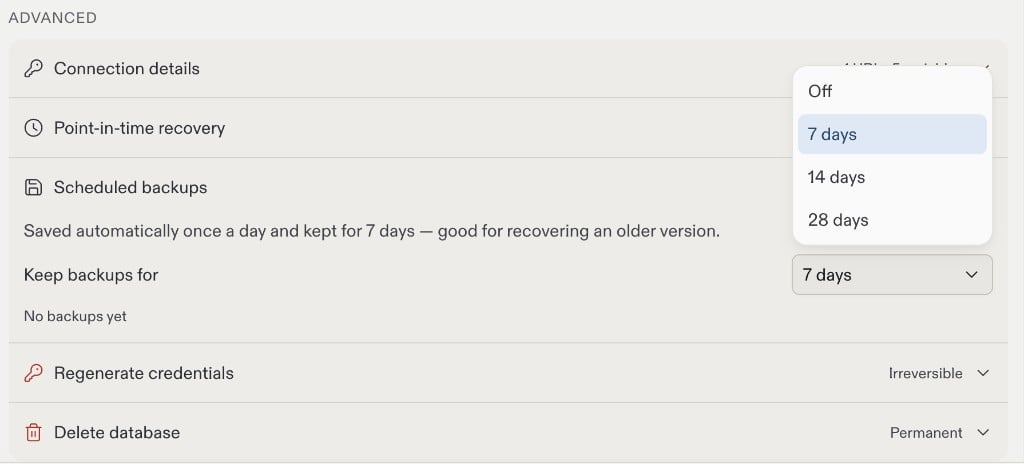
*Choose how long to keep scheduled backups in your production database settings.*
Learn more about [Data recovery](https://docs.replit.com/features/data-and-storage/data-recovery).
### Understand app usage with Project Analytics
Project Analytics shows how people find and use your published web app. Review approximate visitor trends, popular pages, traffic sources, countries, browsers, and devices in the **Growth** pane. To start collecting data, turn on **Enable analytics** and republish your app. On a paid plan, ask Agent to add custom events and analyze funnels for actions such as sign-ups and purchases.
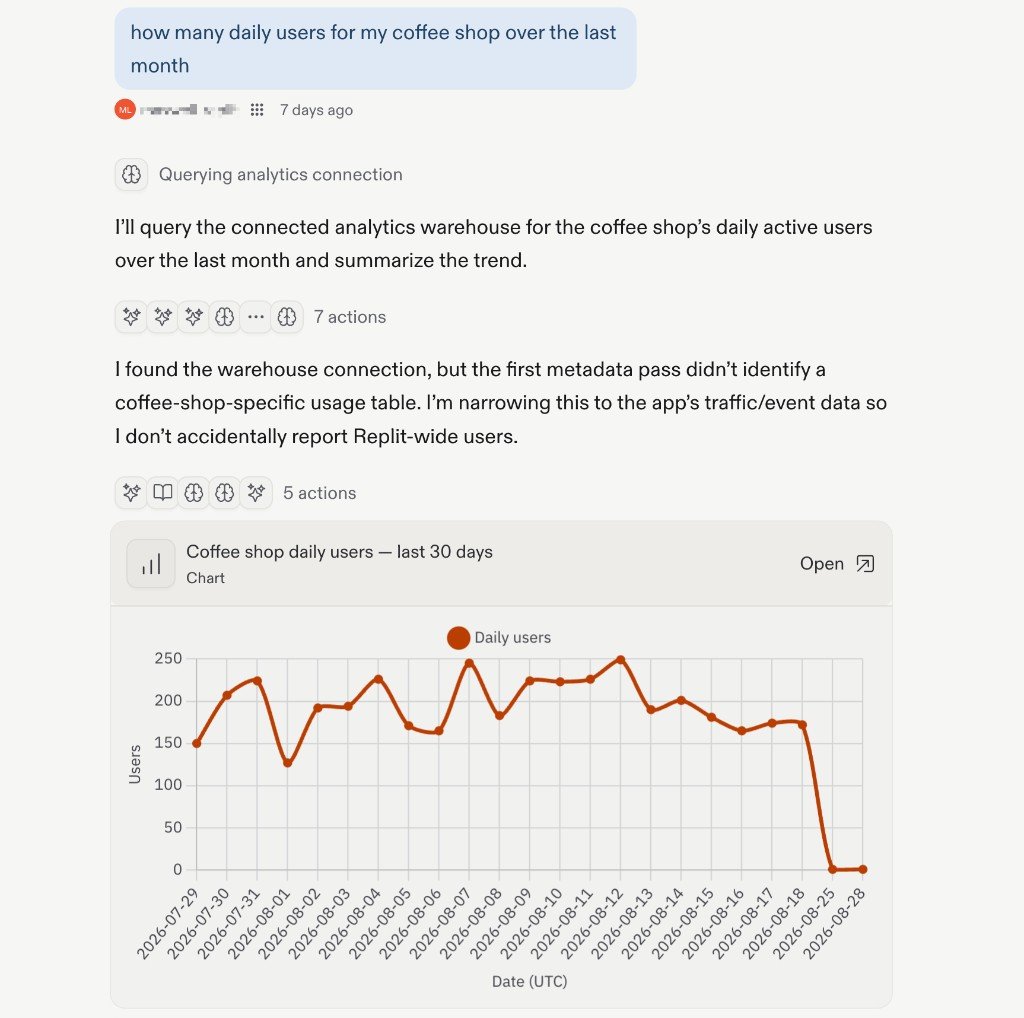
*Ask Agent to analyze your app's usage with Project Analytics.*
Learn more about [Project Analytics](https://docs.replit.com/features/publishing/project-analytics).
## August 28, 2026
## What's new
- [Intelligent model routing](#intelligent-model-routing)
- [Find your first customers with Growth Skills](#find-your-first-customers-with-growth-skills)
- [Intelligent model routing for Enterprise](#intelligent-model-routing-for-enterprise)
- [Customize connectors](#customize-connectors)
## Agent
### Intelligent model routing
Intelligent model routing automatically selects the model and effort level that best fit your task, balancing quality and cost. In **Power** or **Max**, select **Auto** to let Replit route each part of your work as its complexity changes. You can also select a specific model and effort level when you want more control.
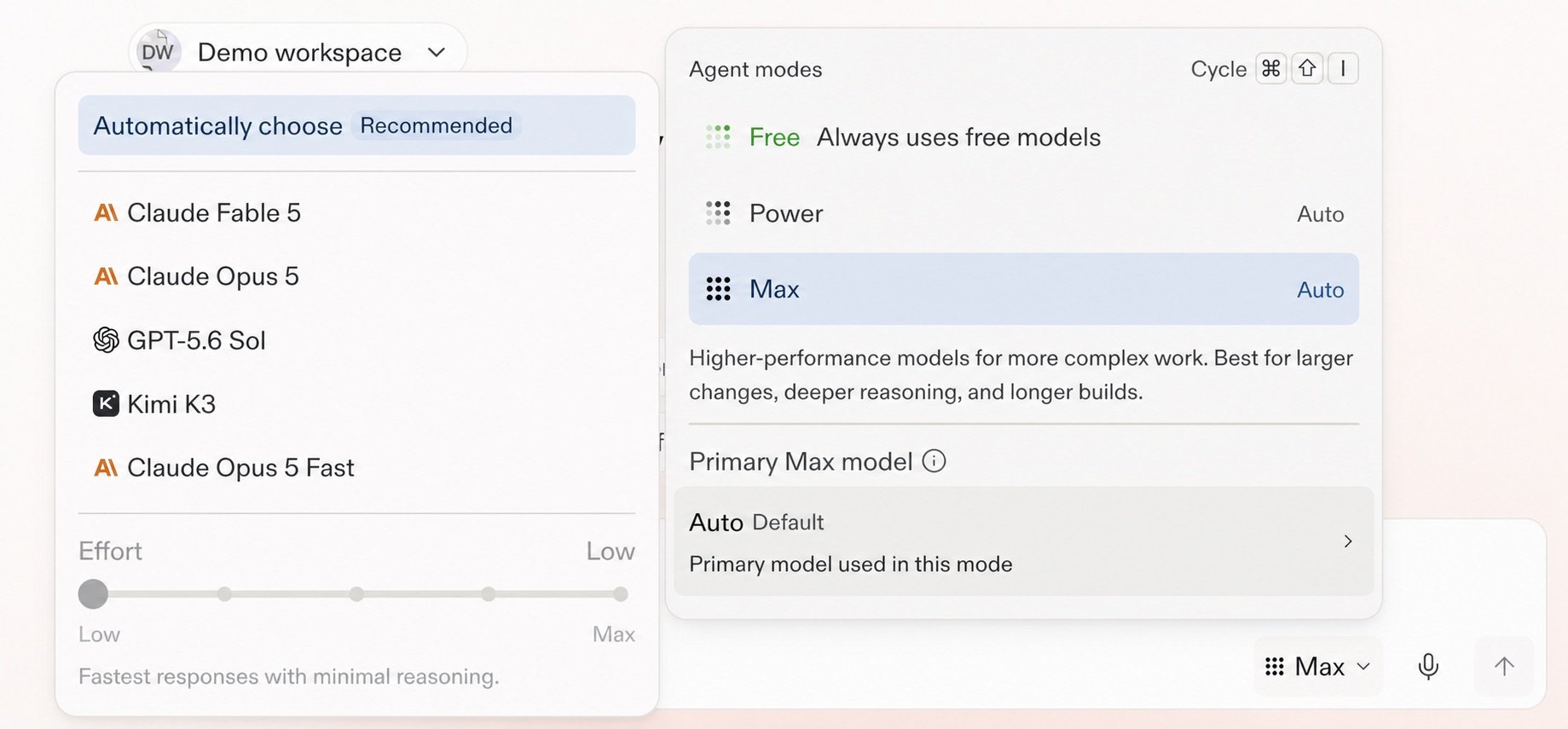
* Select Auto or choose a model and effort level in Agent settings.*
Learn more about [Auto Mode](https://docs.replit.com/chat/auto-mode).
### Find your first customers with Growth Skills
Run [Growth Skills](https://replit.com/growth-kit) with Agent to find your app's first customers. Available partner integrations include Apollo, Clay, SideShift, RevenueCat, Stripe, and PostHog.
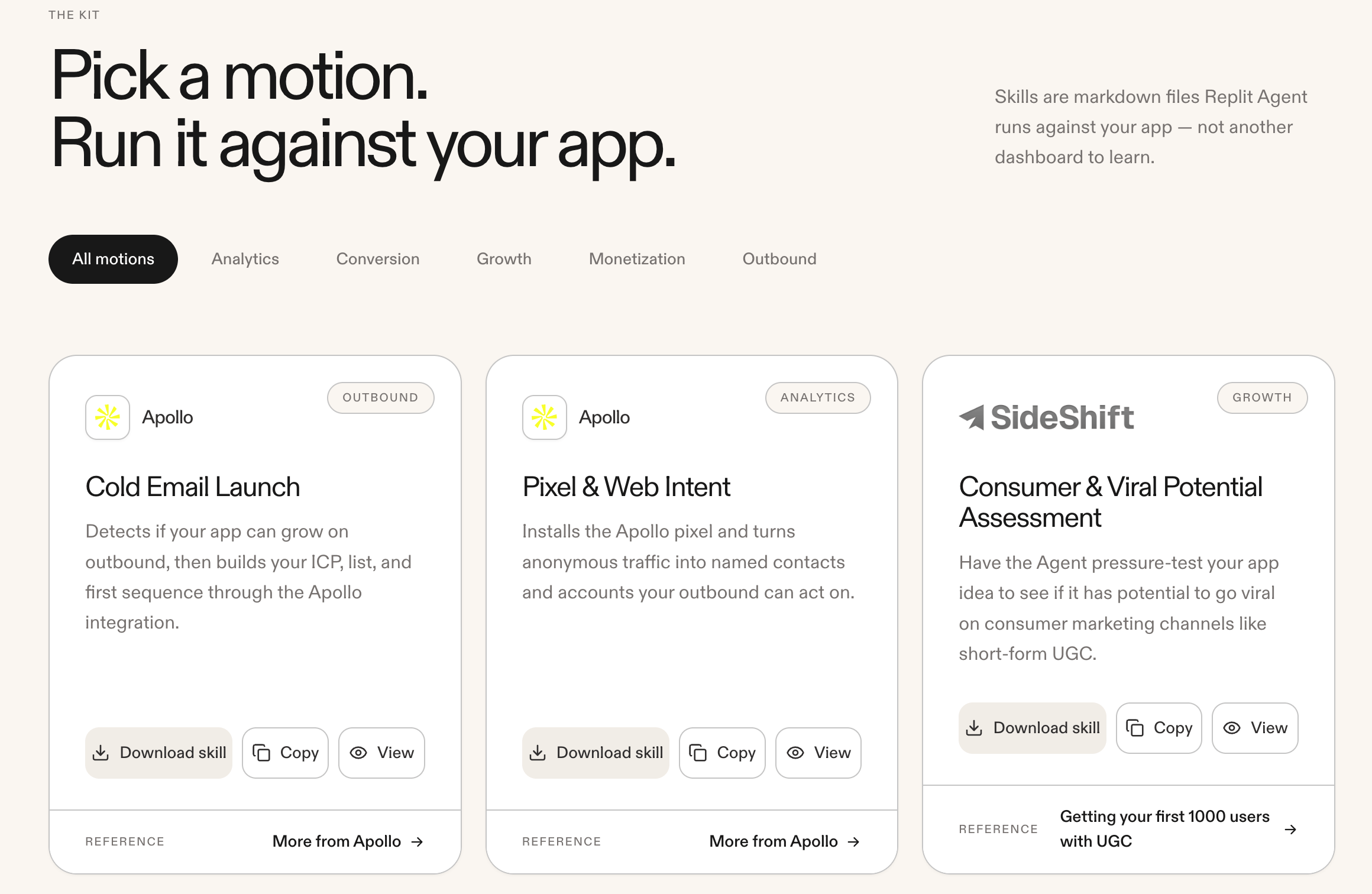
* Browse Growth Skills and run a motion against your app.*
### Intelligent model routing for Enterprise
Intelligent Model Routing is now the default Agent mode for Enterprise Workspaces. With **Auto mode** turned on, Replit chooses the best mode and an allowed model for each task. Account admins can control model availability for each Workspace, and you can turn off **Auto mode** to select an enabled model. The Enterprise Agent mode menu now uses **Power** and **Max** and no longer includes **Lite**.
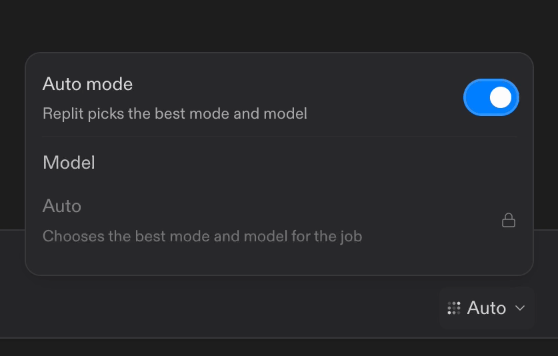
* Turn on Auto mode to let Replit pick the best mode and model for each task.*
Learn more about [Enterprise model controls](https://docs.replit.com/features/collaboration/enterprise-model-controls).
## Integrations
### Customize connectors
Enterprise organizations can now use custom OAuth configurations for connectors. For example, configure Gmail with your own **Client ID**, **Client Secret**, and **scopes** instead of Replit's defaults.
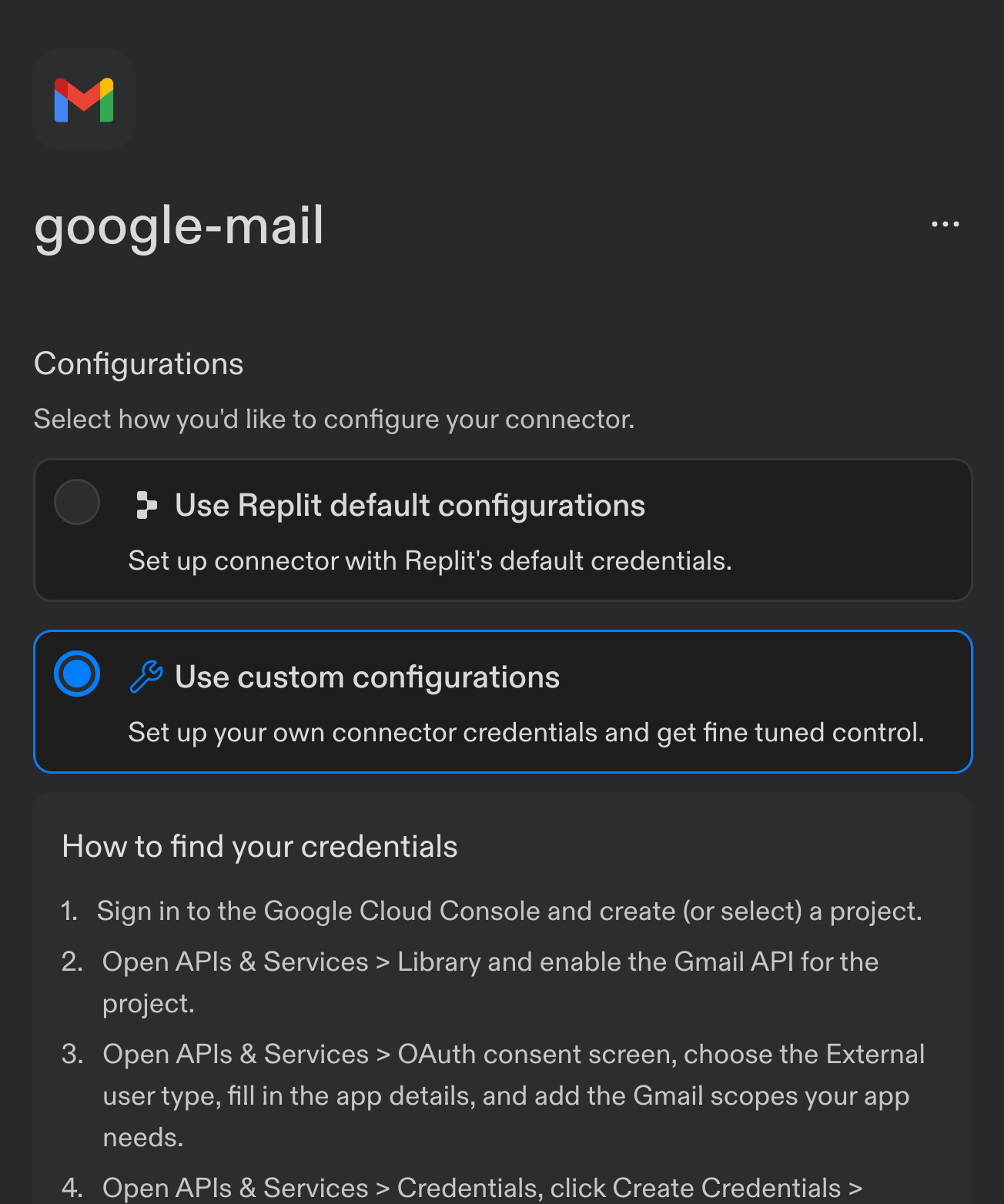
* Select Use custom configurations for the Gmail connector.*
Learn how to [configure a custom OAuth app for a connector](https://docs.replit.com/features/integrations/overview#configuring-oauth-app-with-replit).
## August 21, 2026
## What's New
### Agent
- **Work in Free Mode** — Chat, explore ideas, create, and build without using Power Mode or Max Mode credits. Free Mode uses Auto to select a model, and limits depend on your plan. Check **Settings > Usage** to see remaining allowance and reset timing.
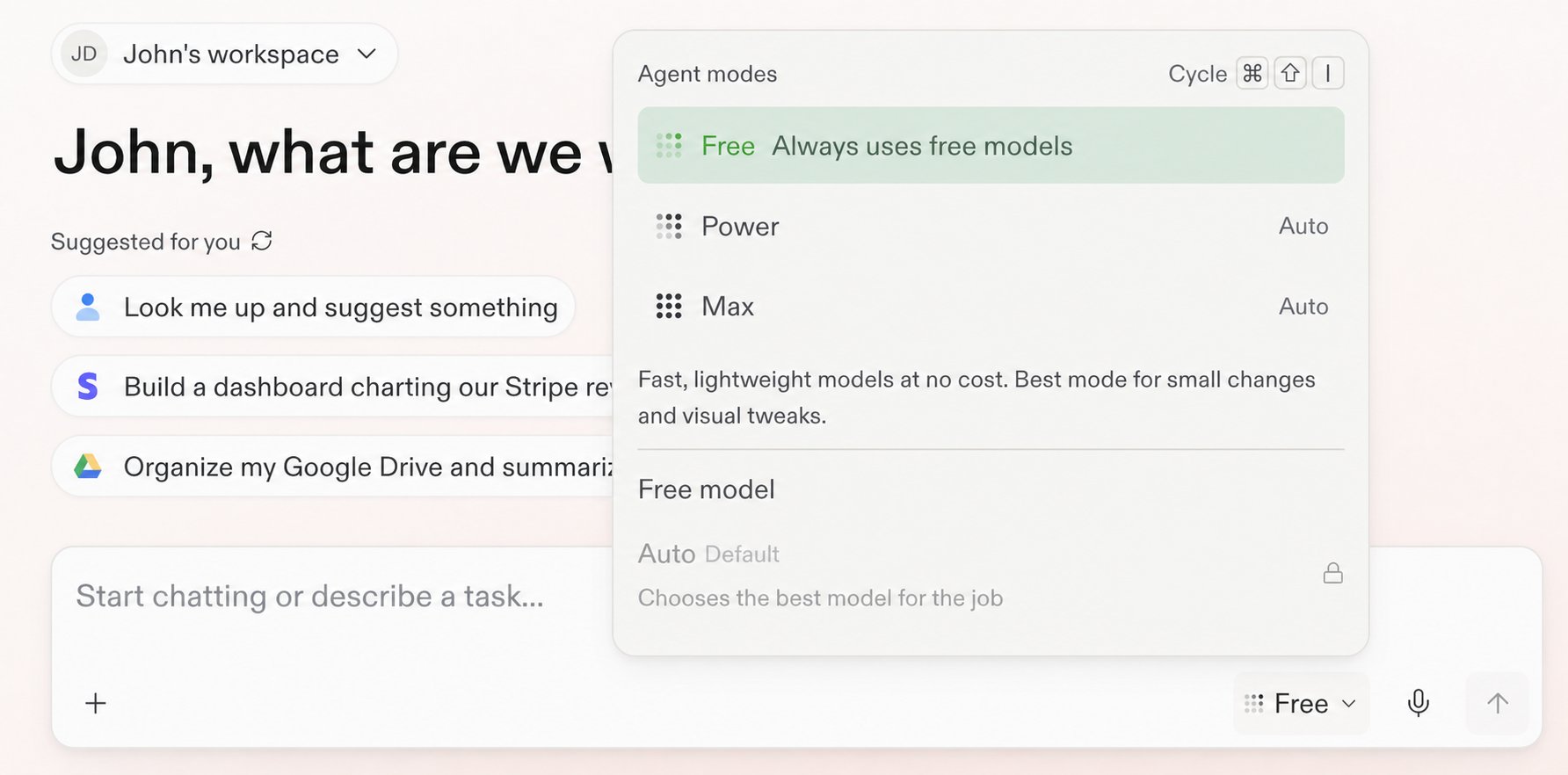
- **Start with Conversations** — Start with a private Conversation to ask questions, explore information, attach context, run a Routine, or describe an outcome. Turn the Conversation into a Project when work becomes substantial.
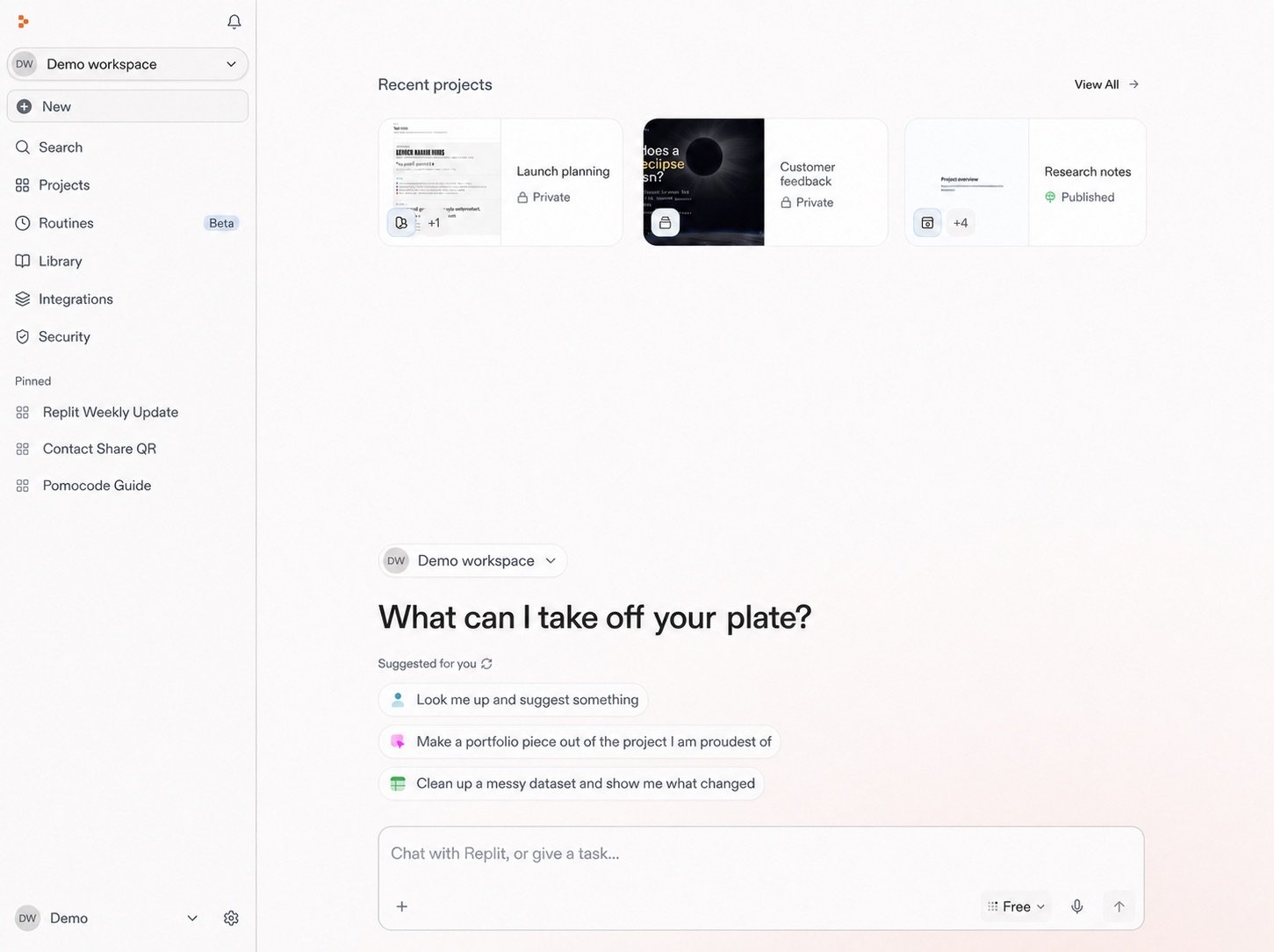
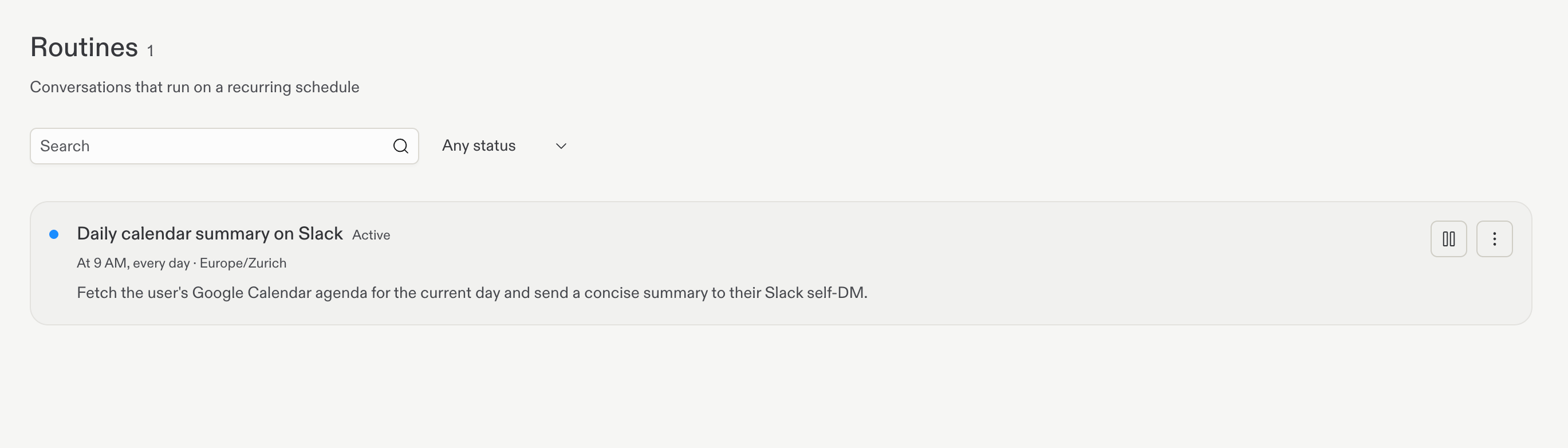
- **Automate recurring work with Routines** — Schedule Replit to repeat work inside a Conversation. Results return to the same Conversation for review. Routines run in Power Mode or Max Mode.
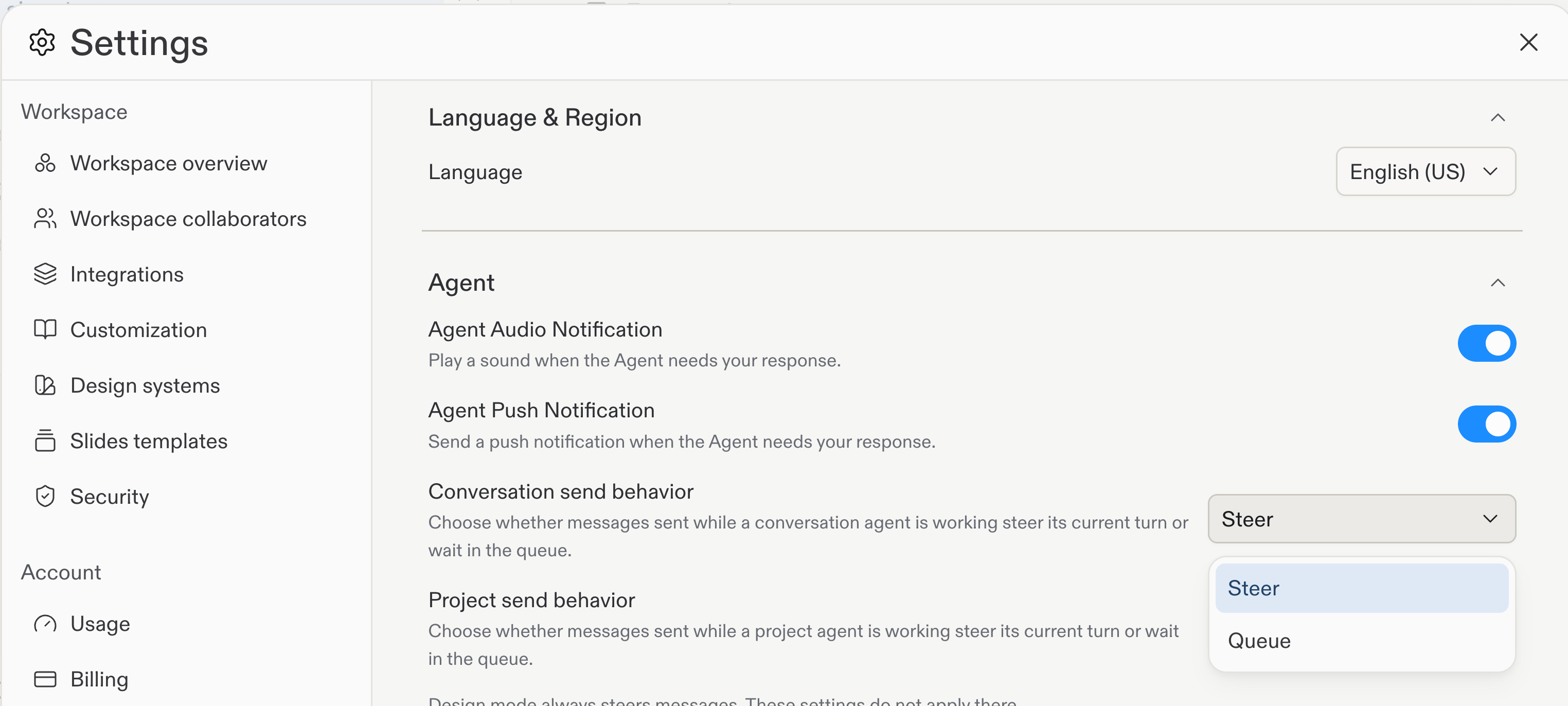
- **Steer Agent while working** — Send a follow-up while Agent works to add context. Steer is default in Conversations and Projects; change to Queue in Settings. Press Cmd+Enter (Mac) or Ctrl+Enter (Win/Linux) for opposite behavior.
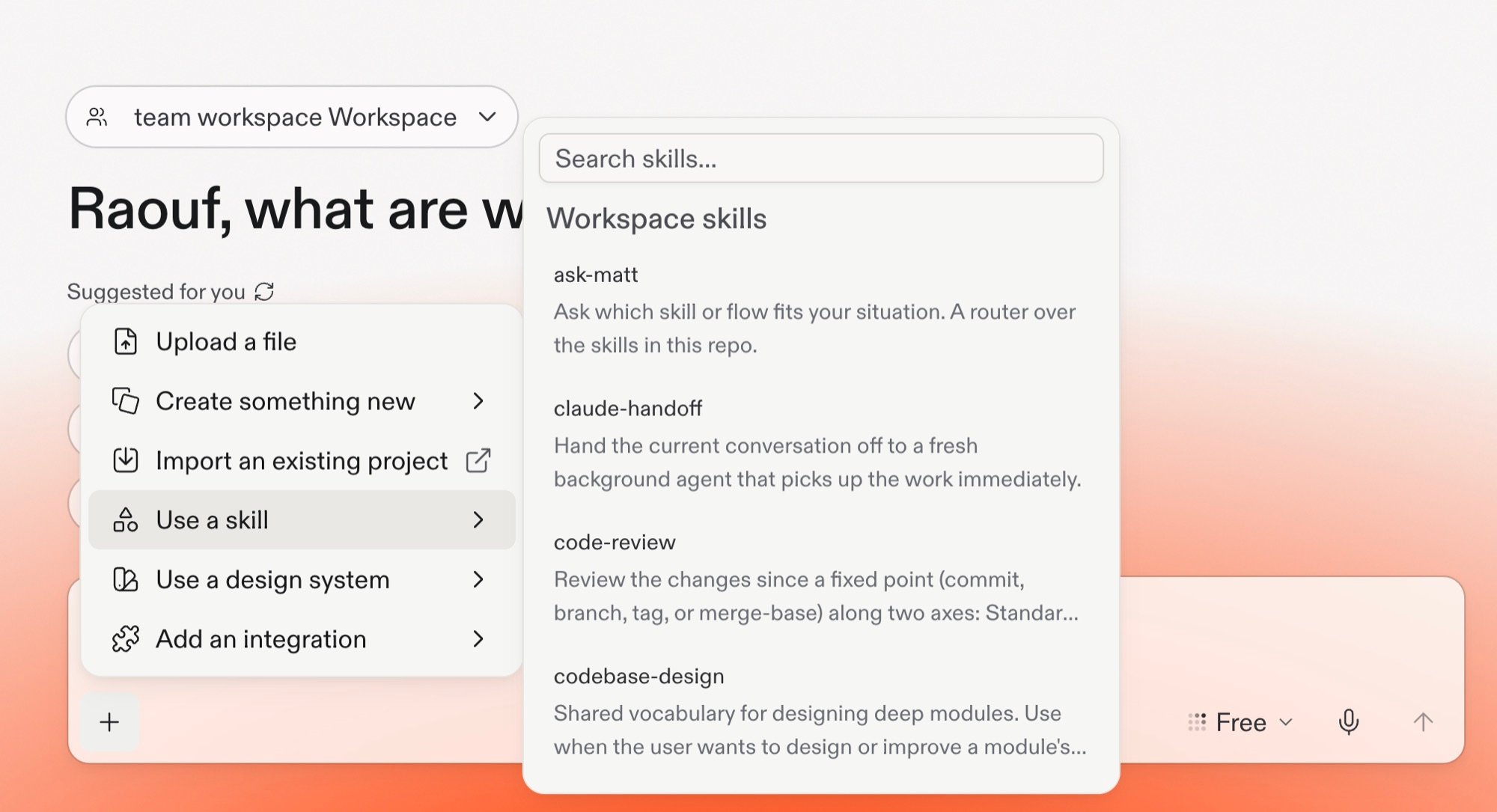
- **Import Skills from GitHub** — Import Skills from a public GitHub repository, folder, or file URL, then preview before adding. Saved Project Skills support member access levels.
### Teams and Enterprise
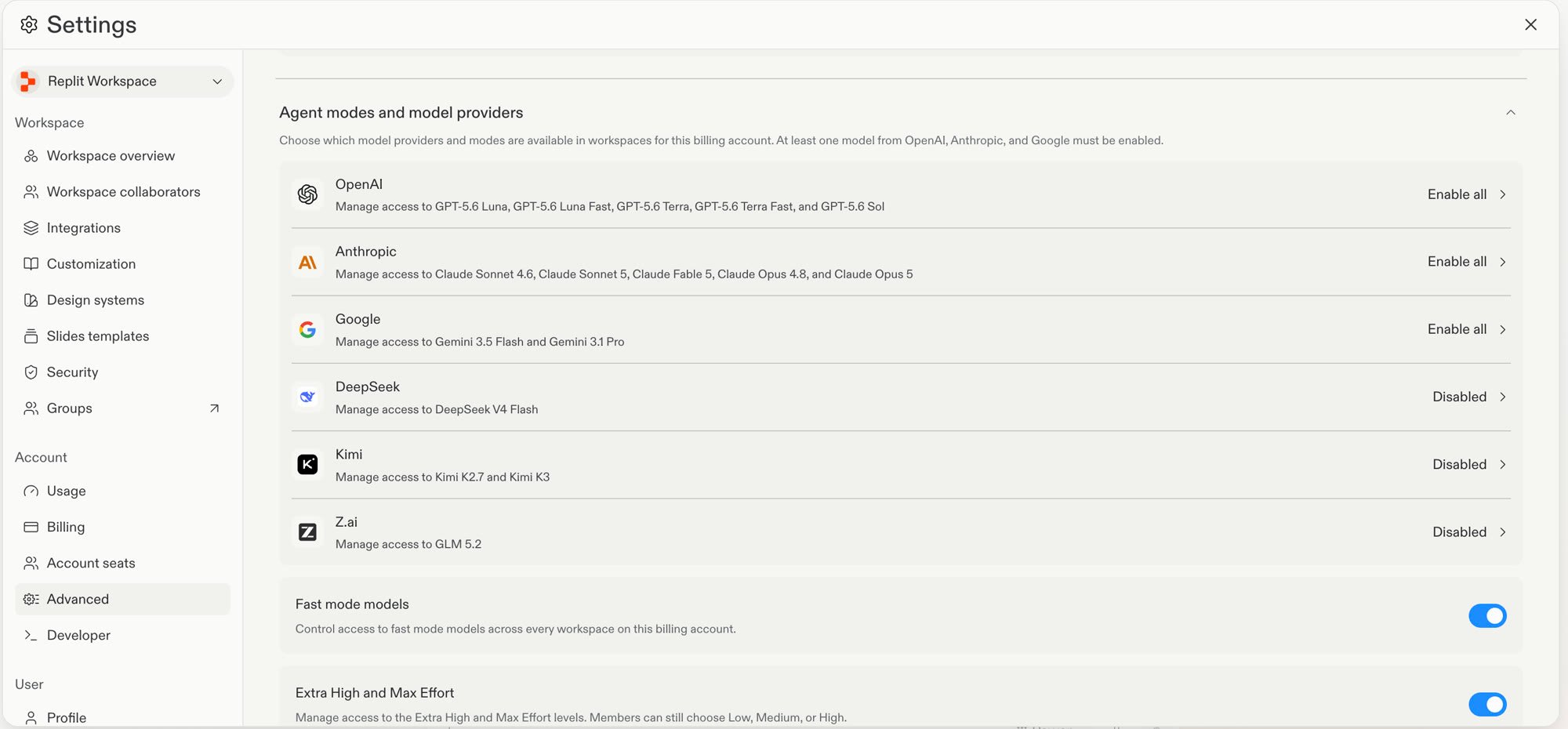
- **Control Agent models across Workspaces** — Enterprise admins can set account policy per model provider, then choose which models are available in individual Workspaces (Enable all, Enable selected, Disabled).
### Platform
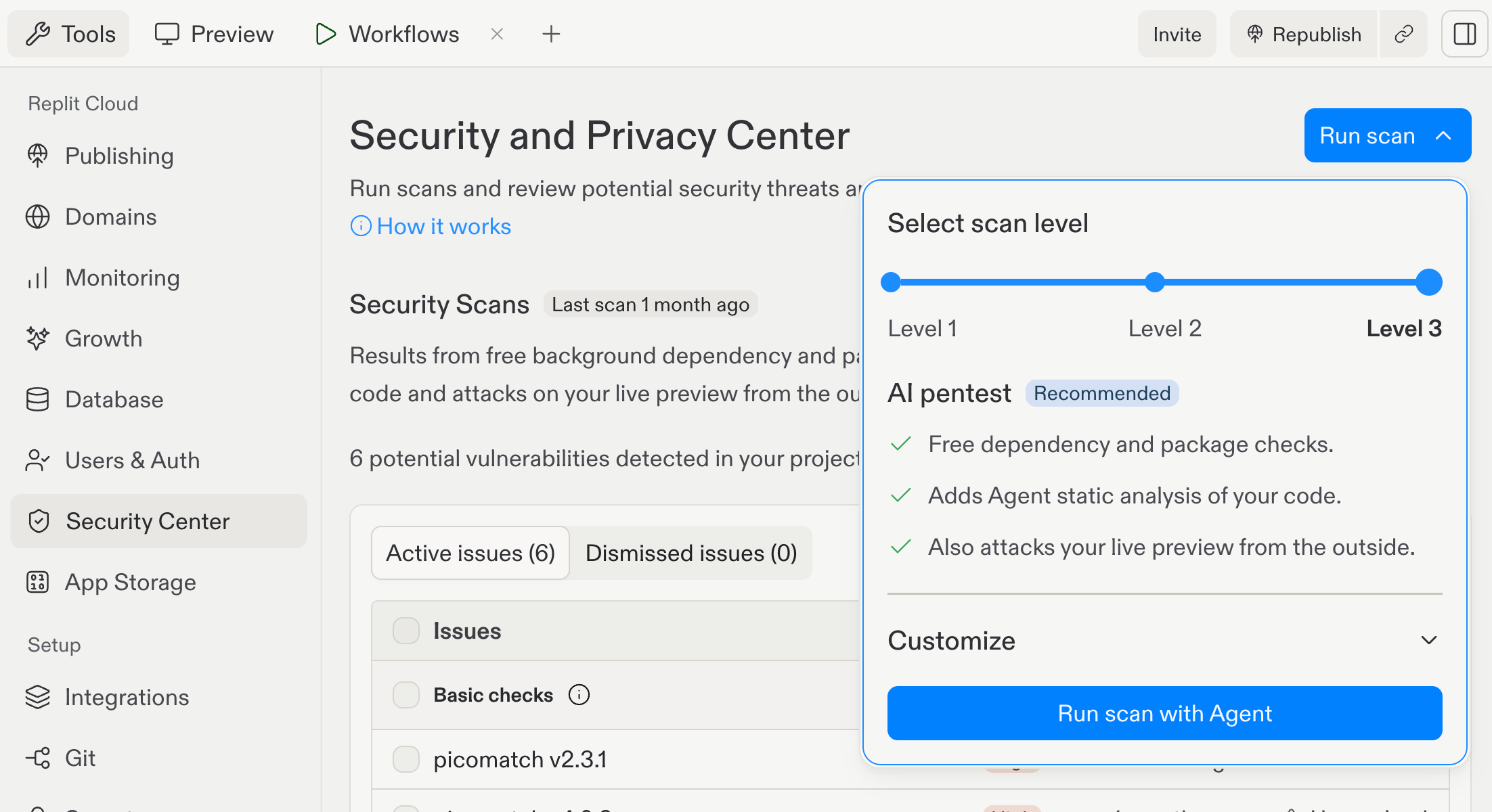
- **Run black-box pen tests** — Level 3 security scan combines dependency/package checks, Agent static analysis, and external black-box test of live Preview — source review and outside test run in parallel.
## August 14, 2026
## Platform
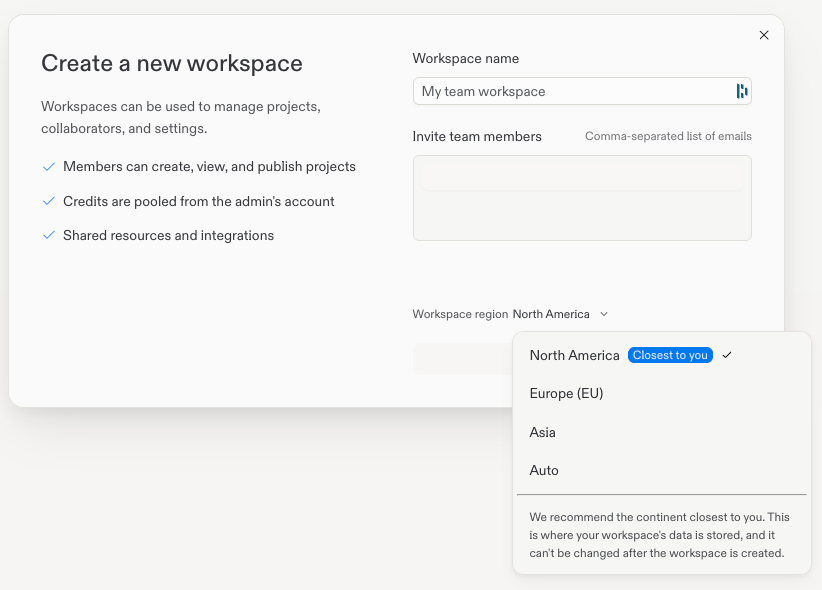
### Choose a workspace region
Pro builders can now choose North America, Europe (EU), or Asia when they create a workspace. The selection sets the region for new projects and workspace resources.
### Use Replit through MCP
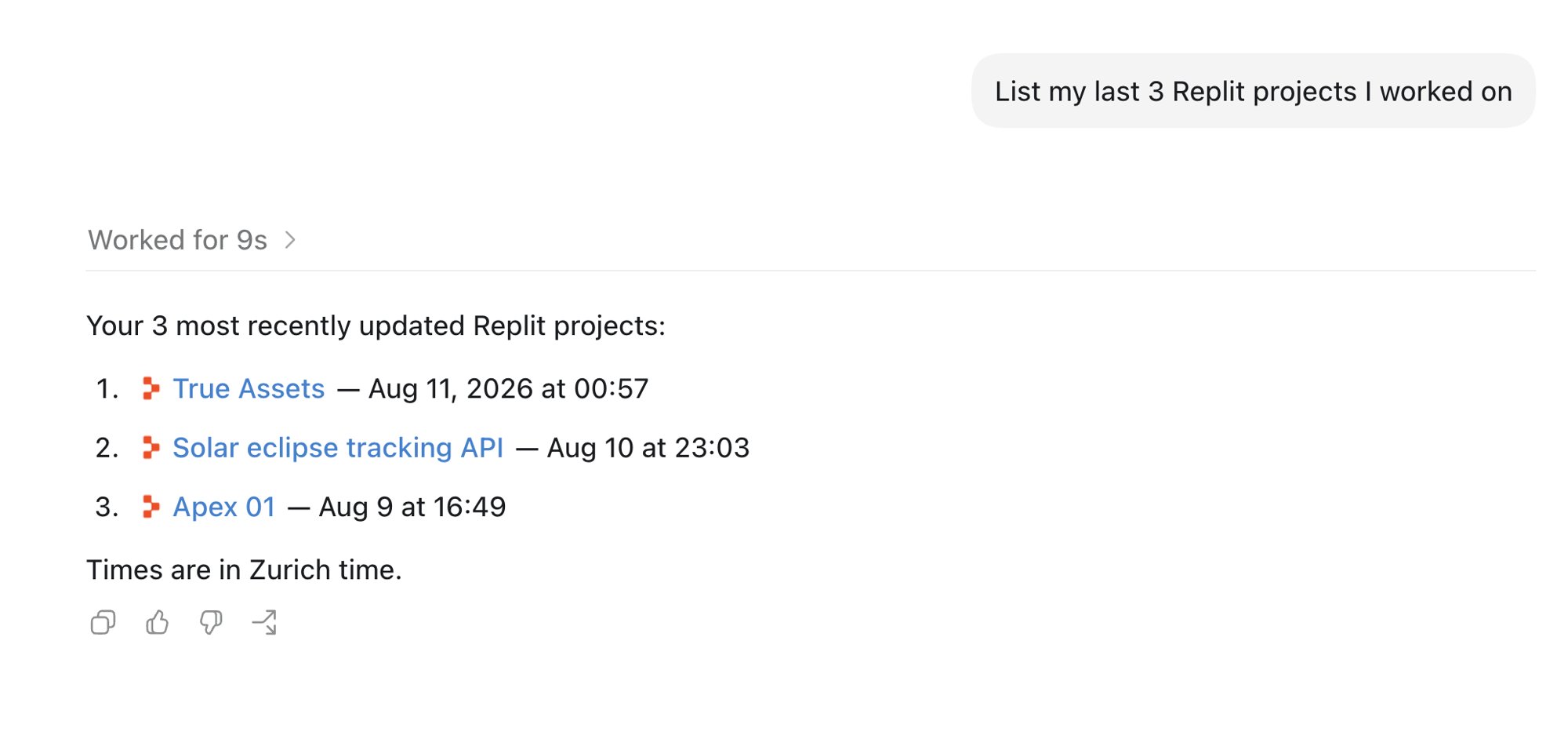
Connect Replit natively to ChatGPT, Claude, or Slack, or point any compatible MCP client at Replit, to create, find, inspect, update, and publish apps. You can also create a private copy of an app you can edit instead of starting from a blank app.
### Migrate to Clerk Auth
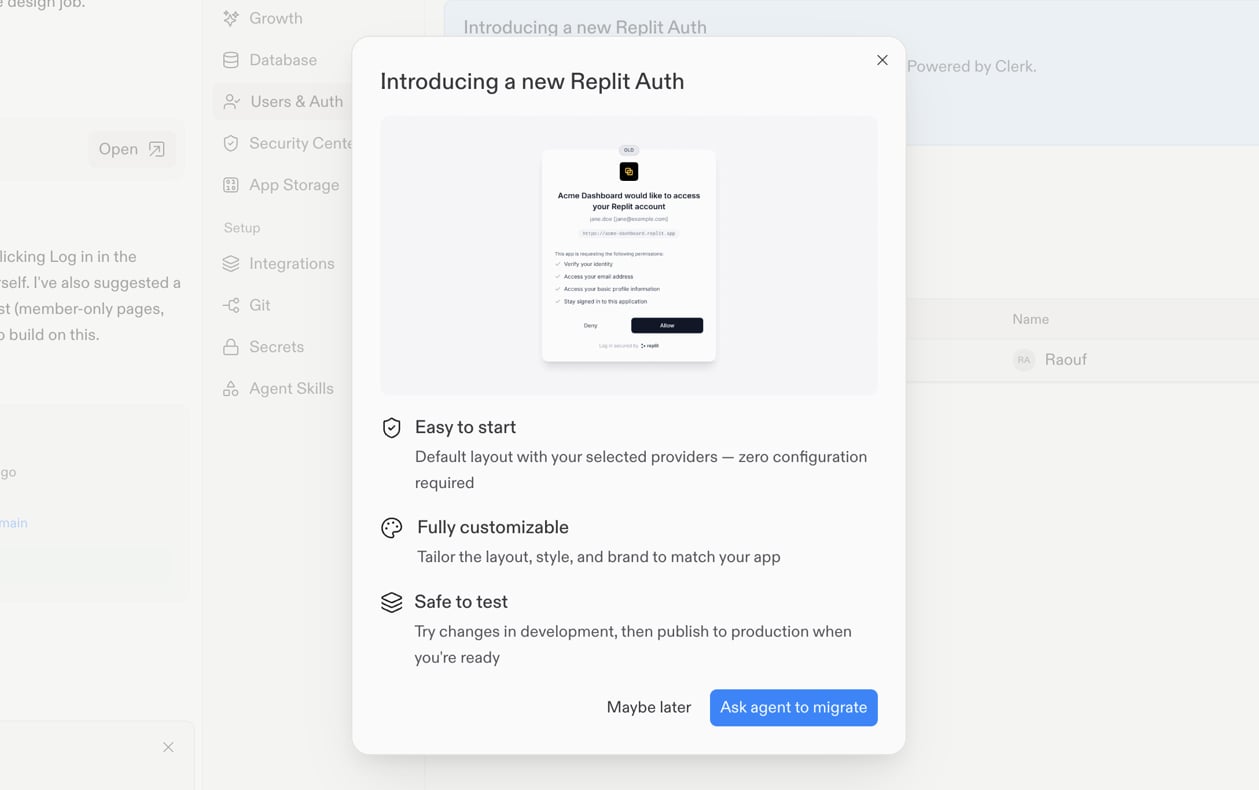
You can now move an eligible Replit Auth app to Clerk Auth. Agent moves account data before it updates the sign-in code, so returning users keep access to their data.
## Integrations
### Connect more MCP servers
Connect Cal.com to manage schedules, Airtable to work with your data, or Rootly Docs to search Rootly documentation from Agent.
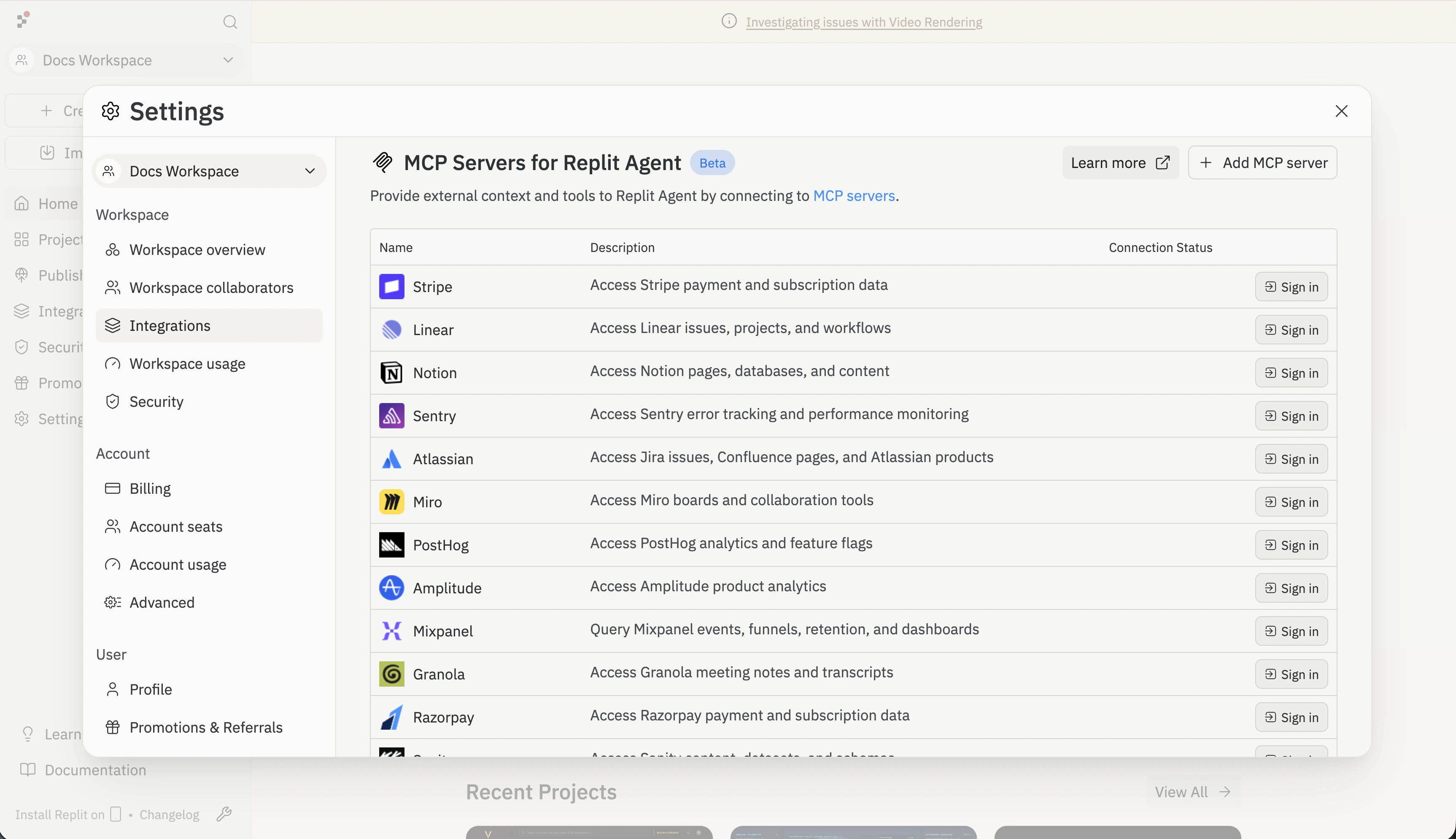
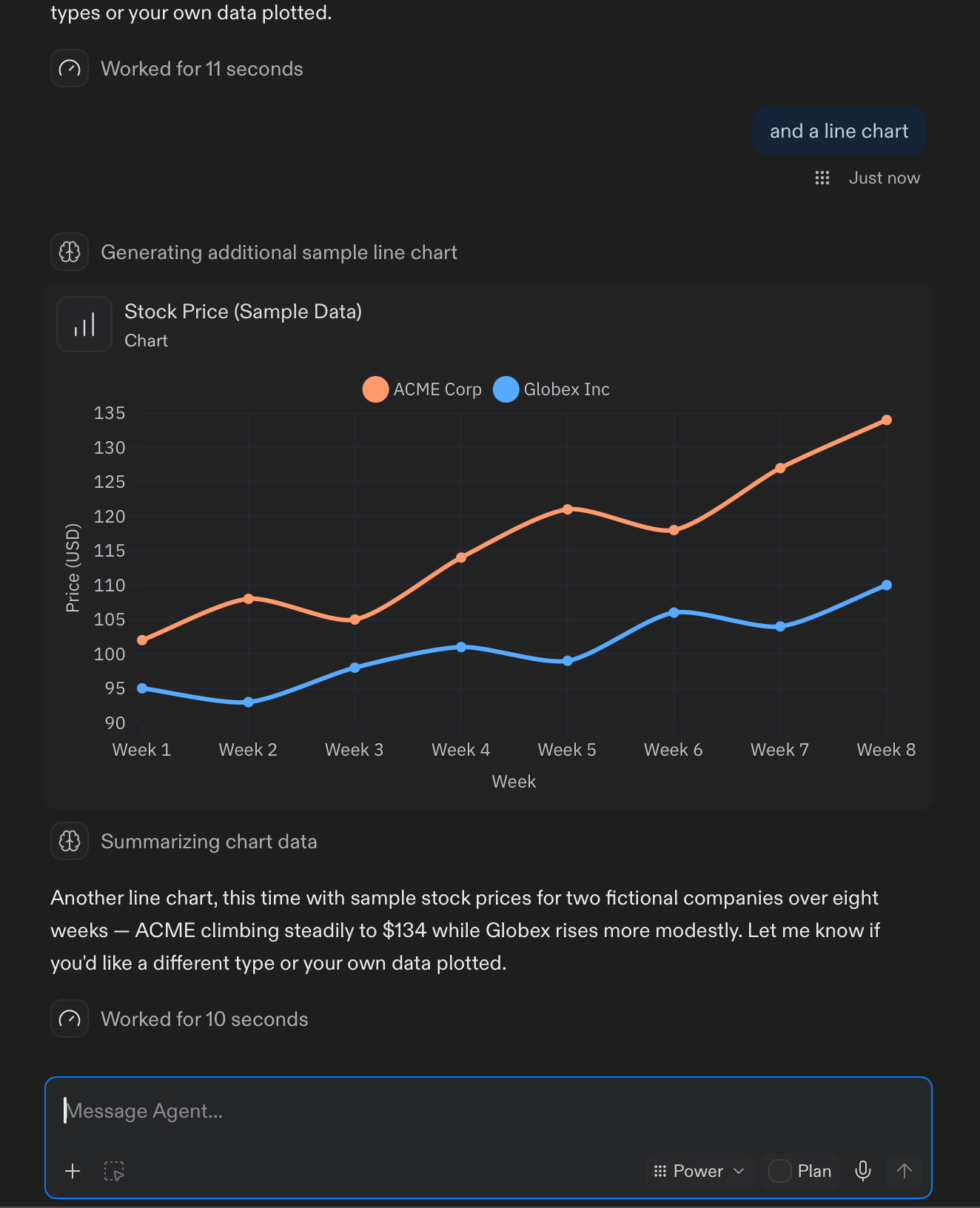
### Ask for inline charts
Ask Agent a data question and see the answer as a chart directly in the conversation. Charts are a core Agent capability, so you can build on them in anything you create.
### Share and manage workspace skills
Any workspace member can now create skills and keep them private or share them with the workspace. Shared skills start turned off for other members, and each person chooses which ones to enable. Admins can manage every workspace skill and require specific skills for their workspace. A redesigned Skills Library makes skills easier to discover and manage.
## Teams and Enterprise
### Admin API available in beta
Enterprise account admins can now create API keys from the new **Developer** tab in Settings and use the Admin API to:
- View workspaces, members, user groups, projects, and deployments.
- View usage for members, projects, and workspaces over custom date ranges.
- View and edit budgets for workspaces, user groups, and individual members.
## August 7, 2026
## What's new
- [Security scan while you build](#security-scan-while-you-build)
- [Regenerate production database credentials](#regenerate-production-database-credentials)
- [Build with SSO](#build-with-sso)
- [Move projects between workspaces](#move-projects-between-workspaces)
## Agent
### Security scan while you build
Agent now checks the files it changes for common security issues as part of its code review. This automatic Semgrep scan looks for risky patterns and hardcoded secrets, so Agent can address likely findings before it completes the task. Learn more about [Security scan while you build](https://docs.replit.com/features/security/project-security-center#security-scan-while-you-build).
## Platform
### Regenerate production database credentials
You can now regenerate credentials for an eligible production database from the **Database** tool. Replit updates the credentials and, when your app has a live supported deployment, starts a redeploy so it can continue using the new credentials. Update any external tools that use the old connection string.
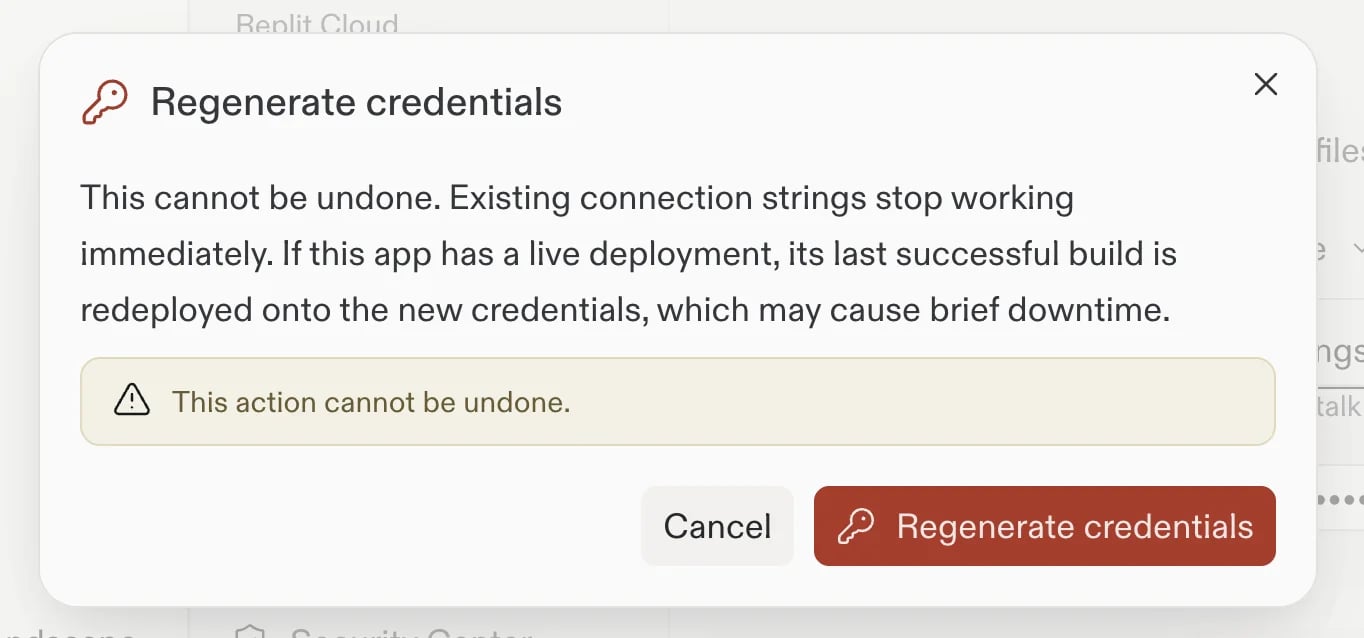
Learn more about [regenerating production database credentials](https://docs.replit.com/features/data-and-storage/connection-details#regenerate-production-database-credentials).
## Teams and Enterprise
### Build with SSO
Pro builders can now configure enterprise SSO for a Replit App that uses [Clerk Auth](https://docs.replit.com/features/auth-and-identity/clerk-auth). Ask Agent for the authentication change you need, and Agent directs you to the Clerk Dashboard. There, connect Okta or Microsoft Entra ID through OIDC or SAML. Enterprise SSO connections are free through October 1, 2026. After that, Clerk pass-through pricing applies. Enterprise availability is coming soon.
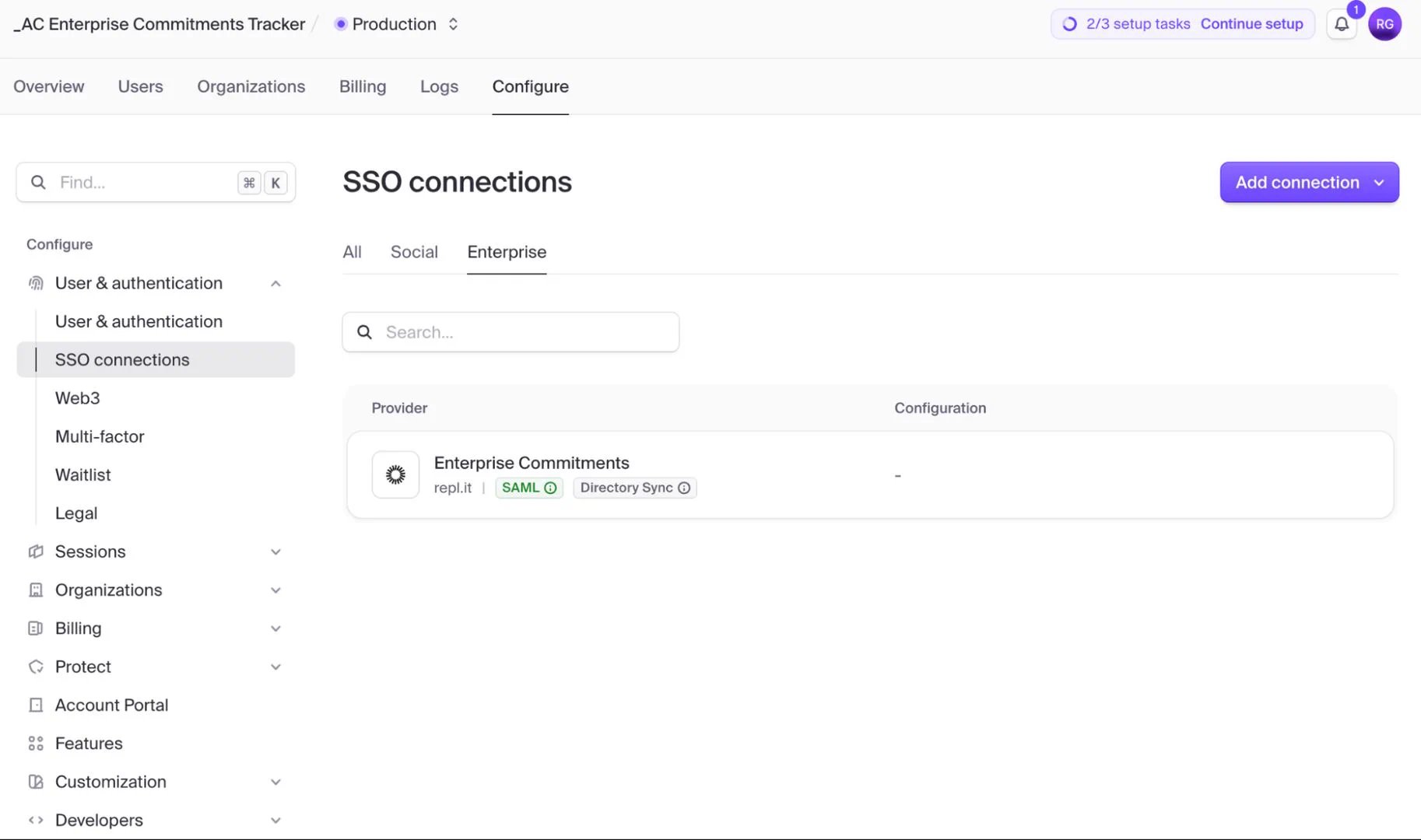
Learn more about [Build with SSO](https://docs.replit.com/features/auth-and-identity/single-sign-on).
### Move projects between workspaces
You can now move a project between team workspaces in the same billing account from the **Projects** list. The transfer runs in the background and can't be undone. Linked Account Secrets don't move with the project, so re-link them in the destination workspace.
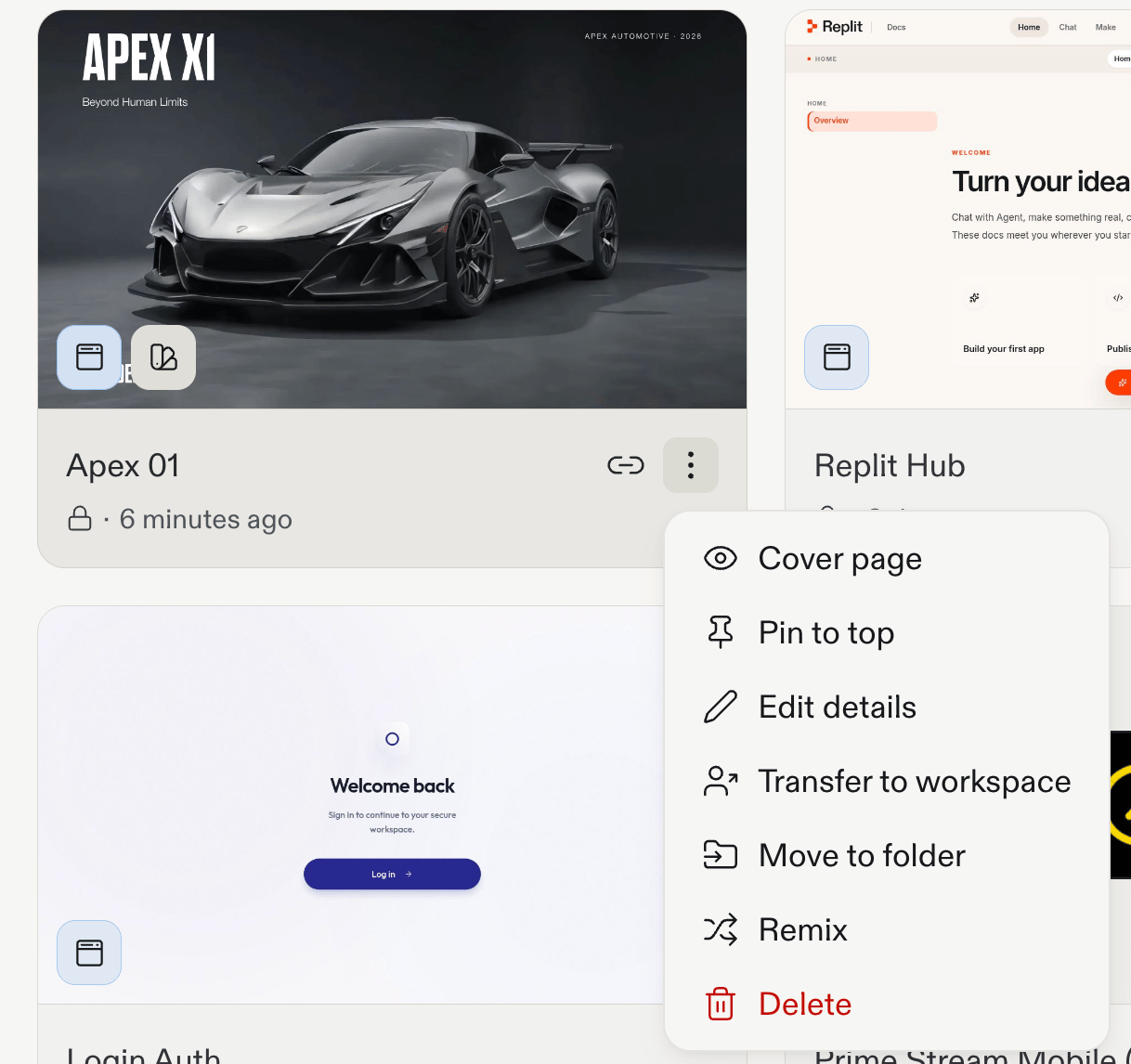
Learn more about [transferring projects between team workspaces](https://docs.replit.com/teams/identity-and-access-management/transfer-app-to-teams#transfer-between-team-workspaces).
## July 31, 2026
## What's new
* [Replit Design is live](#replit-design-is-live)
* [Choose Agent's primary model](#choose-agents-primary-model)
* [Connect more MCP servers](#connect-more-mcp-servers)
* [A rebuilt usage page](#a-rebuilt-usage-page)
* [Stay signed in longer](#stay-signed-in-longer)
## Workspace
### Replit Design is live
Replit Design is now live. Describe what you want to create, explore interactive mockups, and refine the direction. When a frame is ready, Core and Pro users can turn it into a working app in the same project.
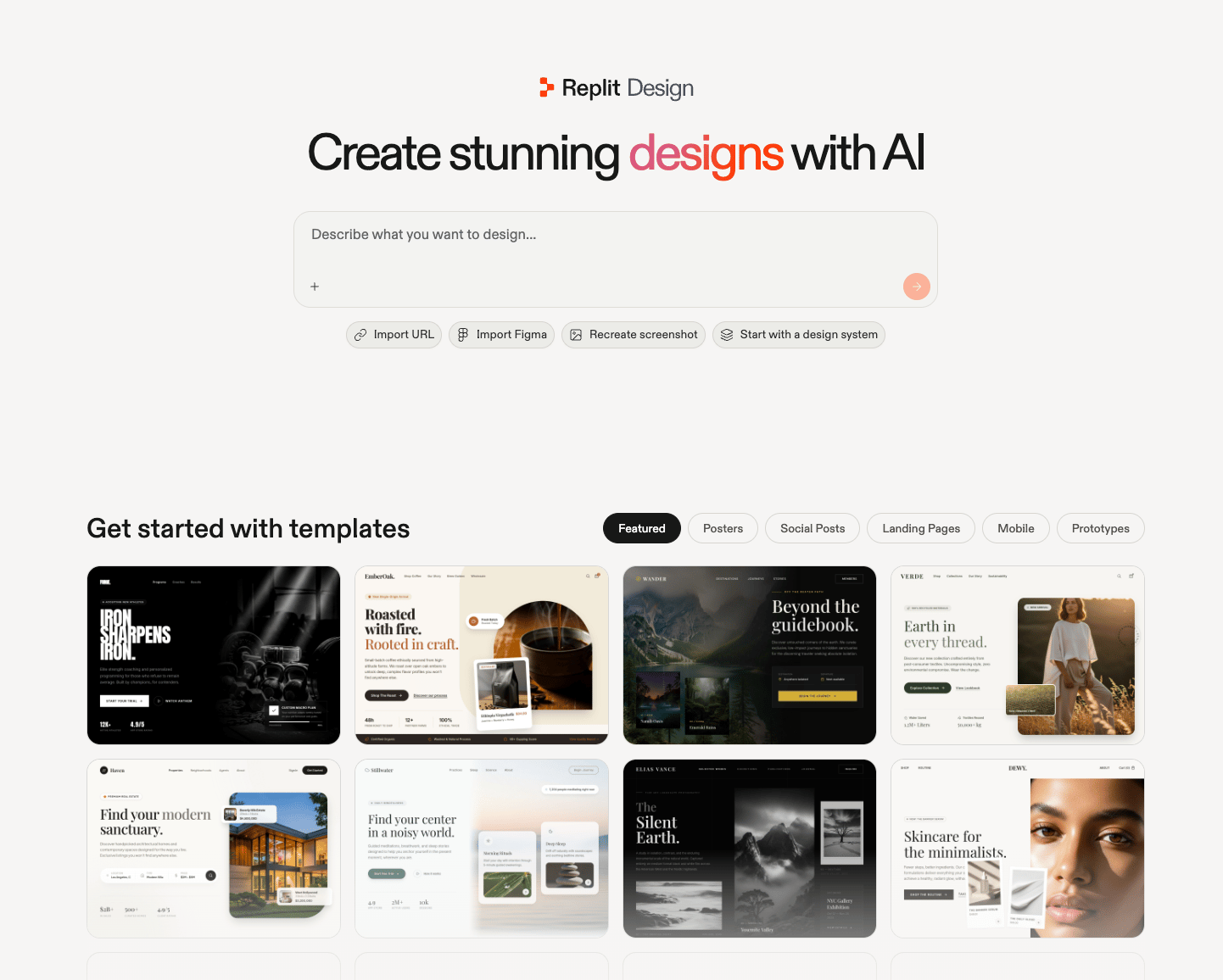
Learn more about [Replit Design](https://docs.replit.com/design/what-is-replit-design).
## Agent
### Choose Agent's primary model
You can now choose the primary model Agent uses for a task. Select Lite, Economy, or Power, then choose from the available models for that mode. Lite is now available wherever you can use Agent, including in mobile apps. Available models vary by organization, authorization, and Turbo access.
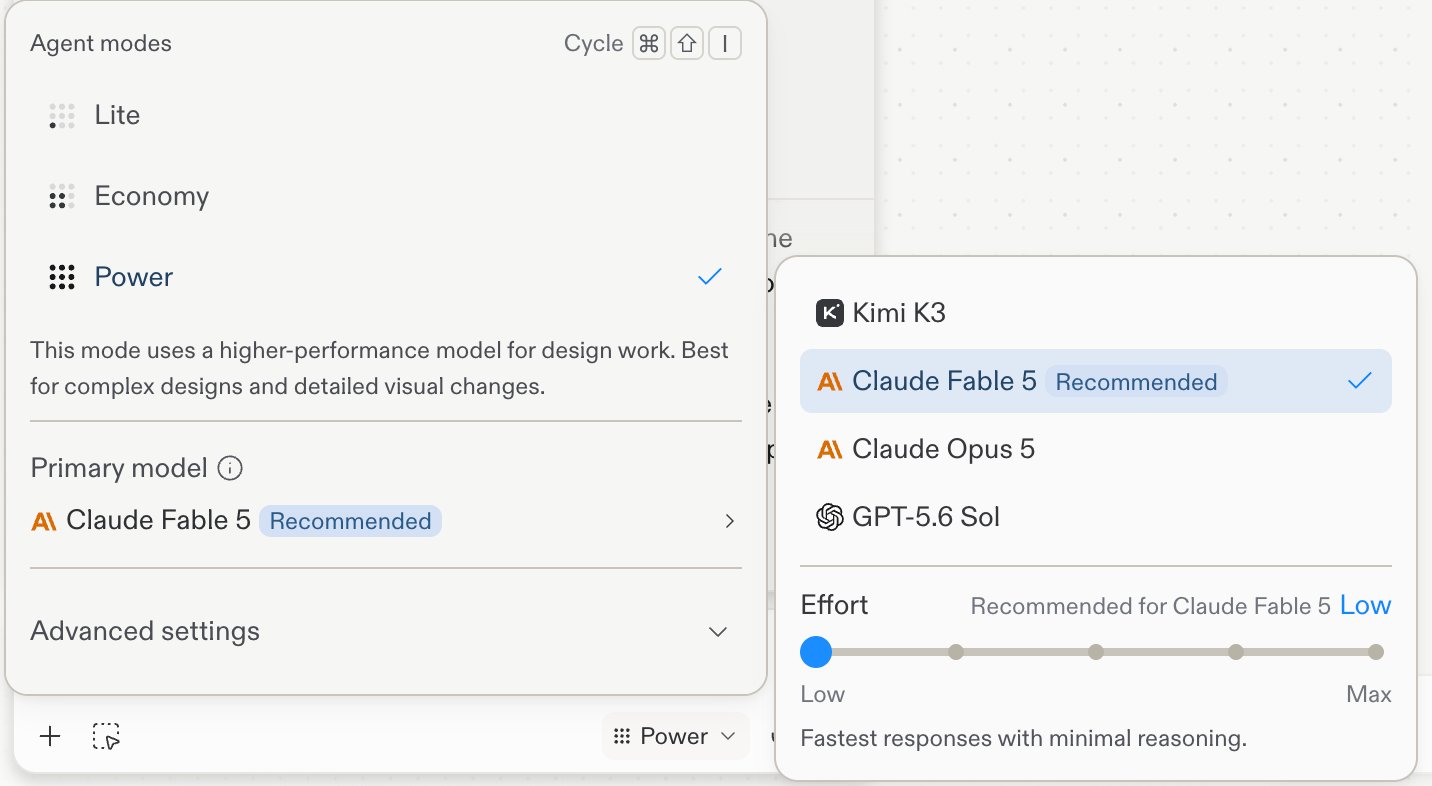
Captured in Replit Design; the same control appears in the Agent settings dropdown.
Learn more about the [Model selector](https://docs.replit.com/features/agent/model-selector).
### Connect more MCP servers
Eligible workspaces can connect to Supabase, Statsig, and Calendly from the pre-listed MCP server catalog. Replit also recognizes the official Braintrust MCP endpoint and starts its OAuth sign-in flow when you add it manually.
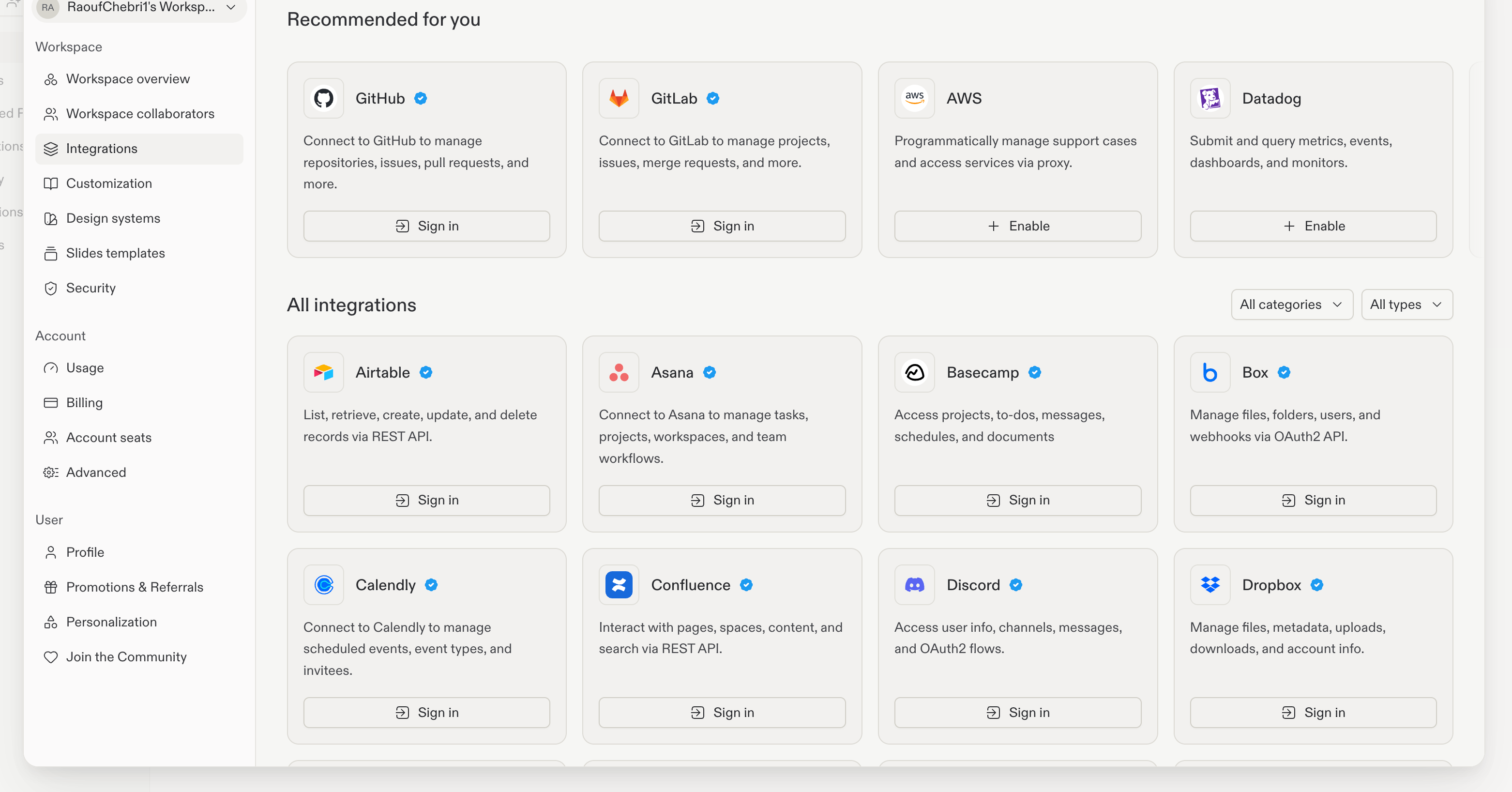
Learn more about [MCP servers](https://docs.replit.com/features/mcp/overview).
## Billing
### A rebuilt usage page
The redesigned Usage page is rolling out to selected enterprise accounts and new customers. Filter usage by date, resource, project, workspace, group, or member.
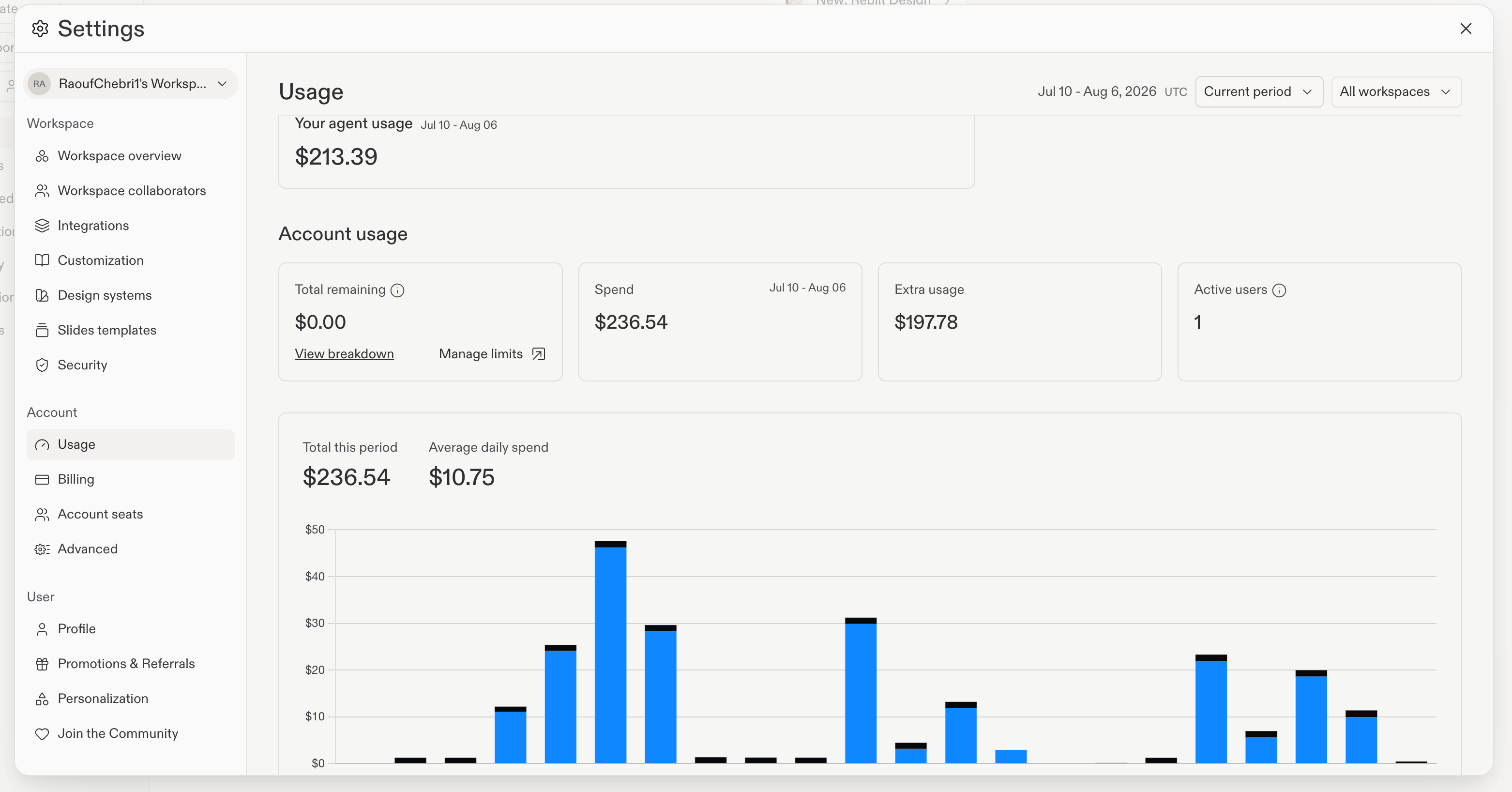
Learn more about [viewing usage](https://docs.replit.com/billing/managing-spend#view-usage).
## Teams and Enterprise
### Stay signed in longer
Replit sessions now last longer before you need to sign in again. Enterprise admins can configure Session timeout presets.
## July 24, 2026
## What's new
* [A new way to build from your phone](#a-new-way-to-build-from-your-phone)
* [Bring more Slack context to Agent](#bring-more-slack-context-to-agent)
* [More flexibility when changing your Pro plan](#more-flexibility-when-changing-your-pro-plan)
* [Lower prices across Replit Cloud](#lower-prices-across-replit-cloud)
## Mobile
### A new way to build from your phone
The Replit Mobile App has a refreshed home screen and simpler project navigation. Swipe between Agent, tasks, and Preview, describe what you want to build with your voice, and follow Agent progress with improved notifications and Live Activities.
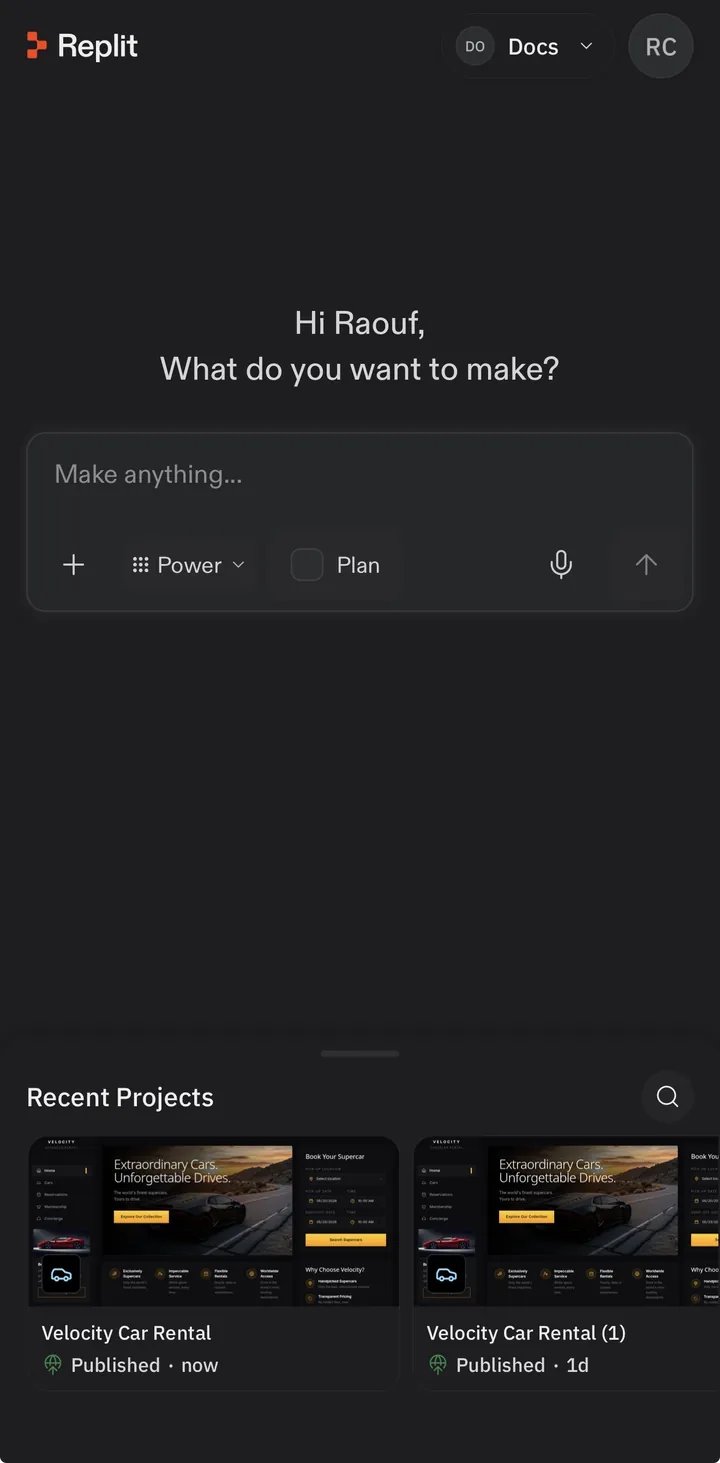
Learn more about the [Replit Mobile App](https://docs.replit.com/features/platforms/mobile-app#navigate-your-project).
## Integrations
### Bring more Slack context to Agent
After you connect Slack, Agent can search the messages, files, channels, and people you can access. It can read private conversations and thread replies, send messages as you, and create or update Slack canvases.

Learn more about [using Slack with Agent](https://docs.replit.com/features/integrations/overview#use-slack-with-agent).
## Billing
### More flexibility when changing your Pro plan
You can now move between individual Pro tiers and change your billing cadence from your billing settings. Replit shows whether your change takes effect now or at the end of your current billing period before you confirm it. Learn more about [changing your plan](https://docs.replit.com/billing/plans/changing-your-plan#downgrade-your-plan).
### Lower prices across Replit Cloud
Starting August 1, Replit Cloud prices are lower across deployments, App Storage, and outbound data transfer. The new rates apply automatically to published projects at the start of your first billing cycle on or after August 1. Learn more about the [August cloud pricing updates](https://docs.replit.com/billing/aug-cloud-billing-updates).
## July 17, 2026
## What's new
### Integrations
#### Agent suggests connectors when several fit
When you ask Agent to connect a service and more than one provider works, Agent now shows a short list so you can pick the one you want. Before, Agent had to ask a follow-up question first. Choose a provider, sign in once, and Agent keeps building.
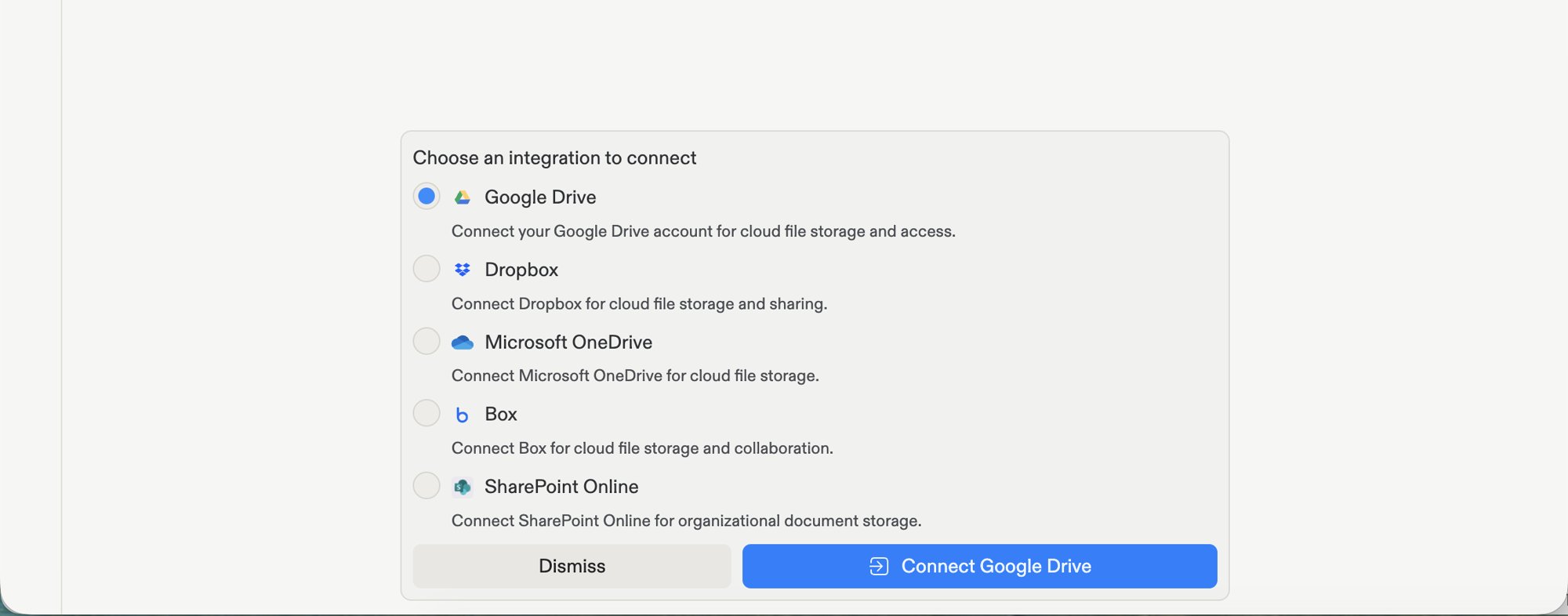
Learn more about [connectors](https://docs.replit.com/features/integrations/overview#let-agent-suggest-a-connector).
### Workspace
#### Meet the new Tools pane
Everything your app can use now has one home in your workspace. The new pinned Tools pane brings Database, Auth, Domains, Secrets, and more together in a single place. That makes the full set of tools easy to find at a glance. The tools themselves haven't changed. They just have a clearer home.
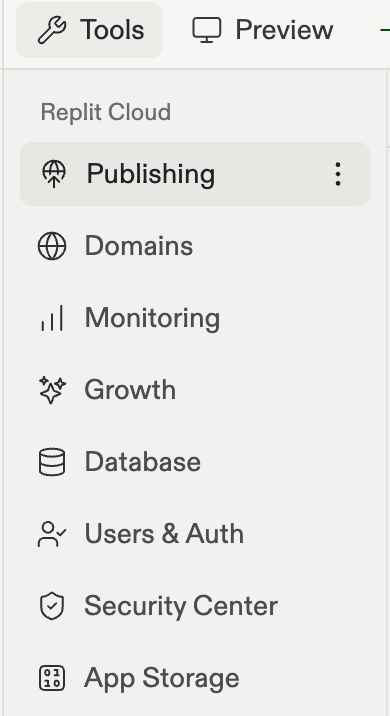
Learn more about the [Tools pane](https://docs.replit.com/features/editor/editor-and-tools).
#### A faster task sidebar
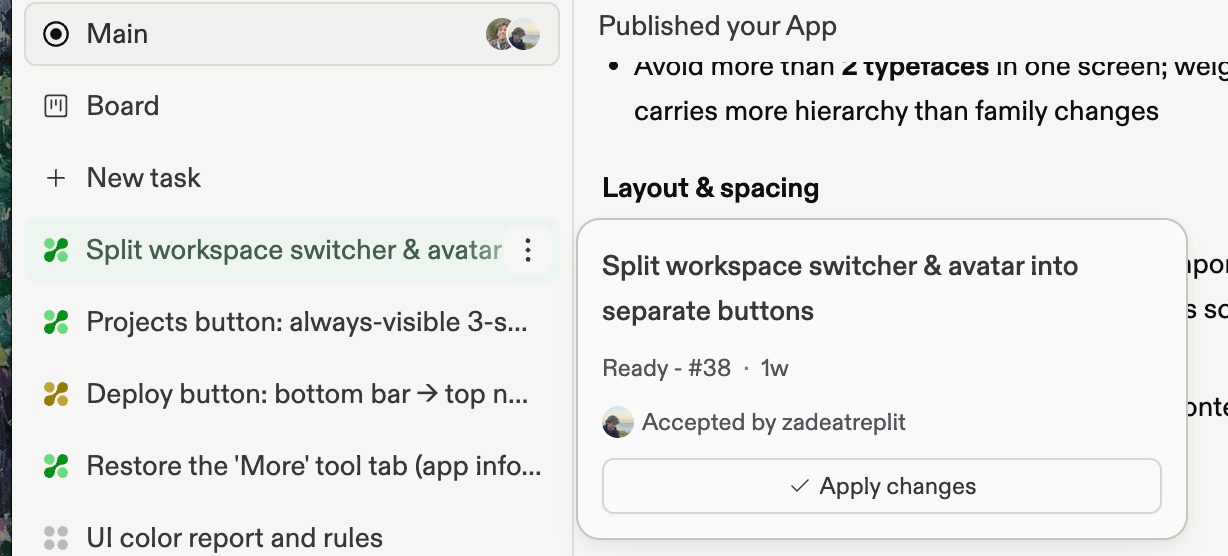
The task sidebar is now a denser, easier-to-scan task navigator. Each task has its own hover card for quick actions and details, the Task Board has a clearer entry point, and tasks stay put instead of shifting when you expand or collapse the sidebar.
Learn more about the [task lifecycle](https://docs.replit.com/features/agent/task-lifecycle).
## July 10, 2026
## What's new
- Buy a domain right inside Replit
- Connect Excalidraw to Agent
- Editors can answer Agent's questions
## Platform
### Buy a domain right inside Replit
You can now search for and buy a custom domain for your app without leaving Replit. Find an available name, complete checkout, and Replit connects the domain to your published app for you. No separate registrar account to set up.
## Integrations
### Connect Excalidraw to Agent
You can now connect Excalidraw so Agent creates and edits diagrams and whiteboards for you. Sign in once on the Connectors page, then ask Agent to build with Excalidraw across your apps. No credentials to copy or paste.
## Workspace
### Editors can answer Agent's questions
When you build together in a shared app, any editor can now answer Agent's routine questions instead of waiting for the app owner. Sensitive steps, such as connecting an integration or adding a secret, still stay with the owner.
## July 3, 2026
## What's new
- [The redesigned Replit Desktop App](#the-redesigned-replit-desktop-app)
- [Sell in your app with Whop, no setup required](#sell-in-your-app-with-whop)
- [Downgrade from Pro to Core in one step](#downgrade-from-pro-to-core-in-one-step)
## Platform
### The redesigned Replit Desktop App
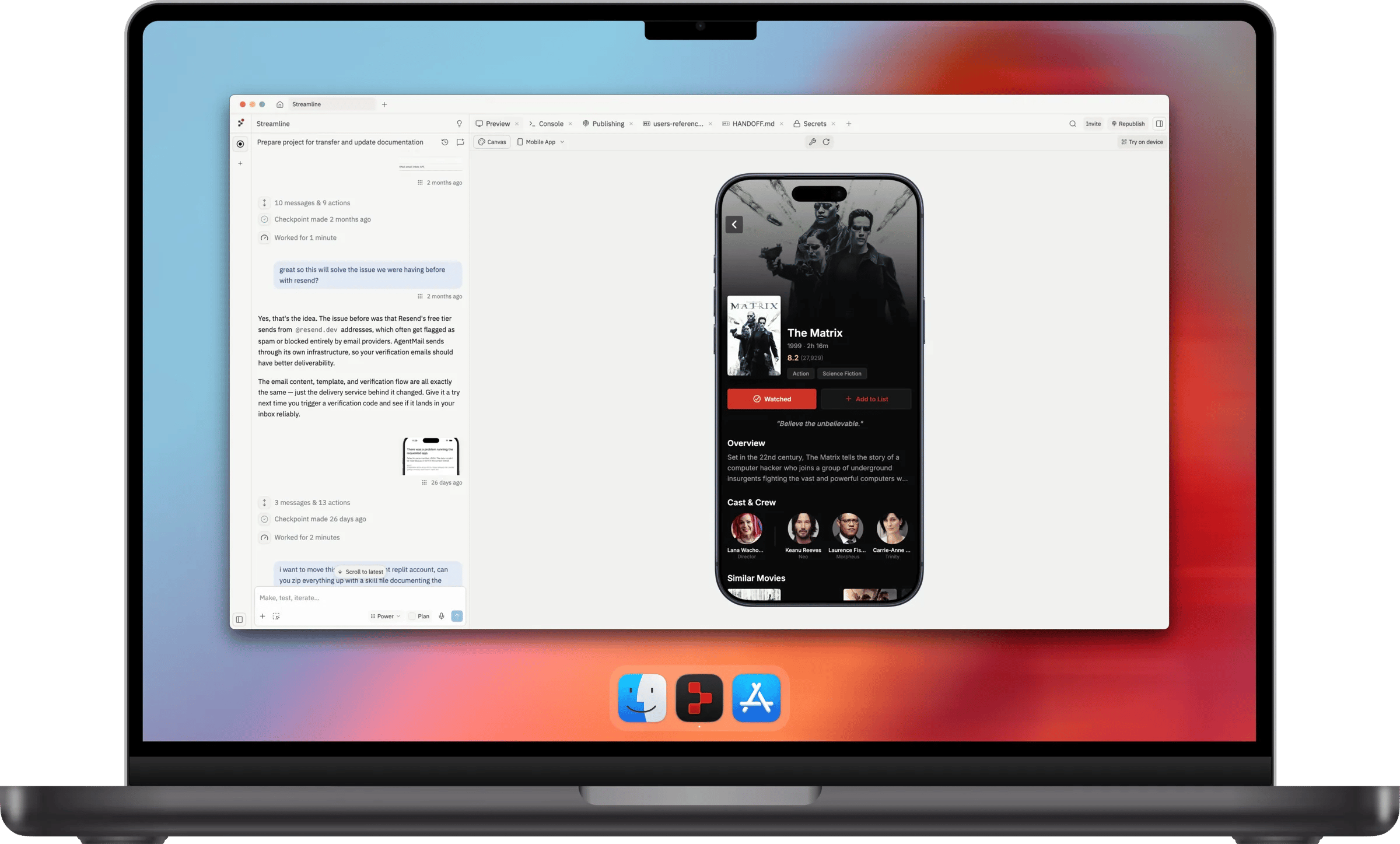
The redesigned Replit Desktop App brings the full Replit experience to your computer. You get the same building experience as the web, plus native touches: work across several apps at once, see at a glance when Agent needs you or finishes, and preview your open apps without switching between them.
Learn more about the [Replit Desktop App](https://docs.replit.com/references/platforms/desktop-app).
## Integrations
### Sell in your app with Whop
You can now add payments to your app with Whop by asking Agent. Agent creates a Whop account for you, connects it, and builds checkout into your project, with no external setup and no API keys to paste in. Whop is the fastest way to start selling digital products, memberships, and subscriptions. Learn more about [Whop Payments](https://docs.replit.com/references/monetization/whop-payments).
## Billing
### Downgrade from Pro to Core in one step
You can now move from Replit Pro to Replit Core directly, without canceling your subscription first. Previously the only way down was to cancel, which dropped you to the free plan before you could resubscribe. If you start to cancel, Replit now offers to downgrade to Core instead, so you keep a paid plan and your published apps stay running. Learn more about [changing your plan](https://docs.replit.com/billing/plans/changing-your-plan).