Pulse on mobile
Pulse is now available in Linear’s iOS and Android apps. Stay up-to-date on the progress of your projects and initiatives, no matter where you are.
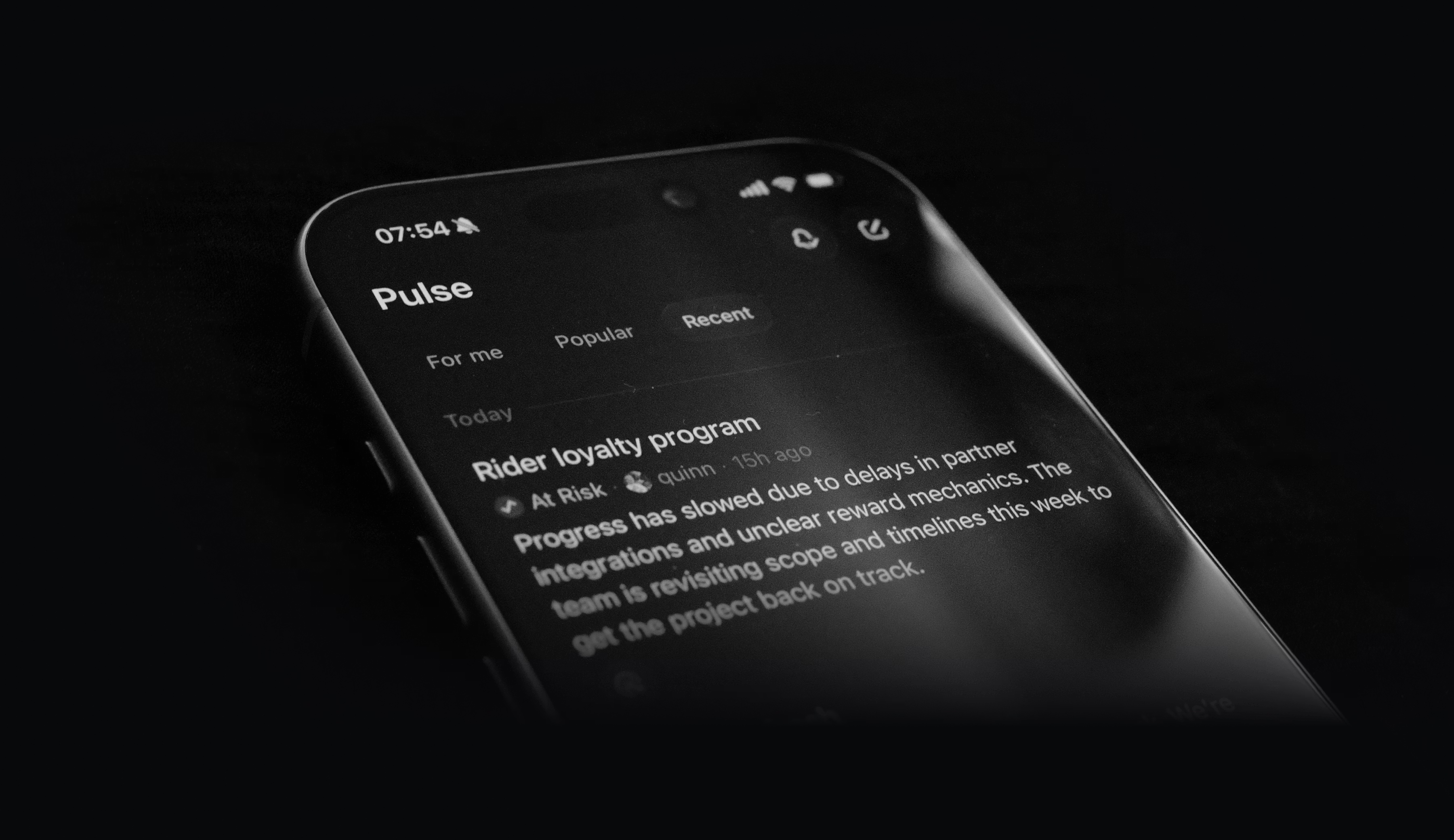 Pulse brings relevant updates from across your Linear workspace into a single unified feed, so you can quickly see what’s happening. **For me **shows you a personalized feed of project and initiative updates most relevant to you. Popular and Recent surface updates from across your entire company, helping you stay informed beyond your immediate focus. Leave a comment on any update, or react with an emoji.
Updated Progress Graphs
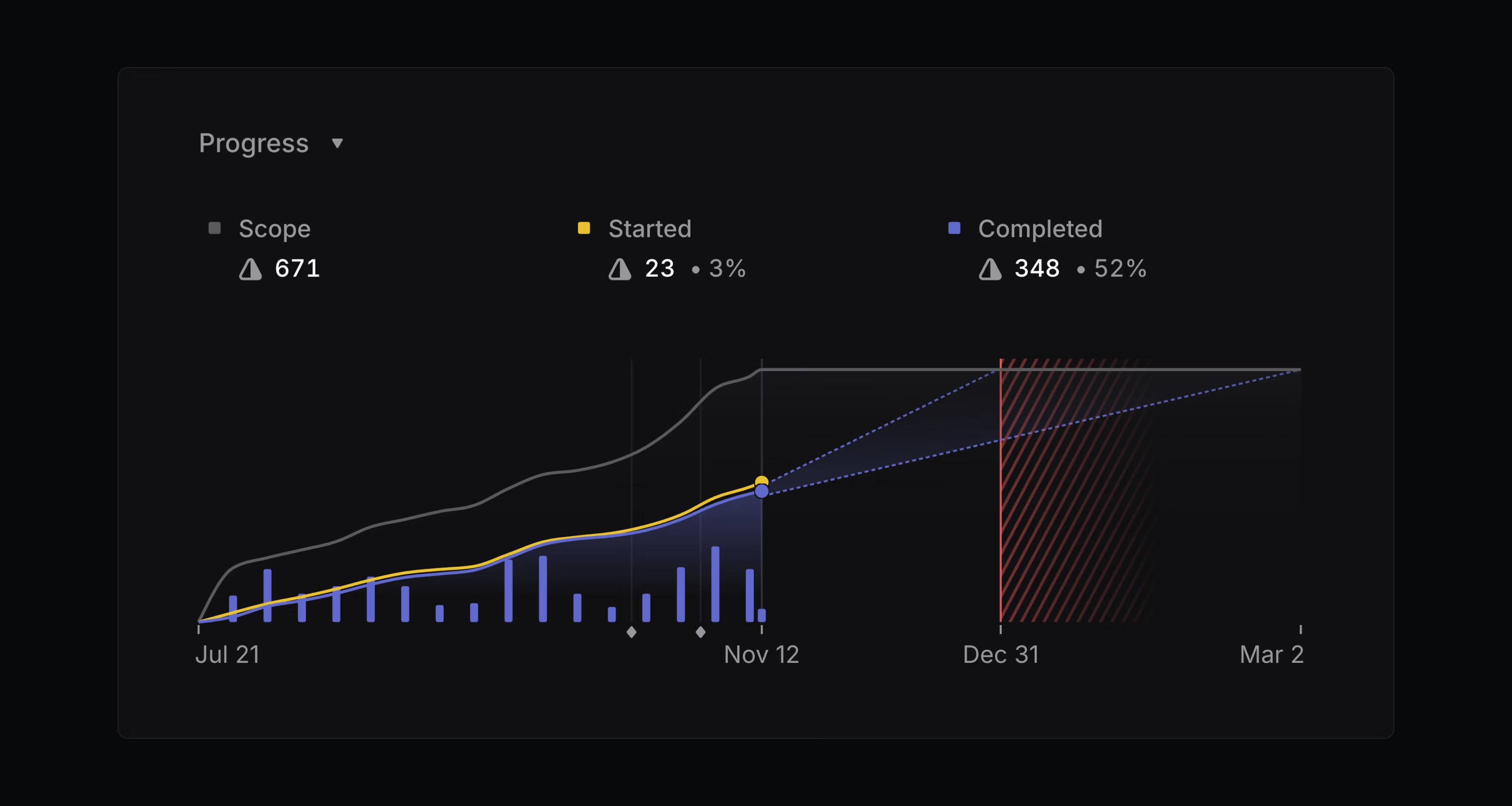
Initiative, project, and cycle graphs have been refreshed to make progress and activity trends clear at a glance.
Progress graphs for projects and cycles now include a bar chart to highlight completed issues, providing a clear view of momentum over time.
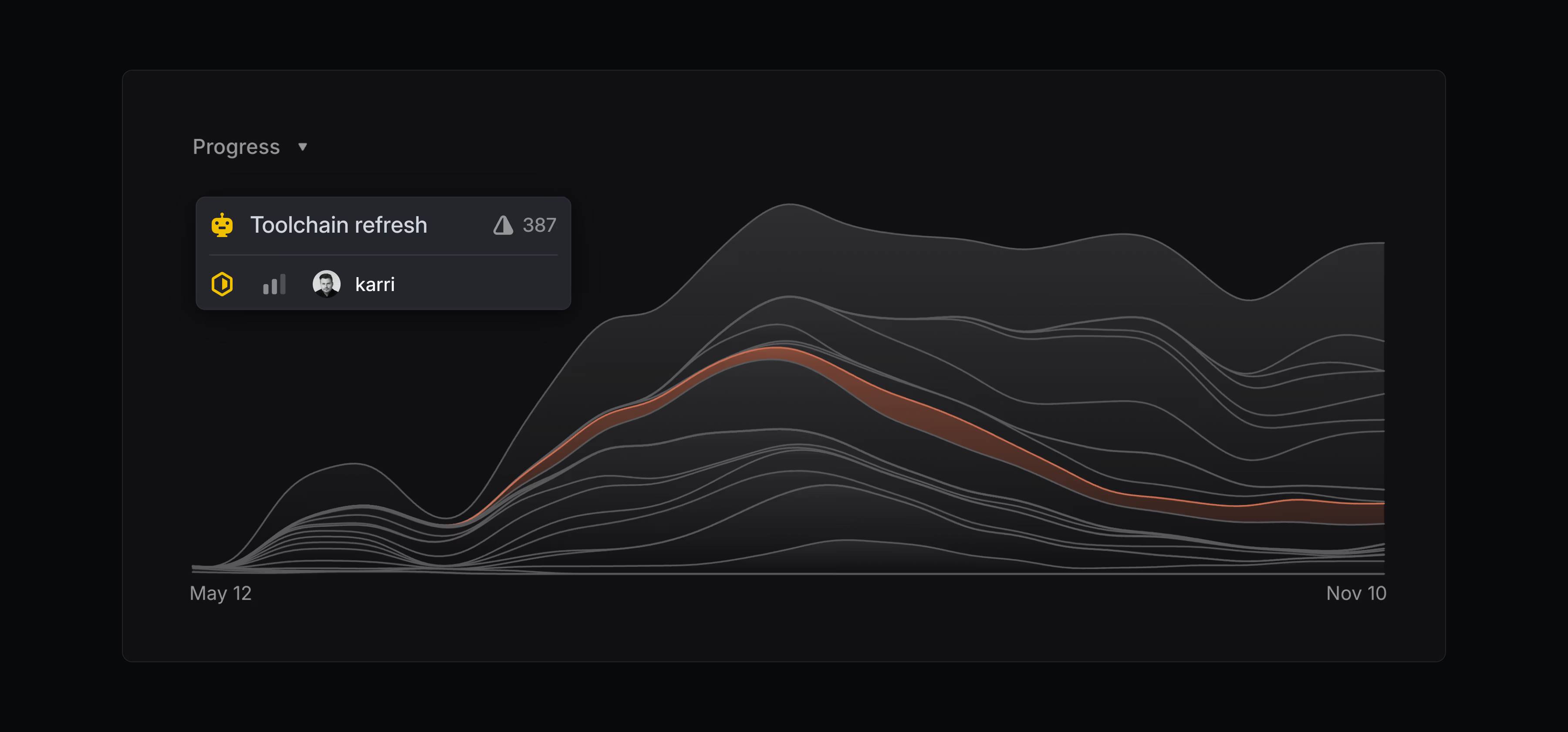
 Initiative graphs have been redesigned to highlight the most active projects at any given time. Each curve represents the rate of completed issues within a single project, rising during periods of high activity and leveling off during quieter periods or after project completion. Hover over the x-axis to see your most active projects in a given week.
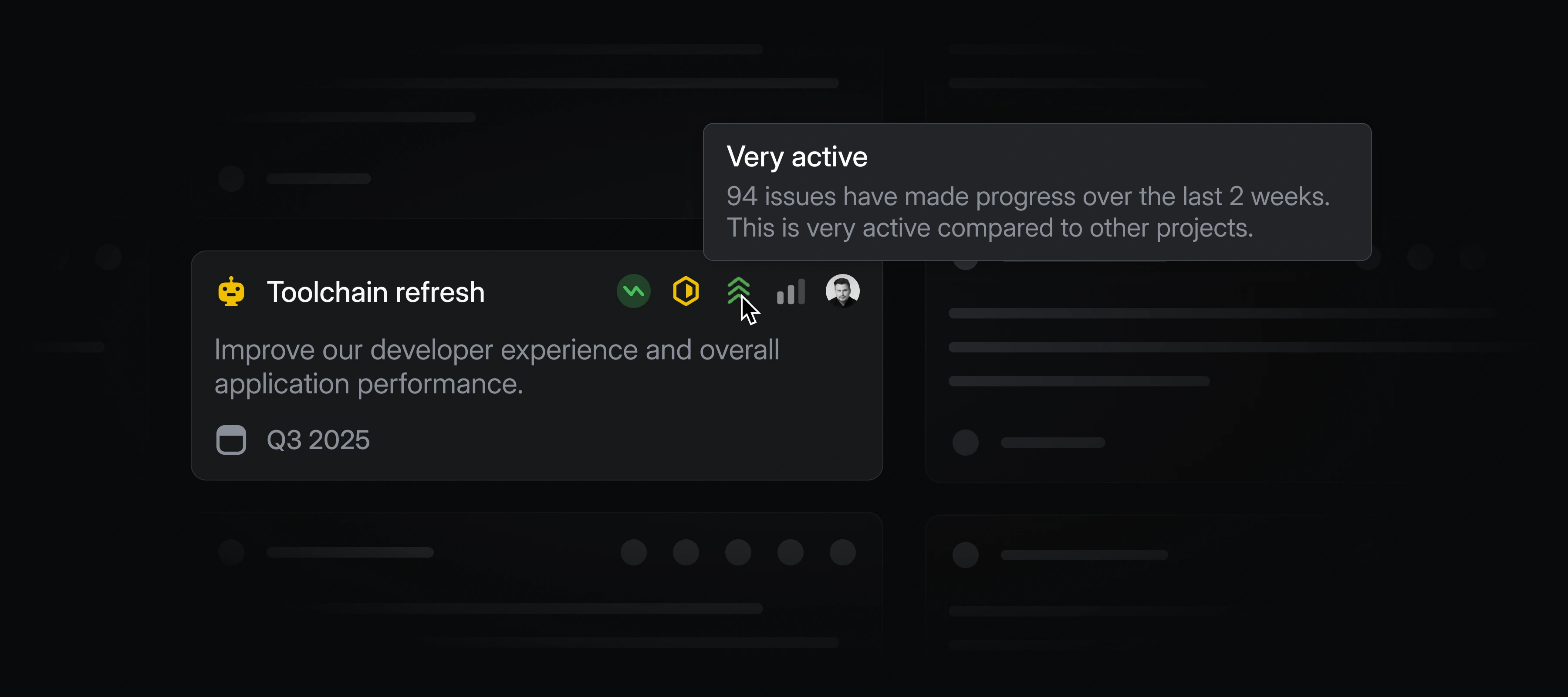
 Initiative and project views now include an activity indicator. It highlights which efforts are most active across your workspace, so it’s clear where your team is spending time.
Datadog integration
Datadog users can now automatically create Linear issues from Datadog monitor notifications. This ensures that any critical alerts from Datadog are translated directly into tracked and actionable work in Linear. Learn more in our docs.
Improvements
Background uploads: You can now create issues and send comments before their files upload. Continue with work elsewhere while the uploads complete in the background.
- Customer Requests: Customer requests can now be exported in CSV format from an issue, project, or a customer page. Access this option through the Cmd/Ctrl + K menu.
- Issues: Current user is now always displayed at the top of the list when assigning issues
- Security: Added a security setting to control who can modify workspace-level agent guidance prompts
- UI: The command menu is now more performant for workspaces with a large number of initiatives
Fixes
- Customers: Customers with long names no longer truncate on the Customers page
- Drafts: Fixed drafts only being created after confirming cancellation of uploads that are in flight
- Editor: Fixed unwanted scrolling when navigating through collapsed sections with the keyboard
- Editor: Fixed navigating below a code block that is nested inside a list or blockquote
- Editor: Fixed changing the value of date mentions in comments
- Exports: Fixed an error for admins when exporting a CSV containing private teams they’re not members of
- Exports: Fixed CSV exports of project views to correctly include project start and target dates
- Filters: Fixed icon clipping in Customer Status filter block
- GitHub: Fixed a bug where the GitHub integration could keep disconnecting
- Inline comments: Fixed inline comments highlights disappearing from collapsible sections and tables when dragging
- Mobile Web: Fixed a few bugs in the command menu in iOS Safari
- Projects: Fixed the order of issues being incorrect in some scenarios when creating a project from a template
- UI: Fixed draft delete button outline being cut off on focus
- UI: Fixed dark mode sidebar backdrop being fully black in high contrast mode
- UI: Fixed bug with adding hyperlink on selected text with Cmd/Ctrl + K
- SLAs: Fixed unexpected changes to SLAs when project properties are changed
Fetched April 13, 2026